[69D] CYBER
69 Design- EveryoneAge rating
- PersonalizationCategory
- Feb 20, 2026Updated
- FreePrice
Links to the official Google Play listing of com.sixty9design.cyber. Last checked on Nov 27, 2026.
About this app
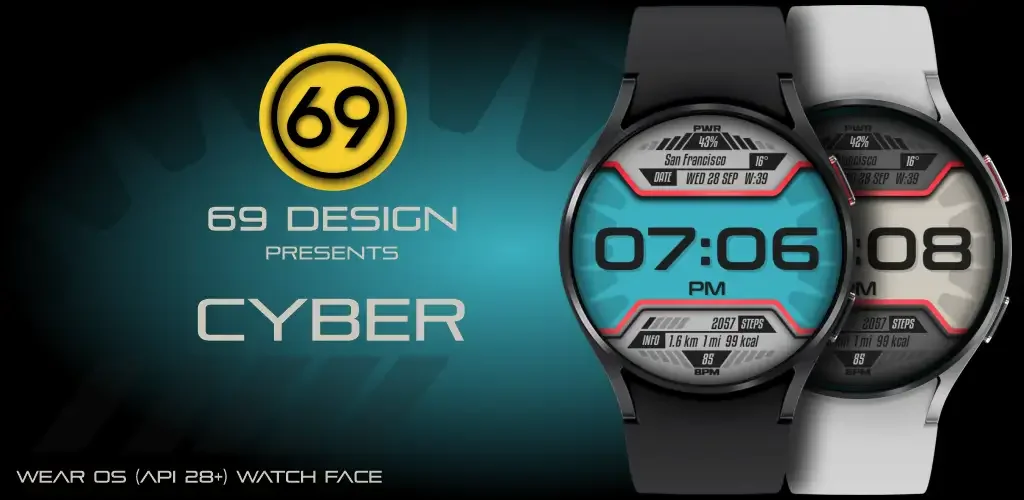
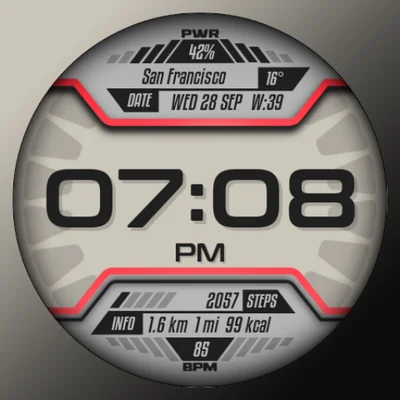
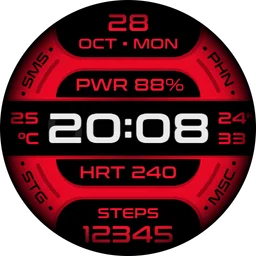
Customizable digital watch face for Wear OS watches.
-IMPORTANT---------------------------
In case of problems with the installation of the watch face on your watch, please copy the link below and paste it into your web browser (not Google play app), there you will be able to choose the device on which watch face should be installed.
Link:
https://play.google.com/store/apps/details?id=com.sixty9design.cyber
-------------------------------------
Please enjoy this outstanding watch face with many selection of customizable elements.
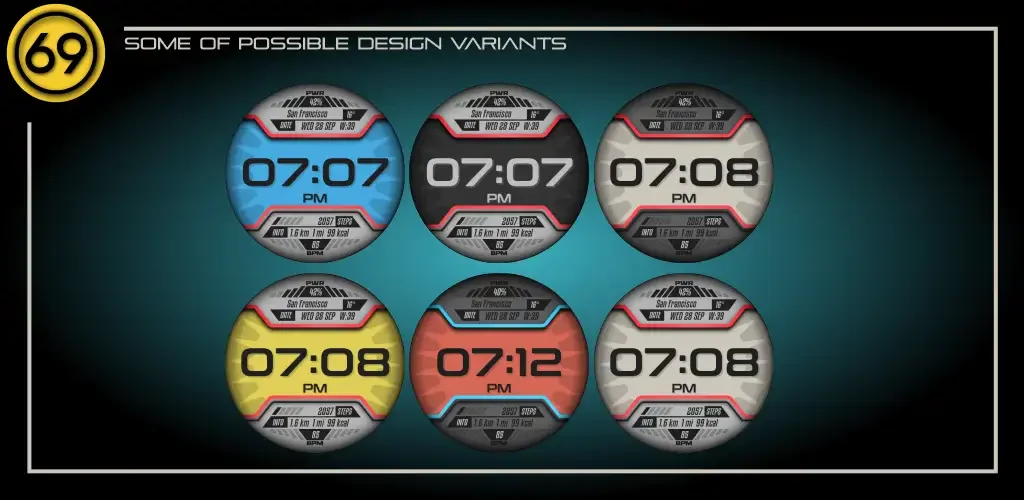
A lot of possible designs combination!
Now you can create your perfect combination which suits your taste.
Features:
- 8 different background colors
- Dark or bright watch face body
- 6 color variants of neon stripes
- 2 variants of digital time color
- 12/24 hour format
- Battery level
- Steps count
- Date
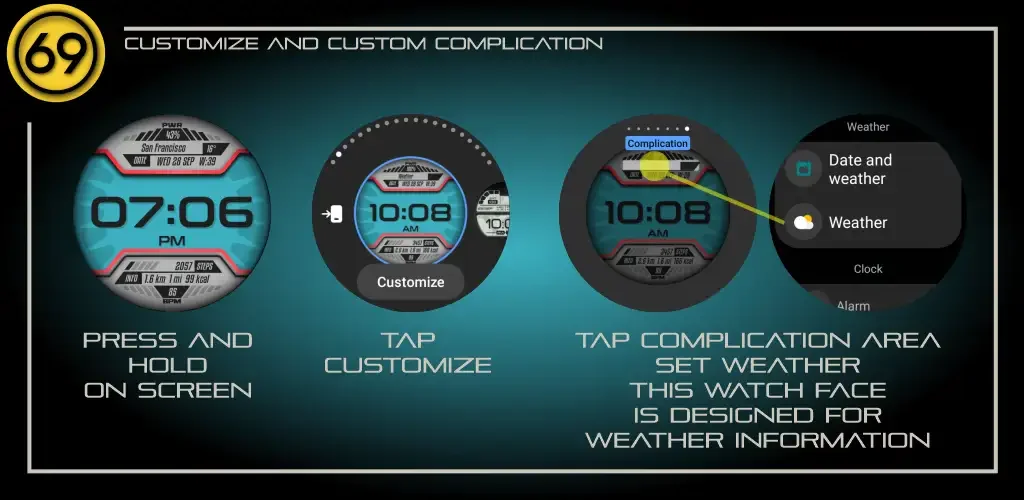
- Complication area designed for weather
NOTE:
This app is made for Wear OS devices.
Please select "download on your watch device" from the "INSTALL" drop-down menu.
This watch face is compatible with most Wear OS devices, but keep in mind that it will run best and smoothest on newer devices with latest Wear OS software versions.
Please note the attached instructions above (graphic images) which explain how to configure the watch face.
Thank you.
69 Design
Follow us on Instagram: https://www.instagram.com/_69_design_/
Data safety
What 69 Design declares on Google Play about the data this app collects and shares.
- No data shared with third partiesLearn more about how developers declare sharing
- No data collectedLearn more about how developers declare collection
What’s new
Feb 20, 2026
Customizable digital watch face for Wear OS watches.
Developer contact
- Email69designpl@gmail.com
- Privacy policysites.google.com
- Address2 Ul. Mireckiego 41-300 Dąbrowa Górnicza Poland
Information
- Offered by
- 69 Design
- Category
- Personalization
- Updated
- Feb 20, 2026
- Released
- Sep 28, 2022
- Age rating
- Everyone
- Price
- Free
- Package name
- com.sixty9design.cyber
Similar apps
-
Digital Clock Turntable
Personalization
-
Key WF96 Digital Watch Face
Personalization
-
V RotaryStaff
Personalization
-
Phantom - LCD v2 | watch face
Personalization
-
Axora - Watch Face
Personalization
-
Tku S012 Workout Watch Face
Personalization
-
JND0004U
Personalization
-
DADAM25: Modern Watch Face
Personalization
-
Titanium Fit
Personalization
-
ML2U 111 Watch Face
Personalization
-
DADAM50: AMOLED Watch Face
Personalization
-
Obscure Watch Face
Personalization
![[69D] CYBER screenshot 1](https://imgresize.dlostc.com/vaUxXJ5NxfDyjgRYCay-h4On7Mki7HeV9F2AfoiOkA4/rs:fit:1040:780/fn:69d-cyber-android-screenshot-1/czM6Ly9pbWFnZXMvcGxheWltZy9kNy83NS9kNzc1M2IzYjAwYTRkZGZlZTkwMjBhM2E5NTU5NzE1OTFmMGRiZDU4NmI2NDAyZjg2Mjk4NGM5NzU0YTY1YmFiLndlYnA.webp)
![[69D] CYBER screenshot 2](https://imgresize.dlostc.com/7iyMrmbslsE8JiAgs4C14gCuPfxq1abkiUsn4amy41E/rs:fit:1040:780/fn:69d-cyber-android-screenshot-2/czM6Ly9pbWFnZXMvcGxheWltZy81Ny81ZC81NzVkYjljNTY3NmNkODZhZmFkYTdhOWM4ZDNhOTc5MTI3MTg0NTRkZTM3NGMxMTNiNmQ4ODE0ZGRjZDE2NjA1LndlYnA.webp)
![[69D] CYBER screenshot 3](https://imgresize.dlostc.com/zaIkTgG0Zixg9QcYoe16OjyX1YV-pwCbyEH6JgJsHrs/rs:fit:1040:780/fn:69d-cyber-android-screenshot-3/czM6Ly9pbWFnZXMvcGxheWltZy8zNS81OC8zNTU4MzUxYTVlZmZlMDIxMjRiMjgyNmRmNmE2NGQ0NDAwMDIzOWVmYWRlZjlhM2ZlNGFkZTgxNGEyY2YyOGQ2LndlYnA.webp)
![[69D] CYBER screenshot 4](https://imgresize.dlostc.com/lMtY_3GHzEtQcU7Nv5G1ombsTWy88h45GY_CuJ0n3Pw/rs:fit:1040:780/fn:69d-cyber-android-screenshot-4/czM6Ly9pbWFnZXMvcGxheWltZy9kZC81OC9kZDU4MDk1YzUwZDQzYWYyN2NjZDBkOGM4NzNlNTNlY2ZhOTliNTQ1MWI1YjlmYjIxMjZlZjYwZTA1OWRlODQzLndlYnA.webp)
![[69D] CYBER screenshot 5](https://imgresize.dlostc.com/vkvtFhhy33AOIXXXcG5zqAGMr1wZ9cyhDWrjf7h6UfI/rs:fit:1040:780/fn:69d-cyber-android-screenshot-5/czM6Ly9pbWFnZXMvcGxheWltZy9lNS82OS9lNTY5NDU1NjUwNzllYjMxYTRhNWNlMTkzNzA3YzMxMTAxMWFlYjhiMjE4YjQ0MTM0MTNiMjQ0ZWY0OWE5YTk4LndlYnA.webp)
![[69D] CYBER screenshot 6](https://imgresize.dlostc.com/DLRJ4AzqgScJjg9wXH1nHReJaoC3FFnydFdfarfEeQo/rs:fit:1040:780/fn:69d-cyber-android-screenshot-6/czM6Ly9pbWFnZXMvcGxheWltZy84Ni9mNC84NmY0ZmI4YmEzYWVhNWE2MGEwZTA3YzVlNTc3YjZhYzNjNmNhMDY0NGZlM2E3NDYyMTRhNmIyYmFkOGNmOWM1LndlYnA.webp)
![[69D] CYBER screenshot 7](https://imgresize.dlostc.com/HIeQBfF0ML4IxT6Ye9wh9em9XXPJ4KbGiN-nuxPY7b4/rs:fit:1040:780/fn:69d-cyber-android-screenshot-7/czM6Ly9pbWFnZXMvcGxheWltZy81MS8yYi81MTJiMzY3MzRjYzQxZmExZmFhZTQwN2E0YTE2ODAxMDg2NTM1N2E3NzYzMzRmZGU0NjQ2NmI2MzM0MzdjZjQ5LndlYnA.webp)