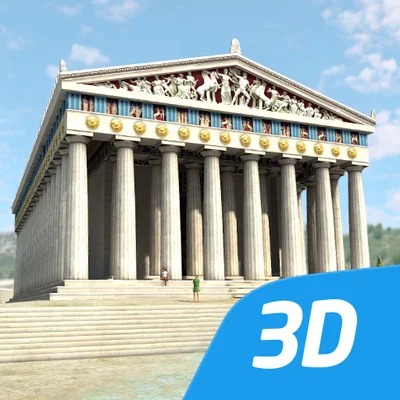
Acropolis educational 3D scene
Mozaik Education- EveryoneAge rating
- EducationCategory
- May 7, 2026Updated
- FreePrice
Links to the official Google Play listing of com.rendernet.acropolis. Last checked on Nov 13, 2026.
About this app
Interactive 3D Animation designed to turn learning into a playful experience.
The Acropolis of Athens
The world´s most famous citadel, the Acropolis of Athens, was built in Ancient Greece in the 5th century BC.
Explore history with our interactive 3D scenes. Learn about historical sites, great works of architecture or events of the past. With our apps, learning becomes a playful experience.
Our 3D scenes have been designed for students between 8 and 18 years of age but can be interesting for everyone.
Available languages: English, American English, Deutsch, Français, Español, Русский, العربية, 日本語, 中文, 한국어, Italiano, Português, Svenska, Türkçe, Nederlands, Norsk, Polski, Magyar, ελληνικά
With the mozaik3D App, available in the Google Play store, you can access more than 1200 similar 3D scenes.
Mozaik Interactive 3D
Our fully interactive scenes can be rotated, enlarged or viewed from pre-set angles. With the predefined views, you can easily navigate through the complex scenes. Some of the 3D scenes contain a Walk mode, enabling you to explore the scene yourself. Most of our 3D scenes include narrations and built-in animations. They also contain captions, entertaining animated quizzes and other visual elements. The 3D scenes are available in several languages, which also offers an opportunity to learn and practice foreign languages.
Usage and navigation
Rotate the scene by dragging your finger.
Zoom the scene in or out by pinching with your fingers.
Pan the view by dragging with three fingers.
Tap the buttons at the bottom to switch between predefined views.
If available in a specific view, use the virtual joystick to walk around.
You can change the language and set other functions in the context menu.
The context menu can be accessed by touching the bottom corners.
Activate VR mode by pressing the VR goggles icon in the bottom right corner.
In VR mode, tilt your head to the right or left to display the navigation panel. Look down to turn movement on or off during Walk.
Data safety
What Mozaik Education declares on Google Play about the data this app collects and shares.
- No data shared with third partiesLearn more about how developers declare sharing
- No data collectedLearn more about how developers declare collection
What’s new
Version 1.32 · May 7, 2026
Bug fixes, major improvements.
Developer contact
- Websitemozaweb.com
- Emailoffice@mozaweb.com
- Privacy policymozaweb.com
- AddressSzeged Somogyi utca 19. 6720 Hungary
Information
- Offered by
- Mozaik Education
- Category
- Education
- Version
- 1.32
- Updated
- May 7, 2026
- Released
- Apr 16, 2015
- Requires
- Android 5.1 or later
- Age rating
- Everyone
- Price
- Free
- Package name
- com.rendernet.acropolis