ATouch IOS - Screen Recorder
FA developerContains ads · In-app purchases
- TeenAge rating
- PersonalizationCategory
- Aug 21, 2025Updated
- FreePrice
Links to the official Google Play listing of com.tuanfadbg.assistivetouchscreenrecorder. Last checked on Nov 15, 2026.

Screenshots
About this app
The developer has not provided this text in your language.
ATouch IOS - Screen Recorder for Android, screenshot, recording screen
*** OVER 25 MILLION DOWNLOADS WORLDWIDE ***
*** GREAT RATING 4.9/5 STARS ***
ATouch IOS - Screen Recorder quickly help you to change settings, screen recorder, Screenshot, Volume, Lock the screen (Screen off) and fast access to the favorite application.
Quickly access:
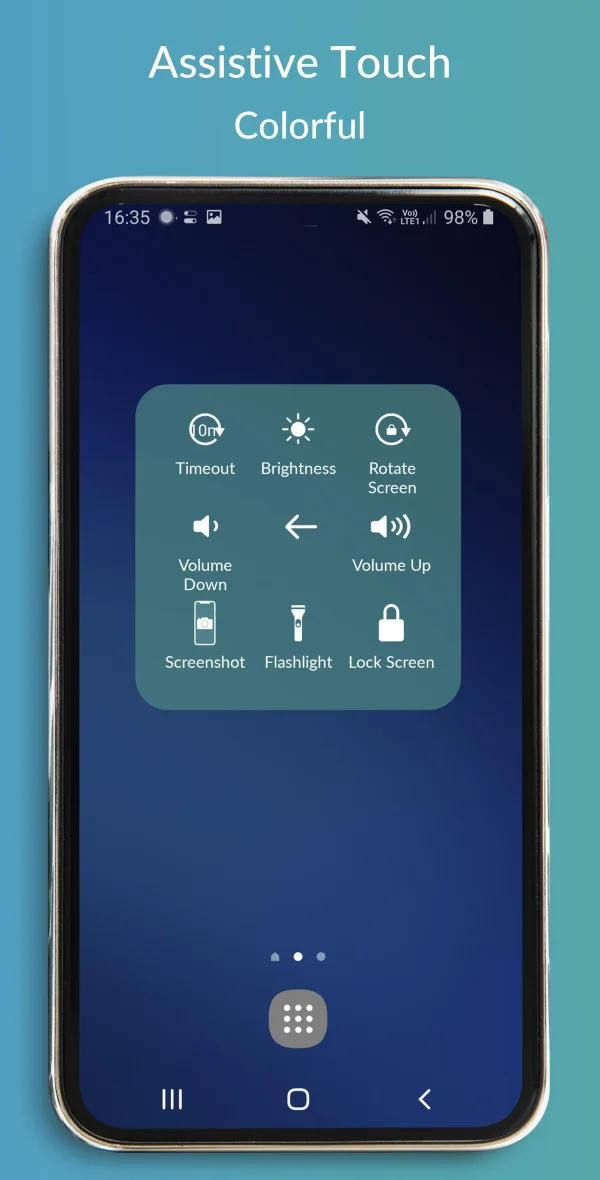
- Screen rotation: switch portrait or landscape
- Change volume: a volume manager, quickly change media volume, ringtone, and alarms
- Brightness: fast change to lower, medium or higher brightness.
- Flashlight: turn on and of the flashlight
- Do not disturb
- Lock the screen (screen off): turn off screen and support to opening screen by fingerprint, face, and iris.
- Screen recorder be like iPhone IOS
- Screenshot, screen capture, screencast
- Notification: open the notification bar
- Pin favorite application in ATouch
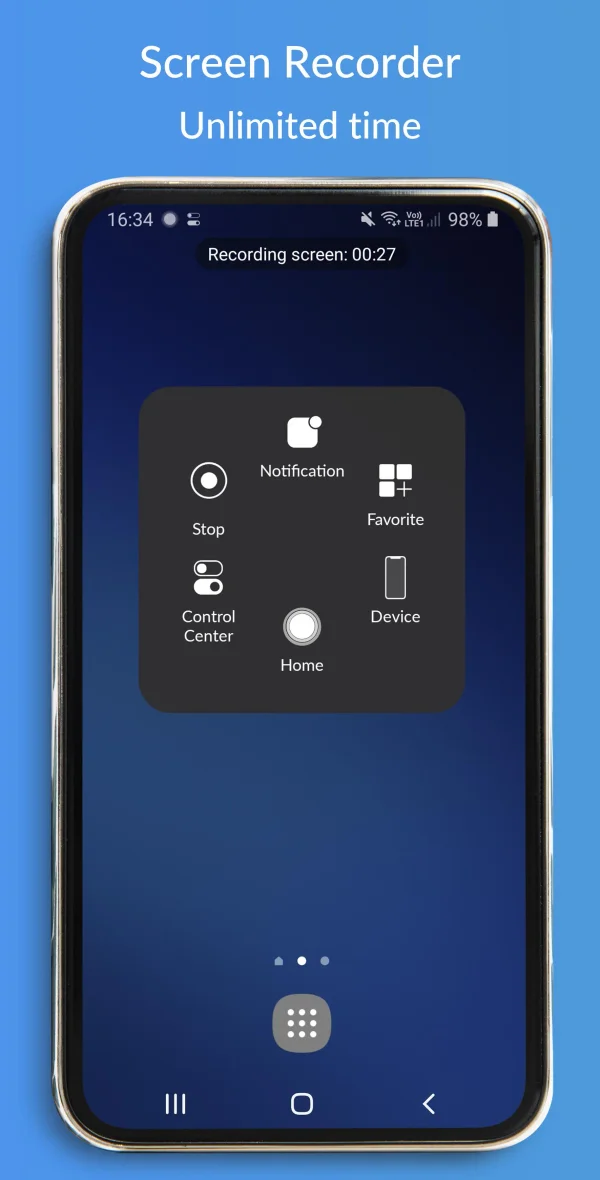
Screen Recorder: Fast record anything on your screen.
To start the Screen Recorder: open ATouch, select Device, and select screen recorder icon.
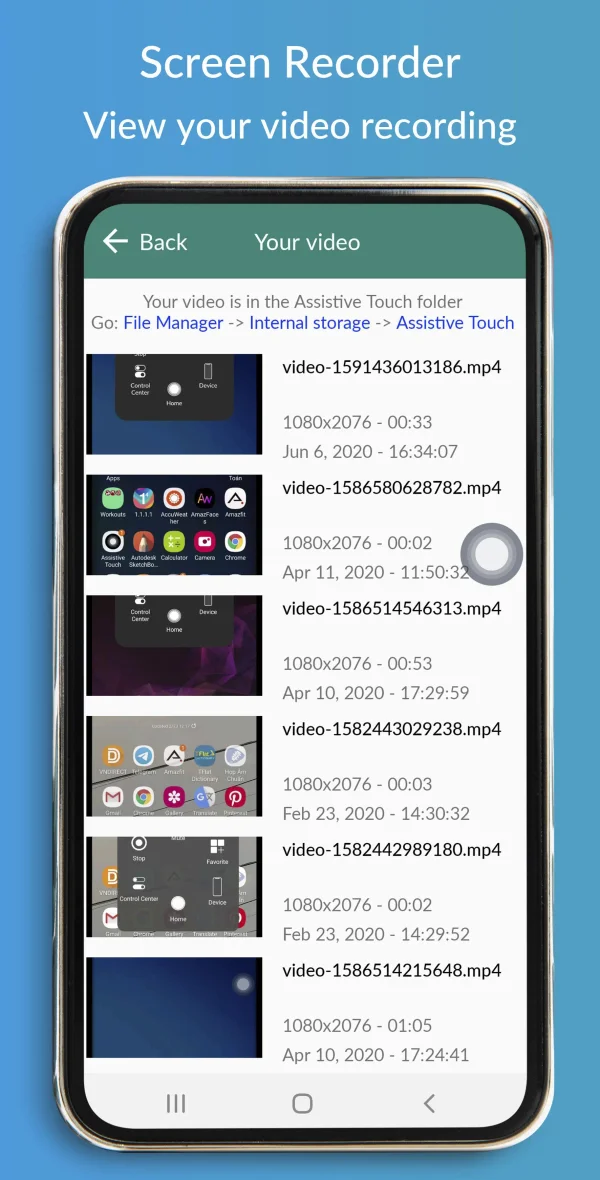
On ATouch, select Your video to view your video recording (from screen recorder)
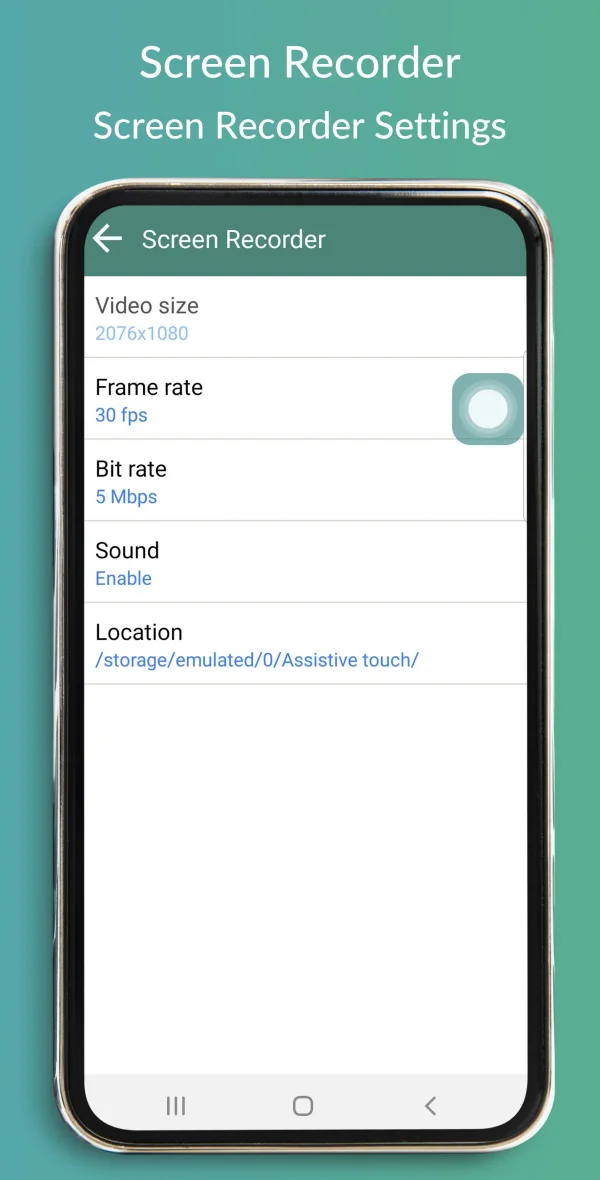
Change screen recorder settings: Bitrate, Frame rate, and Sound.
Tap on a floating button to open ATouch IOS, touch outside to close.
No limitation of customization: change color, background, button size, button position
The app will be better than if it connects with Control Center IOS or any IOS launcher to be like iPhone.
ATouch connects with Control Center IOS 13 - Screen Recorder to open Control Center and Screen Off and Lock - Fingerprint Support to lock the screen.
Thanks for using my app!
Data safety
What FA developer declares on Google Play about the data this app collects and shares.
- This app may share these data types with third partiesDevice or other IDs
- No data collectedLearn more about how developers declare collection
- Data is encrypted in transit
- Data can’t be deleted
What’s new
Version 2.0.9.13.11 · Aug 21, 2025
- Improve UI/UX
- Update languages
- Screen recorder
Developer contact
- Websitetuanfadbg.com
- Emailcontact.fadeveloper@gmail.com
- Privacy policytuanfadbg.com
- Address20/14 Đường Hồ Tùng Mậu Hà Nội 100000 Vietnam
Information
- Offered by
- FA developer
- Category
- Personalization
- Version
- 2.0.9.13.11
- Updated
- Aug 21, 2025
- Released
- Jun 17, 2019
- Requires
- Android 5.0 or later
- Age rating
- Teen
- Price
- Free
- In-app purchases
- $1.99 per item
- Package name
- com.tuanfadbg.assistivetouchscreenrecorder