CFS126 Calendar
CFS Creative Face Studio- EveryoneAge rating
- PersonalizationCategory
- Aug 29, 2026Updated
- $1.99Price
Links to the official Google Play listing of com.watchfacestudio.cfs126calendar. Last checked on Nov 25, 2026.

About this app
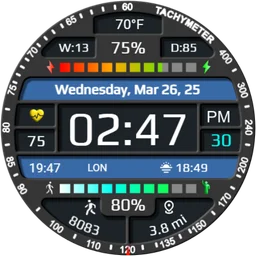
Calendar-style Wear OS watch face with large time and useful daily data.
An informative digital Wear OS watch face with a calendar-style layout, large time display, moon phase, activity data, and extensive personalization options.
Watch face features:
🕒 Digital time in 12/24-hour format depending on phone settings
🔤 5 font options for time
🌐 Days of the week in 10 languages*
🔢 Leading zero can be disabled
📆 Day and week numbers in the year
🌙 Moon phase
🔋 Watch battery level
📱 Phone battery level**
👣 Steps
📏 Moved distance in KM/MI***
🎯 Remaining distance to daily goal in KM/MI****
❤️ Heart rate
🎨 Multiple color schemes
⚙️ Additional elements and customizable shortcuts
🌙 Minimum and full AOD with 3 brightness levels
* Language for days of the week:
Select the required language in the watch face settings.
Available languages:
English
French
Spanish
Portuguese
German
Russian
Indonesian
Turkish
Italian
Korean
** Phone battery:
To display the phone battery level, install the free Phone Battery Complication app on the watch and phone.
*** Moved distance in KM/MI:
Select kilometers or miles in the watch settings.
1 km = 1312 steps
1 mile = 2100 steps
**** Daily goal in KM/MI:
The step goal is set in the health app used on your watch. On Samsung watches: Samsung Health → Steps → Set goal.
The remaining distance to the daily goal is calculated based on the set step goal.
The watch face combines large time, calendar information, and essential daily data on one screen. You can choose from 5 time fonts, 10 languages for the days of the week, and multiple color schemes.
Additional elements and customizable shortcuts let you adapt the watch face to your daily needs.
ℹ️ The availability of some functions and displayed information may depend on the watch and phone model, installed apps, permissions, and system settings.
⚙️ Galaxy Wearable may not always correctly support customization of complex watch faces. In this case, we recommend customizing the watch face directly on the watch.
To open the watch face settings, press and hold the watch screen.
⚠️ We can guarantee correct operation of touch zones only on Samsung watches. On watches from other manufacturers, their operation may differ.
📧 If you experience any difficulties, please contact us:
seslihediyye@gmail.com
🌐 Installation instructions and additional information:
https://cfswatchfaces.com
✈️ TELEGRAM:
https://t.me/CFS_WatchFaces
Thank you for choosing our watch faces!
Data safety
What CFS Creative Face Studio declares on Google Play about the data this app collects and shares.
- No data shared with third partiesLearn more about how developers declare sharing
- No data collectedLearn more about how developers declare collection
What’s new
Aug 29, 2026
Technical update to meet the latest Google Play requirements. The app icon has been updated. The watch face design and functionality remain unchanged.
Developer contact
- Websitecfswatchfaces.com
- Emailseslihediyye@gmail.com
- Privacy policysites.google.com
- AddressУл. Радостовца, Дом.171 Кв. 4 050060 Алматы Kazakhstan
Information
- Offered by
- CFS Creative Face Studio
- Category
- Personalization
- Updated
- Aug 29, 2026
- Released
- Jun 5, 2025
- Age rating
- Everyone
- Price
- $1.99
- Package name
- com.watchfacestudio.cfs126calendar
Similar apps
-
 YSR2 Marble Watch Face
Personalization
-
 Digital Watch MB415
Personalization
-
 WFP 211 Weather animated watch
Personalization
-
 MAX DIGITAL Info
Personalization
-
 ORB-18 Active
Personalization
-
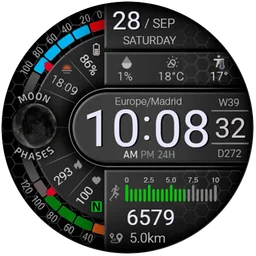 CFS125 Echo Time
Personalization
-
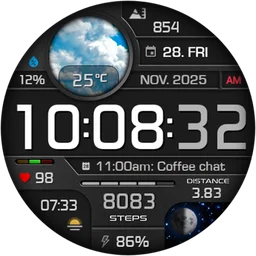 CFS140 Fusion Display
Personalization
-
 Flip Clock Watch Face OMG 495
Personalization
-
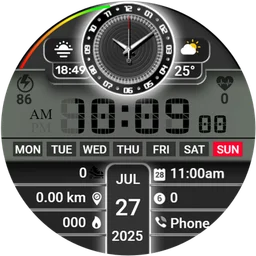 SY18 Watch Face for Wear OS
Personalization
-
 Iris549 Multi-Function Watch
Personalization
-
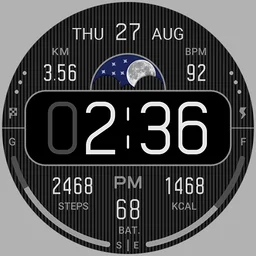 BRN104 Digital Watch Face
Personalization
-
 Multi Function Digital Iris536
Lifestyle