ClevWord: Vocabulary Notebook
Cleveni Inc.Contains ads · In-app purchases
- EveryoneAge rating
- EducationCategory
- Nov 24, 2026Updated
- FreePrice
Links to the official Google Play listing of com.dencreak.engwordstop. Last checked on Nov 25, 2026.

Screenshots


About this app
Make your own word lists. Hide answers to test yourself and listen on the go.
ClevWord is a vocabulary notebook for the words you choose to learn. Type them in, paste a list or import a file, then study by hiding the answers and listening.
No sign-up required. Open the app and start adding words. An account is only needed if you want your words synced across your devices.
YOUR OWN WORD LISTS
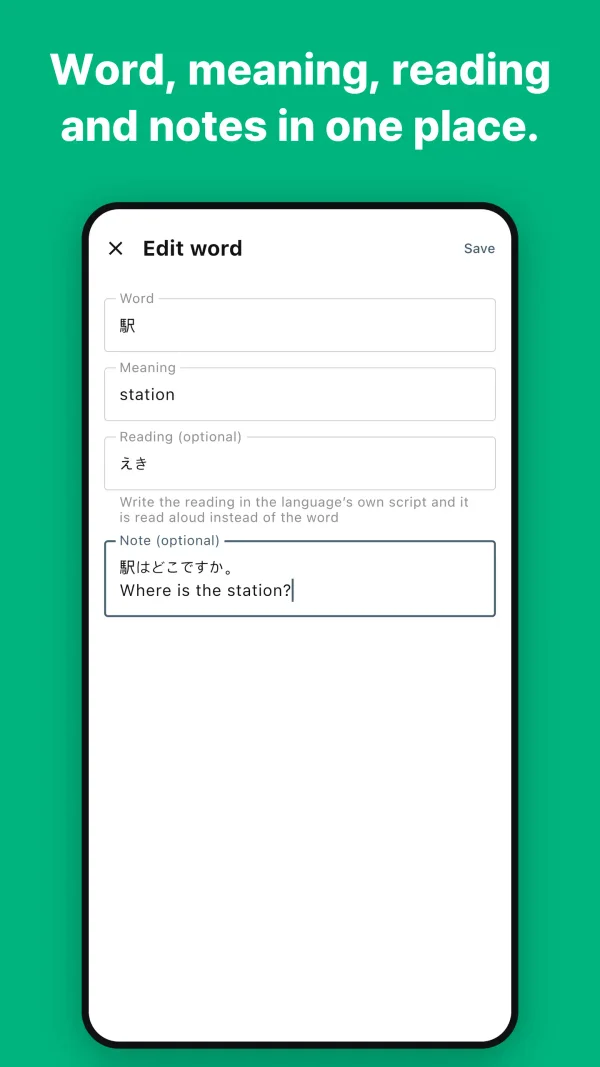
• Add a word with its meaning, and optionally a reading and a note such as an example sentence.
• Keep adding without leaving the screen. Each save clears the fields for the next word.
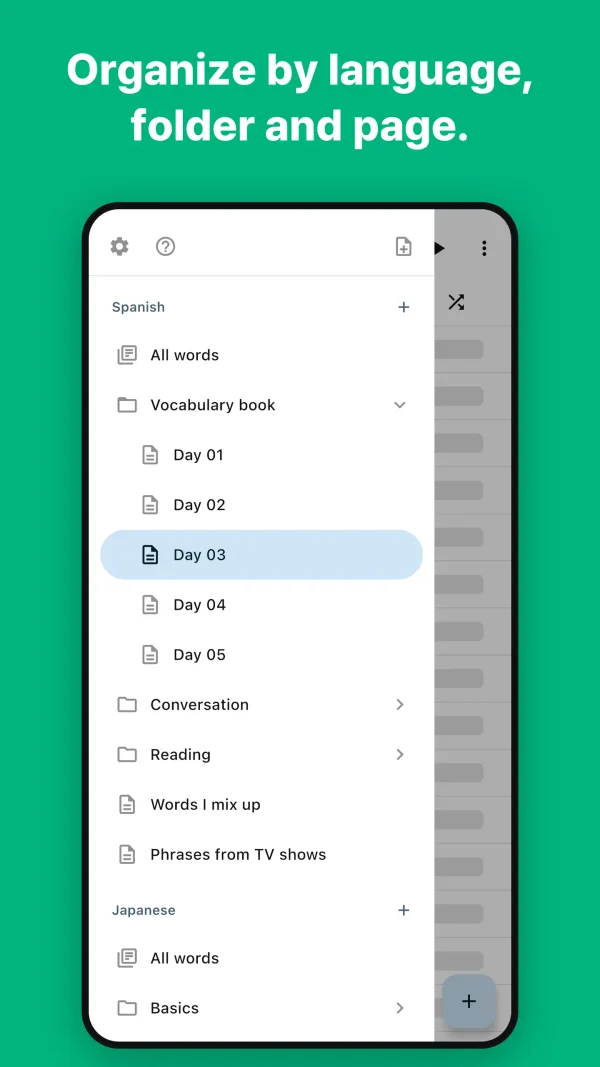
• Organize words into pages by topic, textbook chapter or exam, and group pages into folders.
• Pages are grouped by the language you are learning, so several languages stay apart.
STUDY BY HIDING
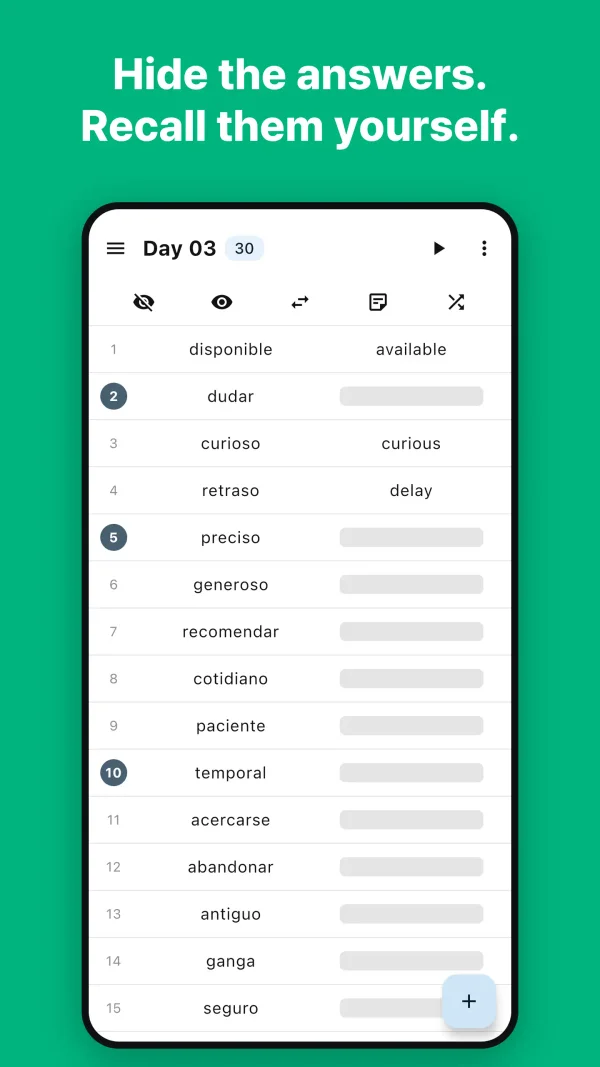
• Hide every meaning and reveal them one tap at a time, or hide the words and recall them from the meanings.
• Check the words you keep missing, then show only the checked ones.
• Shuffle the list, sort it, or find a word in a page, a folder or a whole language.
• Show or hide readings and notes whenever you like.
LISTEN
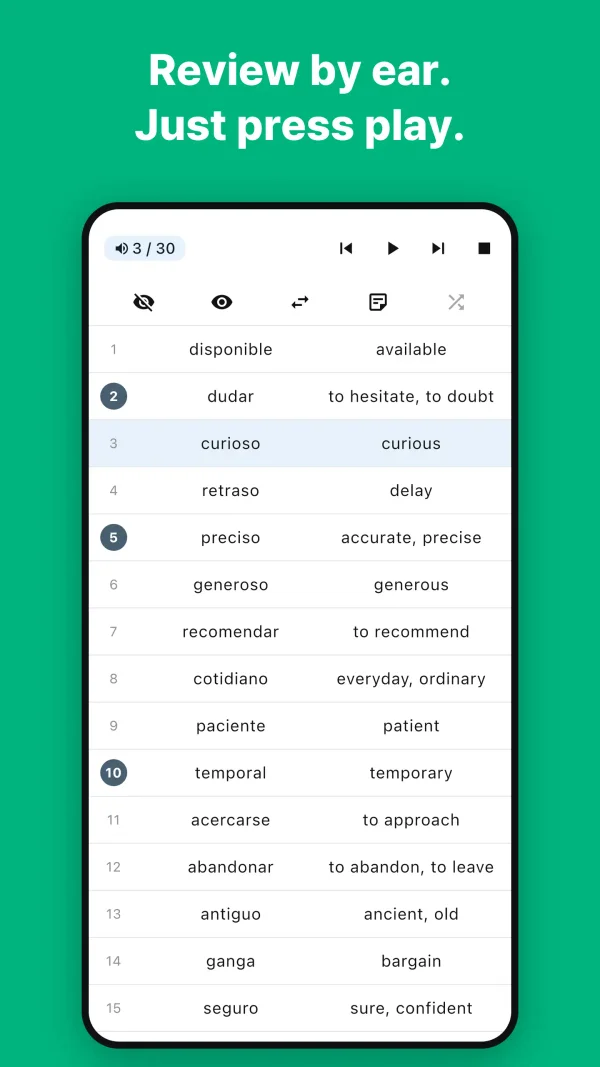
• Play a list from top to bottom with your device’s voices: each word, then its meaning if you want.
• Repeat each word or the whole list, and start from any word.
• Notes can be read aloud too, each line in its own language.
IMPORT AND EXPORT
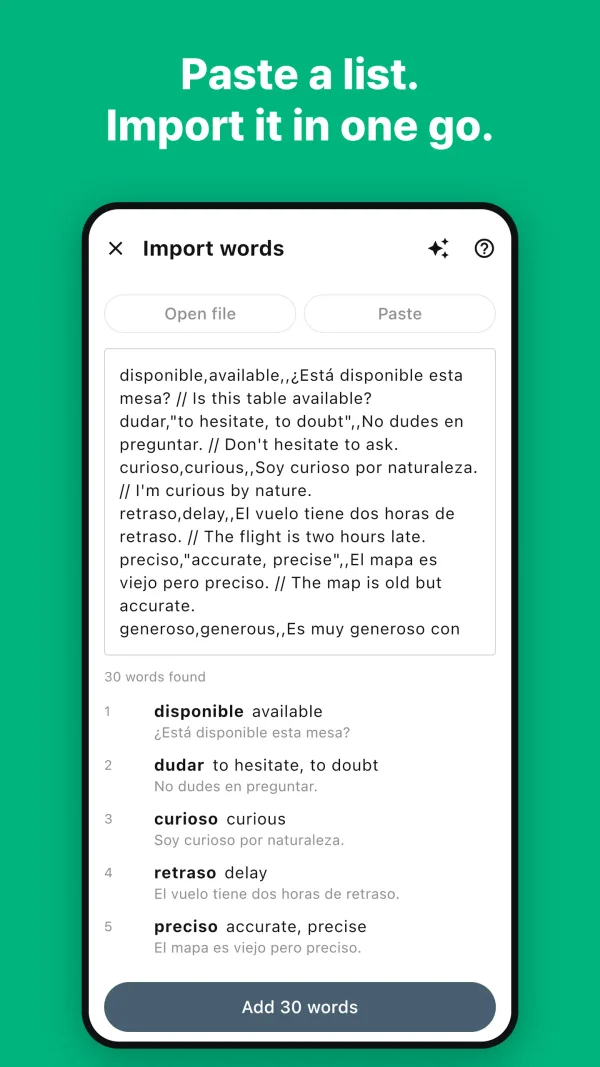
• Paste text or open a file with one word per line: word, meaning, reading, note.
• Text copied from a spreadsheet works as it is.
• Export a page to copy, share or save as a CSV file.
• Ask an AI for your word list. Pick a topic and the number of words, and the app writes the request. Paste it into the AI chat you already use, then import the list it returns, example sentences included.
SYNC AND BACKUP
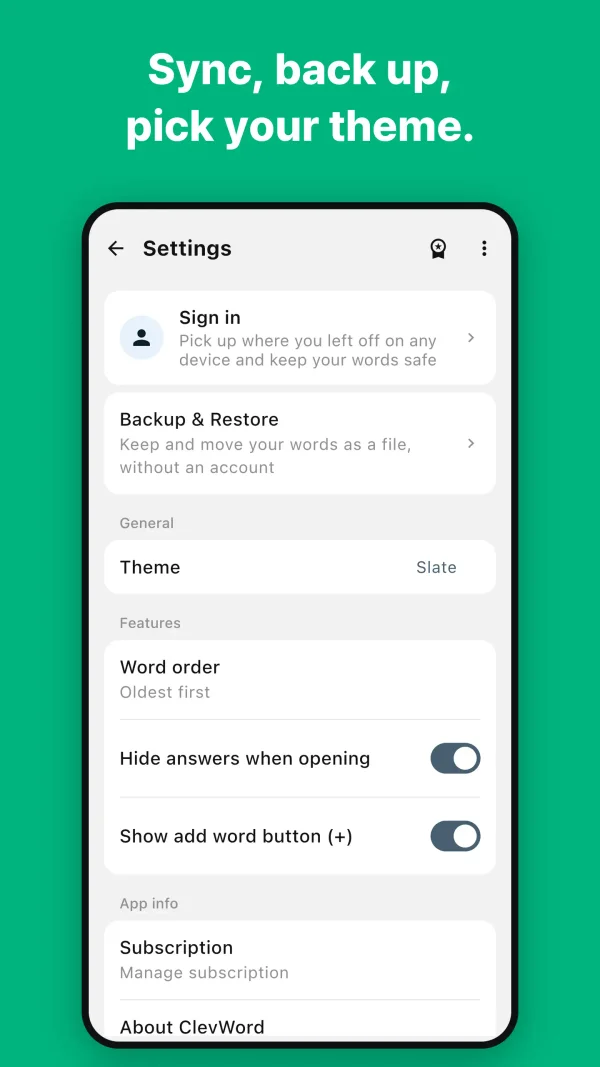
• Sign in to an account to sync your words across your devices. Signing in is optional.
• Study works offline. Without an account, your words stay on your device.
• Save everything to a backup file and restore it later.
SHARE A PAGE
• Create a share code for a page and give it to your students or friends.
• Anyone with the code can get a copy of the page. No account is needed to receive one.
PRIVACY
• Your words and pages are never used for advertising.
• Delete your account and its data from inside the app at any time.
PREMIUM
ClevWord is free to use, with ads and a limit on the number of pages and the words on each page. A Premium subscription adds:
• No ads.
• No limit on pages and a much higher limit on the words on each page.
• Listening that continues with the screen off.
• Share codes for your pages.
Premium is a subscription that renews automatically unless cancelled at least 24 hours before the end of the current period. Payment is charged to your Google Play account at confirmation of purchase. Manage or cancel your subscription in Google Play after purchase.
Terms of Use: https://www.cleveni.com/clevword/legal/terms.html
Privacy Policy: https://www.cleveni.com/clevword/legal/privacy.html
Data safety
What Cleveni Inc. declares on Google Play about the data this app collects and shares.
- This app may share these data types with third partiesLocation, App activity and 2 others
- This app may collect these data typesLocation, Personal info and 4 others
- Data is encrypted in transit
- You can request that data be deleted
What’s new
Version 3.0.1 · Nov 24, 2026
• Sign in to sync across devices, or keep a backup file
• Folders, word search, and continuous listening that reads meanings and notes
• Add many words at once from a file or by pasting
Developer contact
- Websitecleveni.com
- Emailcs@cleveni.com
- Privacy policycleveni.com
- Address영등포구 국제금융로 10, 12층 1204호(여의도동, TWO IFC) 영등포구, 서울특별시 07326 South Korea
Information
- Offered by
- Cleveni Inc.
- Category
- Education
- Version
- 3.0.1
- Updated
- Nov 24, 2026
- Released
- Sep 29, 2011
- Requires
- Android 9 or later
- Age rating
- Everyone
- Price
- Free
- In-app purchases
- $6.99 - $39.99 per item
- Package name
- com.dencreak.engwordstop
Similar apps
-
 Learn Chinese Grammar - Yocha
Education
-
 Master TOEIC® Vocabulary
Education
-
 Eggbun: Learn Korean Fun
Education
-
 Flashcard Maker for My Words
Education
-
 Learn Russian with Flashcards!
Education
-
 Daily Chinese: Grow Vocabulary
Education
-
 LanGeek | Vocabulary & Grammar
Education
-
 English Club – Daily Challenge
Education
-
 Learn Italian Fast: SpeakTwice
Education
-
 Learning English: Eng Breaking
Education
-
 goFLUENT - Language Training
Education
-
 Learn French Daily with Readle
Education