클로바노트 - 음성 그 이상의 기록
NAVER Corp.- EveryoneAge rating
- ProductivityCategory
- Oct 8, 2026Updated
- FreePrice
Links to the official Google Play listing of com.naver.clova.minute. Last checked on Nov 27, 2026.

클로바노트 - 음성 그 이상의 기록 may not be available on Google Play right now
The store listing could not be reached the last time we checked. The link still leads to the official Google Play page.
Screenshots

About this app
Automatic translation by Google from Korean (South Korea).
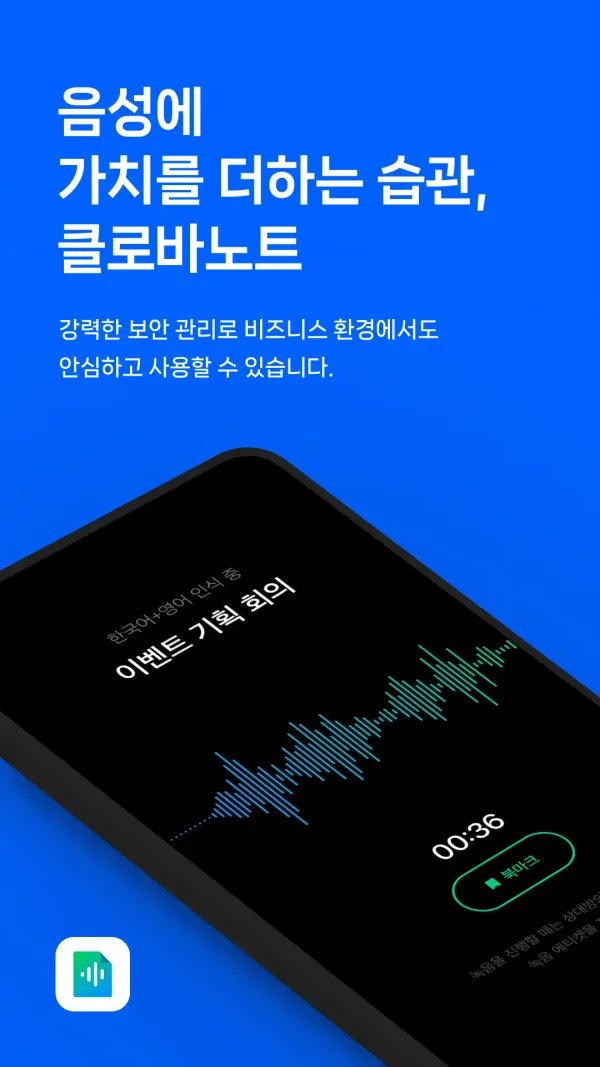
Habits that add value to your voice, record them with ClovaNote
Clobanote for business has been newly released.
Now record and summarize all of your company's meetings with ClovaNote.
- Product application: https://naver.worksmobile.com/pricing/clovanote/
1. Conveniently record anywhere on mobile or PC
You can start recording right away from anywhere on your mobile or PC.
Easily create notes according to the recording situation or environment.
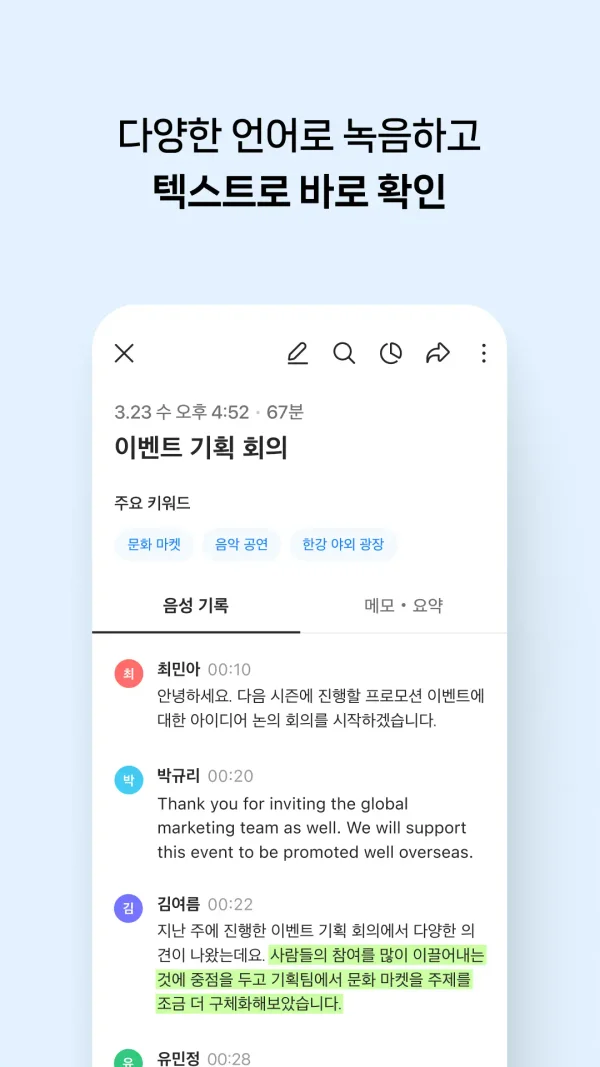
2. Record in different languages
You can select the language to be used for voice recognition.
Check the text for conversations in Korean, English, Japanese, and Chinese.
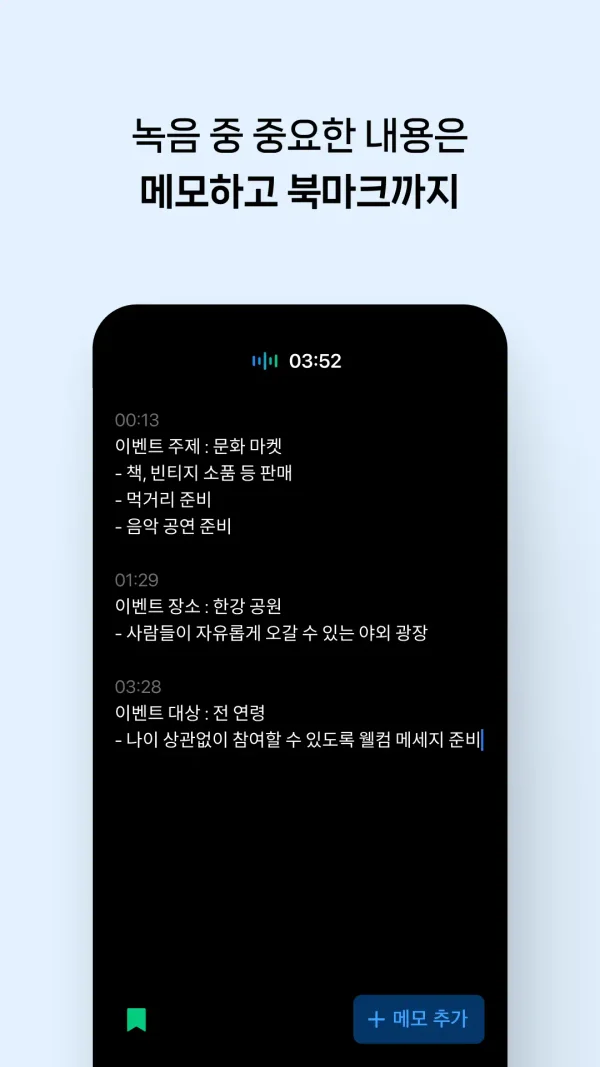
3. Take real-time notes while recording
If there is anything you want to remember while recording, write it down right away.
The writing time is also recorded, making it easy to understand the context of the conversation.
4. Bookmark important moments
Add bookmarks while recording to help you find important conversations.
You can collect just one bookmark or play it right away.
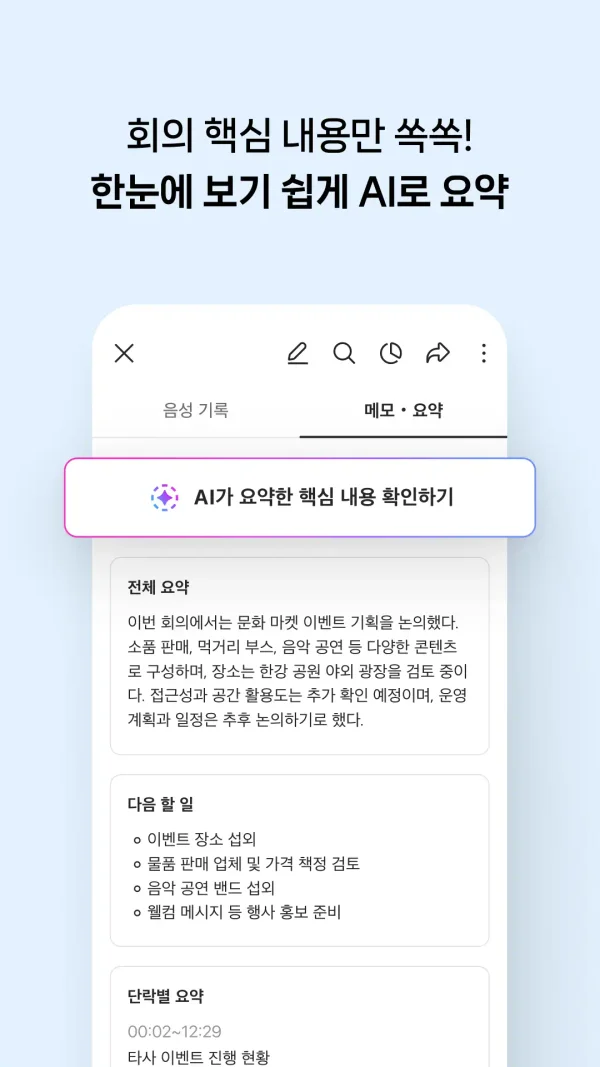
5. Summary/main topics/next tasks organized by AI
Just check the key contents automatically organized by AI.
You can also edit the automatically extracted summary/main topic/next task.
6. Check call recordings via text
When you turn on automatic call recording, voice files are automatically classified.
You can preview the text and convert only the currency you want.
7. Emphasize with highlights
Emphasize important information with highlights.
You can also see just one highlight at a glance.
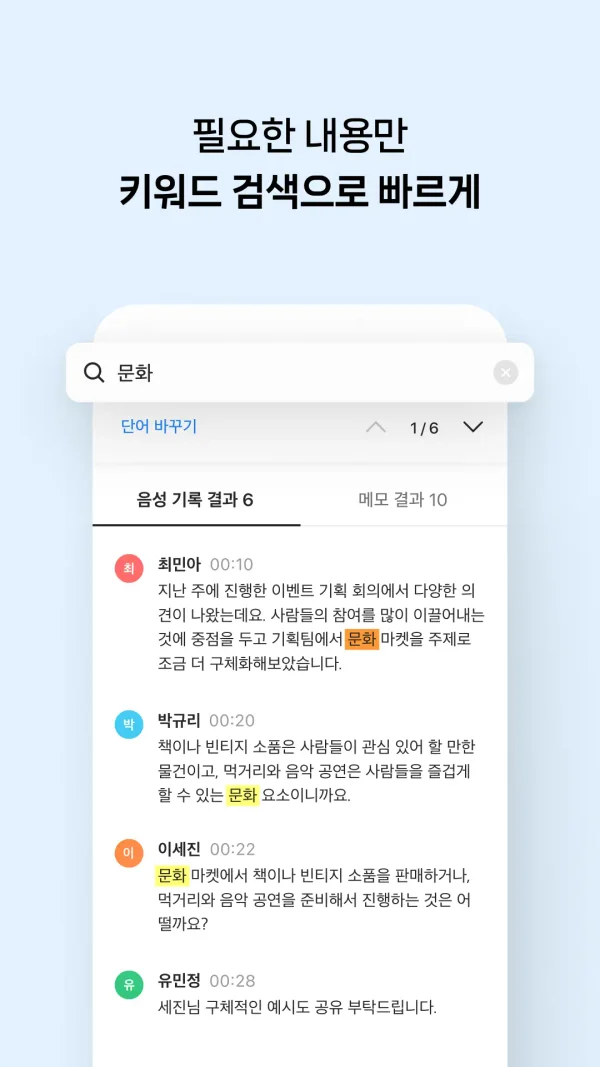
8. Quickly search only what you want to find
You can search for only the information you need and find it quickly.
If you want to edit the word you found, you can change it all at once.
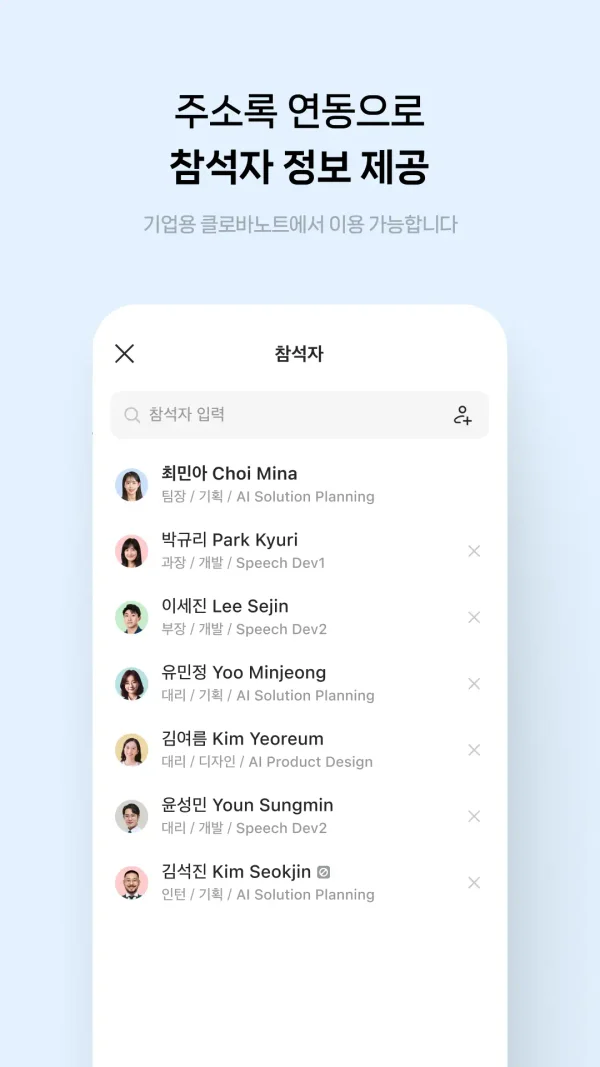
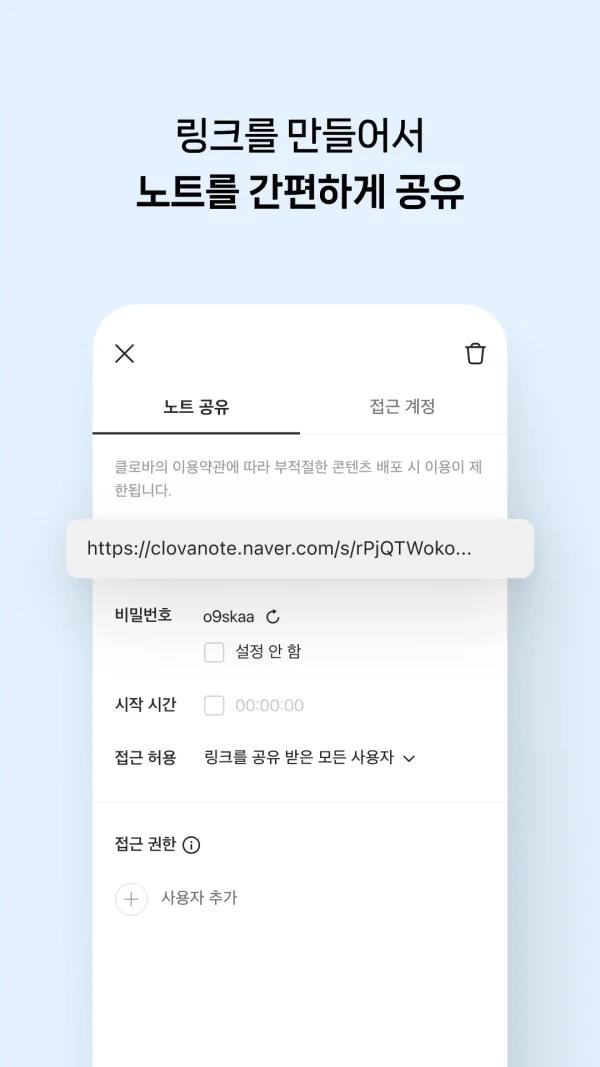
9. Share notes as links
Easily share your notes with conversation participants as a link.
If security is required, you can share after setting a password.
10. Download only the data you need as a file
You can download recorded music, voice records, and memos as files.
Download and use it in the file format you want.
11. Use on various devices
The mobile app and PC can be automatically linked and used.
You can also load separately recorded voice files, such as call records.
※ Precautions when using the app
- When recording, please follow the recording etiquette of seeking consent from the other party in advance.
- The accuracy of voice recognition varies depending on the recording device, sound quality, and network conditions.
- We recommend using the voice record converted to text and the participant's voice as a draft to organize the recording record.
- This app can use device administrator privileges according to each company's policy.
※ Required access rights
- Microphone: You can use the recording function to recognize your voice and create notes.
- Files and Media (Music and Audio): You can download text and audio files created in notes to your device, or upload audio files saved on your device.
- Phone: By detecting incoming/outgoing phone calls, you can pause and re-record notes while recording them.
- Notifications: You can receive notifications of note creation and sharing instructions, announcements, and event information. (Only used on terminals with OS version 13.0 or higher)
Inquiry about Clobanote for business
- Frequently Asked Questions (Help Center): https://help.worksmobile.com/ko/
Show the original text
비즈니스용 클로바노트가 새롭게 출시되었습니다.
이제 회사의 모든 회의를 클로바노트로 기록∙요약해 보세요.
- 상품 신청 : https://naver.worksmobile.com/pricing/clovanote/
1. 모바일, PC 어디서든 편하게 녹음하기
모바일과 PC 어디서든 녹음을 바로 시작할 수 있어요.
녹음 상황이나 환경에 따라 편하게 노트를 생성해 보세요.
2. 다양한 언어로 녹음하기
음성 인식에 사용될 언어를 선택할 수 있어요.
한국어, 영어, 일본어, 중국어 대화도 텍스트로 확인하세요.
3. 녹음 중 실시간 메모하기
녹음 중 기억하고 싶은 내용이 있다면 바로 메모해 두세요.
작성 시간도 함께 기록되어 대화 맥락을 파악하기가 쉬워요.
4. 중요한 순간을 북마크하기
중요한 대화를 찾기 쉽게 녹음 중 북마크를 추가해 보세요.
북마크 한 부분만 모아보거나 바로 재생할 수도 있어요.
5. AI가 정리해 주는 요약/주요 주제/다음 할 일
AI가 자동으로 정리해 주는 핵심 내용만 확인해 보세요.
자동 추출된 요약/주요 주제/다음 할 일은 편집도 가능해요.
6. 통화 녹음도 텍스트로 확인하기
통화 자동 녹음을 ON 하면 음성 파일이 자동 분류돼요.
텍스트 미리 보기 해서 원하는 통화만 변환할 할 수 있어요.
7. 하이라이트로 강조하기
중요한 내용은 하이라이트로 강조해 보세요.
하이라이트 한 부분만 한눈에 모아볼 수도 있어요.
8. 찾고 싶은 내용만 빠르게 검색하기
필요한 내용만 검색해서 빠르게 찾을 수 있어요.
찾은 단어를 수정하고 싶다면 한 번에 바꾸기도 가능해요.
9. 노트를 링크로 공유하기
대화 참석자들에게 노트를 링크로 간편하게 공유해 보세요.
보안이 필요한 경우 비밀번호 설정 후 공유할 수 있어요.
10. 필요한 데이터만 파일로 다운로드하기
녹음한 음원, 음성기록, 메모를 파일로 다운로드할 수 있어요.
원하는 파일 형식으로 다운로드해서 활용해 보세요.
11. 다양한 기기에서 활용하기
모바일 앱, PC는 자동으로 연동되어 사용할 수 있어요.
통화 기록처럼 따로 녹음한 음성 파일도 불러올 수 있어요.
※ 앱 이용 시 유의사항
- 녹음을 진행할 때는 상대방의 동의를 미리 구하는 녹음 에티켓을 지켜주세요.
- 녹음 기기와 음질, 네트워크 상태에 따라 음성 인식의 정확도가 달라집니다.
- 텍스트로 변환된 음성 기록과 참석자 목소리 구분은 녹음 기록을 정리하기 위한 초안으로 활용을 권장 드립니다.
- 이 앱에서는 각 회사의 정책에 따라 기기 관리자 권한을 사용할 수 있습니다.
※ 필수 접근 권한
- 마이크 : 녹음 기능을 사용하여 음성을 인식하고 노트를 생성할 수 있습니다.
- 파일 및 미디어(음악 및 오디오) : 노트에서 생성한 텍스트, 오디오 파일을 기기에 다운로드하거나, 기기에 저장된 오디오 파일을 업로드할 수 있습니다.
- 전화 : 전화 수/발신을 감지하여 노트 녹음 중에 일시정지 및 재녹음을 할 수 있습니다.
- 알림 : 노트 생성 및 공유 안내, 공지사항 및 이벤트 정보 알림을 받을 수 있습니다. (OS 버전 13.0 이상 단말에서만 사용)
비즈니스용 클로바노트 문의
- 자주 묻는 질문 (헬프센터) : https://help.worksmobile.com/ko/
----
개발자 연락처 :
NAVER Corporation 분당구 정자일로 95
성남시, 경기도 13561
South Korea 220-81-62517 2006-경기성남-0692 본인신고
Data safety
What NAVER Corp. declares on Google Play about the data this app collects and shares.
- This app may share these data types with third partiesApp activity and Device or other IDs
- This app may collect these data typesPersonal info, Photos and videos and 4 others
- Data is encrypted in transit
- You can request that data be deleted
Developer contact
- Websitenavercorp.com
- Emailnaver_market@naver.com
- Privacy policypolicy.naver.com
- Address분당구 정자일로 95 성남시, 경기도 13561 South Korea
Information
- Offered by
- NAVER Corp.
- Category
- Productivity
- Version
- 3.1.0
- Updated
- Oct 8, 2026
- Released
- Nov 10, 2020
- Requires
- Android 10 or later
- Age rating
- Everyone
- Price
- Free
- Package name
- com.naver.clova.minute