Concentric Live Wallpaper
JustNewDesignsIn-app purchases
- EveryoneAge rating
- PersonalizationCategory
- Oct 27, 2026Updated
- FreePrice
Links to the official Google Play listing of com.jndapp.concentric.pixel.watch.wallpaper. Last checked on Nov 14, 2026.
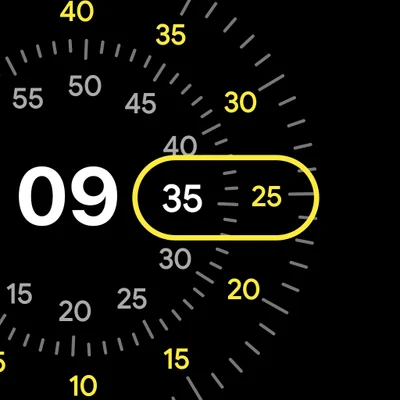
Screenshots

About this app
Pixel Watch Inspired Concentric clock face as a stunning live wallpaper.
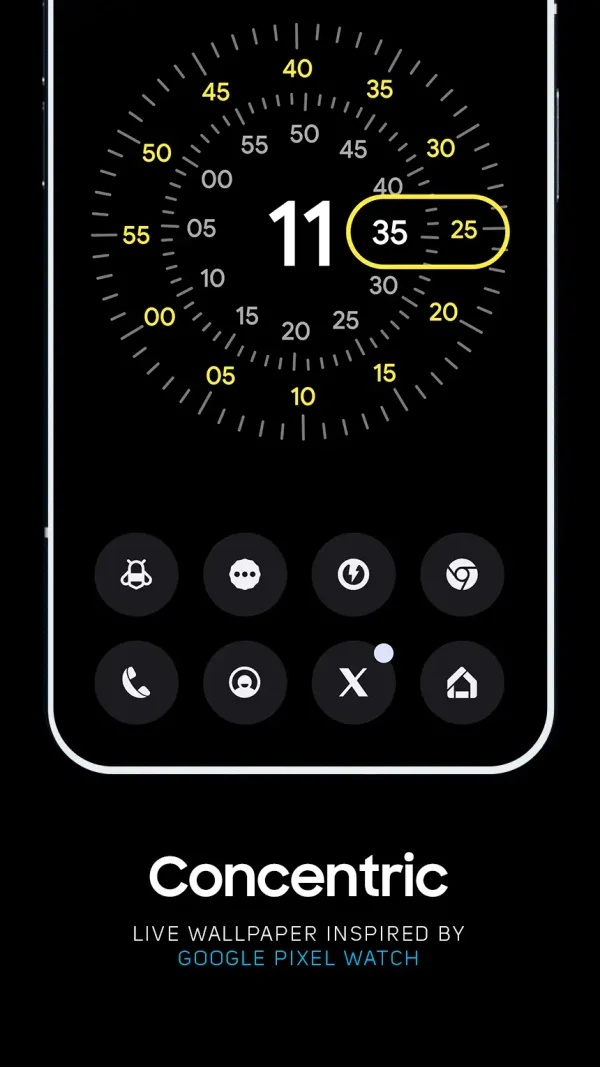
Transform your Android home screen into a living, breathing work of art inspired by the iconic Google Pixel Watch concentric clock face. Pixel Watch Live Wallpaper brings the elegance of a premium smartwatch dial directly to your phone's wallpaper — animated, customizable, and always on display.
⏱ LIVE ANIMATED CLOCK FACE
Watch the concentric rings sweep in real time as hours, minutes, and seconds tick away. Choose between a smooth sweep motion or a crisp tick animation for the seconds hand — your wallpaper, your style.
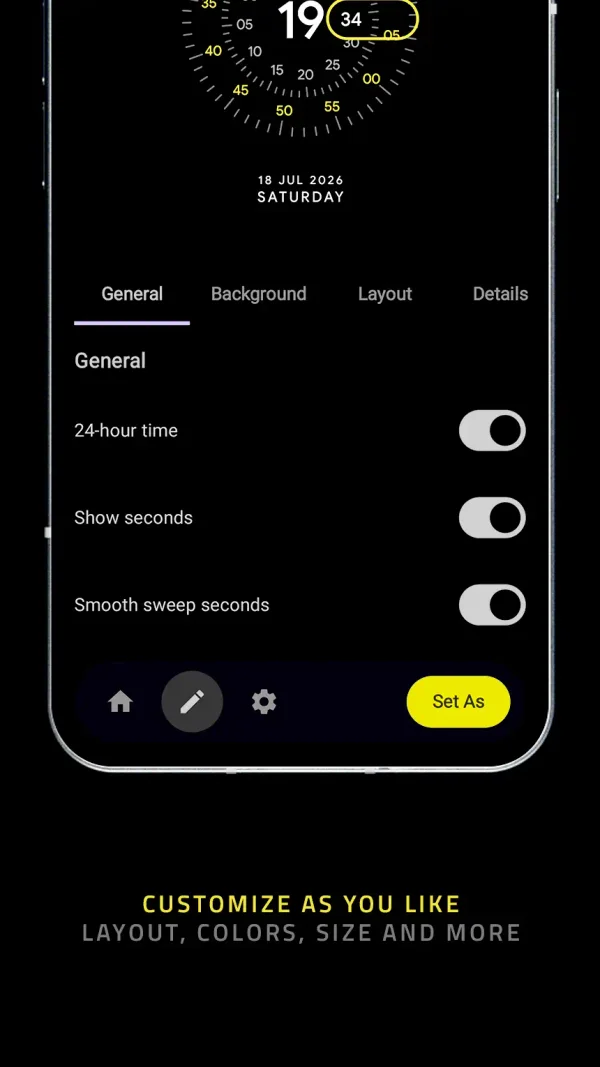
🎨 FULLY CUSTOMIZABLE DESIGN
Make it yours with a deep set of personalization tools:
• Accent, tick, hour, minute, and background colors
• Solid color, gradient (linear or radial), or custom photo background
• Background blur and dim controls for a polished look
• Adjustable clock size, position, and scale
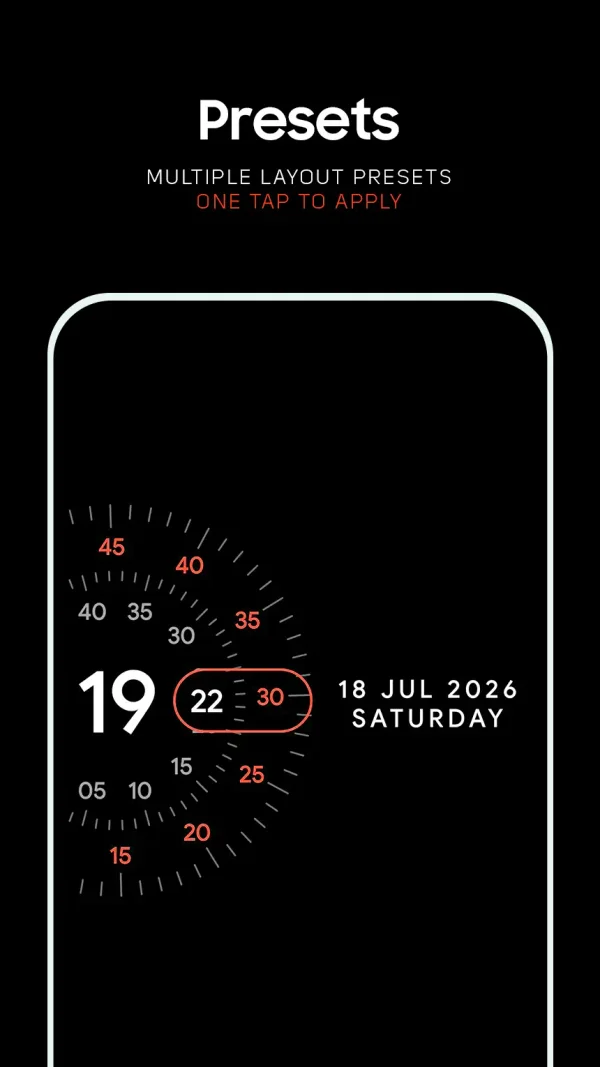
📐 MULTIPLE LAYOUT PRESETS
Start with one of four built-in design presets:
• Classic — left-docked clock with date on the right
• Centered — clock centered with digital time above and date below
• Right Dock — clock on the right side, date on the left
• Fullscreen — maximum immersive size with no date
💾 SAVE YOUR OWN PRESETS
Dial in the perfect look and save it as a named custom preset. Switch between your saved designs anytime — no need to re-configure from scratch.
🕐 CLOCK DISPLAY OPTIONS
• 12-hour or 24-hour time format
• Toggle seconds display on or off
• Optional digital time overlay
• Date display with adjustable position and scale
⚡ BATTERY-AWARE PERFORMANCE
Built-in frame rate control lets you balance visual smoothness with battery life. Set your preferred FPS to keep your wallpaper looking great without draining your device.
📱 BUILT WITH MODERN ANDROID
Powered by Jetpack Compose, Pixel Watch Live Wallpaper delivers a fluid, responsive experience on any Android device. The live wallpaper renders natively as a system wallpaper — no extra processes, no battery hogs.
✨ HOW TO SET THE WALLPAPER
1. Open the app
2. Choose a preset or customize your design
3. Tap "Set As" to apply it as your live wallpaper
4. Enjoy your animated clock face on your home screen
Whether you're a Pixel Watch fan, a clock aesthete, or just someone who wants their phone to look extraordinary — this live wallpaper is for you.
Data safety
What JustNewDesigns declares on Google Play about the data this app collects and shares.
- No data shared with third partiesLearn more about how developers declare sharing
- No data collectedLearn more about how developers declare collection
What’s new
Version 1.1.8 · Oct 27, 2026
1.1
• Bug Fixes and Improvements
Developer contact
- Emailjustnewdesigns@gmail.com
- Privacy policyjndapps.blogspot.com
- AddressALIGUNJPURA, JAMPURA JAMPURA DHUNDHIYAWADI, PALANPUR. BANASKANTHA Palanpur, Gujarat 385001 India
Information
- Offered by
- JustNewDesigns
- Category
- Personalization
- Version
- 1.1.8
- Updated
- Oct 27, 2026
- Released
- Jul 24, 2026
- Requires
- Android 12 or later
- Age rating
- Everyone
- Price
- Free
- In-app purchases
- $0.29 - $9.99 per item
- Package name
- com.jndapp.concentric.pixel.watch.wallpaper