Digital Watch face M11
VG Faces- EveryoneAge rating
- PersonalizationCategory
- Aug 12, 2026Updated
- $1.49Price
Links to the official Google Play listing of com.watchfacestudio.m11. Last checked on Nov 15, 2026.

Screenshots


About this app
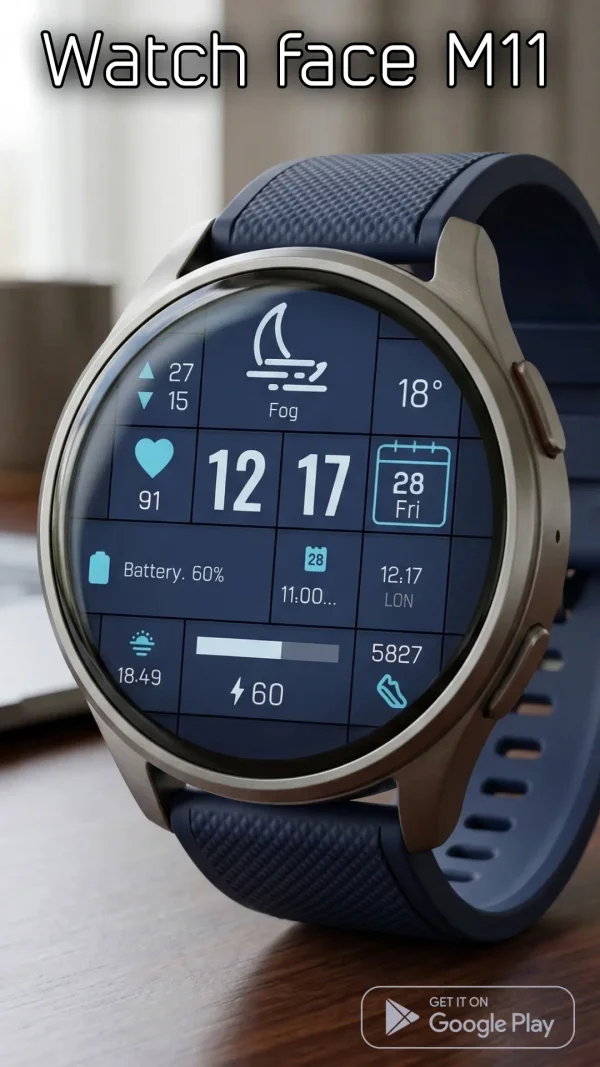
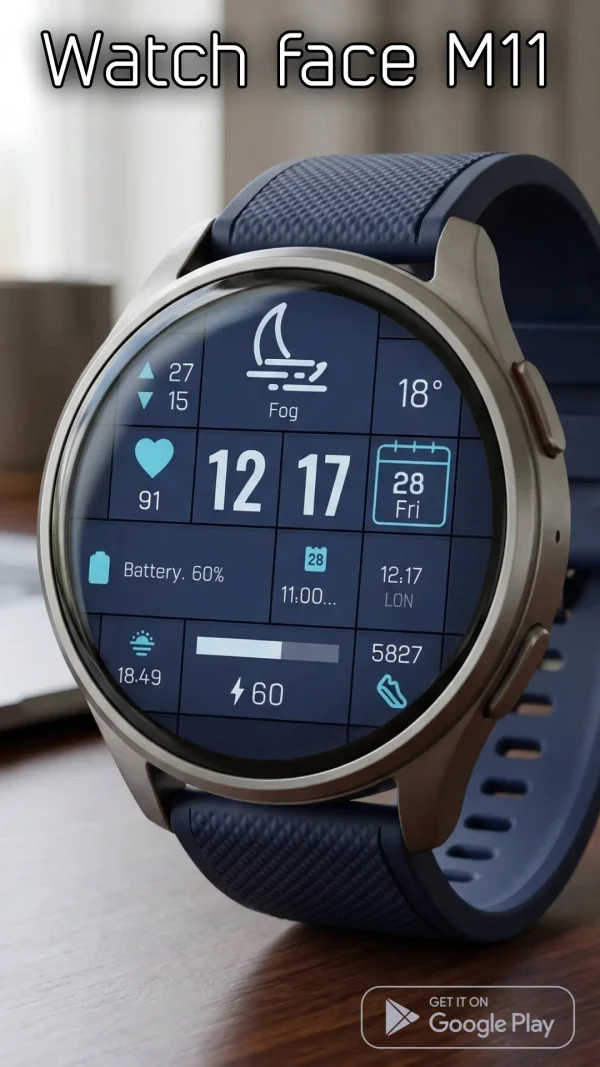
Data-rich Wear OS digital face M11: 6 complications, weather & 20+ color themes
M11: Ultimate Modular Watch Face
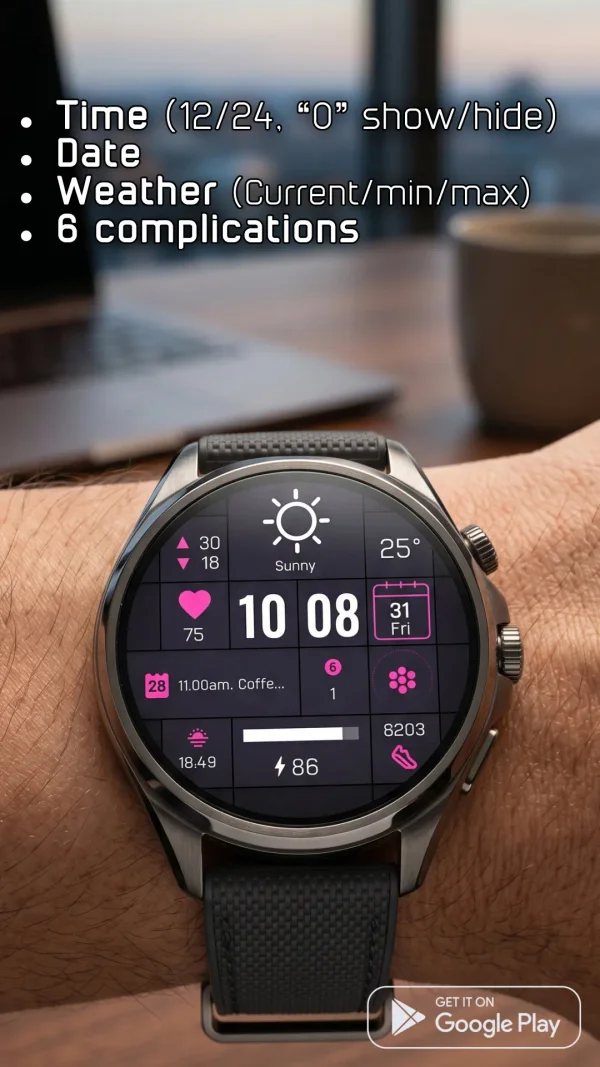
Take full control of your smartwatch with the M11 Digital Watch Face for Wear OS. Designed for power users, this face features a highly organized grid layout that delivers an incredible amount of information at a single glance without looking cluttered.
Key Features:
• 6 Customizable Complications: Maximize your screen real estate! Personalize 6 different data slots to show exactly what you need—from step counts and heart rate to your next meeting and sunset times.
• Advanced Weather Display: Stay perfectly informed with a dedicated weather module showing current conditions alongside the daily minimum and maximum temperatures.
• Time Format Control: Choose between 12-hour and 24-hour modes, and customize your aesthetic by choosing to show or hide the leading zero ("0") on the hour.
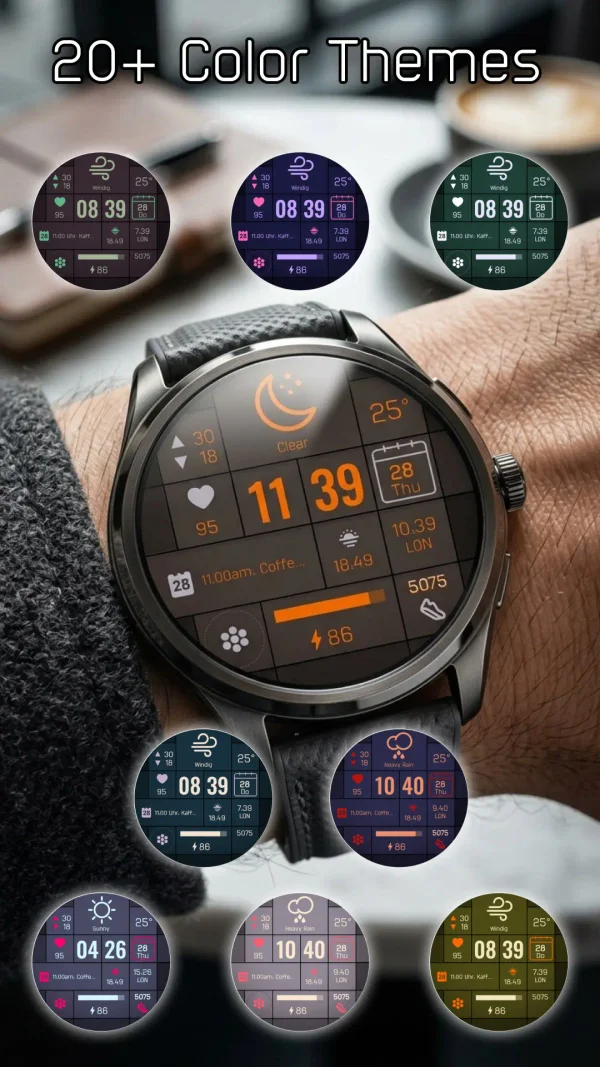
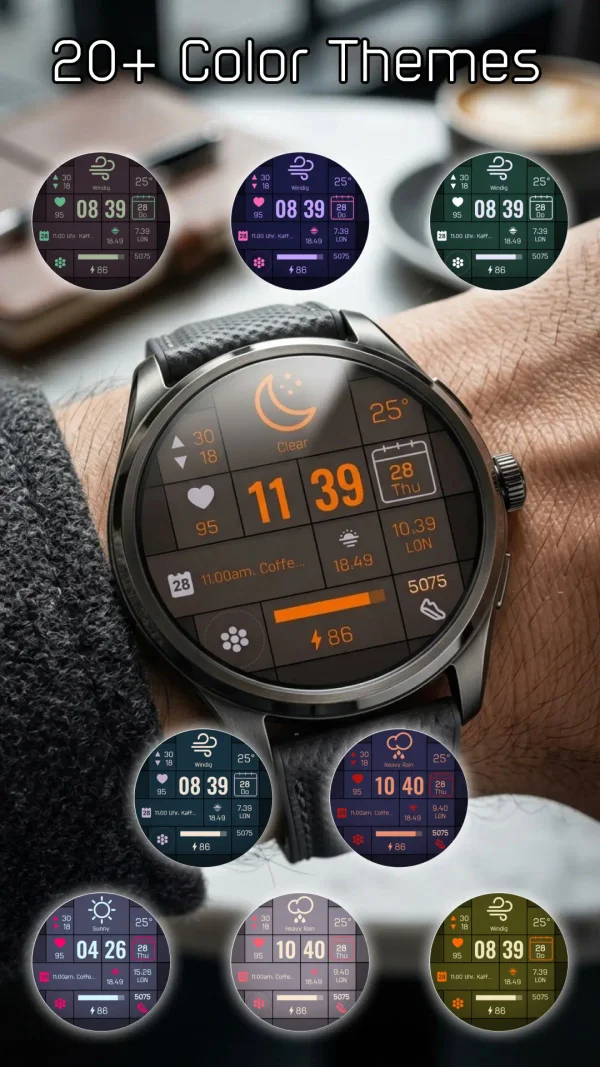
• 20+ Color Themes: Make it yours. Select from over 20 distinct and vibrant color schemes to highlight the grid lines and data points.
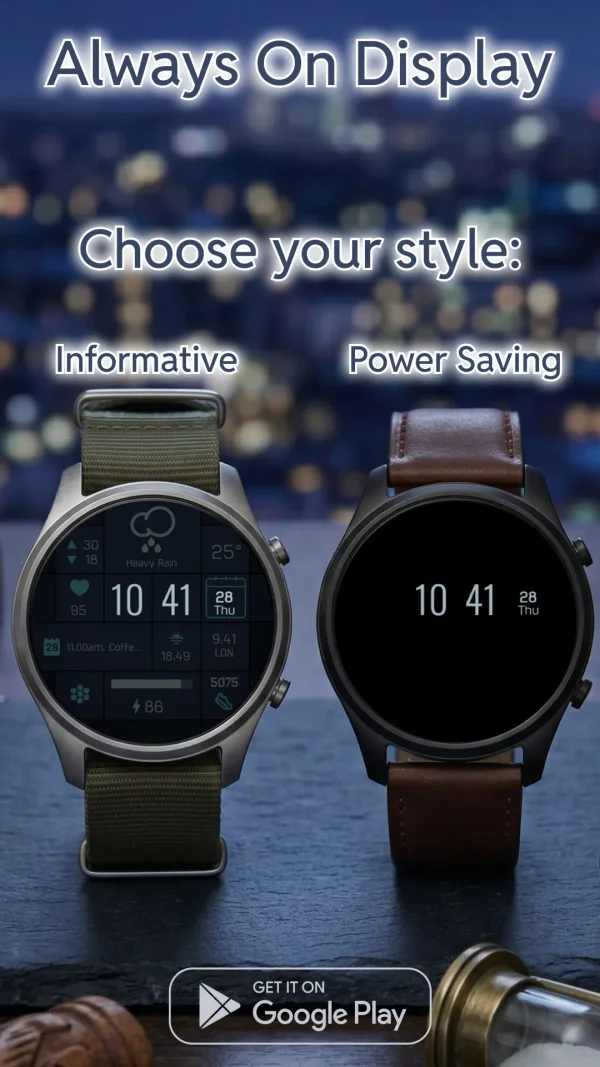
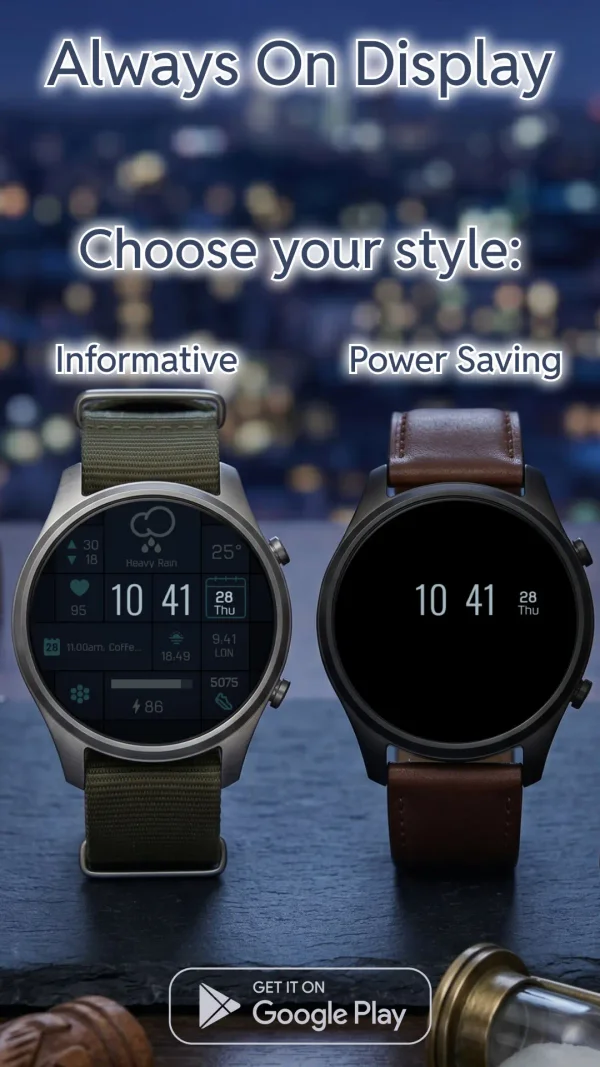
• Dual AOD Modes: Choose your Always-On Display style. Select "Informative" to keep your grid and data visible, or "Power Saving" for an ultra-minimal, battery-friendly dark screen.
Smart Shortcut System:
Navigate your watch effortlessly with intuitive tap zones:
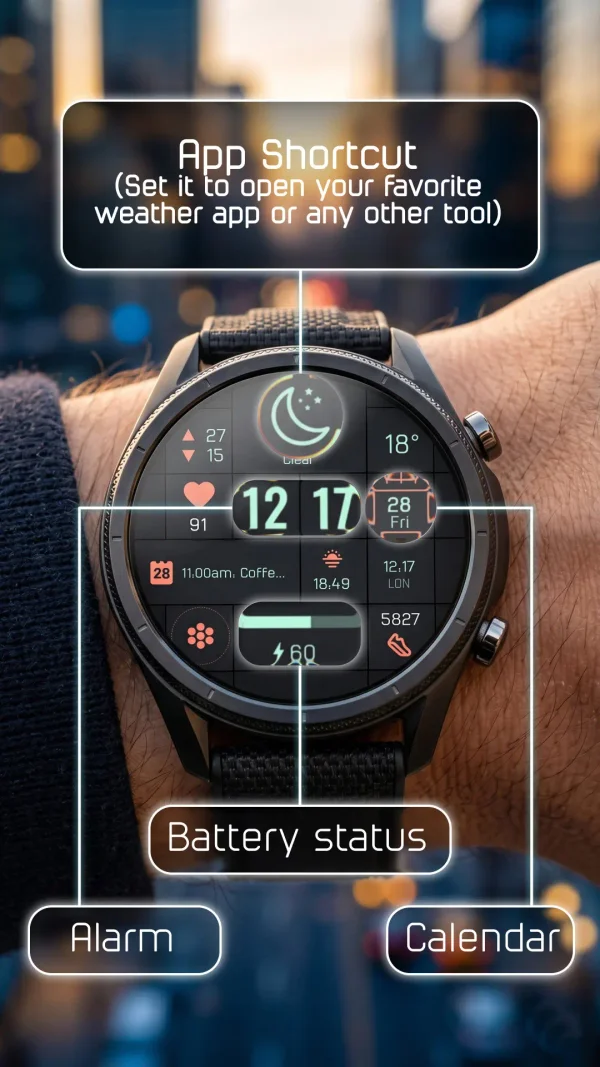
• Tap Time: Opens Alarm
• Tap Date: Opens Calendar
• Tap Battery: Opens Battery Status
• Tap Weather Area (Top): Customizable App Shortcut (Set it to open your favorite weather app or any other tool).
Installation:
1. Ensure your watch is connected via Bluetooth.
2. Download M11 from the Google Play Store.
3. Long-press your watch screen, scroll to the end, and select "M11" to apply.
Compatibility:
Designed exclusively for Wear OS 5+ devices, including:
• Samsung Galaxy Watch 8 & Ultra
• Google Pixel Watch 2, 3, 4
• And other newer devices running Wear OS 5 or higher.
Data safety
What VG Faces declares on Google Play about the data this app collects and shares.
- No data shared with third partiesLearn more about how developers declare sharing
- No data collectedLearn more about how developers declare collection
- Committed to follow the Play Families Policy
What’s new
Aug 12, 2026
Developer contact
- Emailvolder83@gmail.com
- Privacy policysites.google.com
- AddressW.-I.-Lenin-Straße 51 19370 Parchim Germany
Information
- Offered by
- VG Faces
- Category
- Personalization
- Updated
- Aug 12, 2026
- Released
- Mar 13, 2025
- Age rating
- Everyone
- Price
- $1.49
- Package name
- com.watchfacestudio.m11