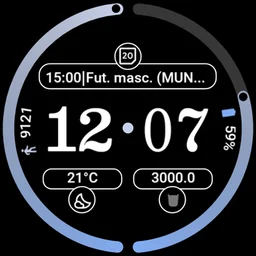
Halo Watch Face
amoledwatchfaces™- EveryoneAge rating
- PersonalizationCategory
- Aug 4, 2026Updated
- $1.79Price
Links to the official Google Play listing of com.amoledwatchfaces.halo. Last checked on Nov 25, 2026.

About this app
Sleek, modern, and feature packed watch face. Mix colors, fonts & complications!
Only for Wear OS 4+ devices
// Not suitable for rectangular watches
Powered by Watch Face Format
Disclaimer for Galaxy Watch Users: The watch face editor in the Samsung Wearable app often fails to load complex watch faces like this one. This is not an issue with the watch face itself. It is recommended to customize the watch face directly on the watch until Samsung resolves this issue.
amoledwatchfaces.com
BUY ONE GET ONE OFFER!
amoledwatchfaces.com/bogo
CUSTOM COMPLICATION APPS
amoledwatchfaces.com/apps
FEATURES
• Watch Face Format 1 / 2
• compatible with latest Wear OS devices (Galaxy Watch7 / Pixel Watch 3)
• flavors feature support (Wear OS 5)
• 8 custom complication slots (max)
• includes complication types - SHORT_TEXT, LONG_TEXT, RANGED_VALUE, MONOCHROMATIC_ICON
• two LONG_TEXT / RANGED_VALUE Arc slots (support very long texts)
• phone notifications complication support*
• dual batteries (watch / phone) support*
• multilanguage
• 12/24h (h:mm, HH:mm)
• option to disable leading zero in 12h mode
• optional seconds indicator
• blinking digital clock colon effect
• battery saving time-only always on display
• true black background
• material color themes (palette)
• choose between different digital clock fonts
• make it your own, combine theme & digital clock tint & gradients
• tap Digital Clock to open Alarm
* requires Phone Battery Complication app
https://play.google.com/store/apps/details?id=com.weartools.phonebattcomp
USER CONFIGURATIONS
• Material Theme (60+)
• Digital Clock Tint (60+)
• Gradient Slot 1 (20+ gradients, Tint, White)
• Gradient Slot 2 (20+ gradients, Tint, White)
• Ambient Mode (2x)
• Digital Clock Font (13x)
• Right Badge (None, Am-Pm, Seconds)
• Center Chip Outline (Toggle)
• Seconds Indicator (Toggle)
• Notifications Badge (Toggle)
• Leading Zero (12h) (Toggle)
• Custom Complications (8x)
Installation and troubleshooting guide
amoledwatchfaces.com/guide
Please send any issues reports or help requests to our support address
support@amoledwatchfaces.com
Join our Telegram group for live support and discussion
t.me/amoledwatchfaces
Newsletter
amoledwatchfaces.com/contact#newsletter
amoledwatchfaces™ - Awf
Data safety
What amoledwatchfaces™ declares on Google Play about the data this app collects and shares.
- No data shared with third partiesLearn more about how developers declare sharing
- No data collectedLearn more about how developers declare collection
What’s new
Aug 4, 2026
v1.2.3 (wff4)
• added Tap Digital Clock configuration with three options
v1.2.3
• blinking colon bugfix
v1.2.2
• watchface.xml improvements
v1.2.1
• watchface.xml fixed and optimizations
• added wff3 version
v1.2.0
• improved progress bar gradients rendering (Wear OS 5)
v1.1.9
• some complication slot and color adjustments
• am-pm badge toggle replaced with list configuration of am-pm & seconds
• slightly adjusted some color themes
...
Developer contact
- Websiteamoledwatchfaces.com
- Emailsupport@amoledwatchfaces.com
- Privacy policyamoledwatchfaces.com
- Address51 Nižný Kručov 09301 Nižný Kručov Slovakia
Information
- Offered by
- amoledwatchfaces™
- Category
- Personalization
- Updated
- Aug 4, 2026
- Released
- Oct 10, 2024
- Age rating
- Everyone
- Price
- $1.79
- Package name
- com.amoledwatchfaces.halo
Similar apps
-
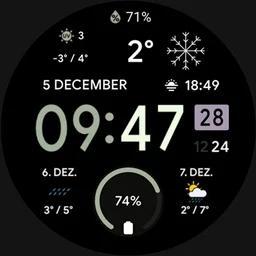 SG-51
Personalization
-
 Apex 2.0 Watch Face
Personalization
-
 React 2: Watch face
Personalization
-
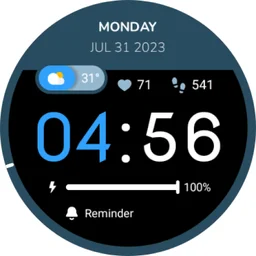 OMG H1
Personalization
-
 Pulse Watch Face
Personalization
-
 Expressive Watch Face
Personalization
-
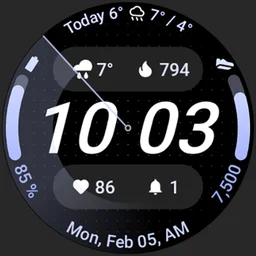 Nord SE: Watch face
Lifestyle
-
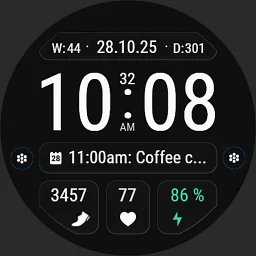 VFM01 Minimal Digital
Personalization
-
 Adaptive Watch Face
Personalization
-
 SG-155
Personalization
-
 OMG 407 - Minimal Watch Face
Personalization
-
 AD Gemini - Watch Face
Personalization