iBrewCoffee - Coffee Journal
Stanislav NovacekIn-app purchases
- EveryoneAge rating
- Food & DrinkCategory
- Oct 22, 2026Updated
- FreePrice
Links to the official Google Play listing of coffee.ibrew.ibrewcoffee. Last checked on Nov 27, 2026.
Screenshots


About this app
Coffee journal & recipe tracker for espresso & pour over. Save beans, log Brews.
Coffee journal and recipe tracker for your Brews
Have you ever made a fantastic cup of your favorite coffee and forgotten the exact brewing process?
Not anymore. Your personal coffee journal app is finally here!
iBrewCoffee lets you save specialty coffee beans, record all your brewing recipes - espresso, pour over, AeroPress, French press, moka and more - and export print-ready PDFs so you can enjoy your coffee journal and share your brewing mastery with your friends.
Using the app is simple:
1) save a Product (bag of specialty coffee),
2) record your Brews, experiment, rate, compare,
3) export your Brews, print your journal, or share with friends!
Product
When saving a Product, you can specify:
- which roastery the coffee is from,
- flavor profile,
- roast level and roast date,
- weight and price,
- cupping score, batch/lot number,
- name, website,
- attach photos,
- custom product info,
- coffee origin country and region,
- altitude, varietals, and processings,
- harvest date, decaf method,
- farm, wash station and producer,
- create blends and specify blend ratio for each coffee.
There are over 3 000 roasteries, 2 000 coffee regions, 300 varietals, 300 flavor profiles, and 20 processings to choose from - and you can add your own.
Brew
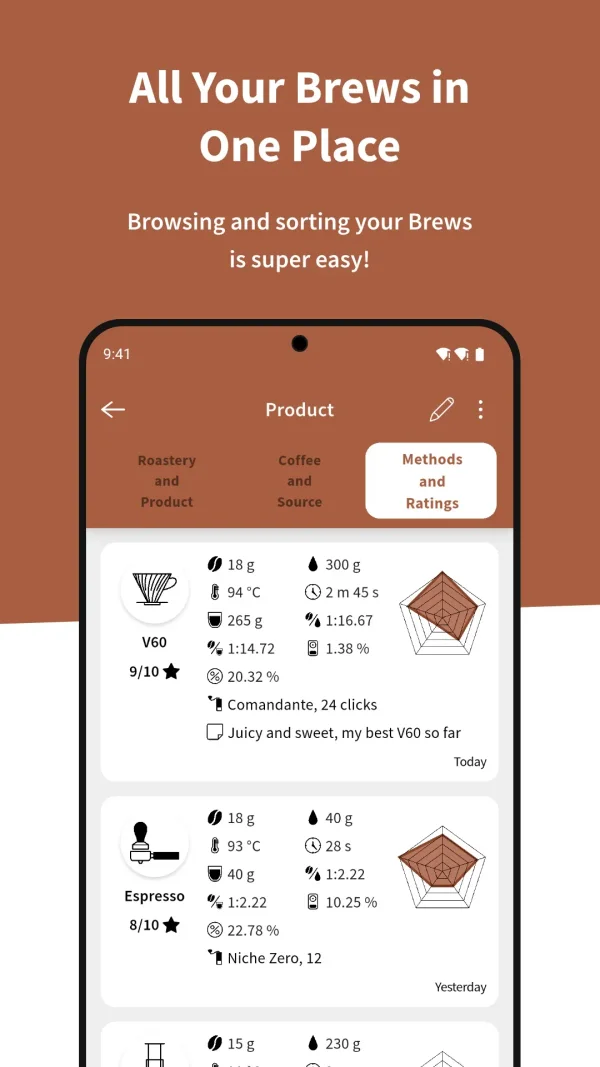
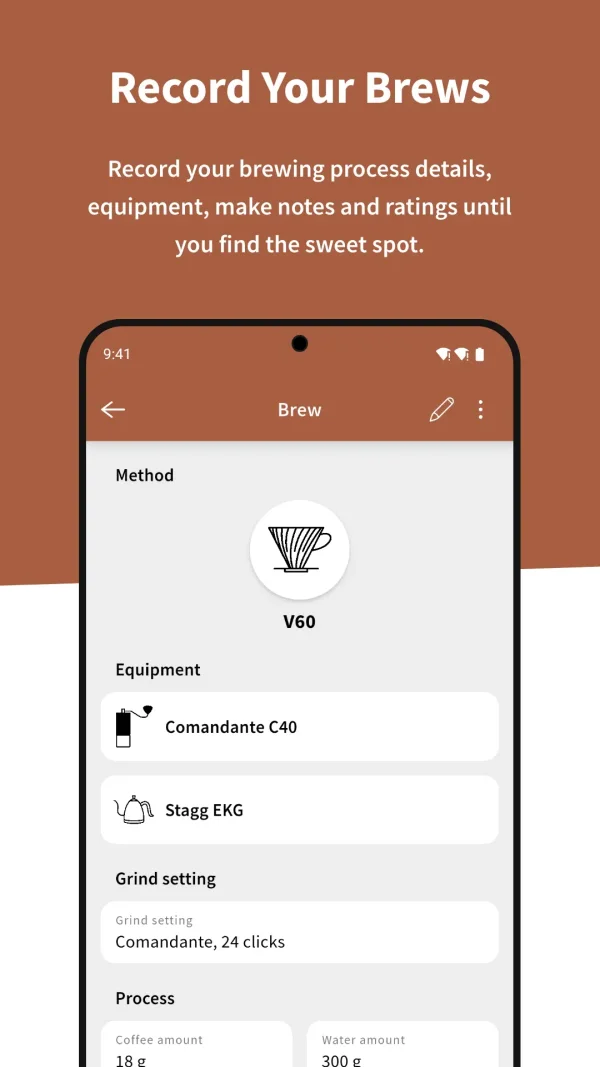
When saving a Brew, you can specify:
- brewing method,
- custom equipment - grinder, filter, scale, kettle etc.,
- grind setting,
- coffee amount,
- water amount,
- temperature,
- extraction time,
- final Brew weight,
- TDS,
- tasting profile - aroma, sweetness, acidity, bitterness and body,
- overall rating of the Brew,
- custom notes.
Brew ratio and extraction yield are calculated automatically!
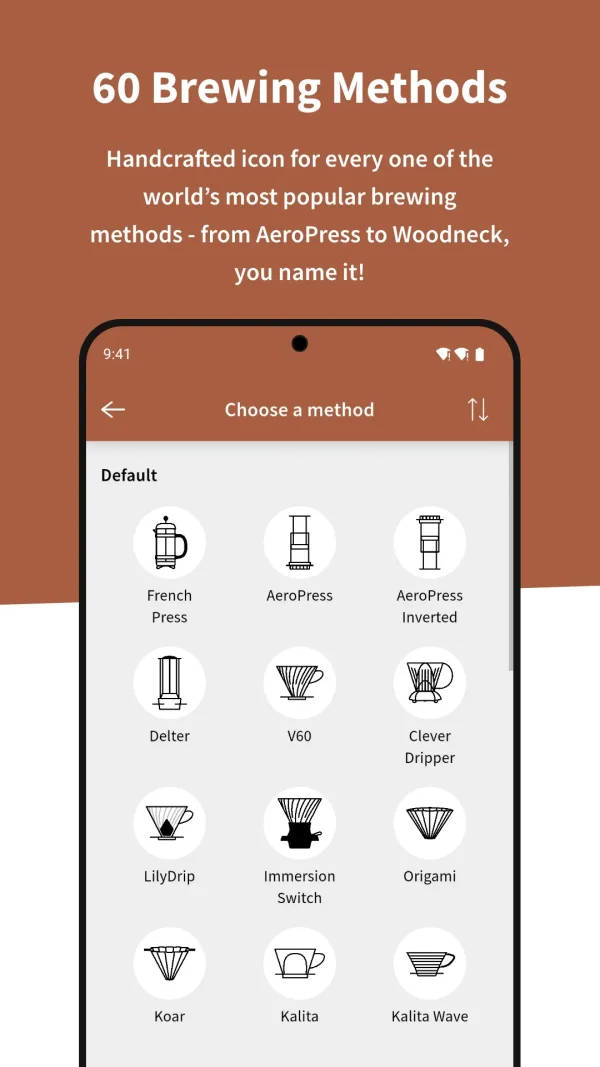
There are 60 of the most popular brewing methods in the app - from AeroPress all the way to Woodneck.
And you can create your own brewing methods!
Custom Brewing Equipment
You can save and manage your brewing equipment:
- grinders - manual, automatic,
- espresso machines - lever, automatic,
- portafilter handles - single, double, triple, naked handle,
- filters - various types and materials,
- scales,
- kettles - basic, gooseneck,
- and other custom equipment.
PDF Export
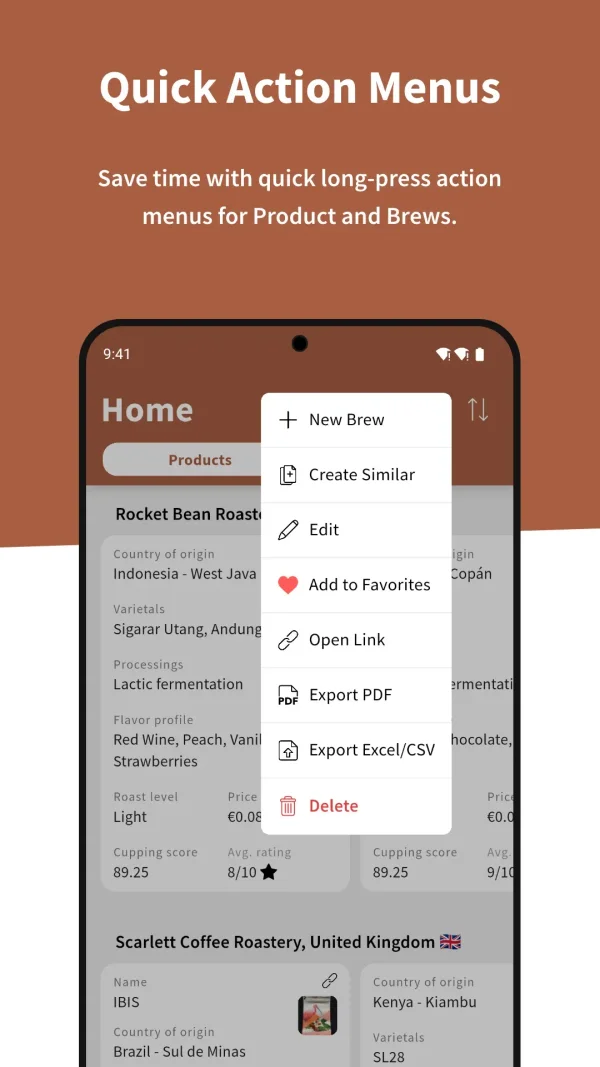
Using the app, you can export your Products and Brews to PDF, print it out, and enjoy your coffee journal.
You can export a Product with its Brews, a single Brew with its Product, or empty templates for filling out manually during a tasting or cupping.
You can use multiple layouts, such as a single page, 2 per page, or 4 per page. That way, you can have your Brews in A4 or A5 (2 pages per A4) format.
Excel and CSV Exports
Using the app, you can export your Brews and Products to Excel or CSV for further processing (charts, etc.).
You can export Brews from a single Product, all Brews, or only Brews created in a specified time range.
Smart search
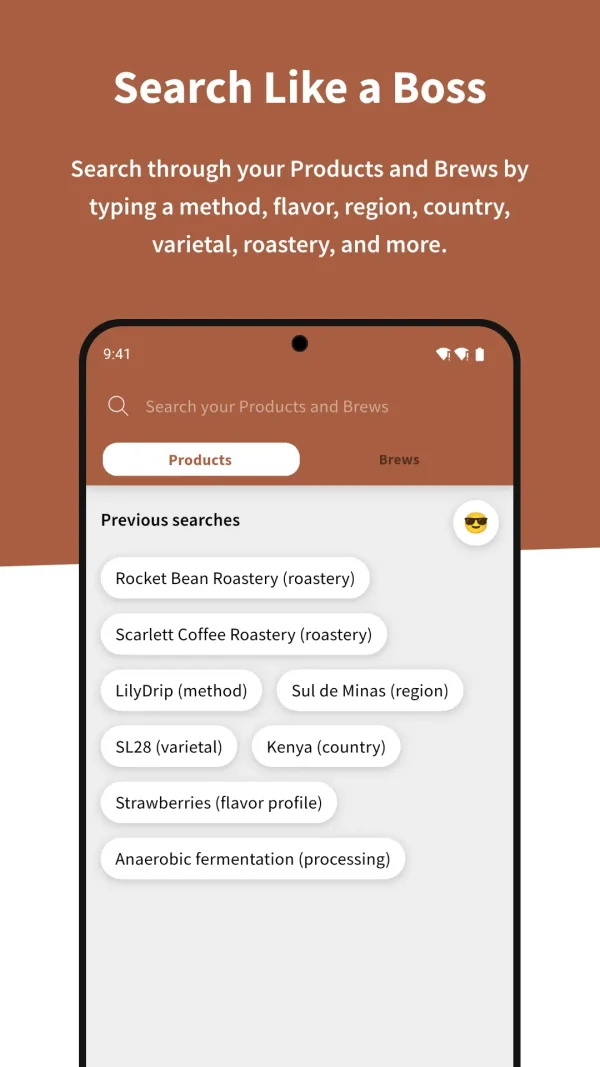
Searching through your Brews and Products is super easy and intuitive. You can search using most of the information you saved, such as a roastery, flavor profile, brewing method, coffee country, region, varietals, and more!
Sharing
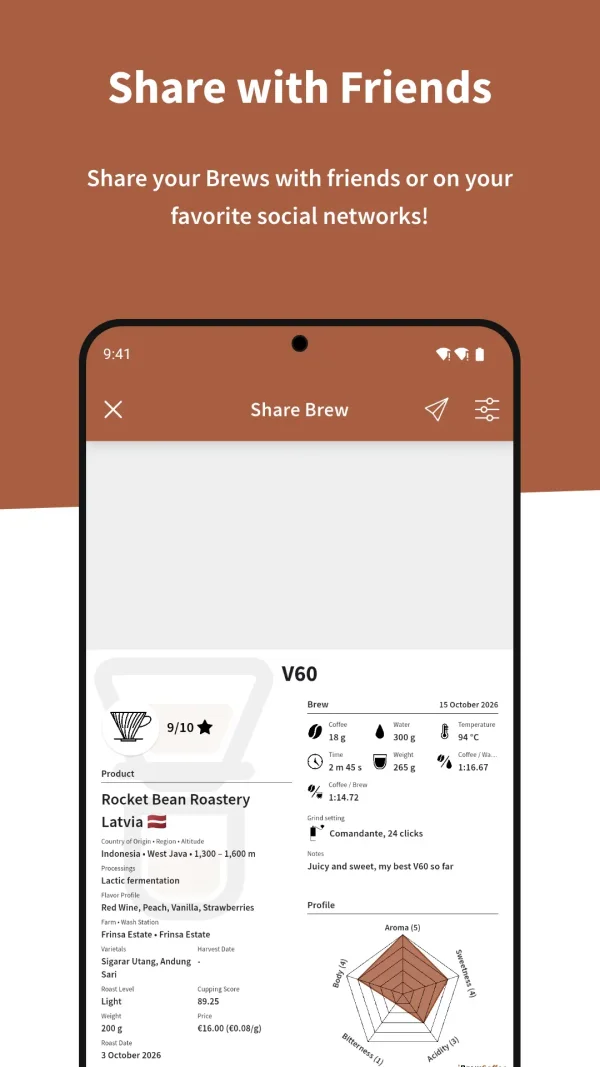
You can share your Brews with your friends or on your favorite social networks. Every Brew has a square share image format that you can easily upload to your social media channel.
Secure Cloud Backup and Device Sync
iBrewCoffee is free, ad-free and lets you log unlimited Brews. iBrewCoffee Premium is optional: it adds automatic cloud backup and sync across all your devices and removes the limits on Products and exports, so you never have to worry about losing your Brews.
Contact
If you have any questions, issues, feedback, or a missing feature, you can reach us:
In the app
Account tab -> Support & Feedback section
at support@ibrew.coffee for support
at app@ibrew.coffee for feedback and feature requests
Made with ❤️ for specialty coffee
Data safety
What Stanislav Novacek declares on Google Play about the data this app collects and shares.
- This app may share these data types with third partiesApp activity, App info and performance, and Device or other IDs
- This app may collect these data typesPersonal info, Financial info and 4 others
- Data is encrypted in transit
- You can request that data be deleted
What’s new
Version 1.7.1 · Oct 22, 2026
- New languages: Spanish and Portuguese
- The sign-in screen shows your last sign-in method. If you ever get signed out of the app, you can easily sign back in with the right account.
- Other quality of life improvements
Developer contact
- Websiteibrew.coffee
- Emailapp@ibrew.coffee
- Privacy policyibrew.coffee
- AddressPřemyslovská 2245/7 252 63 Roztoky Czechia
Information
- Offered by
- Stanislav Novacek
- Category
- Food & Drink
- Version
- 1.7.1
- Updated
- Oct 22, 2026
- Released
- Apr 4, 2021
- Requires
- Android 7.0 or later
- Age rating
- Everyone
- Price
- Free
- In-app purchases
- $0.99 - $54.99 per item
- Package name
- coffee.ibrew.ibrewcoffee
Similar apps
-
 Grocery AI: Shop, Cook, Pantry
Food & Drink
-
 Chegg: Solve tough concepts
Education
-
 Eat Smart Kiwi: Food Diary
Health & Fitness
-
 Cosmetology Exam Prep & Test
Education
-
 Flora – Green Focus
Productivity
-
 Keto Manager-Keto Diet Tracker
Health & Fitness
-
 If: Intermittent Fasting 16:8
Health & Fitness
-
 ElephantTrax: Storage Tracker
Productivity
-
 Meal Planner & Recipe Keeper
Food & Drink
-
 Carbs & Cals: Diet & Diabetes
Health & Fitness
-
 FoodLog: IBS & FODMAP Tracker
Food & Drink
-
 Fabulous Daily Routine Planner
Health & Fitness