Isobar Weather Watch Face
BasilBase- EveryoneAge rating
- PersonalizationCategory
- Aug 25, 2026Updated
- $1.49Price
Links to the official Google Play listing of com.basilbase.isobar. Last checked on Nov 15, 2026.

Screenshots




About this app
A weather chart for the wrist - and it says so when it has no reading.
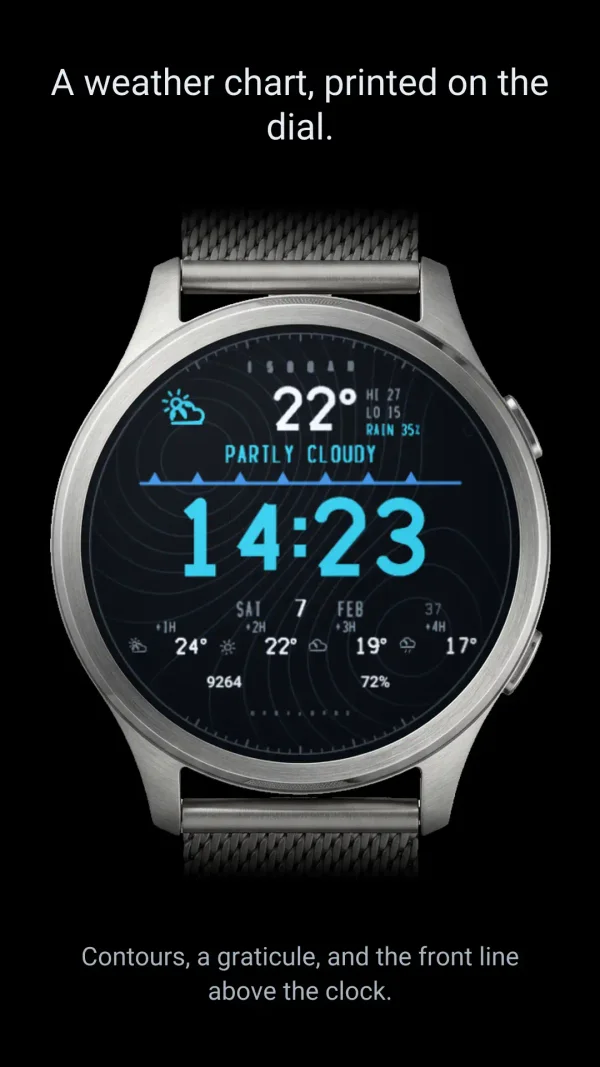
Isobar prints a synoptic weather chart on a watch dial: pressure contours across the disc, the sky report above the clock, a front symbol between them.
WHEN IT DOES NOT KNOW, IT SAYS SO
Ask most weather dials for a temperature nobody gave them and they print 0 degrees. Isobar draws --°, rings the condition mark in a dashed circle, and writes NO WEATHER with ALLOW LOCATION FOR WATCH FACES under it. Touch that notice and the watch opens Settings.
Wear OS does not give watch faces location access by default, so until you allow it the weather really is unknown:
Settings > Security and privacy > Permission manager > Location > Watch faces > Allow while using the app
That entry stays in English whatever language your watch speaks. Everything else works the moment you install it.
THE FRONT RULE
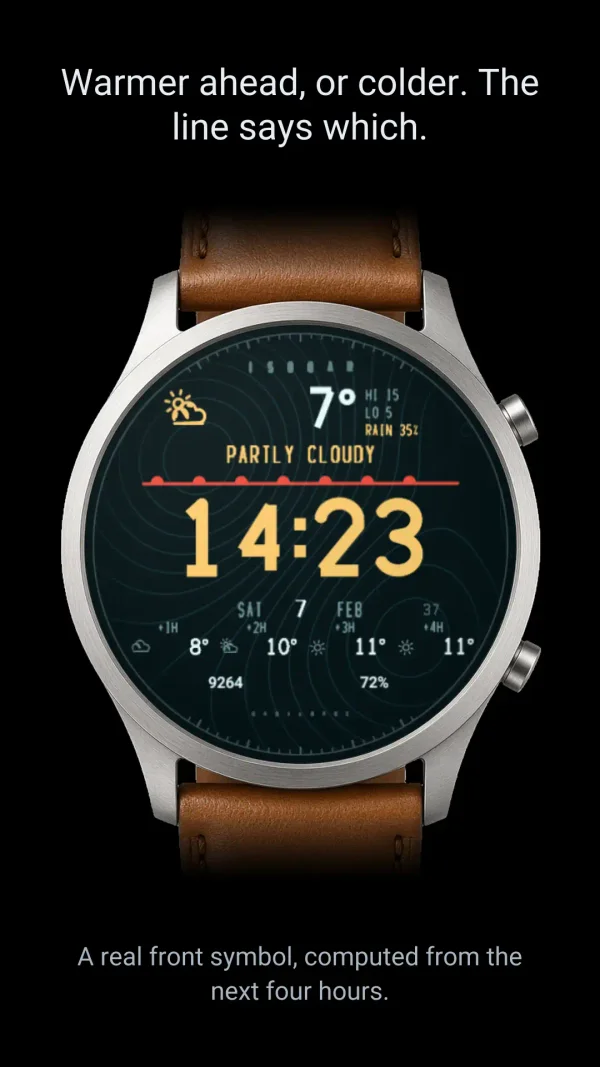
The line above the clock is a reading, not a divider. Isobar subtracts the temperature now from the forecast four hours out and draws the symbol a weather chart would use.
Red semicircles, a warm front: the next four hours are warmer.
Blue triangles, a cold front: colder.
The two alternating, a stationary front: neither, for now.
A whole degree either way is the threshold, so fractions cannot make it flicker. The front draws itself left to right on a wrist raise; it can also stand still, or go. Its red and blue never follow the theme.
FOUR HOURS, OR THREE DAYS
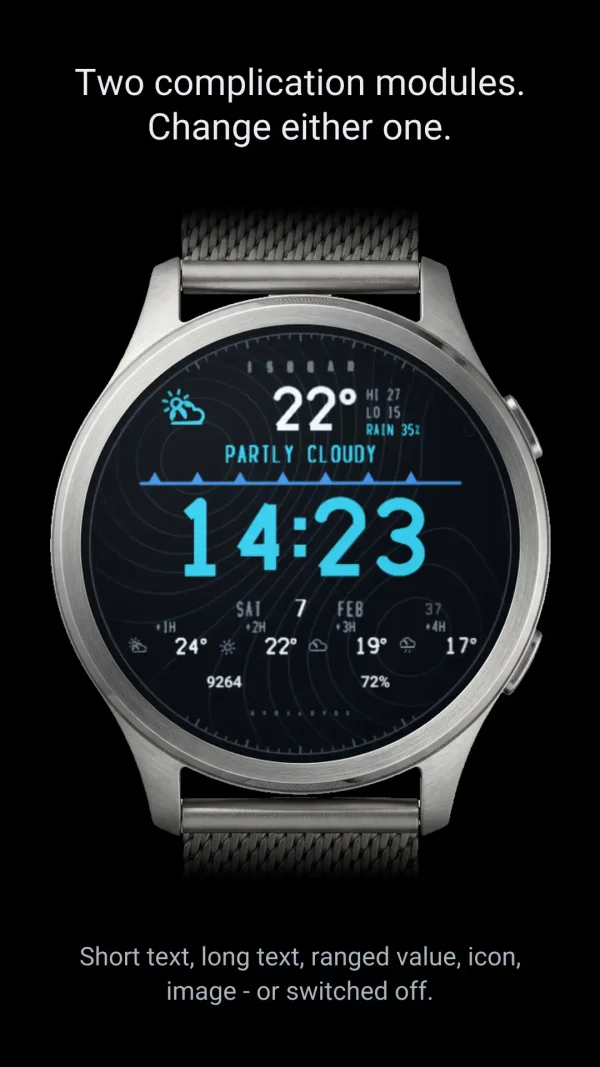
A strip of four cells under the date: the next four hours, each with its own mark and temperature. Switch it and the strip carries three days instead - weekday, mark, that day's high. Switch it again and it is gone. Beside the current temperature: today's high, today's low, and the chance of rain.
DAY AND NIGHT ARE NEVER CONFUSED
Eleven condition marks for nine conditions: clear and partly cloudy are drawn twice, with a sun and with a moon. The dial chooses on the forecast's own day flag, in the four forecast cells as well as now. A nine o'clock evening never shows a sun.
TWO COMPLICATION MODULES
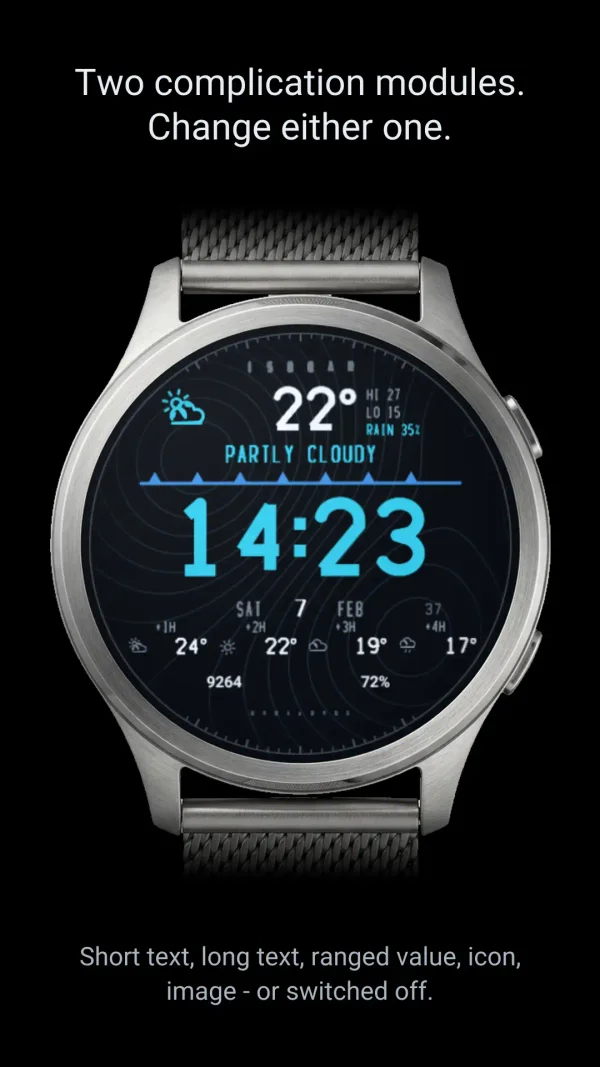
One left, one right along the foot of the dial, arriving as step count and watch battery. Both are yours - short text, long text, a ranged value, a monochrome icon, a small image, or empty, so a module you do not want can be switched off. Neither is drawn on the always-on screen. The date row opens your calendar.
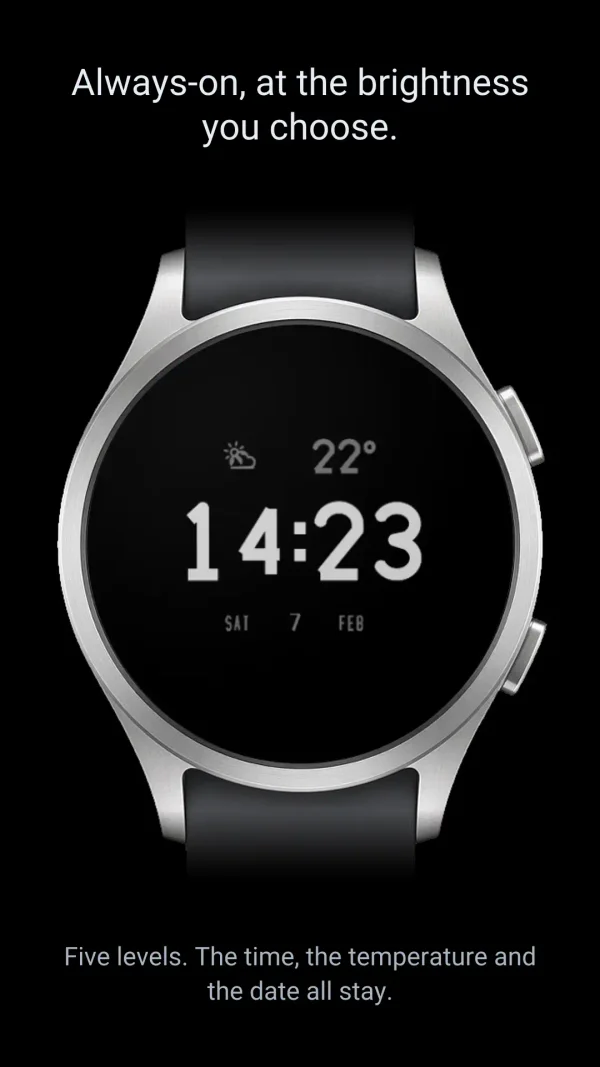
ALWAYS-ON, AT A BRIGHTNESS YOU PICK
Drawn separately, not dimmed down: chart, ticks, front, strip and seconds go; clock, temperature, condition mark and date move to the middle so nothing floats. Five settings: Dim, Low, Medium, Bright, and a warm amber for night.
WHAT YOU CAN CHANGE
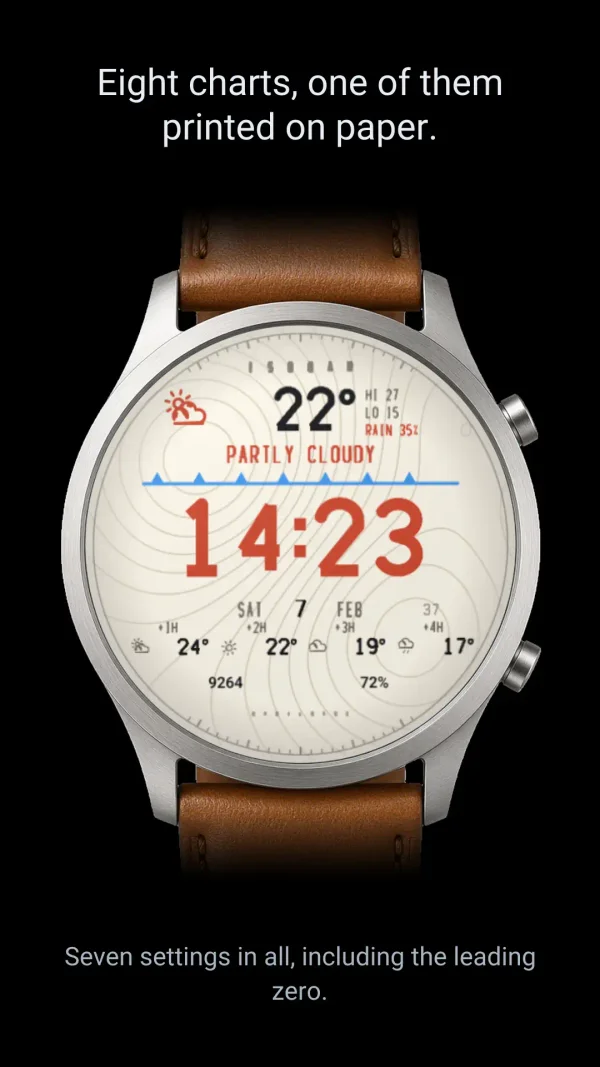
Chart: 8 - Slate, Carbon, Ocean, Signal, Moss, Violet, Mono, and Chart paper, the one light theme.
Clock colour: White or Accent.
Always-on brightness: Dim, Low, Medium, Bright, Warm.
Hour format: Follow watch, 12 hour, 24 hour.
Leading zero: on or off.
Forecast strip: Next 4 hours, Next 3 days, Hidden.
Front rule: Draw on raise, Always drawn, Hidden.
4,320 combinations, dark by default: a filled bright dial lights most of an OLED panel all day.
To change any of it: press and hold the face, tap Customize, then swipe sideways between settings. For a module, choose it, save, then tap it.
WHAT IT DOES NOT SHOW
The contours are the paper this chart is printed on, not a sensor reading: no Wear OS watch face can read barometric pressure; the platform publishes no source for it. No wind speed either, no UV index, no sunrise or sunset, no distance, no calories. Everything with a number beside it comes from your watch.
BEFORE YOU BUY
Wear OS 5 or later (API 34): Galaxy Watch 4 and newer on Wear OS 5, Pixel Watch, other Wear OS 5 watches. No phone app, no ads, no subscription, no in-app purchase, no data collected.
If it does not arrive, sign in on the watch with the same Google account you bought it with. Google Play's refund window applies.
If you have a question, or something is not working right, please write to us at contact@basilbase.com.
Data safety
What BasilBase declares on Google Play about the data this app collects and shares.
- No data shared with third partiesLearn more about how developers declare sharing
- No data collectedLearn more about how developers declare collection
What’s new
Version 1.0 · Aug 25, 2026
First release.
A synoptic weather chart on a watch dial: pressure contours across the disc, the sky report above the clock, and a real front symbol between them that says whether the next four hours turn warmer or colder.
When the watch has no weather to give it, the dial says so and offers the way to fix it, instead of printing a confident 0 degrees.
Four-hour or three-day forecast, today's high, low and chance of rain, eight charts, five always-on brightnesses, two complication modules.
Developer contact
- Websitebasilbase.com
- Emailcontact@basilbase.com
- Privacy policybasilbase.com
- AddressUMUTKENT MAH. ADA 4 SK. NO: 17 IC KAPI NO: 9 MERKEZ 14300 Bolu Türkiye
Information
- Offered by
- BasilBase
- Category
- Personalization
- Version
- 1.0
- Updated
- Aug 25, 2026
- Released
- Aug 25, 2026
- Age rating
- Everyone
- Price
- $1.49
- Package name
- com.basilbase.isobar