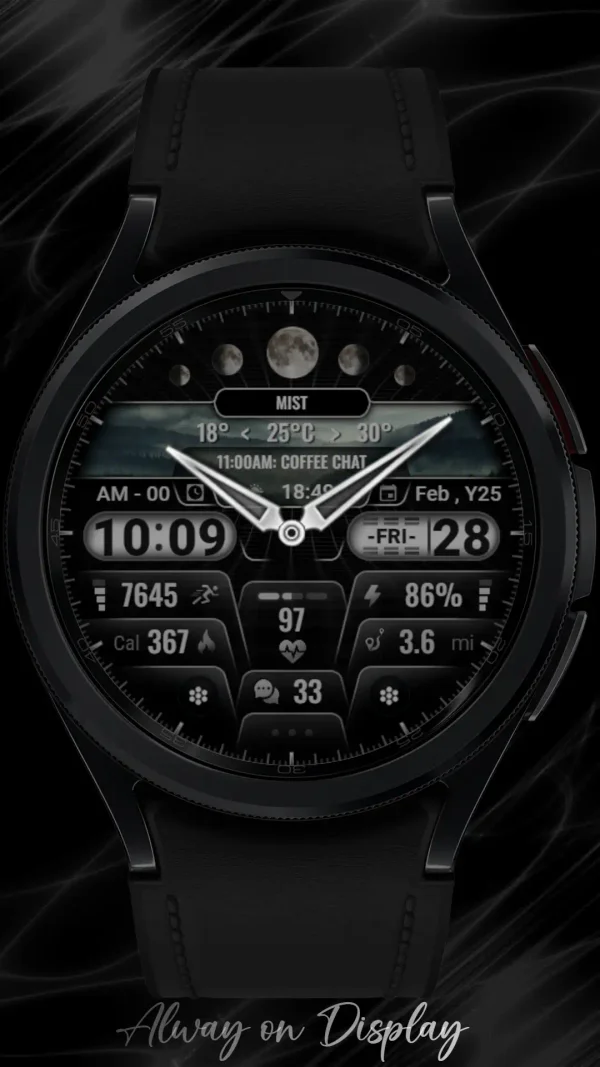
[KNA008] COMBINE
KNA TH Watch Faces- EveryoneAge rating
- Art & DesignCategory
- Aug 30, 2026Updated
- $1.49Price
Links to the official Google Play listing of com.watchfacestudio.kna008. Last checked on Nov 24, 2026.

About this app
Art of Combination Wear OS Watch faces (for Wear OS 5+ devices)
Wear Os Watch Face With Customizable Complications
(for Wear OS 5+ devices)
WATCH FACE INSTALLATION NOTES:
(Please update your android to lastest version)
Note : install Watch face via Wear OS Watch
(If you cannot install via your smartphone)
https://drive.google.com/file/d/1Ks0k68vwTua4eLPvMryORga0ZwViglWk/view?usp=drivesdk
Check your watch's compatibility with WEAR OS before proceeding with the installation. (Note: Galaxy Watch 3 and Galaxy Active are not WEAR OS devices.)
🚨 Watch faces don't automatically apply on your watch screen after the installation. That's why you MUST set it on your watch's screen.
Features:
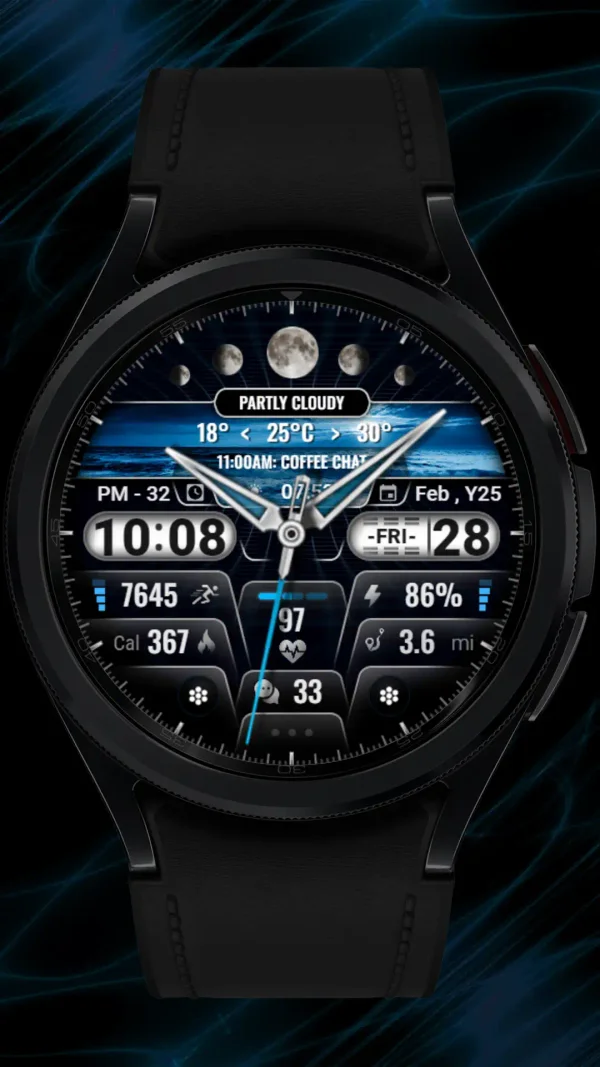
- Hybrid Styles (12/24 Hour Time format)
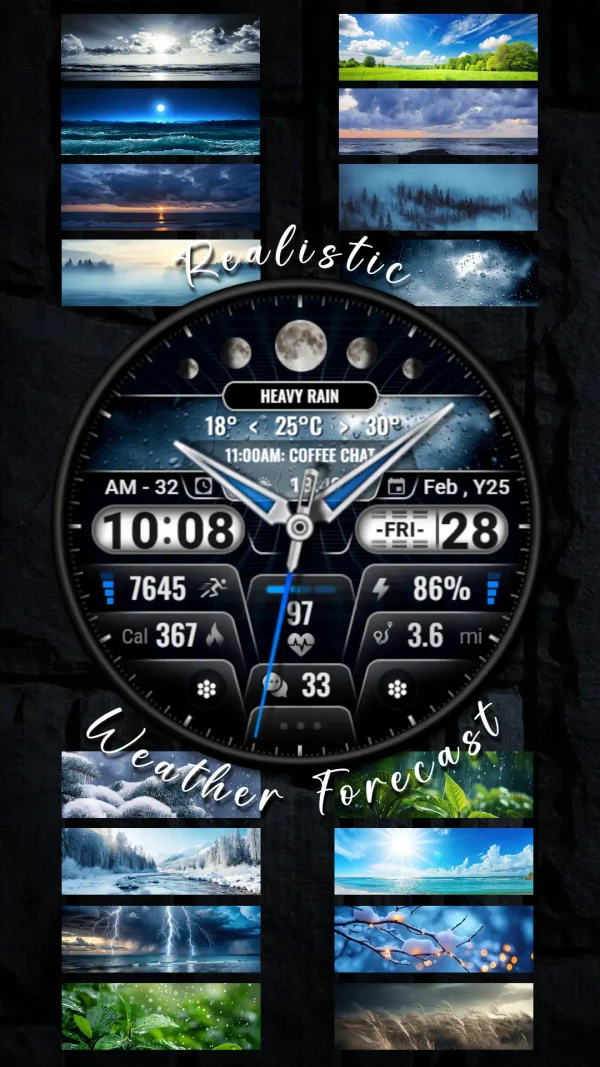
- Realistic Weather forecast
- Date , Day of week , Month
- Moon phase circle
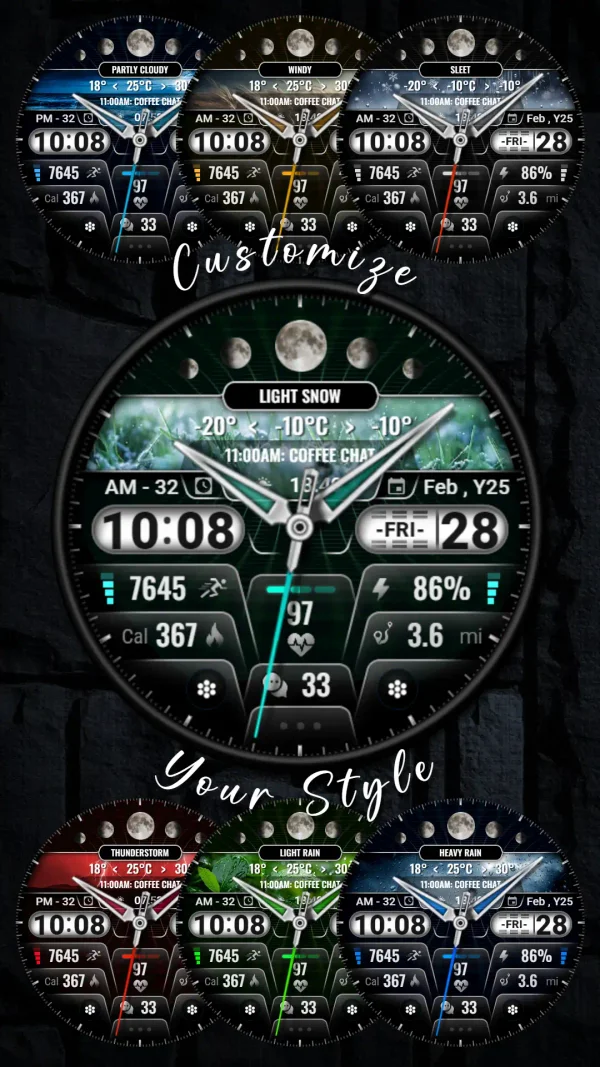
- 5 Complications Editable
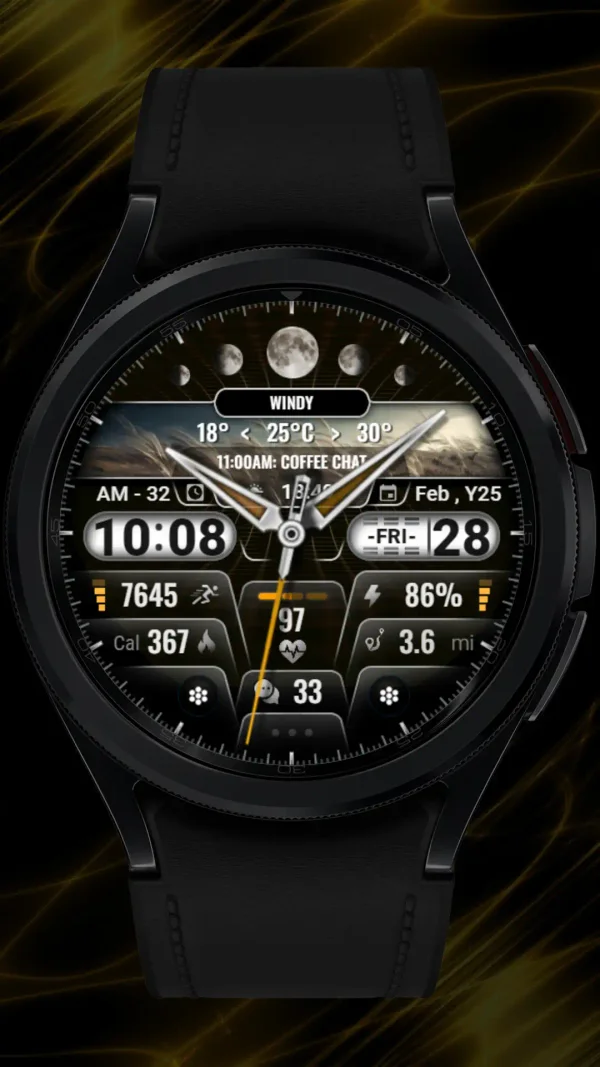
- 9 Colors 10 Styles
- Steps Count , Heart Rate , Battery Level , Next Event , Count message unread , Sunrise & Sunset time , Calories Calculate , Distance (Mi/km) Calculate
Customization:
1. Touch and Hold Display
2. Tap on Customize Option
Complications:
You can customize with the any data you want.
For example , you can select weather , world clock , sunset/sunrise , barometer etc.
**Some features may not be available on some watches.
For further support, please contact: sombatcsus@gmail.com
Thank you for Your support.
Data safety
What KNA TH Watch Faces declares on Google Play about the data this app collects and shares.
- No data shared with third partiesLearn more about how developers declare sharing
- No data collectedLearn more about how developers declare collection
What’s new
Aug 30, 2026
Wear OS Watch Face With Customizable Complications (for Wear OS 5+ devices)
Developer contact
- Emailsombatcsus@gmail.com
- Privacy policytermsfeed.com
- Addressจันทะคร 115 หมู่ 7 ตำบลห้วยใหญ่ บางละมุง ชลบุรี 20150 Thailand
Information
- Offered by
- KNA TH Watch Faces
- Category
- Art & Design
- Updated
- Aug 30, 2026
- Released
- Mar 21, 2024
- Age rating
- Everyone
- Price
- $1.49
- Package name
- com.watchfacestudio.kna008
Similar apps
-
ML2U 294 Watch Face
Personalization
-
MJ139 Stylish Hybrid
Personalization
-
ML2U 367 Watch Face
Personalization
-
WearOS Hybird WatchFace NTV567
Personalization
-
[KNA009] DARK VIEW
Art & Design
-
[KNA022] Weather Forecast
Personalization
-
Polaris: Digital Watch Face
Personalization
-
[KNA015] CRESCENT
Art & Design
-
ML2U 381 Hybrid Watch Face
Personalization
-
Chrono Fusion 2
Personalization
-
[KNA006] THE NIGHT
Art & Design
-
ORB-29 Ellipses
Personalization
![[KNA008] COMBINE screenshot 1](https://imgresize.dlostc.com/PBq2QV1W4qtLUnv76f9xfRfNA8ueva8KmQ8gcp47Bfk/rs:fit:600:1300/czM6Ly9pbWFnZXMvcGxheWltZy9iMS9jMS9iMWMxMDU5MDAzNmY3MjQ3ZjBhNjMzOGRjZWViOWRjMjhjYzhjOWUzOWZiYjhiYzNlYmM0MmU3ZjVlNjIzNmY1LndlYnA.webp)
![[KNA008] COMBINE screenshot 2](https://imgresize.dlostc.com/9nt3J1dk6J4DOGL6HpeWEMS35jykHW5JVOenIJdoUxE/rs:fit:600:1300/czM6Ly9pbWFnZXMvcGxheWltZy82MC85Yy82MDljZjVlOTk2YmE3ODI5YTE1NDRkYjlhZWY1MThiNWFlNjdhMmRmOWJlY2I5ZDMyNmM2NjQxYmYyYzg2ODE1LndlYnA.webp)
![[KNA008] COMBINE screenshot 3](https://imgresize.dlostc.com/R9DpLraTxQ3leboZEth-G4_AiJrv9lcKj642oq2KvEU/rs:fit:600:1300/czM6Ly9pbWFnZXMvcGxheWltZy9hZC85Yi9hZDliMmQ1M2U2YTFjZjI1YmVjNmI2MDhiYTFmZjg5NjkyZDE1ZmM5MmFlMTM5MTY0NDM5NDIyYTUwZDc1ZGQ4LndlYnA.webp)
![[KNA008] COMBINE screenshot 4](https://imgresize.dlostc.com/sS77kYqhxW5wYLcGTUPQbB9wW1hnCt7EIPakjmfvD3g/rs:fit:600:1300/czM6Ly9pbWFnZXMvcGxheWltZy9iNS9iZC9iNWJkMmUxMWMwZTkwOTExYzUwOGIwZTgzNDZlYmQ2M2M3YjU2NzQ3YzQxM2IwNTgyODAxNDI5OTQ2YjQ2YTc5LndlYnA.webp)
![[KNA008] COMBINE screenshot 5](https://imgresize.dlostc.com/DX6kJNuVXEh1cuVpdBFzD_AYYsp8W6G5Ueqa8L5wn8I/rs:fit:600:1300/czM6Ly9pbWFnZXMvcGxheWltZy84Yi9jMC84YmMwMmRkNTFlZGJiMmY2YWNhYzRlMzA0ZjBhZTVkYzBjYzBmYjJiN2NlYTliOGNmYmFjZTQ2ZjRlZDMxYTVkLndlYnA.webp)
![[KNA008] COMBINE screenshot 6](https://imgresize.dlostc.com/Lxeyperye_sSIlgAL5eqVNonU8QiHHqcwqaifCp_ArQ/rs:fit:600:1300/czM6Ly9pbWFnZXMvcGxheWltZy9lNi80MS9lNjQxMjA3NDcyZWNjNTczMzU2YTZhMDZkMGFjY2M4NzhiNDViYjUyZGViNDA5ZGRjMjA5YmY3ZWJiODJhZWU0LndlYnA.webp)
![[KNA008] COMBINE screenshot 1](https://imgresize.dlostc.com/_59ijOJmbtW7OoEVwnrJPjnzLqbFe4bDyIAKAhQ1glk/rs:fit:1040:780/czM6Ly9pbWFnZXMvcGxheWltZy9hYy9jOC9hY2M4NGEyNTY3YzY3OWQ5YjE4ZGJjMDE3ZWU1ZmQ0NDJhZDA4Yzc0N2Y5OGUwOTg0YmJkZDk1MzA0MTE2NTFjLndlYnA.webp)