Lark Video Player
Lark Player Studio - Video, MP4 & Music PlayerContains ads
- EveryoneAge rating
- Video Players & EditorsCategory
- Oct 12, 2026Updated
- FreePrice
Links to the official Google Play listing of com.larkvideo.player. Last checked on Nov 19, 2026.

Screenshots




About this app
The developer has not provided this text in your language.
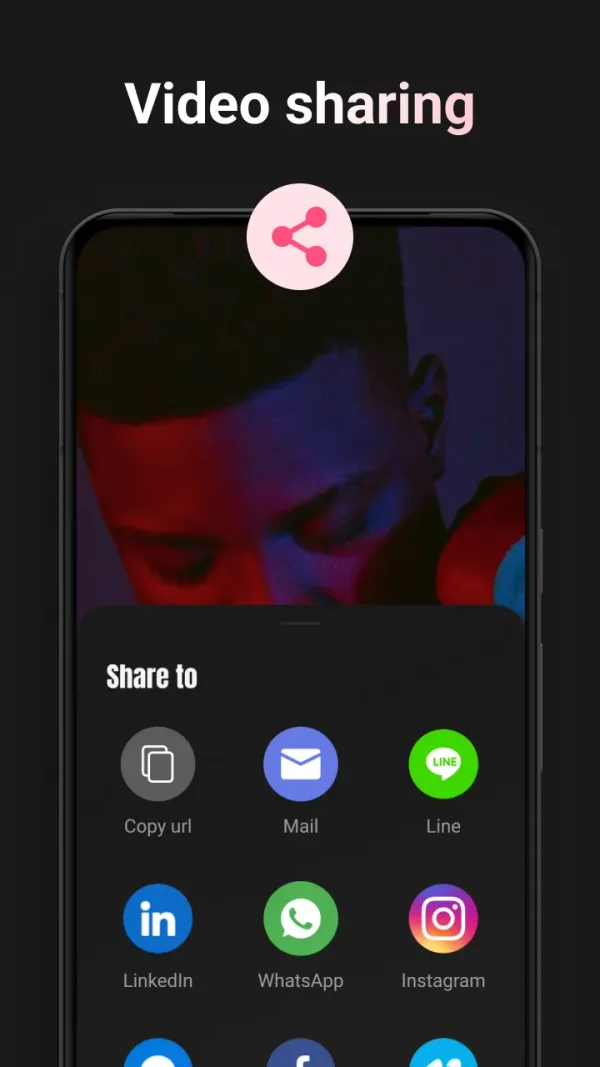
Offline video player for HD video, 4K & major formats, share video, play as mp3
🌟 A light & powerful offline video player, with full HD video & major formats supported.
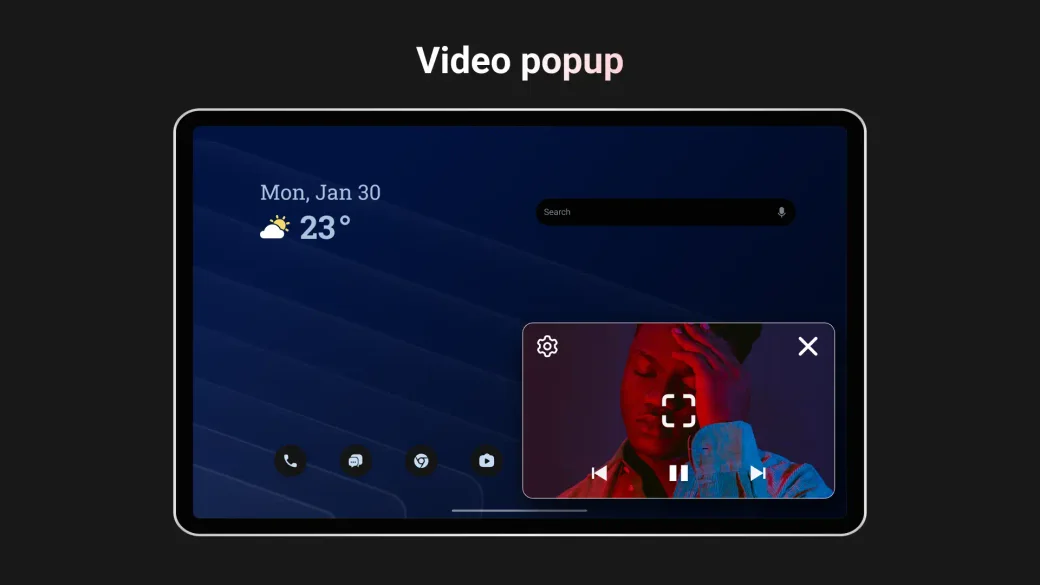
🌟 You can play offline video in a video pop-up, also to play video as MP3.
🌟 It loads video subtitles, and also work as a powerful media file manager.
Key features:
💿 HD, ultra HD video
HD video, Full HD video, Ultra HD video all run smoothly, experience the ultimate in offline video playback with Lark Video Player.
🎥 All formats
It's compatible with major formats, including mkv, mp4, m4v, mov, 3gp, 3gp2, mpg2, ts, webm etc.
📲 Video popup
Tired of interruptions while watching videos? Lark Video Player covers video popup feature. Enjoy stable floating video playback even while multitasking or using other apps on your device.
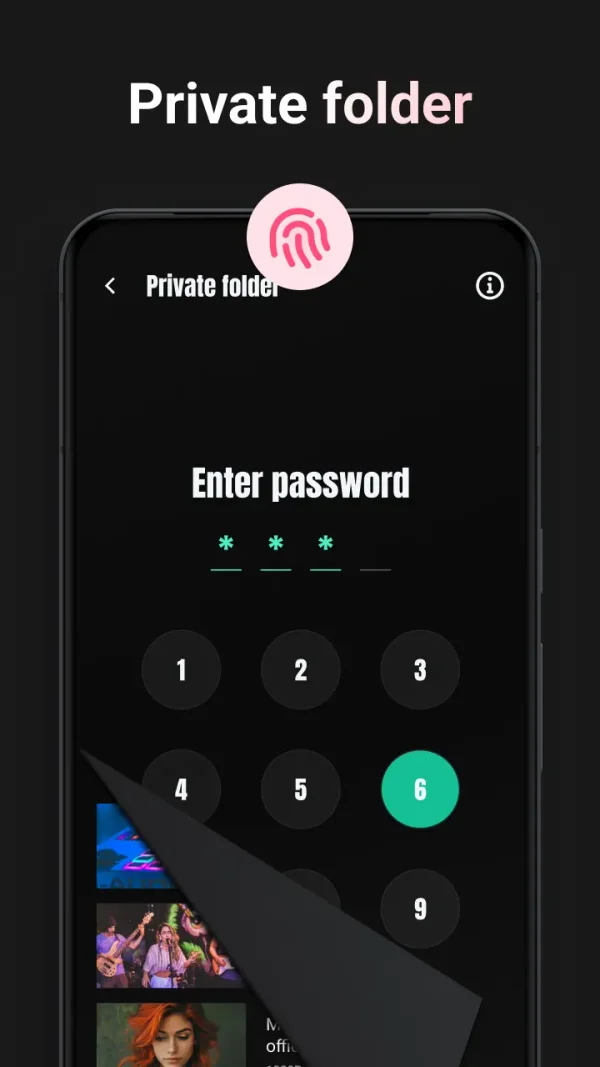
🔒Keep videos in the private folder
Hide your videos in a private folder to protect your privacy, set password for the private folder.
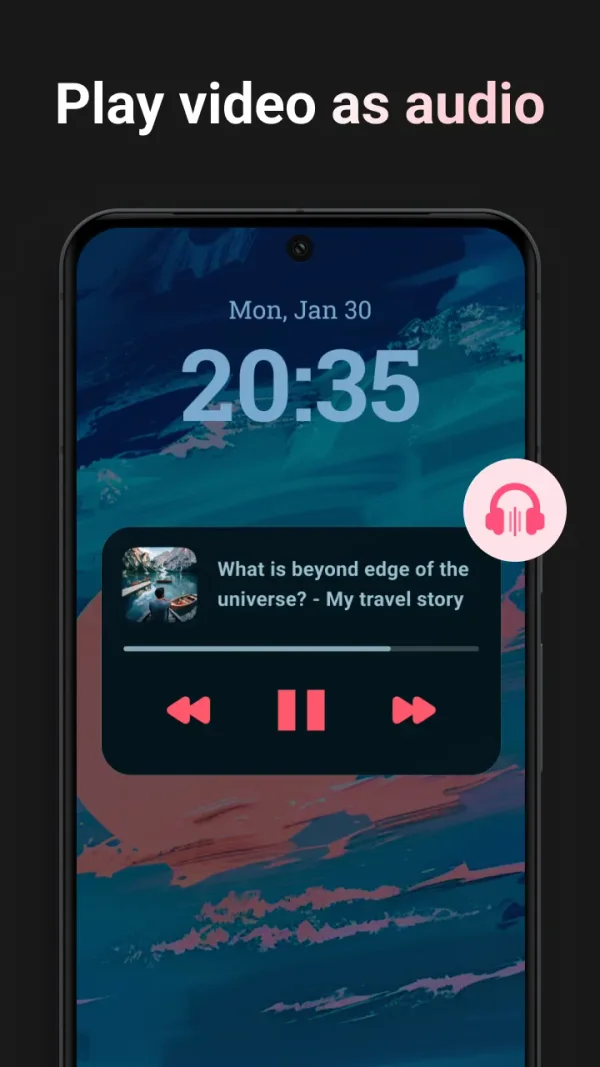
🎧 Play offline video as MP3
When you're occupied, you can listen to the video by playing video as audio in the background.
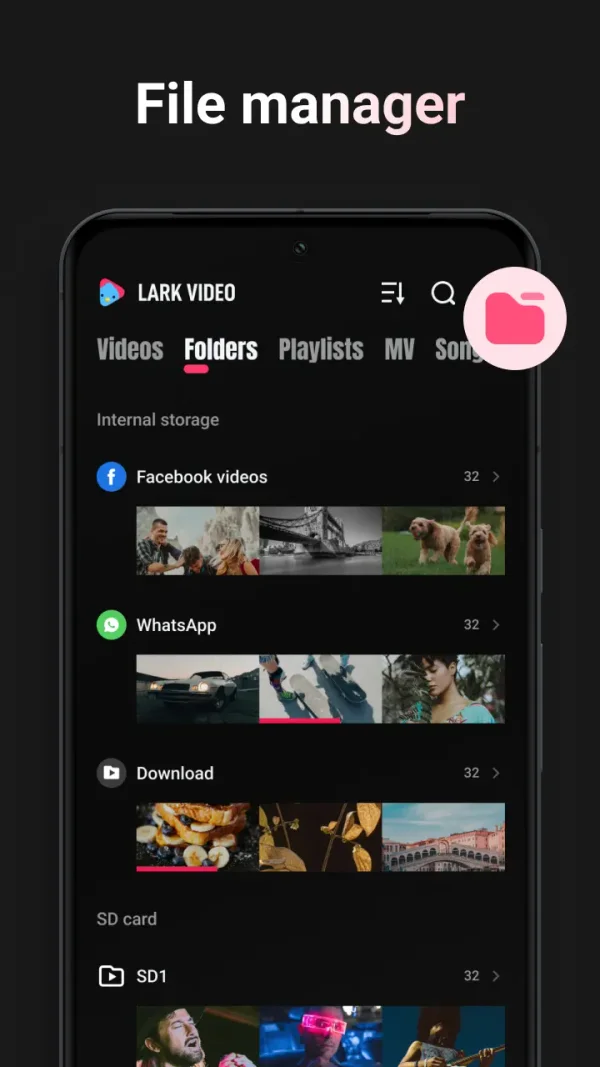
📁 Manage media files
Organizing video files has never been easier. The HD video player allows you to search, manage your video files & other media files effortlessly, with auto sorting by folders and by categories.
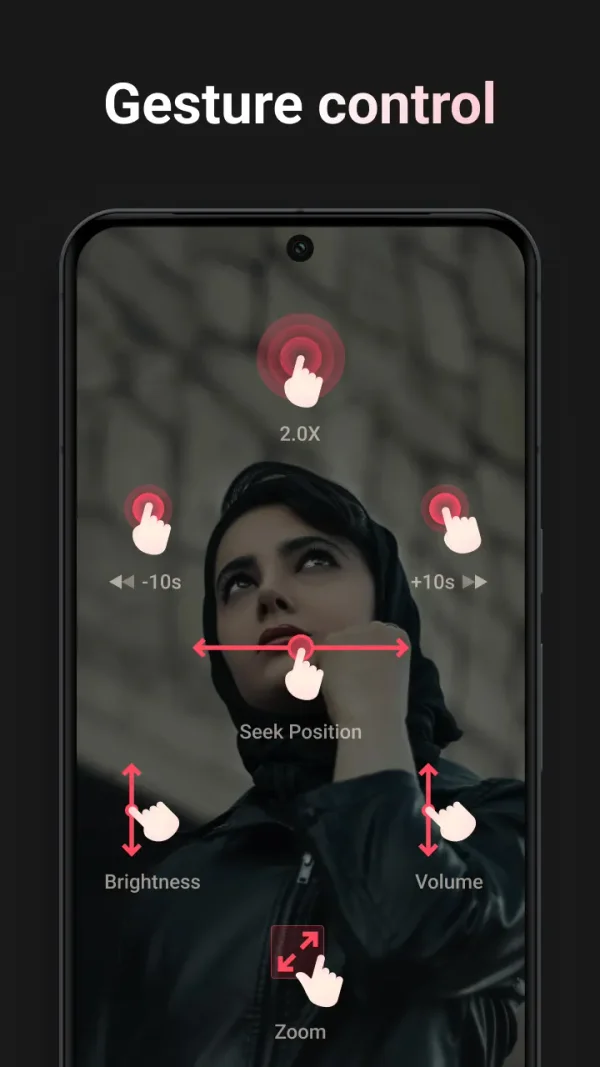
👆🏻 Gestures & one click to control
Adjust progress, brightness, video volume, speed, auto-rotate, items to be played, etc with gestures or one click.
🕶️ Light & stylish video player
Play your videos with this lightweight and stylish offline video player, takes less space in your device.
🎵 offline player for HQ music
Manage and listen to offline music files, with cool sound effect. The offline player make it one-stop for music & video play when there is no network.
It's a feature-packed, high-quality offline video player for Android. Start to play video, experience the smooth & clean HD video playback with this offline video player now.
If any suggestions please contact with Lark Video Player dev team in 'Setting' - 'Feedback'.
Data safety
What Lark Player Studio - Video, MP4 & Music Player declares on Google Play about the data this app collects and shares.
- No data shared with third partiesLearn more about how developers declare sharing
- This app may collect these data typesLocation, Files and docs and 3 others
- Data is encrypted in transit
- You can request that data be deleted
What’s new
Oct 12, 2026
✅ This update is fully adapted to Android 15, bringing you a smoother and more stable user experience.
Developer contact
- Websitelarkvideoplayer.com
- Emailhello@larkvideoplayer.com
- Privacy policylarkvideoplayer.com
- AddressRm F 6/F MEGA CUBE 8 WANG KWONG RD 九龍灣 九龍 Hong Kong
Information
- Offered by
- Lark Player Studio - Video, MP4 & Music Player
- Category
- Video Players & Editors
- Updated
- Oct 12, 2026
- Released
- Jan 17, 2025
- Age rating
- Everyone
- Price
- Free
- Package name
- com.larkvideo.player
Similar apps
-
 Lark Player:Music Player & MP3
Music & Audio
-
 Music Player
Music & Audio
-
 HiMelody: Offline Pure Music
Music & Audio
-
 Music player
Music & Audio
-
 Music player
Music & Audio
-
 Music Player for Android
Music & Audio
-
 Music player- bass boost,music
Music & Audio
-
 Music Player- Music,Mp3 Player
Music & Audio
-
 Music Player: Play Music
Music & Audio
-
 Music Player
Music & Audio
-
 My MP3 Player - Play Music
Music & Audio
-
 Music Player - Audio Player
Music & Audio