Merge Labs Tiled
Merge Labs- EveryoneAge rating
- LifestyleCategory
- Oct 15, 2026Updated
- $0.99Price
Links to the official Google Play listing of com.mergelabs.tiled. Last checked on Nov 14, 2026.
Screenshots
About this app
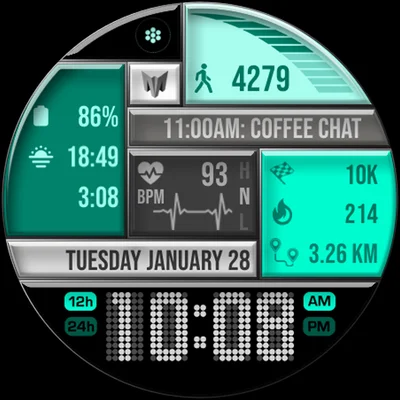
Tiled digital smart watch face made for Wear OS
Modern, sporty, "tiled" designed smart watch face made for Wear OS.
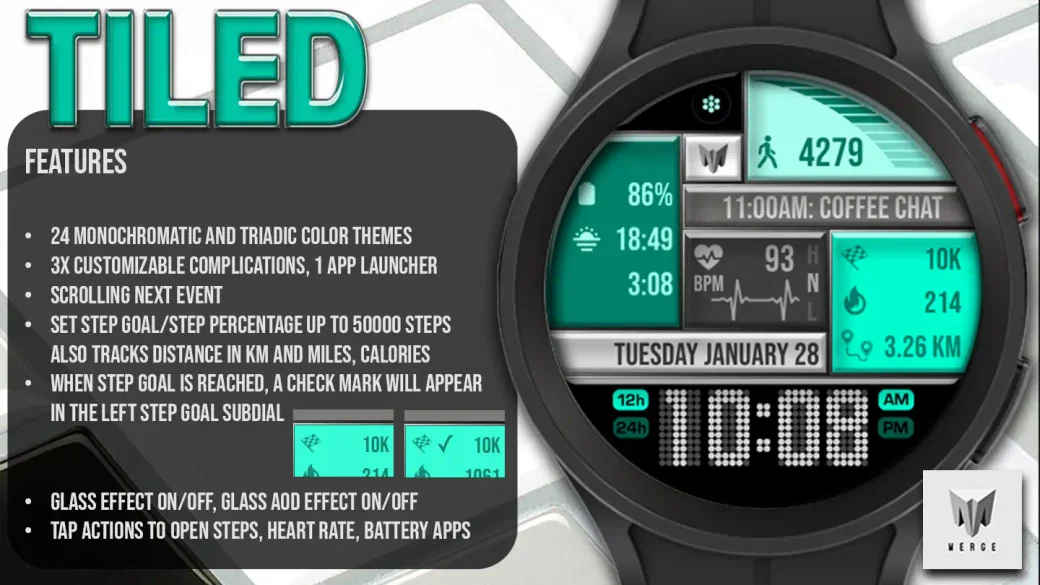
Features include:
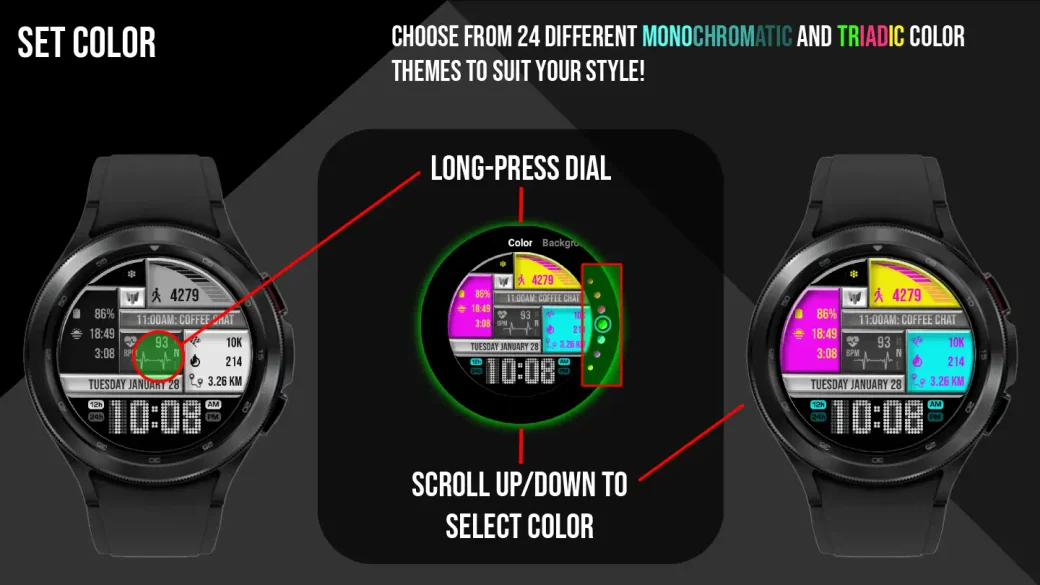
* 30 different monochromatic and triadic color themes to choose from.
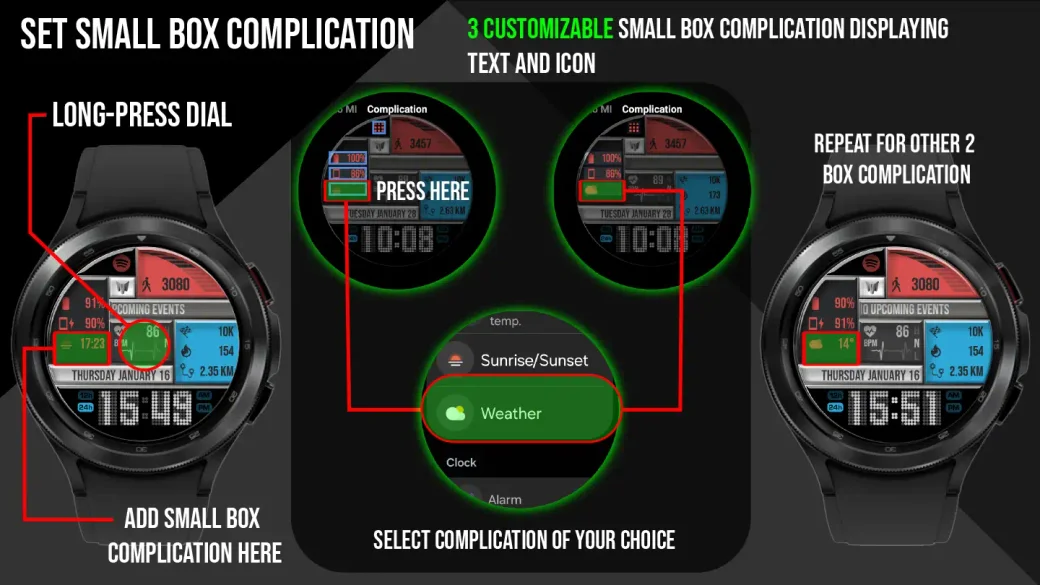
* 3 customizable Small Box Complications located at the bottom left and right of the watch face allowing for the addition of the information you want to be displayed. (Text+Icon).
* 1 customizable App Launcher.
* Displayed numerical watch battery level as well as analogue style gauge indicator (0-100%). Tap the battery icon to the right sub-dial to open the Watch Battery App.
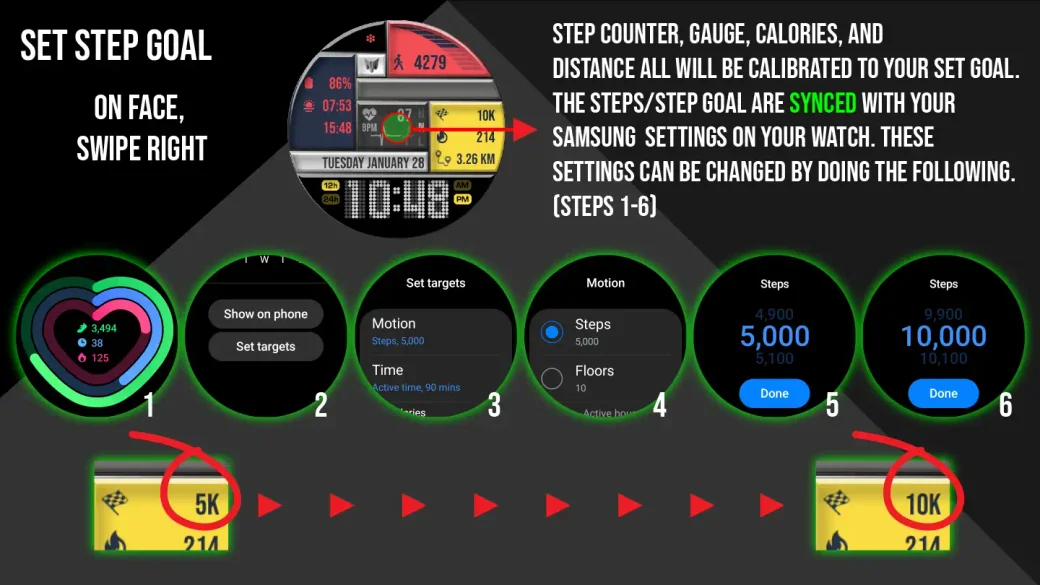
* Displays daily step counter with STEP GOAL % incremental style gauge indicator. Step goal is Synced with your device through Samsung Health App or default health app. The graphic indicator will stop at your synced step goal but the actual numeric step counter will continue to count steps all the way up to 50,000 steps. To set/change your step goal, please refer to the instructions (image) in the description. Also displayed along with step count is calories burned and distance travelled in KM or Miles. A check mark will be displayed in the left sub-dial to denote that step goal has been reached. (see instructions in main store listing for complete details). Tap anywhere in the Step Count window to open Steps App.
* Displays heart rate (BPM) and you can also tap the heart rate area to launch your default Heart Rate App. Also included animated heart beat graphic that changes in speed according to your heart rate. Additionally, displays H, N, L (High, Normal, Low) heart rates. Please bear in mind, that these are simply approximations based on heart rate data from your device to create a visual effect, and by no means, are a representation of heart health.
* Features a scrolling “Next Event” window. Tap the “Next Event” window to open Calendar App.
* Displays current date.
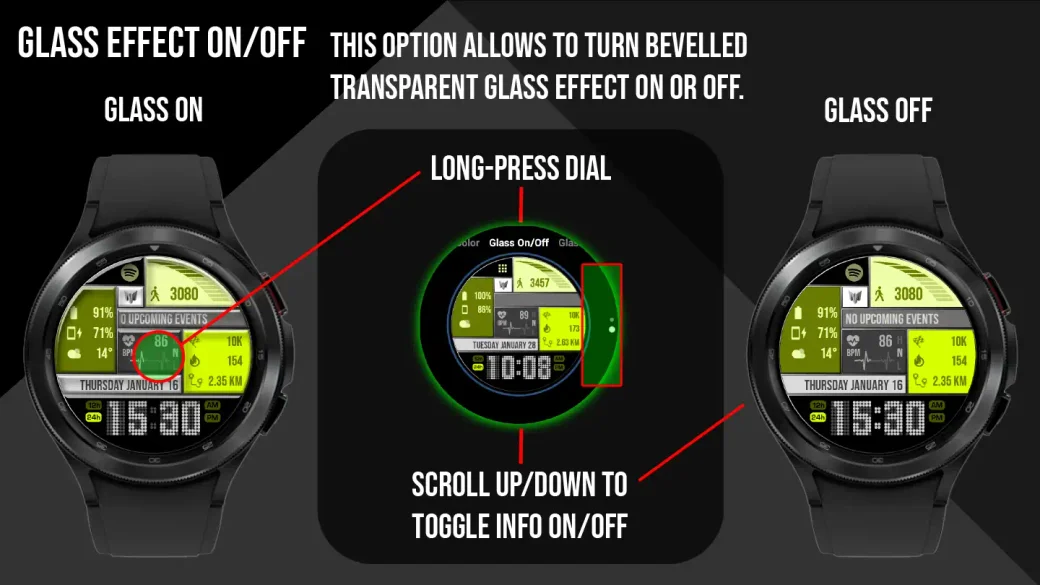
* In customize menu: toggle “transparent glass effect” ON/OFF.
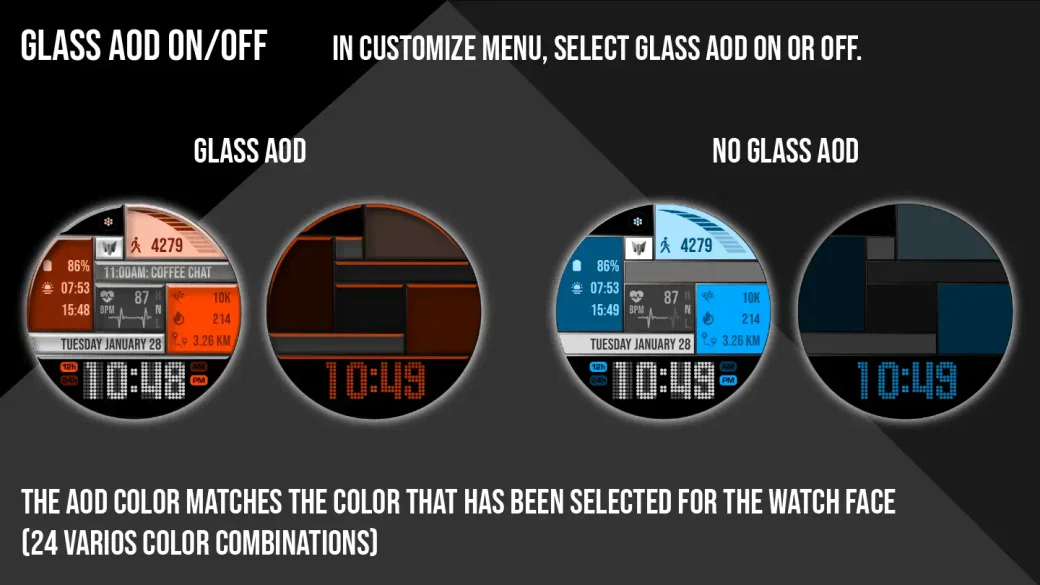
* In customize menu: toggle AOD “glass effect” On/OFF.
* In customize menu: toggle Blinking Colon On/OFF.
* In customize menu: toggle to display distance in KM/Miles.
**for more details on any of these features, please refer to the comprehensive instruction provided in this watch face’s main store listing in Google Play Store.
Data safety
What Merge Labs declares on Google Play about the data this app collects and shares.
- No data shared with third partiesLearn more about how developers declare sharing
- No data collectedLearn more about how developers declare collection
What’s new
Oct 15, 2026
Merge Labs Tiled Bredlix Companion App API 36/targetSdk 36
Developer contact
- Emailmerge.labs.biz@gmail.com
- Privacy policysites.google.com
- Address新樹路617號 14F 新莊區 新北市, Taiwan 24262
Information
- Offered by
- Merge Labs
- Category
- Lifestyle
- Updated
- Oct 15, 2026
- Released
- Jan 17, 2025
- Age rating
- Everyone
- Price
- $0.99
- Package name
- com.mergelabs.tiled