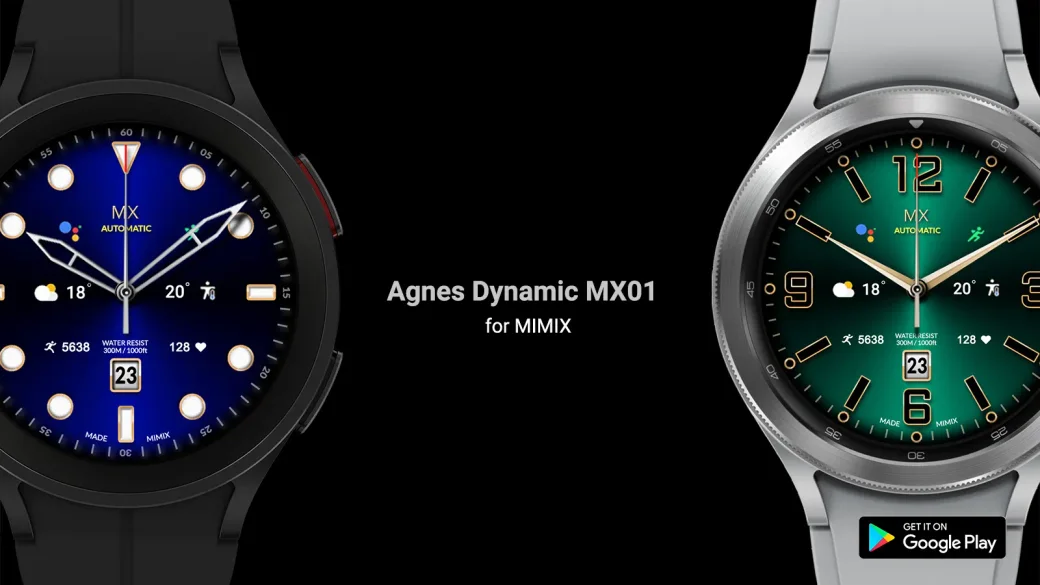
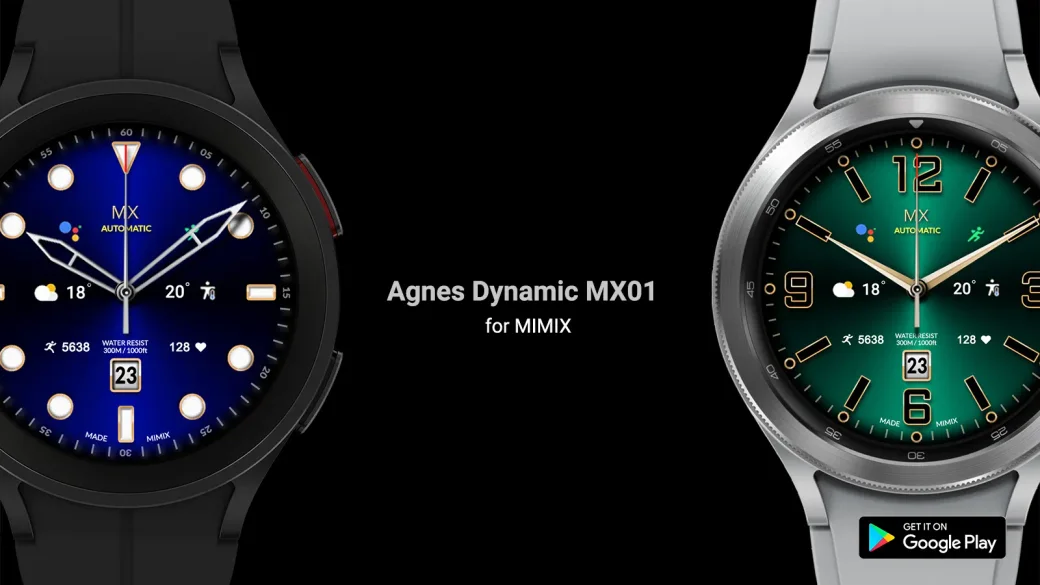
MIMIX Dynamic MX01 Watchface
MIMIX- EveryoneAge rating
- PersonalizationCategory
- Nov 3, 2025Updated
- $0.49Price
Links to the official Google Play listing of com.watchfacestudio.mimix_dynamic_mx01. Last checked on Nov 15, 2026.

Screenshots
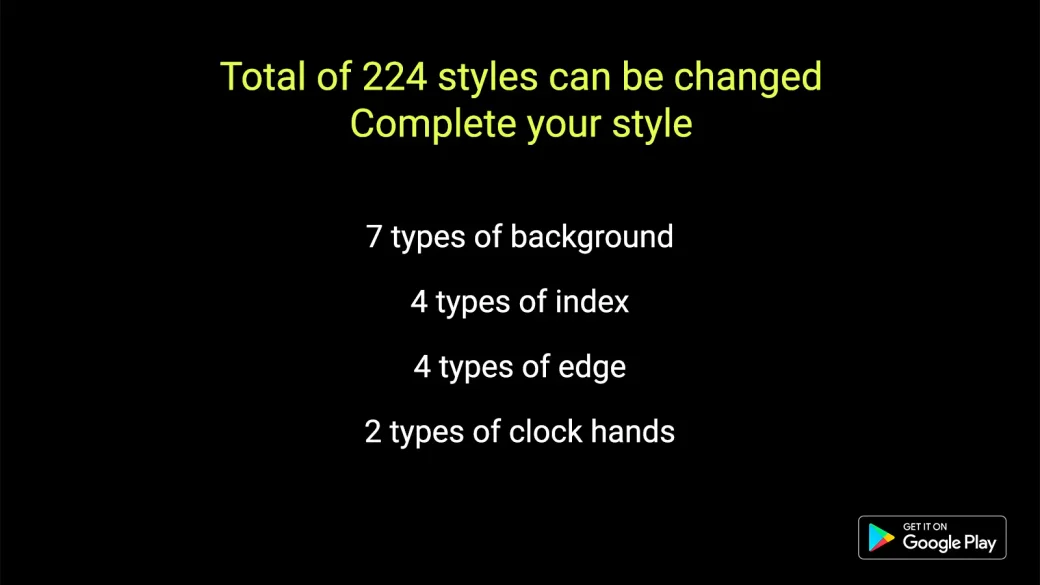
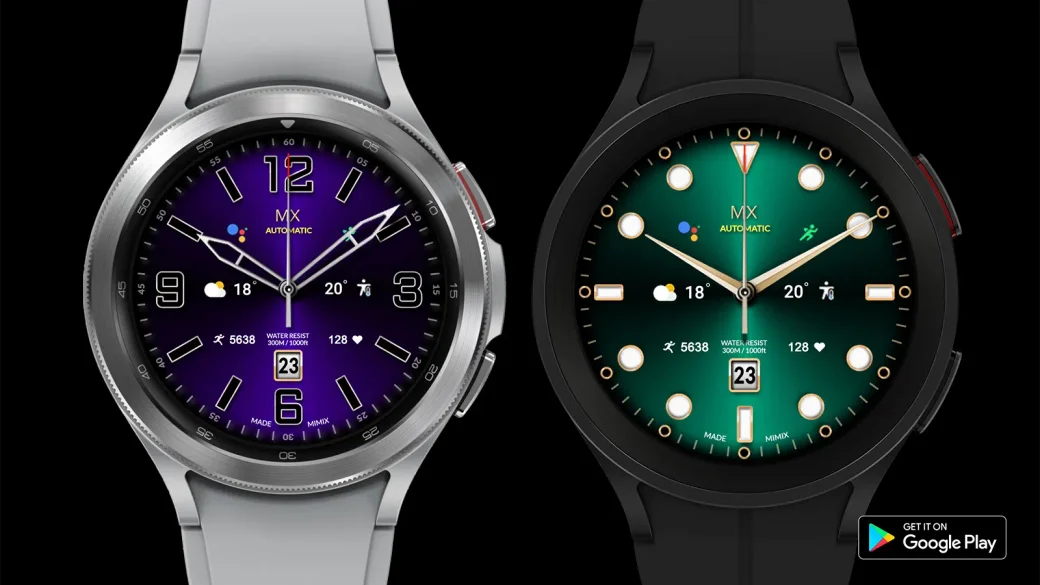
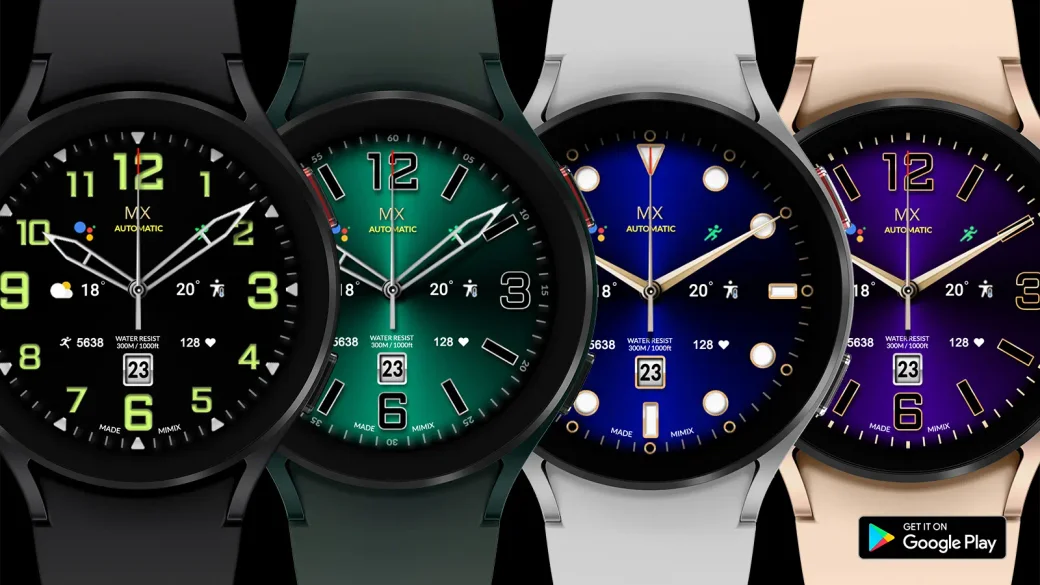
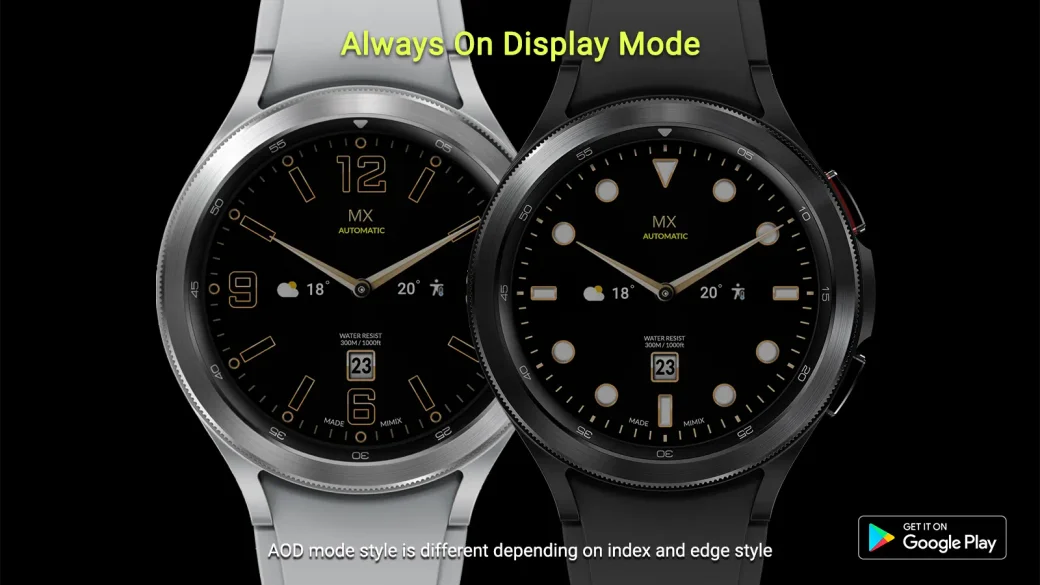
About this app
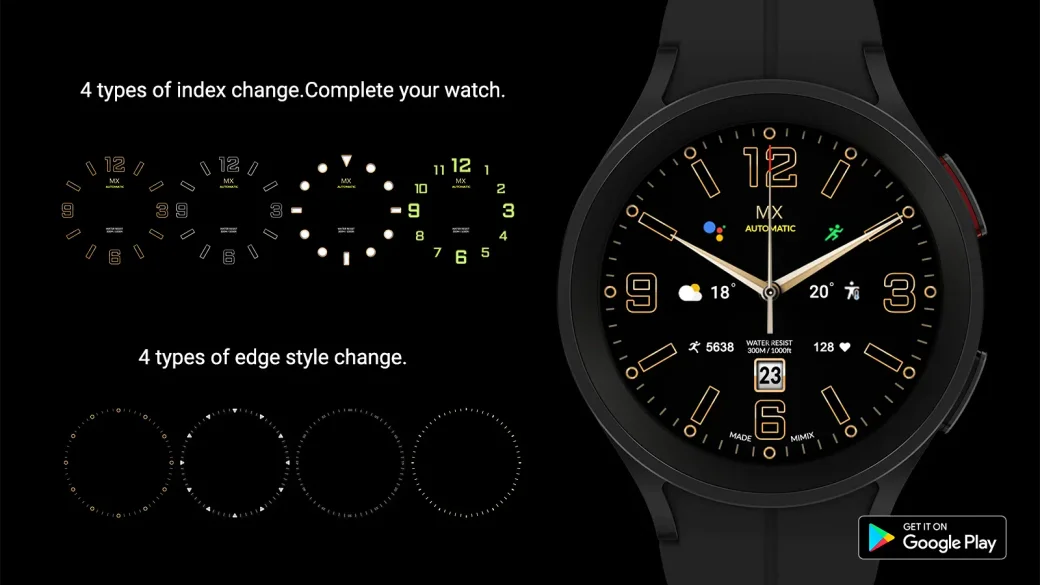
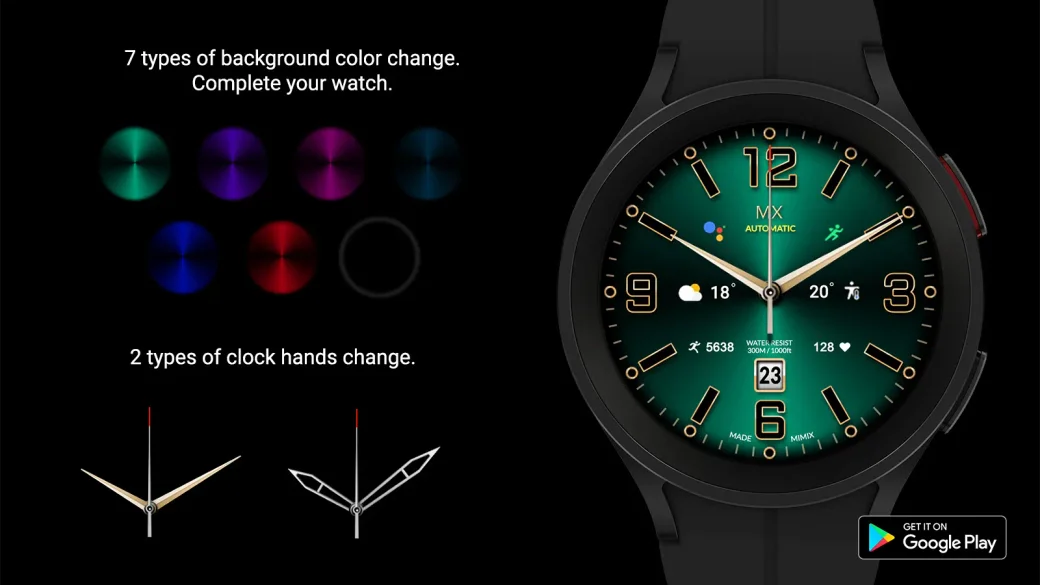
Advanced watchface that supports Wear 2.0 and higher smartwatches.
Advanced watchface that supports Wear 2.0 and higher smartwatches.
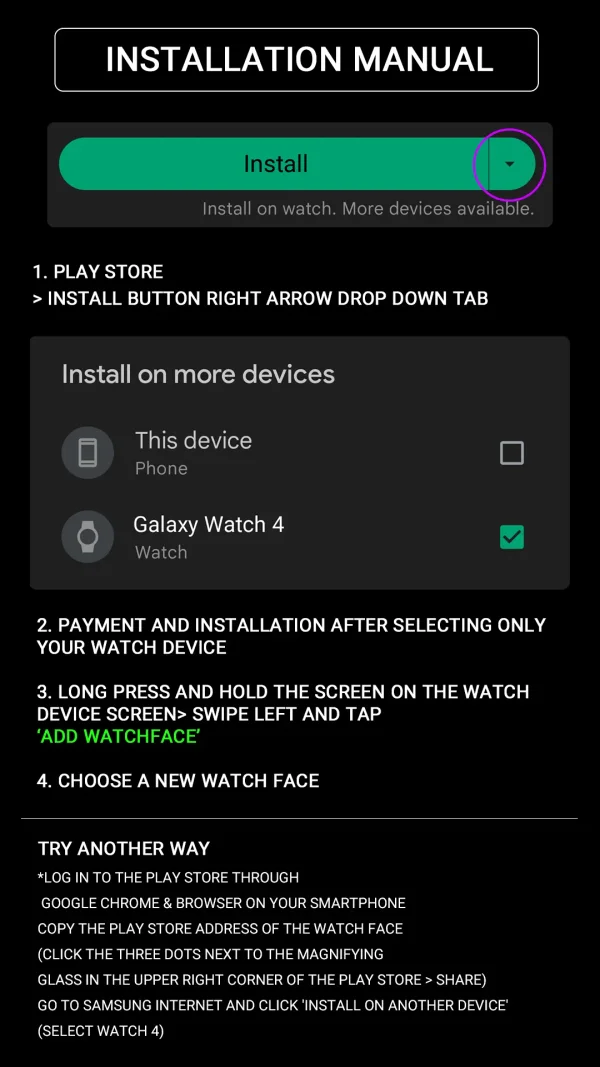
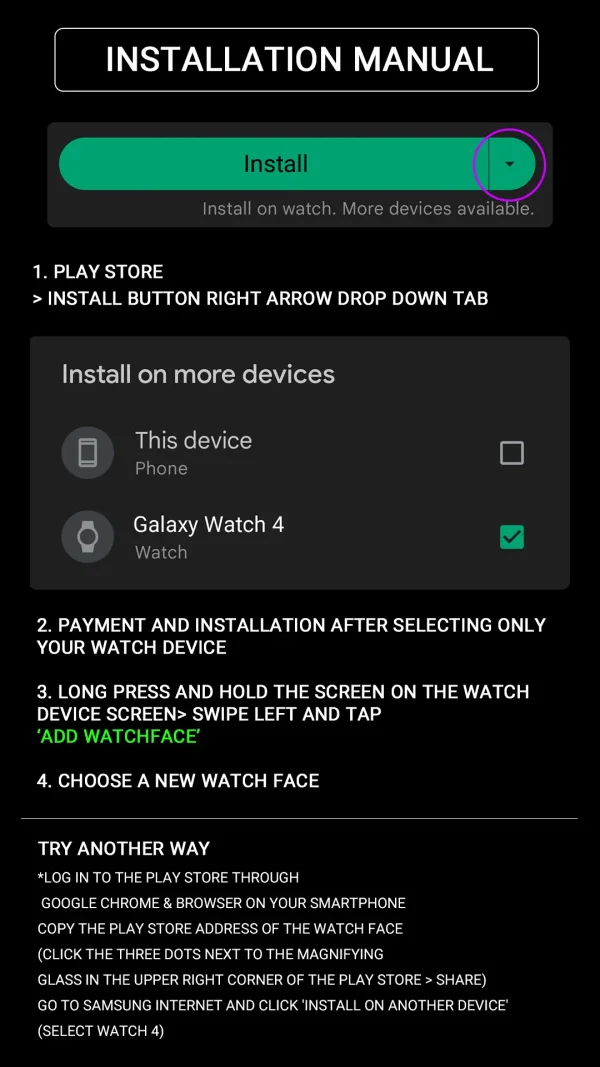
*How to install
Play Store app on smartphone > Payment and installation
Launch the Play Store app on your watch > Apps on your phone > Applicable watch face > Install
*Resolved to be installed display
Copy the play store address of the watch face (click the three dots next to the magnifying glass in the upper right corner of the play store > share)
Go to Samsung Internet and click 'Install on another device' (select watch 4)
* In order to use all functions, consent to use the sensor is required.
*If the Play Store app is shown as incompatible, please install it using a web web browser on your PC/laptop in addition to the app on your phone.
*Supports Wear OS devices.
How to set up Customize
1. Press and hold the watch face > 2. Click the Decorate button > 3. Tap each complication area to set the corresponding information > 4. Click OK
For new watch face news, please visit the link below
https://play.google.com/store/apps/developer?id=MIMIXWatch
For inquiries about the app, please contact us at the email below.
mimixjh@gmail.com
Data safety
What MIMIX declares on Google Play about the data this app collects and shares.
- No data shared with third partiesLearn more about how developers declare sharing
- No data collectedLearn more about how developers declare collection
Developer contact
- Emailmimixjh@gmail.com
- Privacy policyblog.naver.com
- Address팔거천동로34길 11-14 101호 북구, 대구광역시 41427 South Korea
Information
- Offered by
- MIMIX
- Category
- Personalization
- Updated
- Nov 3, 2025
- Released
- Sep 24, 2022
- Age rating
- Everyone
- Price
- $0.49
- Package name
- com.watchfacestudio.mimix_dynamic_mx01