Music Editor
Binghuo StudioContains ads · In-app purchases
- EveryoneAge rating
- Music & AudioCategory
- Nov 22, 2026Updated
- FreePrice
Links to the official Google Play listing of com.binghuo.audioeditor.mp3editor.musiceditor. Last checked on Nov 24, 2026.
Screenshots


About this app
The developer has not provided this text in your language.
Music Editor is an easy to use Audio Editor, MP3 Cutter, Ringtone Maker.
Music Editor is a very useful Audio Editor, MP3 Cutter, Ringtone Maker, Song Editor.
With Music Editor, you can cut out a certain part of music as a ringtone, alarm tone, and notification tone.
In addition to trim audio feature, you can also use Music Editor to connect multiple audio files into one, convert audio formats, convert video to audio, compress the quality of audio, and edit audio metadata, you can also change the volume level of the audio, and more.
The most powerful and complete MP3 Editor, It has all the features you would ever want in a Music Editor.
The main features of the Audio Editor:
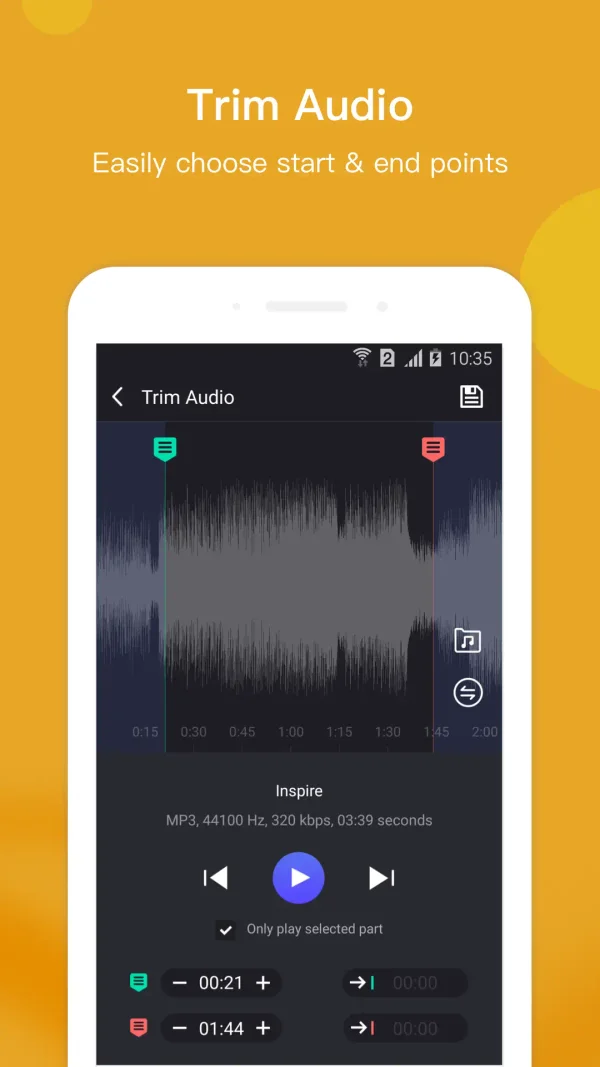
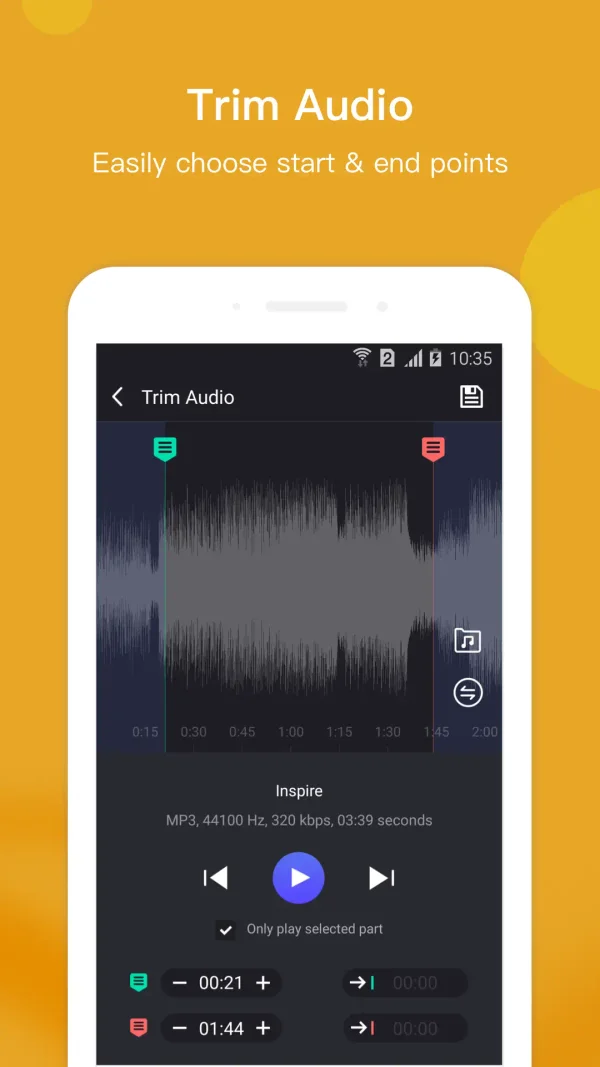
- Trim Audio: Crop a part of the audio as a ringtone, alarm, and notification tone.
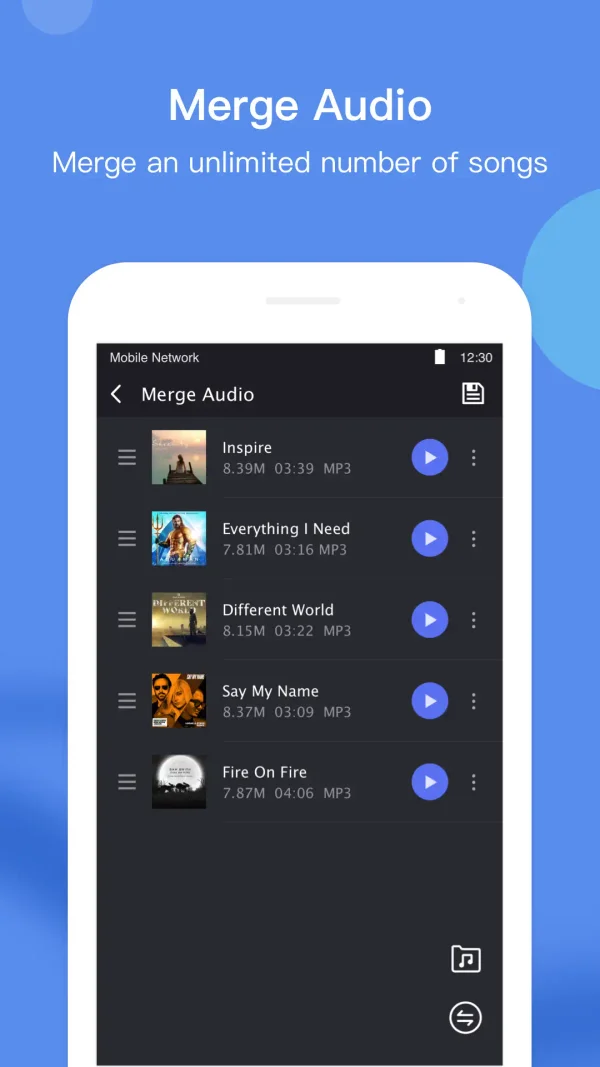
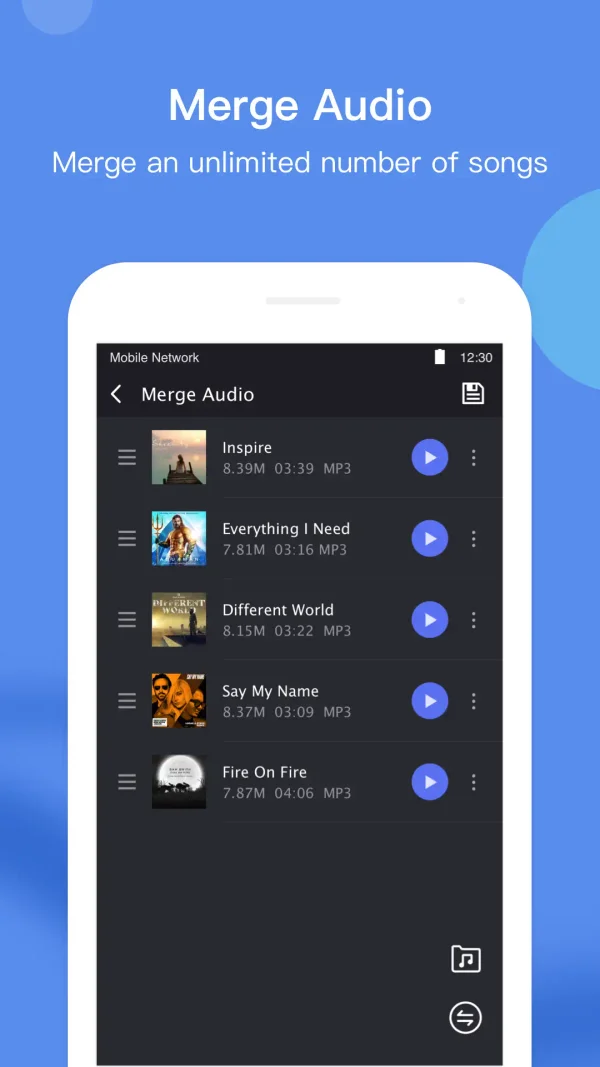
- Merge Audio: Connect multiple audio files into one.
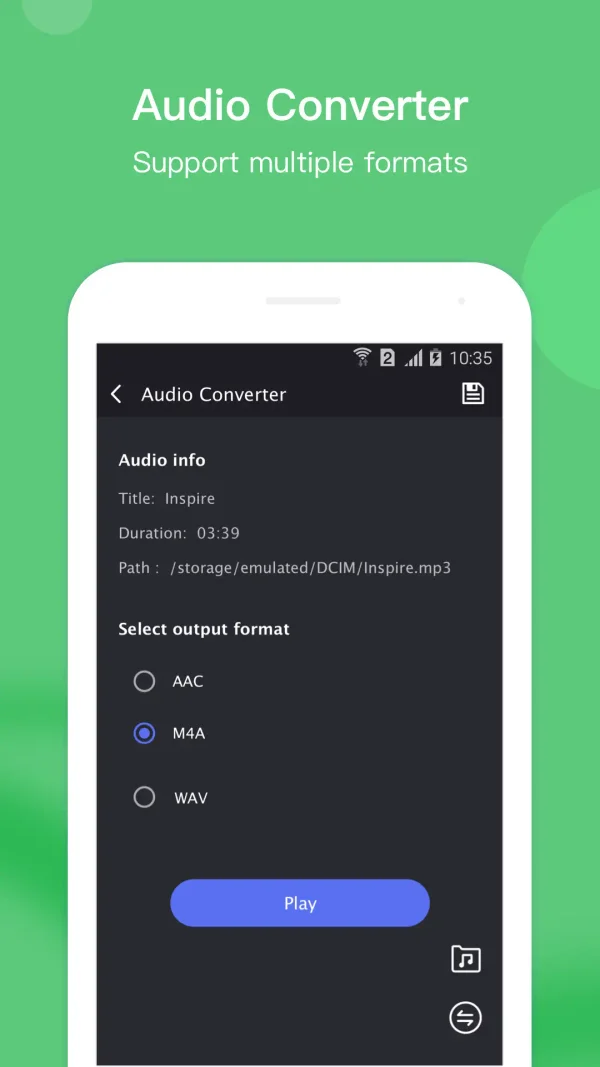
- Convert Audio: Change one music format to another, such as: AAC to MP3, M4A to MP3, MP3 to WAV and so on.
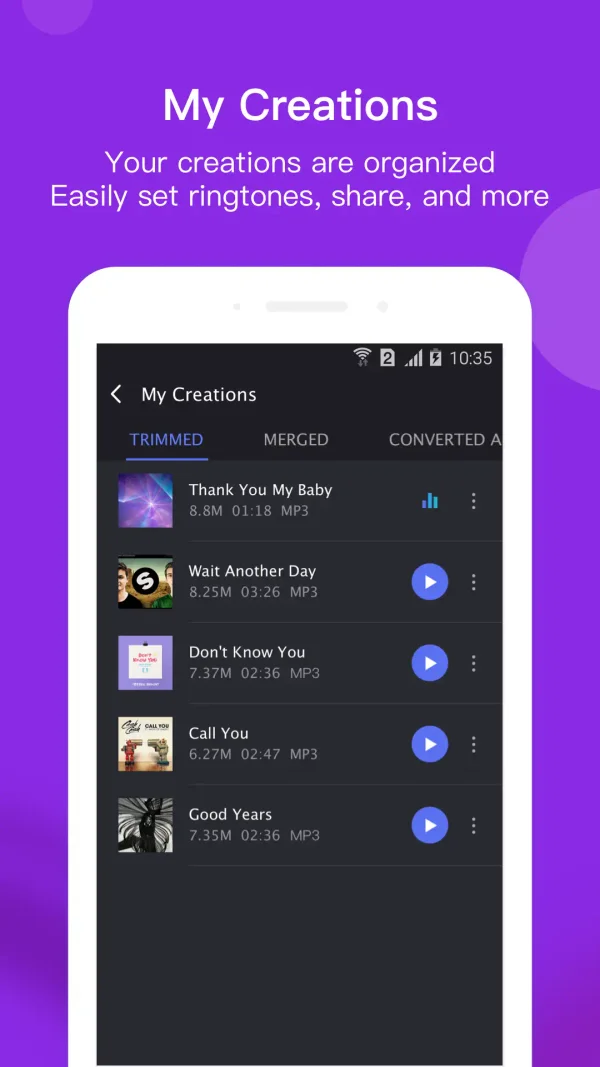
- My Creations: All processed audio files will be displayed here, you can re-edit, delete or share them.
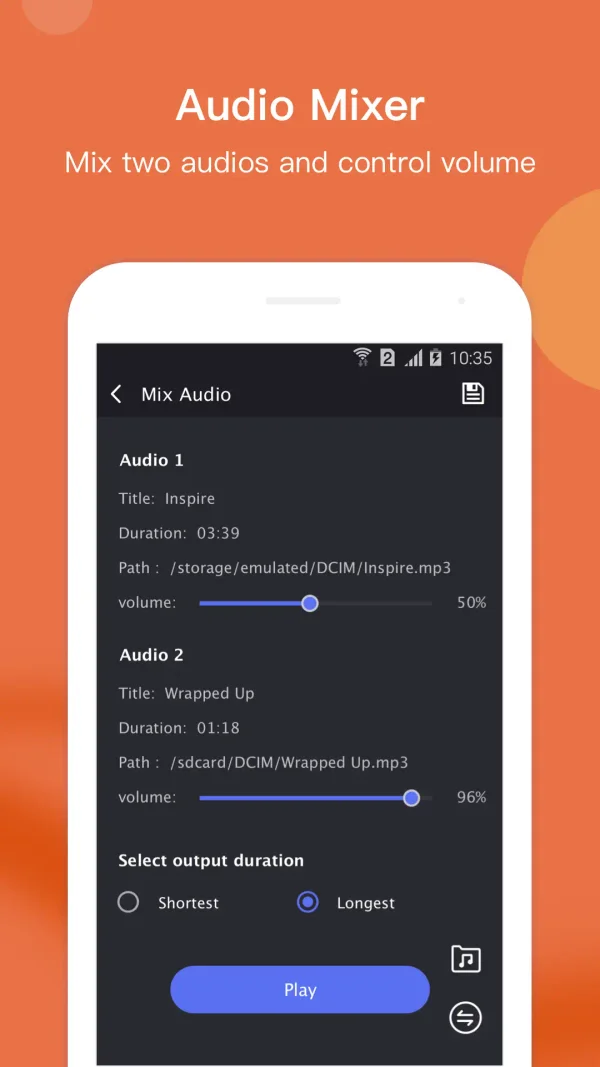
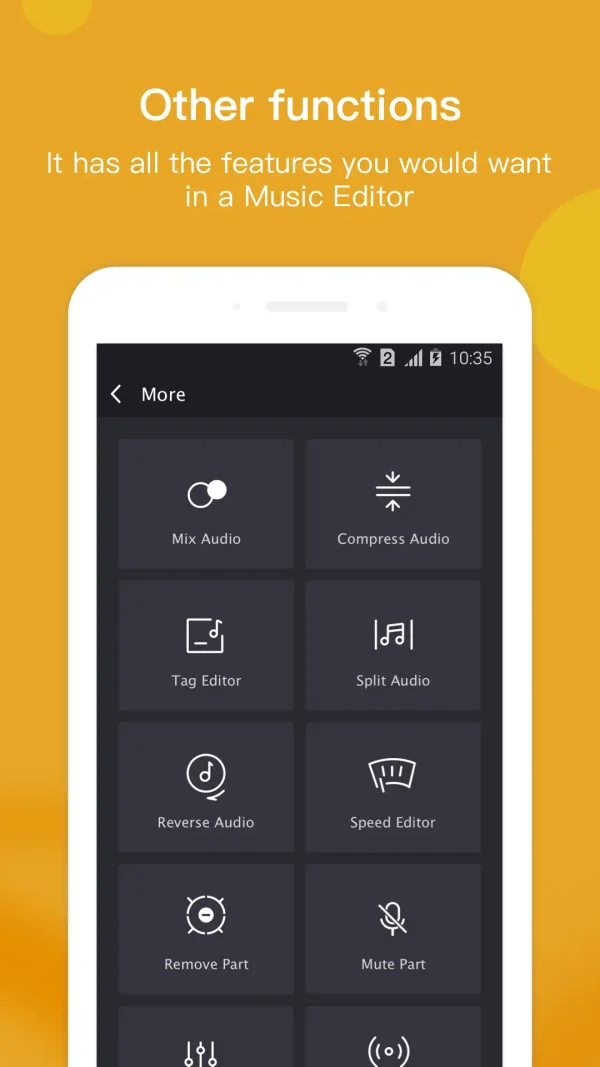
- Mix Audio: You can mix two music into one, and you can also adjust the volume level of the music.
- Compress Audio: You can compress audio by changing the channel, sample rate and bit rate.
- Tag Editor: You can change metadata of audio, such as: title, album, composer, year, and cover.
- Split Audio: If you need to split an audio into two parts, you can use this feature.
- Reverse Audio: Reverse the audio and plays it in reverse.
- Speed Editor: Edit audio speed, fast forward, slow down.
- Remove Part: Remove a part of the audio.
- Mute Part: Part of the audio can be muted.
- Volume Booster:You can change the volume level of audio.
With just the best Music Editing tool, you can do all of the above, and it's completely free, It's an excellent Audio Editor.
We welcome feedback if you have any suggestions or problems with the app, contact us at: binghuostudio@gmail.com, We always try to upgrade to give you the best MP3 Cutter and Audio Editor and the best Music Editing tool.
Download this Music Audio Editor app to experience best Audio Editing features.
Data safety
What Binghuo Studio declares on Google Play about the data this app collects and shares.
- No data shared with third partiesLearn more about how developers declare sharing
- This app may collect these data typesApp info and performance and Device or other IDs
- Data is encrypted in transit
- Data can’t be deleted
Developer contact
- Websitebinghuostudio.com
- Emailbinghuostudio@gmail.com
- Privacy policybinghuostudio.com
- Address龙泽园街道 龙泽苑东区24号楼602 昌平区, 北京市 China 102208
Information
- Offered by
- Binghuo Studio
- Category
- Music & Audio
- Version
- 7.5.4
- Updated
- Nov 22, 2026
- Released
- Jan 5, 2019
- Requires
- Android 7.0 or later
- Age rating
- Everyone
- Price
- Free
- In-app purchases
- $1.99 - $9.99 per item
- Package name
- com.binghuo.audioeditor.mp3editor.musiceditor
Similar apps
-
 Music Audio Editor, MP3 Cutter
Music & Audio
-
 Voloco: Auto Vocal Tune Studio
Music & Audio
-
 Storybeat Reels & Story Maker
Photography
-
 Music Maker JAM: Beatmaker app
Music & Audio
-
 Dolby On: Record Audio & Music
Music & Audio
-
 Soundbooth
Entertainment
-
 Cross DJ Pro - Mix & Remix
Music & Audio
-
 UnitedMasters: Music & Beats
Music & Audio
-
 Music Worx: EDM for DJs & Fans
Music & Audio
-
 Video Converter Pro
Tools
-
 AI Song Generator - Jukebox
Music & Audio
-
 Voice Recorder & Audio Editor
Music & Audio