네이버 메모 – Naver Memo
NAVER Corp.- EveryoneAge rating
- ProductivityCategory
- Nov 9, 2026Updated
- FreePrice
Links to the official Google Play listing of com.nhn.android.navermemo. Last checked on Nov 19, 2026.
Screenshots




About this app
Automatic translation by Google from Korean (South Korea).
Start with the easiest record, Naver Memo.
1. Record on Naver Memo anytime, anywhere.
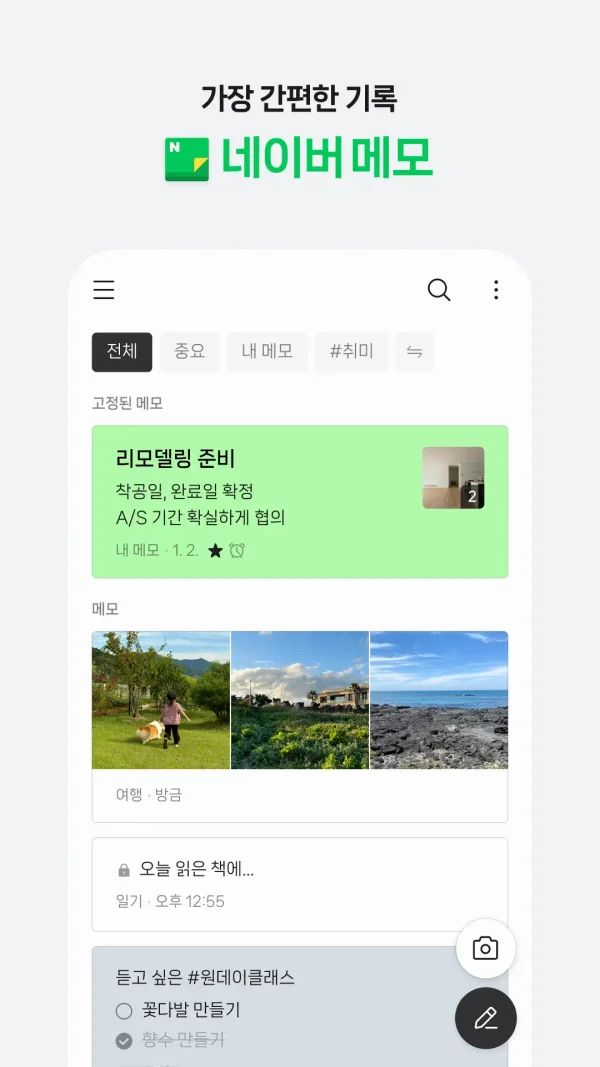
Whether on mobile or PC, write notes before you forget and retrieve them when needed.
2. Record in various ways.
Try creating notes using various formats, such as highlighters and checklists.
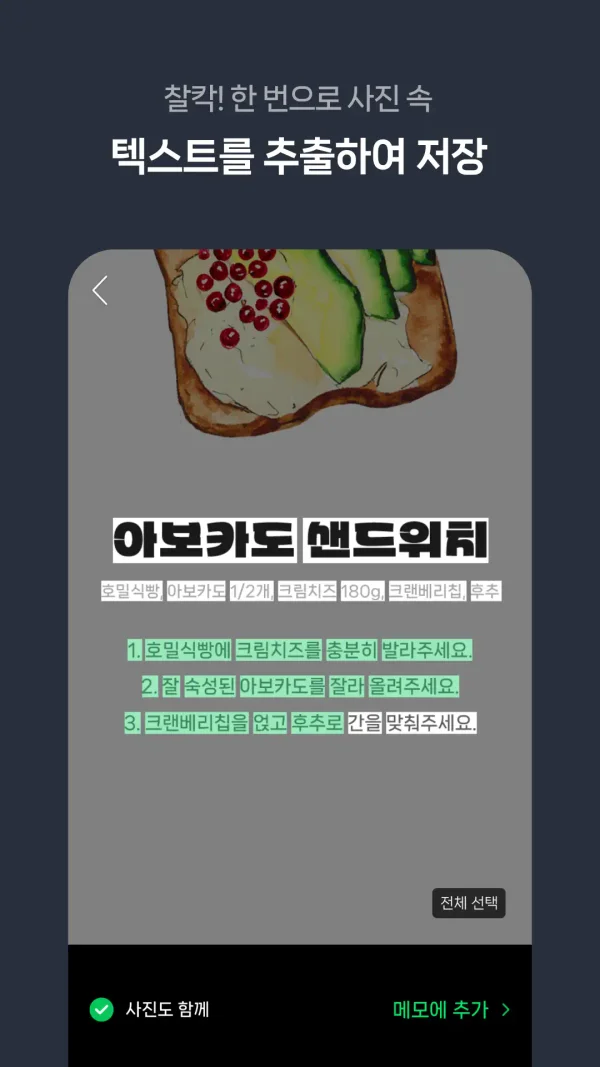
Click! You can extract text from photos in a single click or convert voice to text for more convenient recording.
3. Easily organize your notes.
Use folders and tags to easily classify and quickly retrieve your notes.
Add #tags to your notes and group notes containing those tags.
4. Use Dark Mode for a comfortable, glare-free experience.
You can follow your device settings or fix the mode to your preference between Light Mode and Dark Mode.
※ Details on Required Access Permissions
- Notifications: You can receive notifications for notes with alarms set. (Available only on devices running OS version 13.0 or higher)
- Photos and Videos (Files and Media): Allows you to download photo files to your device or attach them to notes. - Camera: You can attach photos taken to your memo or use the text extraction feature.
- Microphone: You can create memos by recording audio.
※ The new Naver Memo app (v4.0) is available for Android 9.0 and above.
[Note]
If you have any questions or encounter any issues while using the app, please visit the Naver Memo Customer Center (https://help.naver.com/alias/memo/memo_new1.naver) to resolve your inquiries.
-----
Developer Contact: naver_market@naver.com, 1588-3820
NAVER, 95 Jeongja-il-ro, Bundang-gu, Seongnam-si, Gyeonggi-do, 1784, 13561
Show the original text
1. 언제 어디서나 네이버 메모에 기록하세요.
모바일에서도, PC에서도, 언제 어디서나 잊기 전에 작성하고 필요할 때 꺼내보세요.
2. 다양한 방식으로 기록하세요.
형광펜, 체크리스트 등 다양한 서식을 이용하여 메모를 작성해 보세요.
찰칵! 한 번에 사진 속 텍스트를 추출하거나, 음성을 텍스트로 변환하여 더욱 편하게 기록할 수 있어요.
3. 작성한 메모를 쉽게 정리해 보세요.
폴더와 태그를 활용하면 메모를 쉽게 분류하고 빠르게 꺼내볼 수 있어요.
메모에 #태그를 추가하고 태그를 포함하는 메모를 모아보세요.
4. 눈부심 없이 편안하게, 다크모드로 이용하세요.
기기 설정을 따르거나, 라이트 모드 또는 다크 모드 중 원하는 모드로 고정해 사용할 수 있어요.
※ 필수 접근권한 상세
- 알림: 알람을 설정한 메모의 알림을 받으실 수 있습니다. (OS 버전 13.0 이상 단말에서만 사용)
- 사진 및 동영상 (파일 및 미디어): 사진 파일을 기기에 다운로드 받거나 메모에 첨부하는 기능을 이용할 수 있습니다.
- 카메라: 촬영한 사진을 메모에 첨부하거나 텍스트 추출 기능을 이용할 수 있습니다.
- 마이크: 오디오를 녹음하여 메모를 작성할 수 있습니다.
※ 새로운 네이버 메모 앱 (v4.0)은 AOS 9.0 이상부터 사용할 수 있습니다.
[참고 사항]
앱 사용 중에 궁금하신 점 또는 문제가 발생한 경우, 네이버 메모 고객센터(https://help.naver.com/alias/memo/memo_new1.naver)로 접속하여 궁금하신 점을 해결해 보세요.
-----
개발자 연락처: naver_market@naver.com, 1588-3820
경기도 성남시 분당구 정자일로 95, NAVER 1784, 13561
----
개발자 연락처 :
NAVER Corporation 분당구 정자일로 95
성남시, 경기도 13561
South Korea 220-81-62517 2006-경기성남-0692 본인신고
Data safety
What NAVER Corp. declares on Google Play about the data this app collects and shares.
- No data shared with third partiesLearn more about how developers declare sharing
- This app may collect these data typesPersonal info, Photos and videos and 4 others
- Data is encrypted in transit
- You can request that data be deleted
What’s new
Version 4.1.17 · Nov 9, 2026
- 메뉴에서 동기화 진행 상태를 쉽게 확인할 수 있어요.
- 잠금 해제 시 생체 인증 기능을 간편하게 켤 수 있어요.
- 기타 오류를 수정하고 앱 안정성을 개선했어요.
Developer contact
- Websitenavercorp.com
- Emailnaver_market@naver.com
- Privacy policypolicy.naver.com
- Address분당구 정자일로 95 성남시, 경기도 13561 South Korea
Information
- Offered by
- NAVER Corp.
- Category
- Productivity
- Version
- 4.1.17
- Updated
- Nov 9, 2026
- Released
- Jul 28, 2011
- Requires
- Android 9 or later
- Age rating
- Everyone
- Price
- Free
- Package name
- com.nhn.android.navermemo