PictoBlox - Block Coding & AI
STEMpedia- EveryoneAge rating
- EducationCategory
- Apr 26, 2025Updated
- FreePrice
Links to the official Google Play listing of io.stempedia.pictoblox. Last checked on Nov 19, 2026.
Screenshots

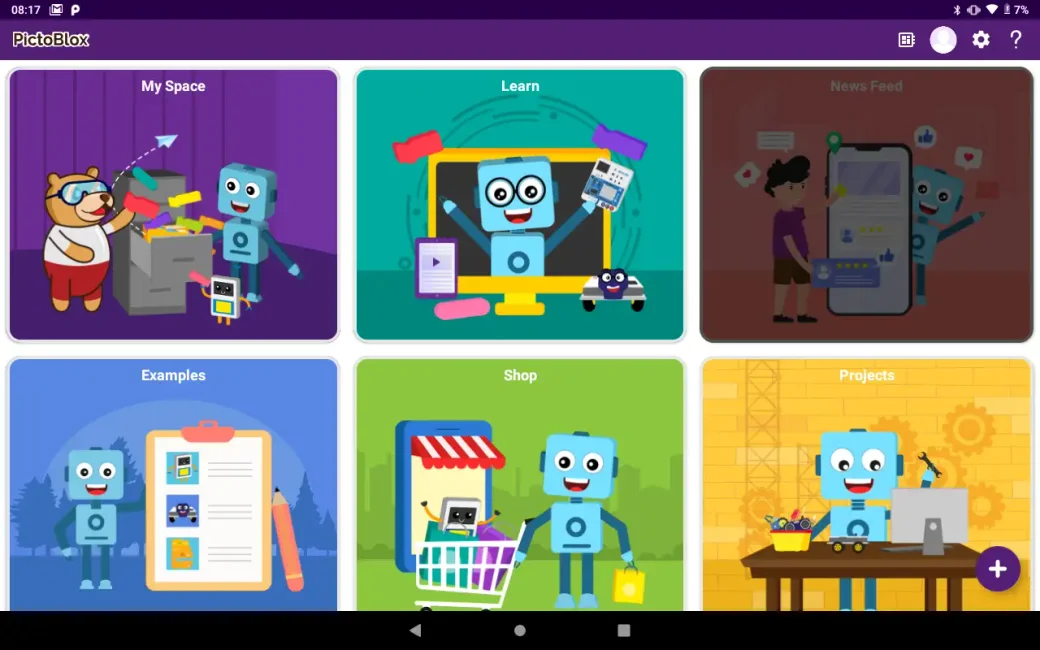
About this app
Best coding app to learn coding, AI, program robots, make games & more.
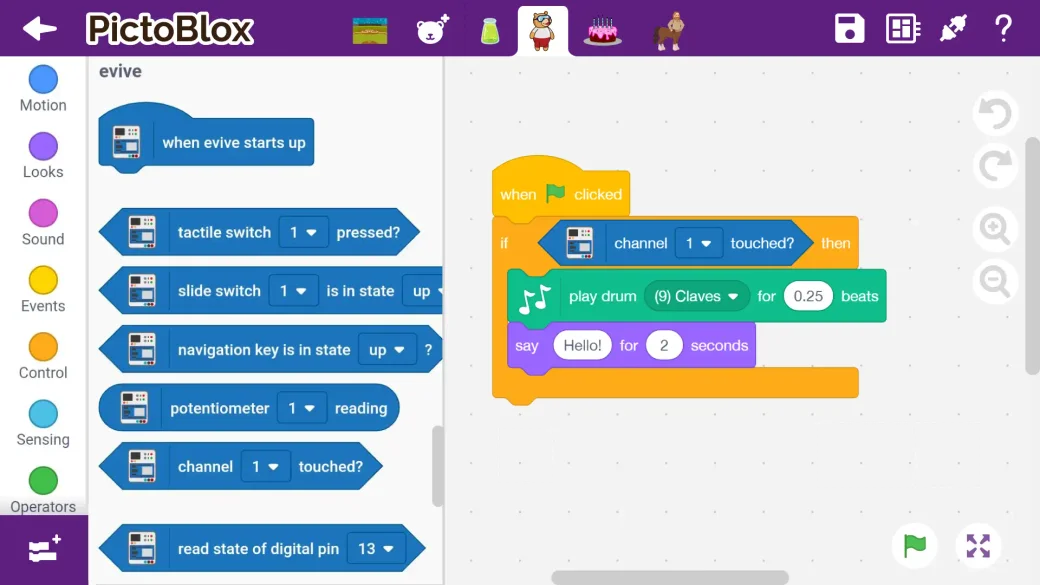
PictoBlox is a block-based educational coding app for beginners with enhanced hardware-interaction capabilities and emerging technologies such as robotics, AI and machine learning that make learning to code fun and engaging. Just drag and drop the coding blocks and make cool games, animations, interactive projects, and even control robots the way you want!
♦️ 21st-Century Skills
PictoBlox opens doors for beginners to learn creative and physical computing in an engaging way and thus helps in developing must-have skills of today’s technology-driven world such as:
✔️Creativity
✔️Logical reasoning
✔️Critical thinking
✔️Problem-solving
♦️ Coding Skills
With PictoBlox and its courses, students can will learn important coding concepts such as:
✔️Logic
✔️Algorithms
✔️Sequencing
✔️Loops
✔️Conditional statements
♦️AI and ML for Education
Students can learn Artificial Intelligence and Machine Learning concepts such as:
✔️Face and text recognition
✔️Speech Recognition and virtual assistant
✔️Training ML models like image, pose, and audio
✔️AI based games
♦️ Interactive In-App Courses (Coming Soon)
PictoBlox has interactive premium in-app courses with intelligent assessments that act as the perfect stepping stone into the world of coding and AI. The app offers the following courses for students to expand their horizon of learning:
The Hunt for Grandpa’s Treasure - with the basics of coding
A Day at the Do-It-Yourself Fair - with the basics of physical computing
The Secret Retrieval Mission - with the basics of robotics
The Adventures of Gaming Land - with the basics of game design
♦️ Extensions for Making Countless DIY Projects
PictoBlox has dedicated extensions for making projects based on the Internet of Things (IoT), controlling Scratch projects using a mobile app via Bluetooth, programming actuators, sensors, display modules, NeoPixel RGB lights, robotic arm, humanoid robots and much more.
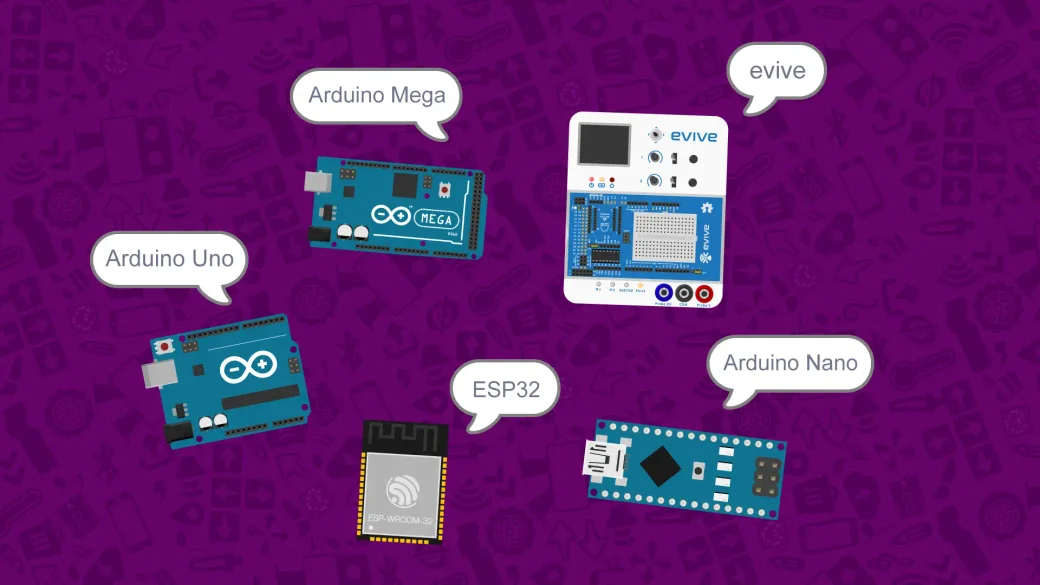
Boards Compatible with PictoBlox App:
✔️evive
✔️Arduino Uno
✔️Arduino Mega
✔️Arduino Nano
✔️ESP32
✔️T Watch
Bluetooth Modules Compatible with PictoBlox:
✔️HC-05 BT 2.0
✔️HC-06 BT 2.0
✔️HM-10 BT 4.0 BLE (or AT-09)
Want to know more about PictoBlox? Visit: https://thestempedia.com/product/pictoblox
Getting Started with PictoBlox:
Projects that you can make:https://thestempedia.com/project/
Permissions required for:
Bluetooth: to provide connectivity.
Camera: for taking pictures, videos, face recognition, etc.
Microphone: to send voice commands and use the sound meter.
Storage: to store the pictures and videos taken.
Location: to use the Location sensor and BLE.
Download PictoBlox NOW and start the exciting world of coding and AI with this interactive coding app.
Data safety
What STEMpedia declares on Google Play about the data this app collects and shares.
- No data shared with third partiesLearn more about how developers declare sharing
- This app may collect these data typesPersonal info
- Data is encrypted in transit
- You can request that data be deleted
- Committed to follow the Play Families Policy
Developer contact
- Websitethestempedia.com
- Emailcontact@thestemepdia.com
- Privacy policythestempedia.com
- Address905 To 908, Abhijeet 1, Mithakhali Six Roads, Ellisbridge Ahmedabad, Gujarat 380006 India
Information
- Offered by
- STEMpedia
- Category
- Education
- Version
- 3.1.4
- Updated
- Apr 26, 2025
- Released
- Sep 24, 2020
- Requires
- Android 6.0 or later
- Age rating
- Everyone
- Price
- Free
- Package name
- io.stempedia.pictoblox
Similar apps
-
 Stop Motion Studio
Photography
-
 Khan Academy Kids
Education
-
 ScratchJr
Education
-
 Learn Croatian - 11,000 Words
Education
-
 LEGO® Play
Entertainment
-
 Kahoot! Play & Create Quizzes
Education
-
 Photomath
Education
-
 123 Numbers Alphabet Tracing
Education
-
 iDraw
Art & Design
-
 Learn English - 11,000 Words
Education
-
 ANTON: School learning
Education
-
 Jolly Phonics – Learn to Read
Education