Pixel Paint: Color & Create
Nadzeya YashchukIn-app purchases
- EveryoneAge rating
- PuzzleCategory
- Oct 25, 2026Updated
- FreePrice
Links to the official Google Play listing of com.enidev.pixelcolor. Last checked on Nov 22, 2026.
About this app
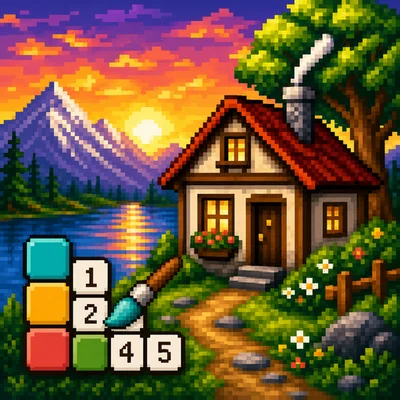
Tap pixels into art. Import photos, color mandalas, unwind. No skills needed.
Pick a picture, tap a color, and watch a tiny world light up—one pixel at a time.
Pixel Paint transforms simple pixels into beautiful scenes. Color by number or convert your own photos into pixel puzzles. The perfect blend of relaxation and creativity.
WHAT YOU GET:
• Instant pixel coloring—just tap to fill, no drawing required
• Photo-to-pixel conversion—turn memories into personalized puzzles
• Huge collection: Animals, Nature, Mandalas, Anime, and beyond
• Full customization: adjust detail (30×30 to 90×90) and pick your palette (12, 16, or 24 colors)
• Powerful tools: bucket fill, zoom, unlimited undo, automatic saving
• Share finished artwork with confetti celebration
IDEAL FOR:
Stress relief, mindfulness practice, focus breaks, or immersive creative sessions. Five minutes or five hours—Pixel Paint adapts to your rhythm.
ONE-TIME PURCHASE removes ads forever. Zero subscriptions, zero hassle.
Relaxing, rewarding, endlessly satisfying.
Just tap and color.
Data safety
What Nadzeya Yashchuk declares on Google Play about the data this app collects and shares.
- No data shared with third partiesLearn more about how developers declare sharing
- No data collectedLearn more about how developers declare collection
Developer contact
- Websitepixelpaintapp.com
- Emailnadin@puzzlefree.game
- Privacy policypixelpaintapp.com
- AddressKäferheimerstraße 153b/Tür 12 5071 Wals Austria
Information
- Offered by
- Nadzeya Yashchuk
- Category
- Puzzle
- Version
- 1.0.31
- Updated
- Oct 25, 2026
- Released
- Jun 24, 2026
- Requires
- Android 7.0 or later
- Age rating
- Everyone
- Price
- Free
- In-app purchases
- $2.99 - $19.99 per item
- Package name
- com.enidev.pixelcolor