PlayerPro Console skin
BlastOn SA- EveryoneAge rating
- Music & AudioCategory
- Nov 9, 2026Updated
- FreePrice
Links to the official Google Play listing of com.tbig.playerpro.pposkins.console. Last checked on Nov 14, 2026.
About this app
Turn PlayerPro into a luxury car console with soft textures and 5 finishes.
The feel of a luxury cockpit.
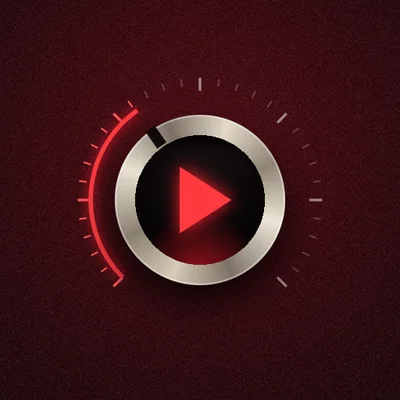
Console brings the atmosphere of a luxury sports car to PlayerPro. Soft suede-inspired surfaces, elegant lettering and carefully illuminated controls make every screen feel like a premium dashboard.
Choose from five interior-inspired finishes, from oxblood to racing green, and find the one that fits your style.
This is more than a colour change. It gives the Now Playing screen, sound effects, music browsers, navigation and menus a coordinated new design.
FIVE CONSOLES
Every style is included. Apply the skin, then tap Variants to switch between them whenever you like.
- Console - oxblood suede, lit red
- Console Midnight - midnight blue, lit amber
- Console Racing Green - racing green, lit orange
- Console Graphite - graphite grey, lit blue
- Console Plum - plum, lit pink
THE LOOK
- Soft, matte suede-inspired backgrounds
- Subtle illuminated controls and elegant instrument-like details
- Five distinctive colour combinations
WHAT IT CHANGES
- Now Playing - A redesigned player with album art and playback controls integrated into the console.
- Sound effects - A matching audio effects screen, complete with equaliser and sound controls.
- Your library - Redesigned album, artist, genre, folder, playlist, song, video and radio browsers.
- Navigation and actions - Matching menus, album and artist pages, action sheets and multi-select screens.
INSTALLATION INSTRUCTIONS
Open PlayerPro and go to Settings > Look and feel > Select skin. Tap Console in the Skins grid, then Apply as day - or Apply as night, to use it only after dark. Variants becomes available once the skin is applied: tap it to switch between the styles.
REQUIREMENTS
- PlayerPro Music Player 6.0 or later.
- Android 11 or later.
- PlayerPro Music Player or the free PlayerPro Trial must be installed.
This skin changes the appearance of PlayerPro. It is not a separate music player and cannot be opened on its own.
Data safety
What BlastOn SA declares on Google Play about the data this app collects and shares.
- No data shared with third partiesLearn more about how developers declare sharing
- No data collectedLearn more about how developers declare collection
What’s new
Version 1.0 · Nov 9, 2026
First release.
Console is a new skin for PlayerPro v6. This is more than a colour change. It gives the Now Playing screen, sound effects, music browsers, navigation and menus a coordinated new design.
Every style is included. Apply the skin, then tap Variants to switch between them whenever you like.
REQUIREMENTS
- PlayerPro Music Player 6.0 or later.
- Android 11 or later.
Developer contact
- Websiteaplayerpro.com
- Emailplayerpro.android@gmail.com
- Privacy policyaplayerpro.com
- Address177 PROMENADE DES ANGLAIS 06200 NICE France
Information
- Offered by
- BlastOn SA
- Category
- Music & Audio
- Version
- 1.0
- Updated
- Nov 9, 2026
- Released
- Nov 9, 2026
- Requires
- Android 11 or later
- Age rating
- Everyone
- Price
- Free
- Package name
- com.tbig.playerpro.pposkins.console