Razer Chroma Watch Face
Razer Inc.- EveryoneAge rating
- PersonalizationCategory
- Oct 2, 2023Updated
- FreePrice
Links to the official Google Play listing of com.razer.watch. Last checked on Nov 16, 2026.
About this app
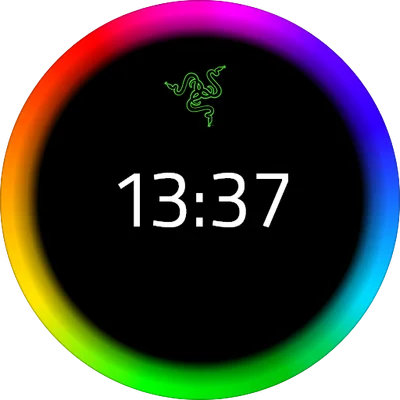
Make every second a victory and flaunt the Razer Chroma™ RGB on your hand
Note: This watch face is compatible with Wear OS, currently only available for Razer x Fossil Gen 6 and Fossil Gen 6 series with round-faces. The lighting effects are NOT supported for square device.
Personalize your Gen 6 smartwatch with Razer Chroma™ RGB, available in 4 different lighting effects – Breathing, Spectrum Cycling, Static, Wave.
To customize the lighting effect:
Step 1: Tap and hold the watch face
Step 2: Click on the setting icon
Step 3: Customize and select your preferred setting to apply effect
Data safety
What Razer Inc. declares on Google Play about the data this app collects and shares.
- No data shared with third partiesLearn more about how developers declare sharing
- No data collectedLearn more about how developers declare collection
Developer contact
- Emaildevelopers@razer.com
- Privacy policyrazer.com
- Address1 One-North Crescent #02-01 Razer SEA HQ Singapore 138538
Information
- Offered by
- Razer Inc.
- Category
- Personalization
- Version
- 1.2.3-release
- Updated
- Oct 2, 2023
- Released
- Dec 13, 2021
- Requires
- Android 9 or later
- Age rating
- Everyone
- Price
- Free
- Package name
- com.razer.watch