Simple To Do List: Daily Tasks
Komorebi Inc.Contains ads · In-app purchases
- EveryoneAge rating
- ToolsCategory
- Aug 9, 2026Updated
- FreePrice
Links to the official Google Play listing of com.komorebi.simpletodo. Last checked on Nov 27, 2026.

Screenshots


About this app
One screen: add & tick tasks on the widget. Colour-code daily tasks & shopping.
Simple To Do List helps you manage everyday tasks quickly from the app or directly from your home screen.
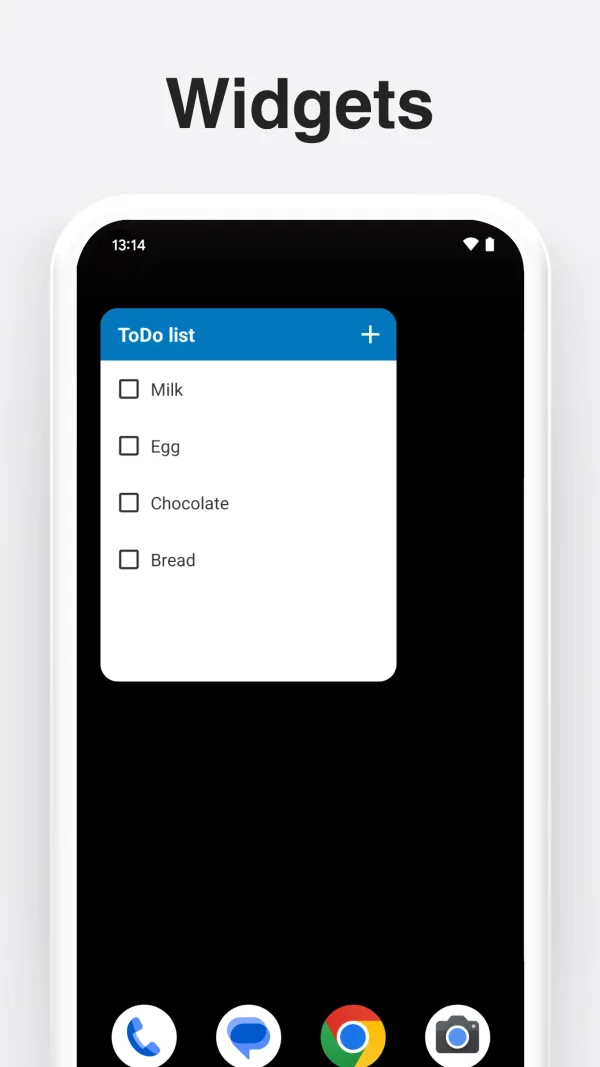
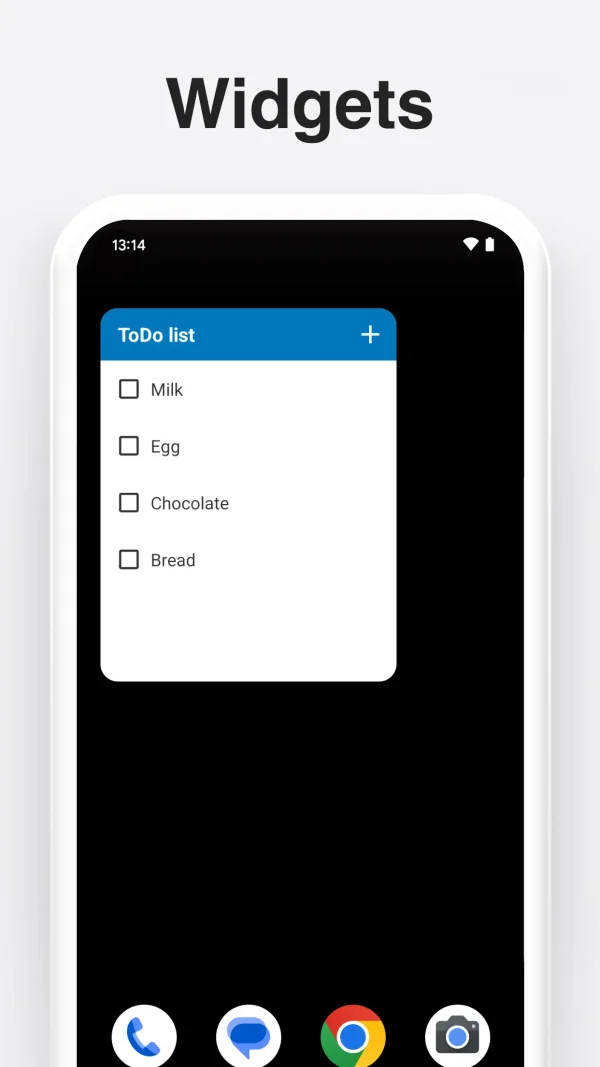
With a scrollable home screen widget, you can check your to-do list at a glance and add new tasks without opening the app. It is useful for capturing errands, shopping items, work tasks, study notes, chores, and things you do not want to forget.
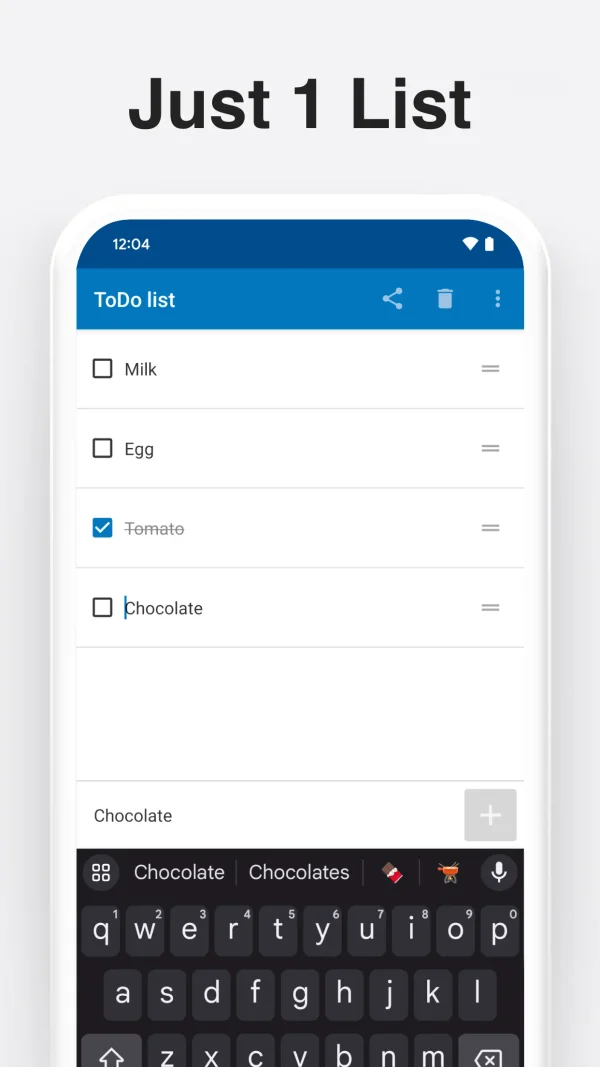
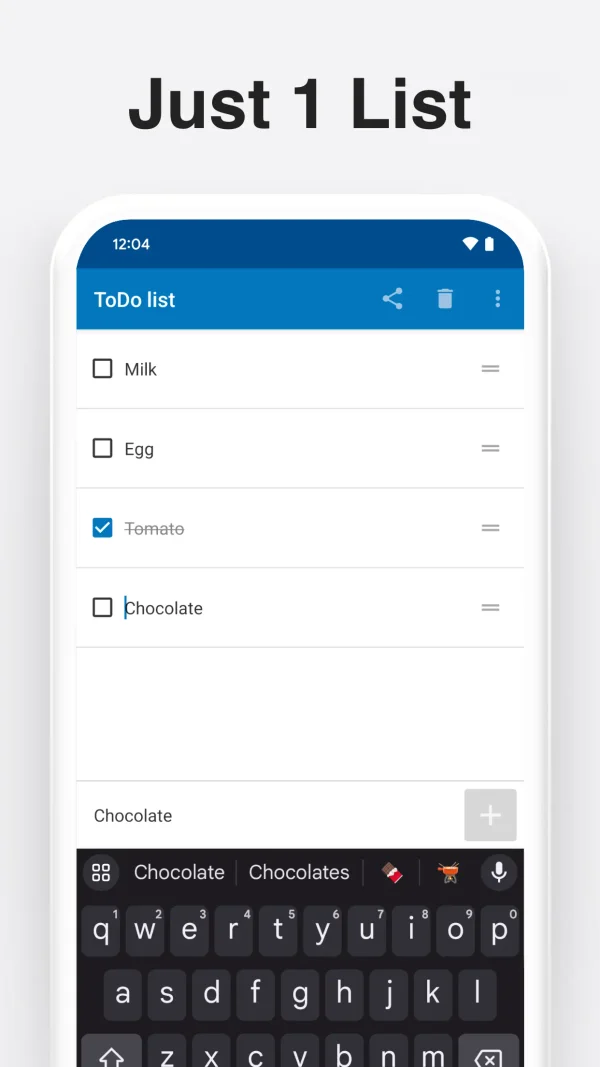
The app is built around one simple list and a clean single-screen design. No complex projects, folders, or setup. Just add a task, check it off, and keep your list organised.
Main Features
* Scrollable home screen widget for checking tasks
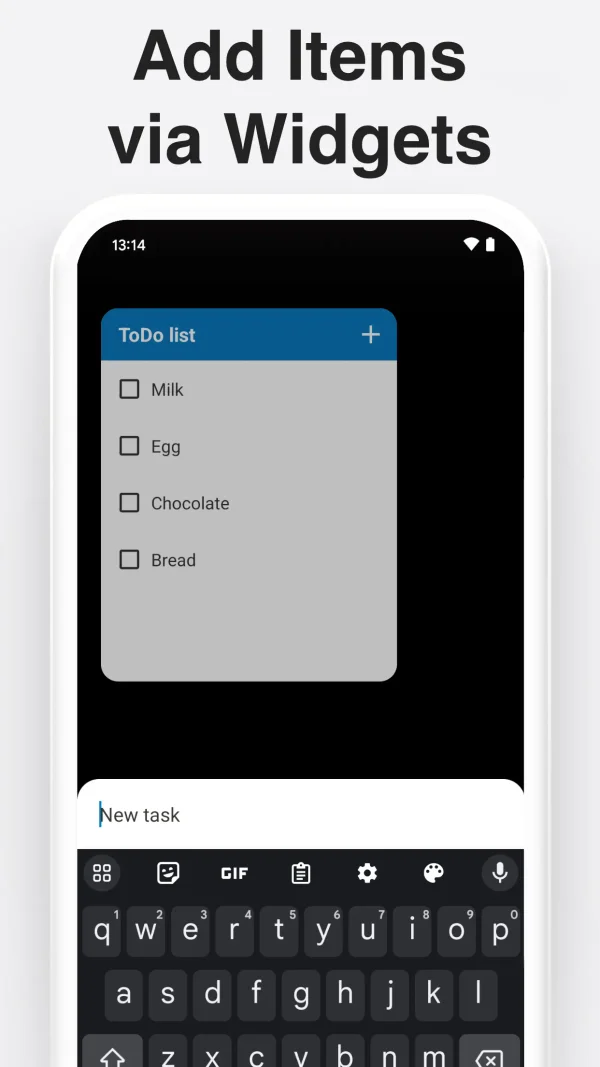
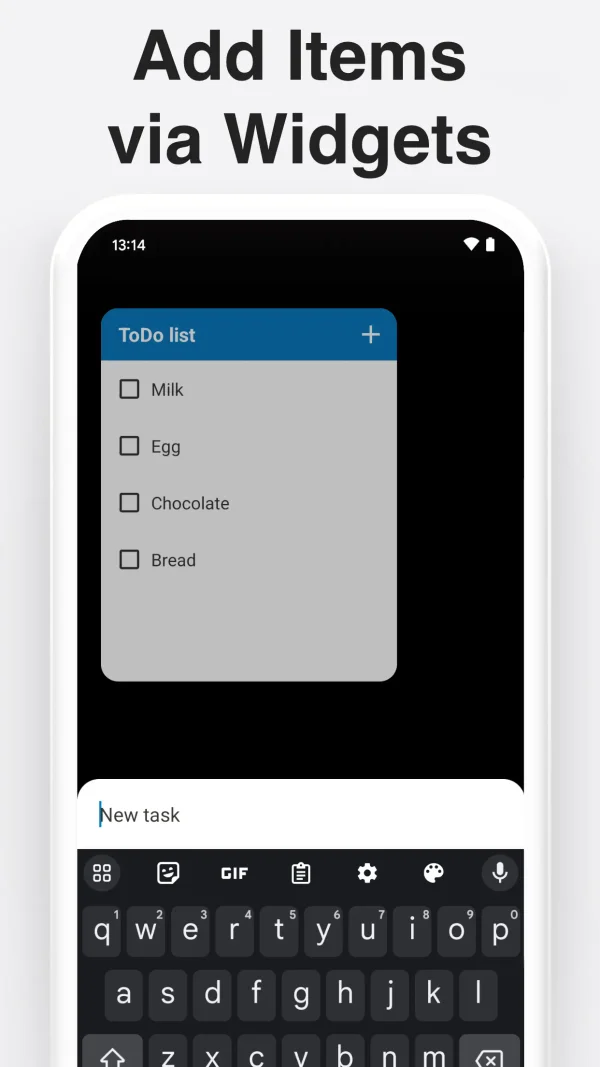
* Add tasks from the widget without opening the app
* Simple one-list task management
* Clean single-screen design
* Add, edit, complete, and delete tasks quickly
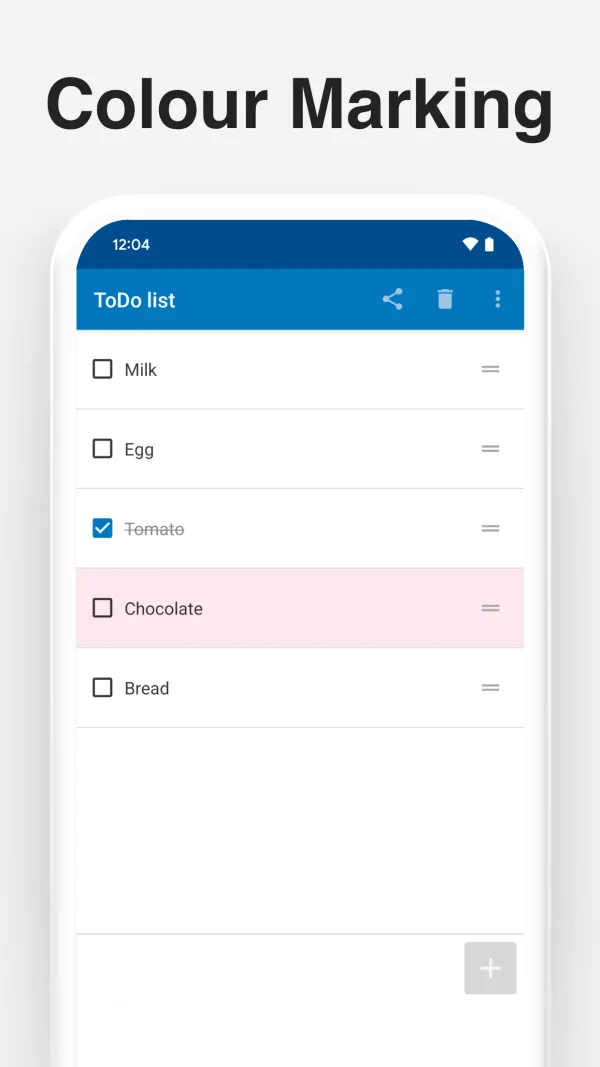
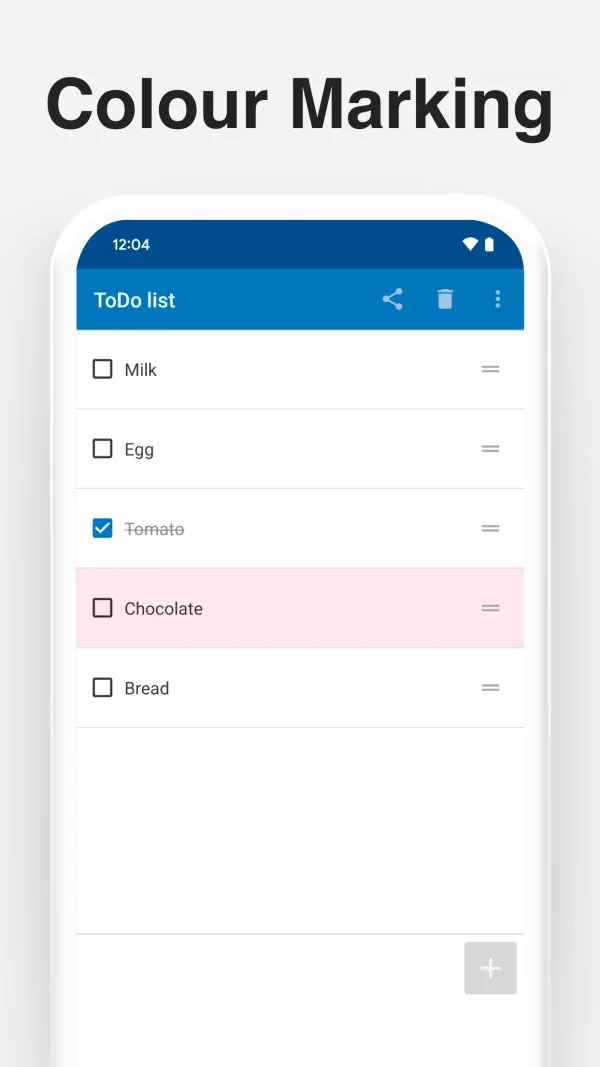
* Colour-coded tasks for priorities and categories
* Reorder tasks by dragging and dropping them
* Easy cleanup for completed tasks
* Works offline, no account or sign-up required
* Supports dark mode
* Lightweight and easy to use
Simple Task Management
Simple To Do List is made for people who want a fast and clutter-free way to manage tasks.
There is no support for multiple lists, projects, folders, due dates, reminders, syncing, or sharing. These features are left out on purpose. The app also works offline and needs no account or sign-up.
Everything stays in one clear list, so you can focus on what needs to be done today. Use it as a to-do list, task list, checklist, shopping list, work organiser, study planner, or simple productivity app.
Home Screen Widget
The scrollable widget lets you check your tasks without opening the app, keeping your list visible on your home screen like a sticky note.
When you remember something, you can add it right away from your home screen. This makes it easier to capture small tasks before you forget them.
Colour-Coded Tasks
You can colour-code tasks to make your list easier to understand.
Use colours to mark important tasks, separate work and personal items, group shopping items, organise study tasks, or highlight things you want to do first. You can also drag and drop tasks to reorder them, so the most important ones stay at the top.
For Everyday Life
Simple To Do List can help with work tasks, school assignments, homework, shopping lists, chores, errands, personal goals, appointments, and daily routines.
It also works as a simple checklist when packing for a trip, moving, cleaning, or keeping up with daily habits. You can write down everything on your mind to clear your head, break a big task into smaller steps, or start each day with a fresh list.
It is suitable for anyone who wants a simple to-do list app that is quick to open, easy to understand, and practical for everyday task management.
Free to Use
Simple To Do List is free to download and use. It shows ads, and you can remove them with a one-time purchase. There is no subscription.
Download Simple To Do List and start keeping track of your tasks more easily.
Data safety
What Komorebi Inc. declares on Google Play about the data this app collects and shares.
- No data shared with third partiesLearn more about how developers declare sharing
- This app may collect these data typesLocation, App activity and 2 others
- Data is encrypted in transit
- Data can’t be deleted
What’s new
Version 4.8 · Aug 9, 2026
Bug fixes and improvements.
Developer contact
- Websitekomorebi-studio.com
- Emailsupport@komorebi-studio.com
- Privacy policykomorebi-studio.com
- Address5-11-30-3F., SHINJUKU SHINJUKU-KU, 東京都 160-0022 Japan
Information
- Offered by
- Komorebi Inc.
- Category
- Tools
- Version
- 4.8
- Updated
- Aug 9, 2026
- Released
- Apr 4, 2018
- Requires
- Android 9 or later
- Age rating
- Everyone
- Price
- Free
- In-app purchases
- $7.99 per item
- Package name
- com.komorebi.simpletodo
Similar apps
-
 To-Do List & Daily Planner
Productivity
-
 Your Diary: Journal with Lock
Lifestyle
-
 UBhind(App lock/Screen time)
Productivity
-
 4.Do: Task & To Do List
Productivity
-
 Way of Life: habit tracker
Productivity
-
 To-Do Adventure: Task Tracker
Productivity
-
 Day One Diary: Daily Journal
Lifestyle
-
 Business Calendar 2 Planner
Productivity
-
 Intermittent Fasting Tracker
Health & Fitness
-
 GroupCal - Shared Calendar
Productivity
-
 DailyLife: Private Diary, Lock
Lifestyle
-
 Structured - Daily Planner
Productivity