touchnotes: Notes & PDF
新空电子In-app purchases
- TeenAge rating
- ProductivityCategory
- Nov 14, 2026Updated
- FreePrice
Links to the official Google Play listing of com.newskyer.draw. Last checked on Nov 19, 2026.

Screenshots
About this app
Handwritten notes, PDF, mind maps & flashcards — your all-in-one study app.
touchnotes is an efficient note-taking app that integrates handwriting, document reading, web clipping, video learning, voice transcription, mind mapping, and flashcard review.
We are committed to creating a complete learning and knowledge-management workflow—from capturing and organizing to understanding and reviewing—so that every idea, resource, and piece of knowledge can be stored and used more effectively.
━━━━━━━━━━━━━━━━━━━━━━
✍️ BRING ALL YOUR LEARNING RESOURCES TOGETHER
✔ Multiple Document Formats
Import commonly used formats such as PDF, PPT, Word, and EPUB. Annotate, write, and highlight key information directly while reading, seamlessly combining reading, thinking, and note-taking.
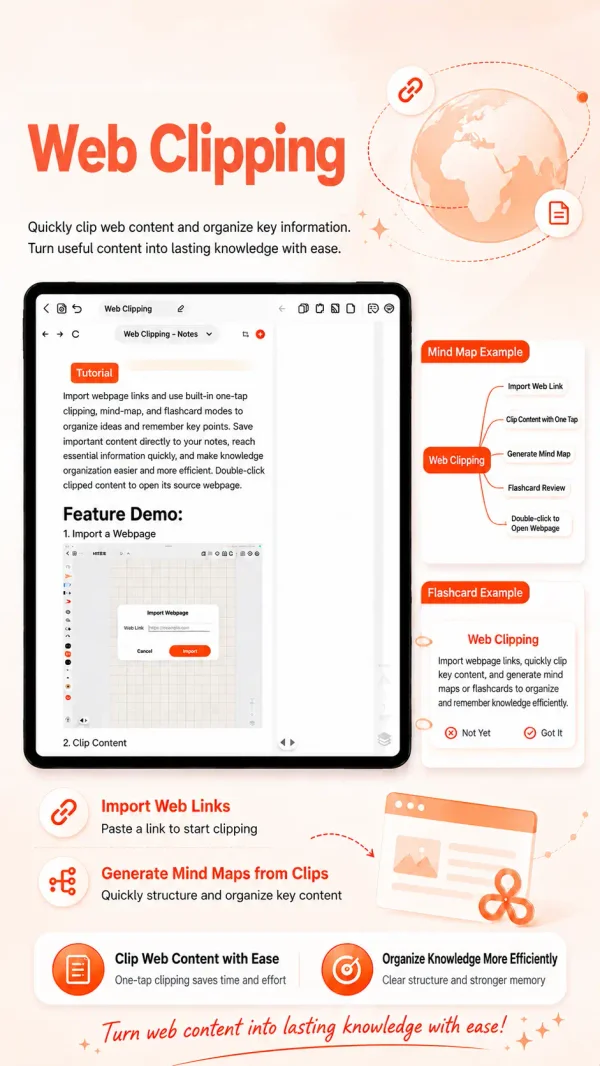
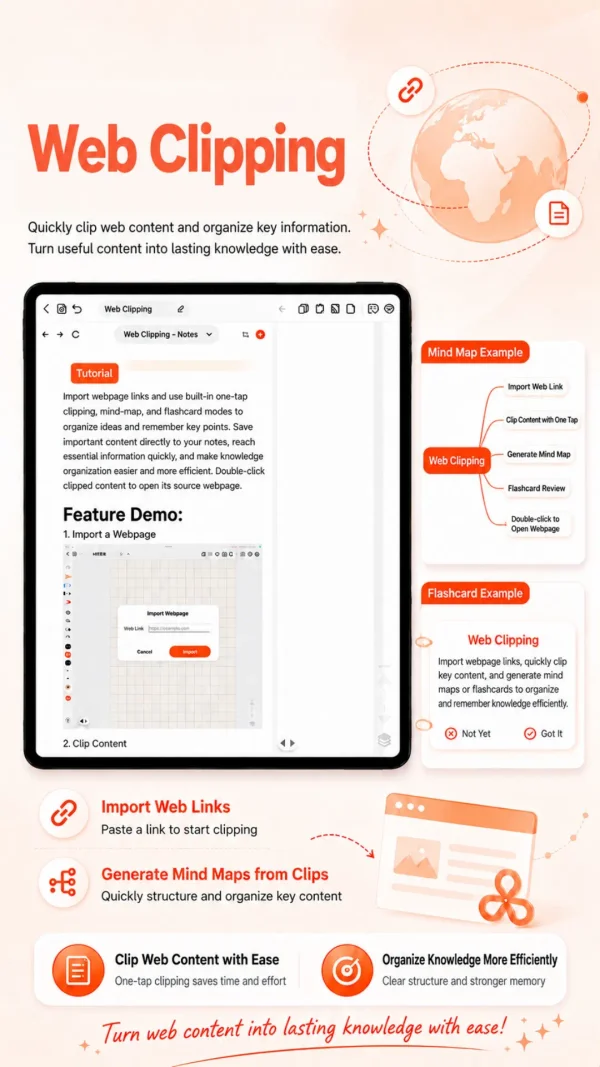
✔ Web Clipping
Import valuable articles, reference materials, and educational webpages directly into your notes. Extract key information and organize its structure, turning online reading into knowledge you can truly retain and use.
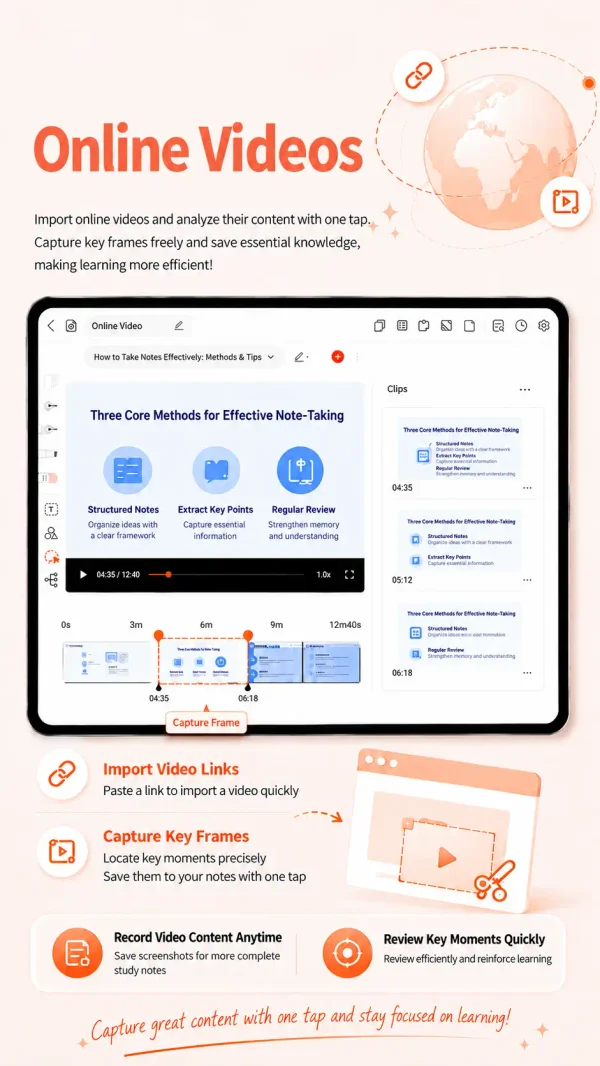
✔ Online Video Import
Take notes while watching videos and capture important frames directly into your notes at any time. Course highlights and essential visual information can be saved directly to your note pages.
✔ Cloud Features
Direct Dropbox integration and WebDAV access for third-party cloud storage (e.g., Nutstore).
━━━━━━━━━━━━━━━━━━━━━━
🤖 AI-POWERED RECOGNITION AND ORGANIZATION
✔ OCR Handwriting Recognition
Quickly convert handwritten content into editable text. With support for both Chinese and English, handwritten notes can be easily incorporated into your digital knowledge-management workflow.
✔ Formula Recognition
Quickly recognize mathematical formulas from handwriting or images and convert them into editable equations.
✔ Voice ASR
Transcribe speech into text in real time. Easily turn lectures, meetings, interviews, and spontaneous ideas into editable text for convenient review and organization.
━━━━━━━━━━━━━━━━━━━━━━
💡 MORE WAYS TO CAPTURE YOUR IDEAS
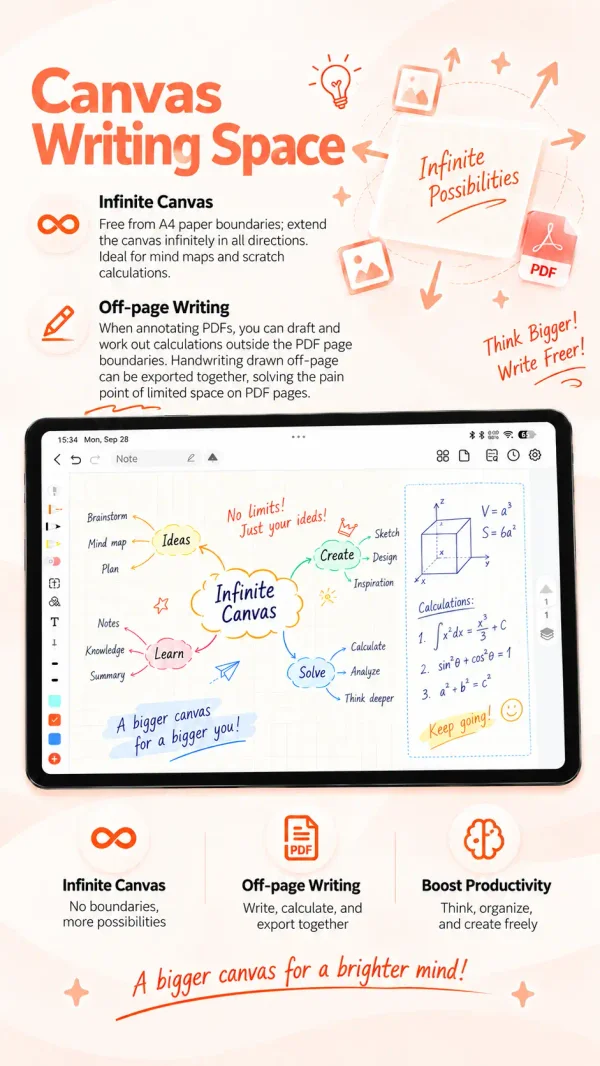
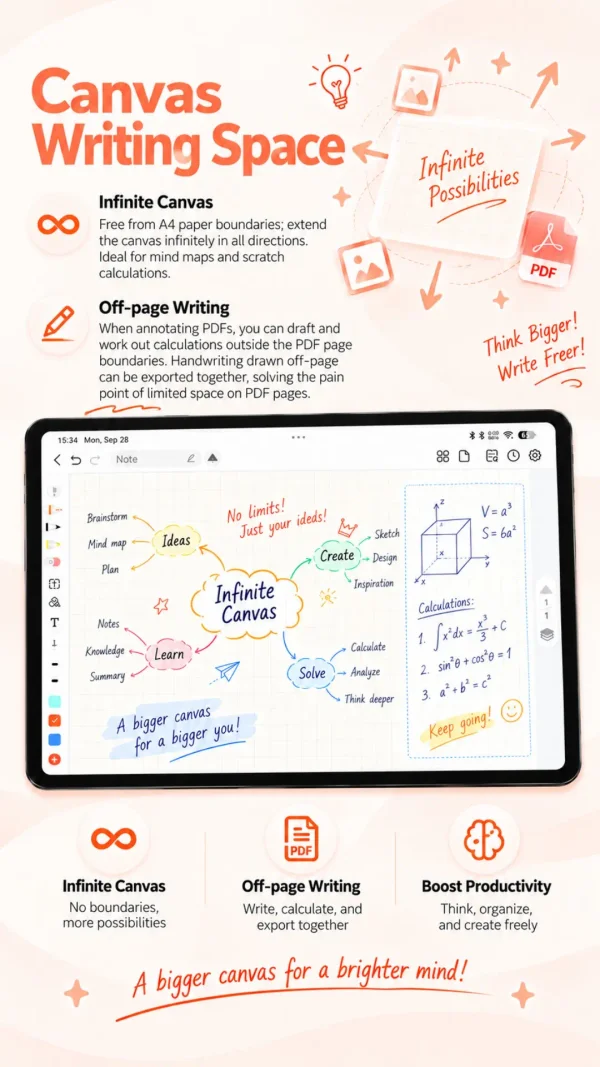
✔ Infinite Canvas
Write, draw, insert images, and organize content freely on an unlimited canvas. Ideal for brainstorming, knowledge organization, project planning, and more.
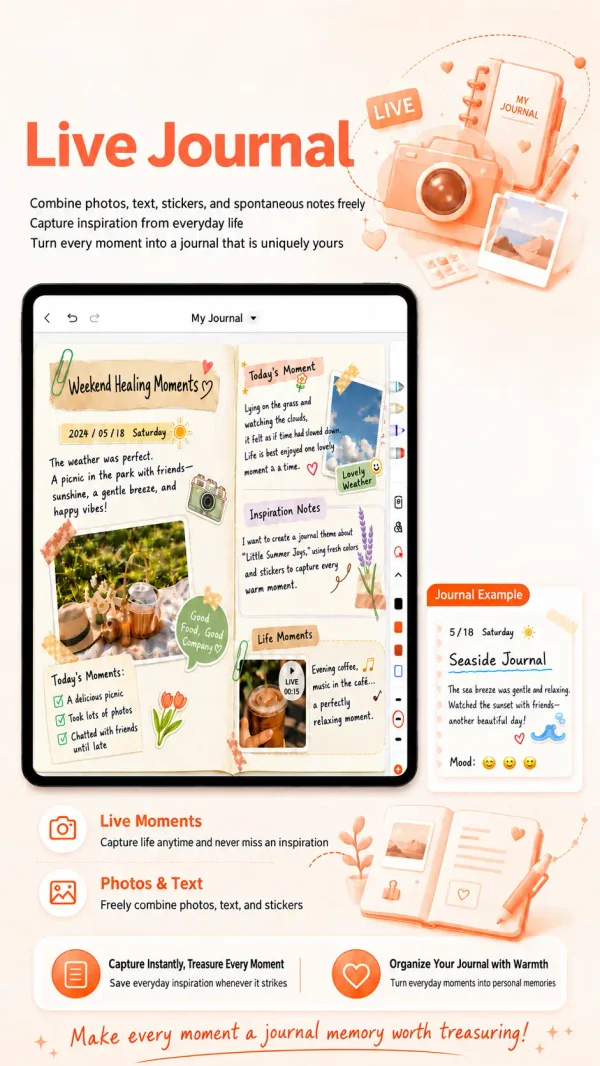
✔ Live Notes
Add dynamic content to your notes and combine it with handwriting, images, stickers, and other elements. Capture travel memories, everyday moments, inspiration, and snippets of life in a more vivid and expressive way.
━━━━━━━━━━━━━━━━━━━━━━
🧠 STRUCTURE YOUR KNOWLEDGE
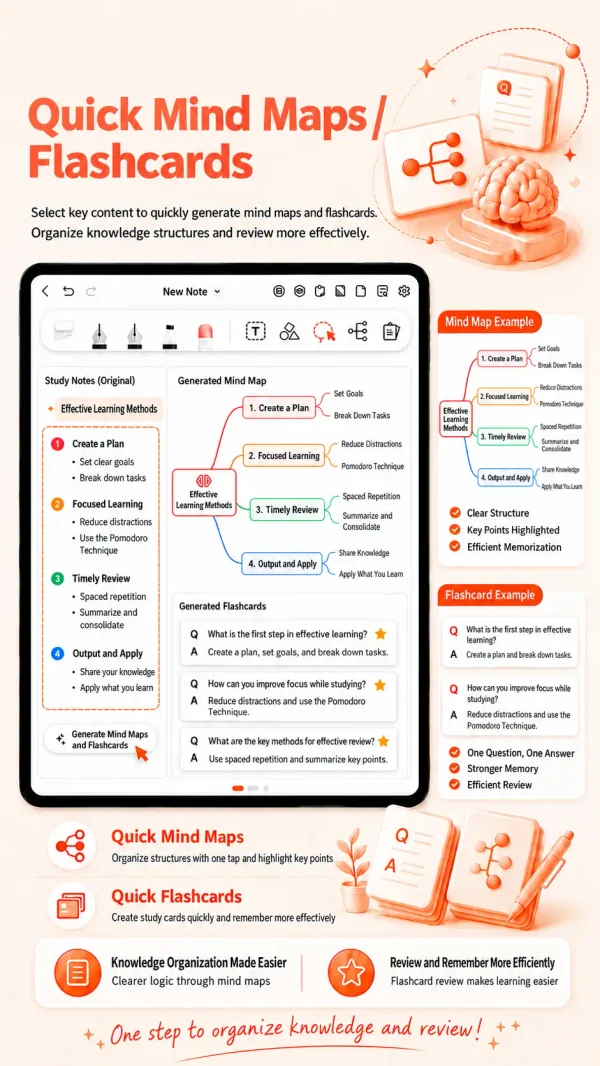
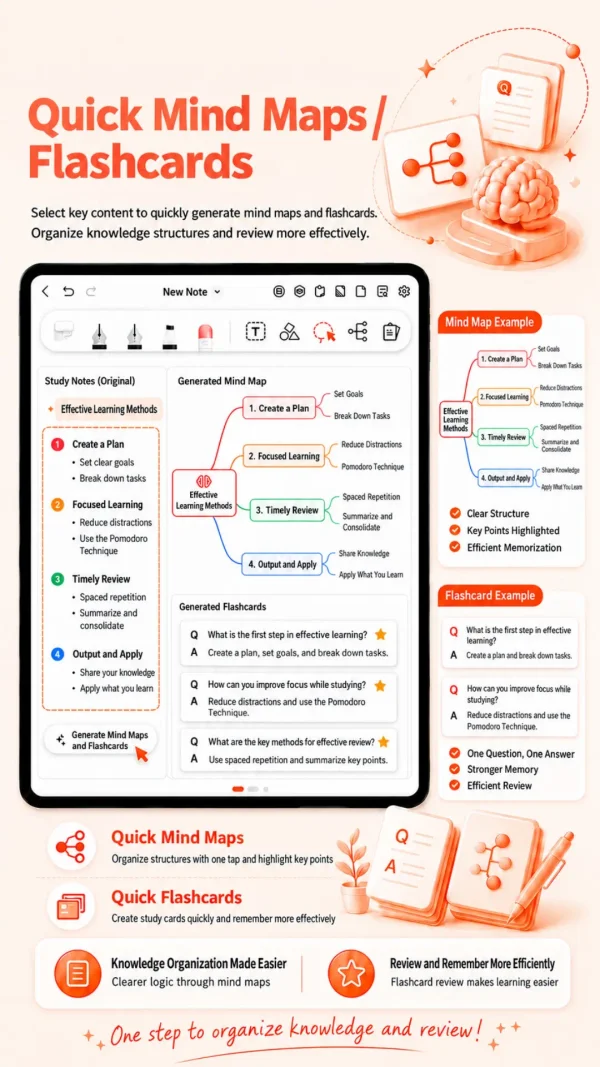
✔ Mind Maps
Quickly organize key information from your notes into mind maps. Transform fragmented knowledge into clear hierarchical structures and build a complete understanding of any topic.
━━━━━━━━━━━━━━━━━━━━━━
🔁 COMPLETE THE LEARNING LOOP
✔ Flashcards
Quickly turn key content into flashcards and use multiple tags for systematic classification, allowing important information to move directly into your review workflow.
━━━━━━━━━━━━━━━━━━━━━━
Bring handwriting, documents, voice recordings, webpages, videos, mind maps, and flashcards together—and gradually build your own digital knowledge space.
Data safety
What 新空电子 declares on Google Play about the data this app collects and shares.
- This app may share these data types with third partiesLocation, Personal info and 8 others
- This app may collect these data typesApp info and performance
- Data is encrypted in transit
- You can request that data be deleted
What’s new
Version 7.0.5 · Nov 14, 2026
New features
1. Memory tape & ruler: cover review, straight lines.
2. Artistic pen & 3rd pen slot; save pens separately.
3. A4 side expansion; drag-sort flashcard tags.
Improvements
1. Pen toolbar icons, colors, stroke width.
2. Zoom & new-page dialogs; page direction lock.
3. Preview: quick settings, switch & pin; add pages or open next note.
Fixes
1. PDF/note export, zoom recovery, missing layers.
2. Stability: recording, spacing, screenshots, backup.
3. Baidu Netdisk re-auth; fewer prompts.
Developer contact
- Websitenote.cicoe.net
- Emailhung@cicoe.cc
- Privacy policynote.cicoe.net
- Address中国 广东省广州市 黄埔区瑞和路39号G1座321至323号 邮政编码: 510700
Information
- Offered by
- 新空电子
- Category
- Productivity
- Version
- 7.0.5
- Updated
- Nov 14, 2026
- Released
- Apr 28, 2020
- Requires
- Android 7.0 or later
- Age rating
- Teen
- Price
- Free
- In-app purchases
- $3.99 - $7.99 per item
- Package name
- com.newskyer.draw