Go Mobile PGH
Parkmobile, LLC- USK ab 0 JahrenAltersfreigabe
- Karten & NavigationKategorie
- 27.11.2026Aktualisiert
- KostenlosPreis
Verlinkt auf den offiziellen Google Play-Eintrag von net.sharewire.gomobilepgh. Zuletzt geprüft am 28.11.2026.

Go Mobile PGH ist bei Google Play derzeit möglicherweise nicht verfügbar
Bei unserer letzten Prüfung war der Store-Eintrag nicht erreichbar. Der Link führt weiterhin zur offiziellen Google Play-Seite.
Screenshots


Über diese App
Automatische Übersetzung von Google. Originalsprache: Englisch (Vereinigte Staaten).
Die effektive Art in Pittsburgh: Park
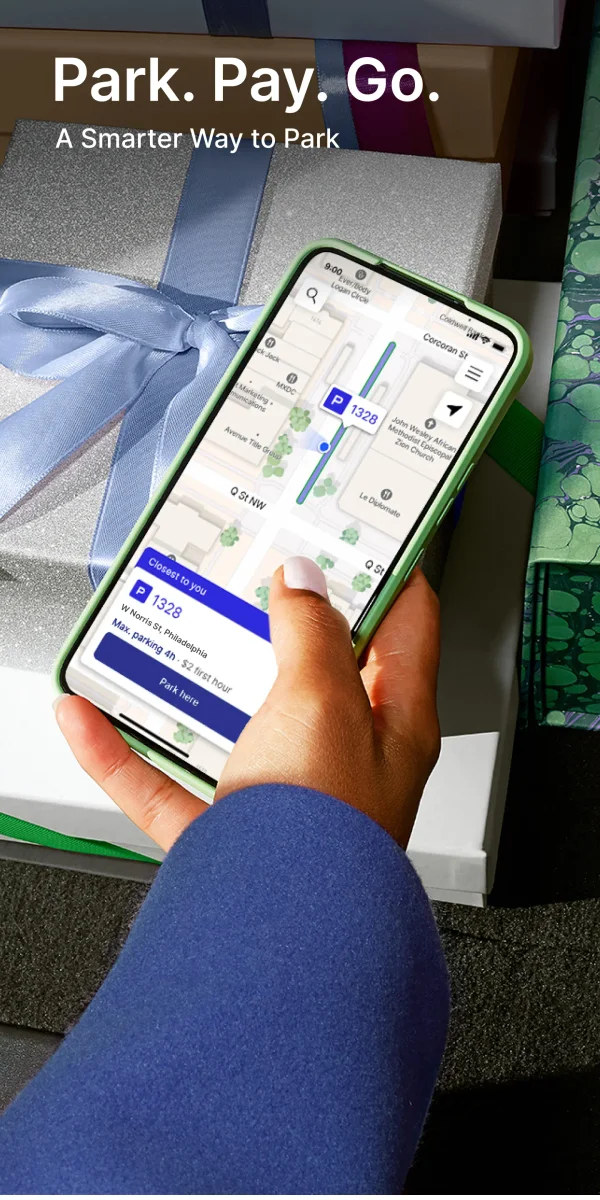
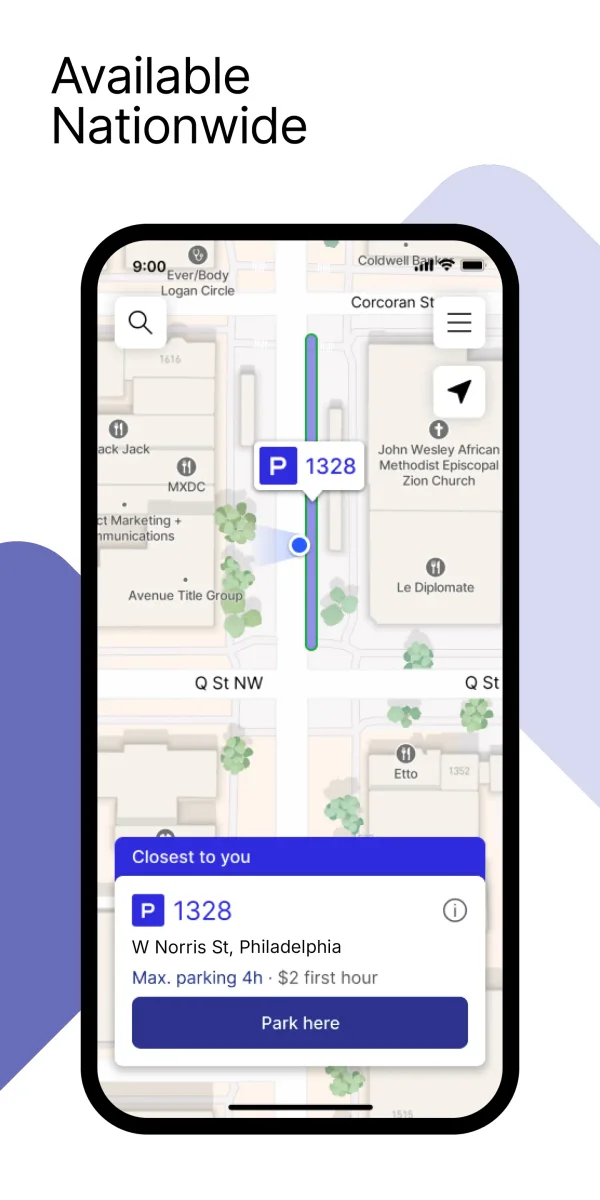
Die Go Mobile PGH App von ParkMobile bietet Ihnen eine clevere Art zu parken in Pittsburgh. Bezahlen Sie Ihre Parkgebühren bequem von der Straße und von Parkplätzen direkt mit Ihrem Mobilgerät. Die Go Mobile PGH App ist in über 500 Städten landesweit verfügbar, darunter New York, San Francisco, Washington, D.C., Atlanta, Chicago, Miami, New Orleans, Dallas, St. Louis, Minneapolis, Philadelphia und viele mehr.
Warum Go Mobile PGH nutzen?
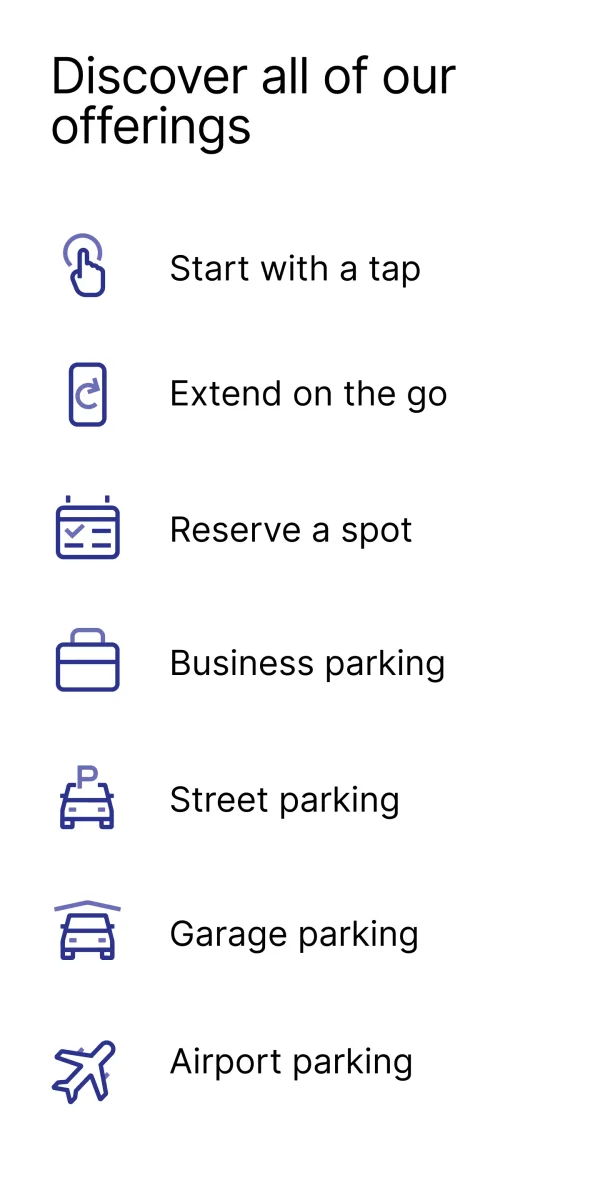
• Parken Sie bequem per Smartphone und sparen Sie sich die Parkuhr.
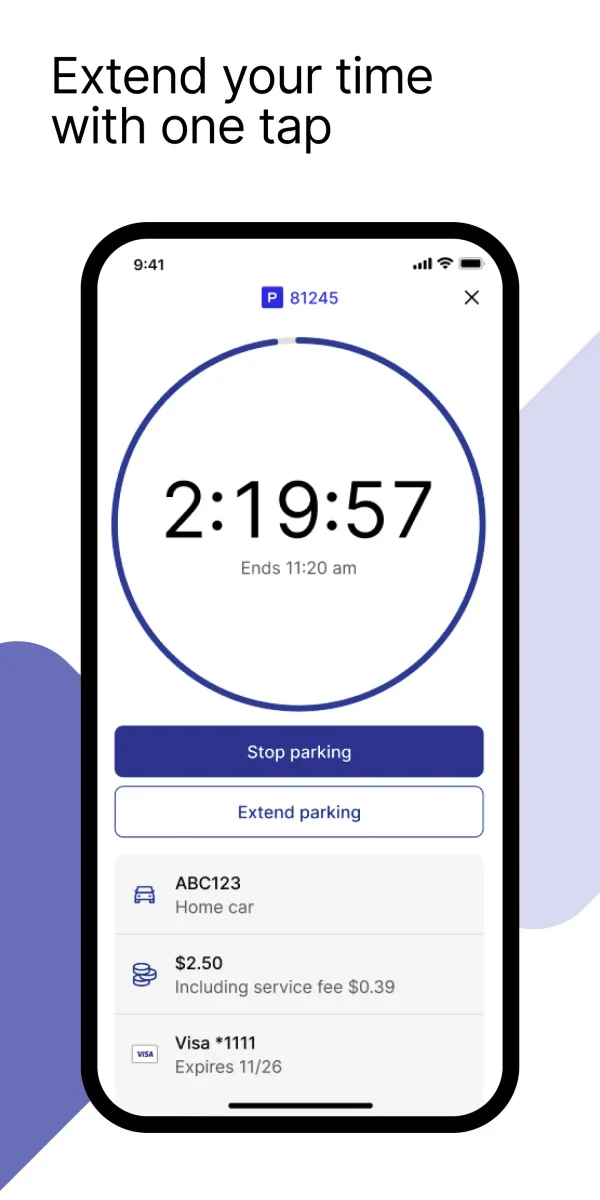
• Verlängern Sie Ihre Parkdauer ganz einfach per App.
• Erhalten Sie Benachrichtigungen, wenn Ihre Parkzeit abläuft.
• Nutzen Sie die App an über 3.000 Standorten in den USA, darunter Veranstaltungsorte, Flughäfen und Universitäten. Finden Sie Bereiche in der Stadt mit freien Parkplätzen und vermeiden Sie Bereiche ohne Parkplätze.
So richten Sie Ihr Konto ein:
• Laden Sie die Go Mobile PGH App herunter und erstellen Sie ein Konto mit Ihrer E-Mail-Adresse und Ihrem Passwort.
• Geben Sie Ihr Kfz-Kennzeichen und das Bundesland ein, in dem Ihr Fahrzeug zugelassen ist.
• Fügen Sie Ihre Zahlungsmethode hinzu und nutzen Sie die Go Mobile PGH App.
So funktioniert es: Parken am Straßenrand und auf Parkplätzen:
• Geben Sie die Zonennummer auf den Schildern am Parkautomaten ein.
• Wählen Sie die gewünschte Parkdauer und bestätigen Sie Ihre Angaben.
• Tippen Sie auf „Parken starten“, um Ihren Parkvorgang zu beginnen.
• Verlängern Sie Ihre Parkzeit in der App, falls Sie sich verspäten.
App-Funktionen:
• Anpassbare Benachrichtigungen per E-Mail, SMS und/oder App.
• Speichern Sie Ihre bevorzugten Parkplätze für das nächste Mal.
• Speichern Sie bis zu fünf Fahrzeuge in Ihrem Konto.
• Die Funktion „Mein Auto finden“ führt Sie zurück zu Ihrem Parkplatz.
• Mehrere Zahlungsmethoden verfügbar.
Die Funktion „Parkplatzverfügbarkeit“ zeigt Ihnen Straßen mit freien Parkplätzen in Ihrer Nähe an.
Über ParkMobile: ParkMobile, LLC ist die führende App für die mobile Parkplatzsuche in Ihrer Umgebung. ParkMobile, LLC ist der führende Anbieter von Parkzahlungslösungen in den USA und hilft über 25 Millionen Menschen, Parkplätze bequem per Mobilgerät zu finden, zu reservieren und zu bezahlen.
Benötigen Sie Hilfe? Bei ParkMobile nehmen wir Kundenservice sehr ernst. Wir verarbeiten täglich über 350.000 Parktransaktionen und wissen, dass auch hier mal etwas schiefgehen kann. Sollten Sie ein Problem haben, setzen wir alles daran, es zu lösen. Unser Kundenservice ist rund um die Uhr für Sie da. So erreichen Sie uns:
Website: https://ParkMobile.io/
Online-Hilfe: https://support.ParkMobile.io/hc/en-us/requests/new
Video-Tutorials: https://ParkMobile.io/tips-demos/
Twitter: https://twitter.com/ParkMobile
Facebook: https://www.facebook.com/ParkMobile/
Originaltext anzeigen
The Go Mobile PGH app, powered by ParkMobile, gives you a smarter way to park in Pittsburgh. Easily pay for on-street and off-street parking right from your mobile device. You can use the Go Mobile PGH app in over 500 other cities across the country, including New York, San Francisco, Washington, D.C., Atlanta, Chicago, Miami, New Orleans, Dallas, St. Louis, Minneapolis, Philadelphia, and more.
Why Use Go Mobile PGH?
• Skip the meter and easily pay for parking from your mobile device
• Extend your parking duration remotely from the app
• Get alerts so you know when your parking session is going to expire
• Use the app in over 3000 locations coast-to-coast, including venues, airports, and universities
•. Find areas of the city where there is available parking and avoid areas where there’s no parking
How to Set Up Your Account
• Download the Go Mobile PGH app and create an account with your email address and password
• Enter your license plate number and the state where your vehicle is registered
• Add your method of payment and start using the Go Mobile PGH app
How It Works
On-Street and Off-Street Parking:
• Enter the zone number on the posted signs around the meter
• Select the amount of time you want to park and confirm your information
• Touch the “Start Parking” button to begin your parking session
• Extend time in the app if you are running late
App Features
• Customizable notifications delivered via email, text, and/or app
• Save your favorite parking locations for next time
• Store up to five cars in your account
• “Find my car” feature directs you back to the location where you parked
• Multiple payment methods available
• Parking Availability feature shows streets with open parking spots in your area
About ParkMobile
ParkMobile, LLC is the leading provider ParkMobile, LLC is the leading provider of parking payment solutions in the United States, helping over 25 million people easily find, reserve, and pay for parking from their mobile devices.
Looking for Help?
At ParkMobile, we’re serious about customer service. We process over 350,000 parking transactions every day and we know that every now and then, something might go wrong. If you have an issue, we will do everything we can to make it right. Our customer service is 24/7/365. If you need help, here’s how to get in touch with us:
Web: https://ParkMobile.io/
Online Help Center: https://support.ParkMobile.io/hc/en-us/requests/new
Video Tutorials: https://ParkMobile.io/tips-demos/
Twitter: https://twitter.com/ParkMobile
Facebook: https://www.facebook.com/ParkMobile/
Datensicherheit
Was Parkmobile, LLC bei Google Play zu den Daten angibt, die diese App erfasst und weitergibt.
- Diese App kann die folgenden Datentypen an Dritte weitergebenStandort, Personenbezogene Daten und 4 weitere
- Diese App kann die folgenden Datentypen erhebenStandort, Personenbezogene Daten und 5 weitere
- Daten werden bei der Übertragung verschlüsselt
- Du kannst das Löschen der Daten beantragen
Kontakt zum Entwickler
- Websitegomobilepittsburgh.com
- E-Mailhelpdesk@parkmobileglobal.com
- Datenschutzerklärungparkmobile.io
- Adresse1100 Spring St NW Atlanta, GA 30309-2846 United States
Informationen
- Angeboten von
- Parkmobile, LLC
- Kategorie
- Karten & Navigation
- Version
- 26.46.2
- Aktualisiert
- 27.11.2026
- Veröffentlicht
- 22.10.2015
- Erfordert
- Android 9 oder höher
- Altersfreigabe
- USK ab 0 Jahren
- Preis
- Kostenlos
- Paketname
- net.sharewire.gomobilepgh