InfoHub Watch Face
amoledwatchfaces™- USK ab 0 JahrenAltersfreigabe
- EffizienzKategorie
- 04.08.2026Aktualisiert
- 1,49 €Preis
Verlinkt auf den offiziellen Google Play-Eintrag von com.amoledwatchfaces.infoHub. Zuletzt geprüft am 27.11.2026.
Screenshots




Über diese App
Automatische Übersetzung von Google. Originalsprache: Englisch (Vereinigte Staaten).
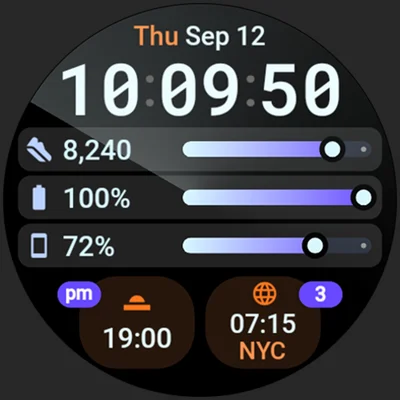
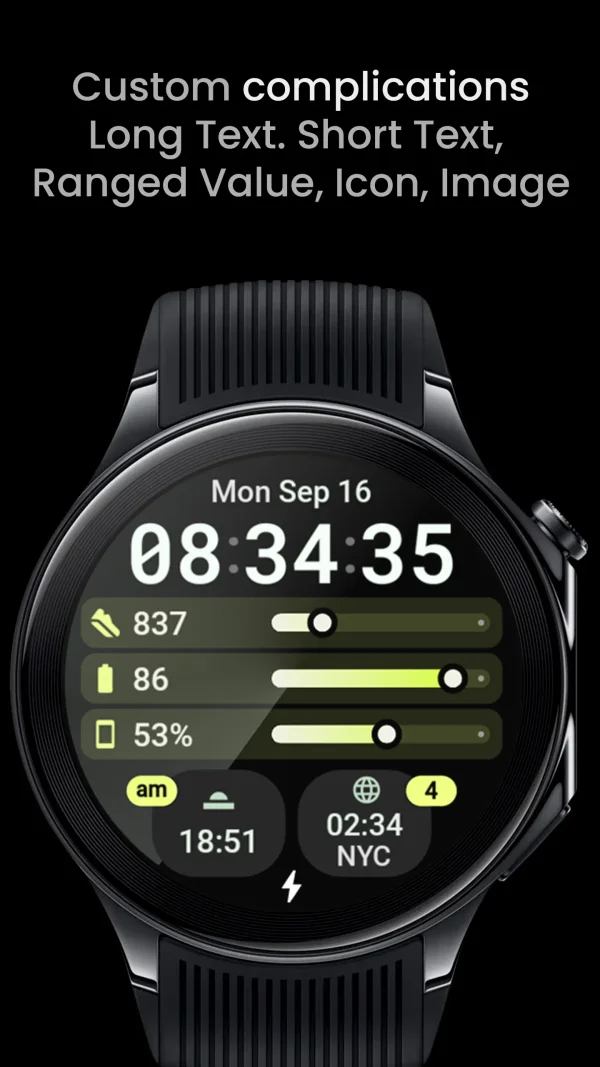
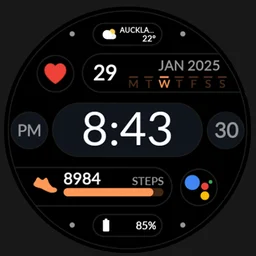
Ihre persönliche Informationszentrale mit 6 anpassbaren Funktionen und vielen Themen.
Nur für Wear OS 4+-Geräte
// Nicht für rechteckige Uhren geeignet
Unterstützt von Watch Face Format
amoledwatchfaces.com
KAUFEN SIE EINEN, ERHALTEN SIE EIN ANGEBOT!
amoledwatchfaces.com/bogo
BENUTZERDEFINIERTE KOMPLIKATIONS-APPS
amoledwatchfaces.com/apps
FUNKTIONEN
• Zifferblattformat 1/2
• Flavors-Funktionsunterstützung (Wear OS 5)
• Galaxy Watch7 / Pixel Watch 3 unterstützt
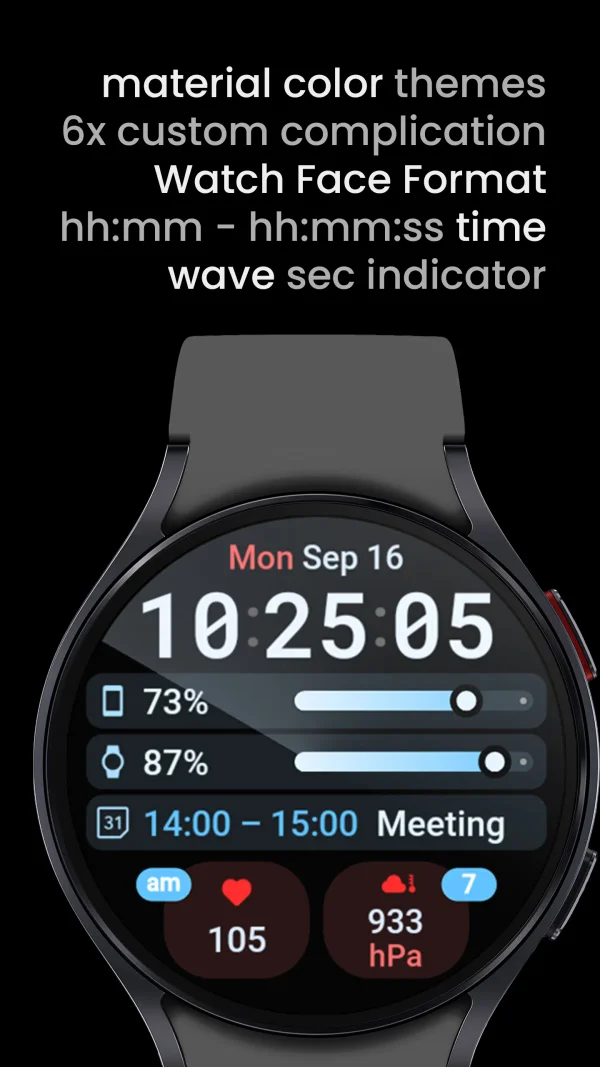
• Option zur Auswahl zwischen dem Zeitmodus hh:mm:ss @ hh:mm
• optionale Zentralsekundenanzeige (zwei Ausführungen)
• drei Hauptkomplikationen mit drei Typen (RANGED_VALUE, LONG_TEXT, SHORT_TEXT)
• Abzeichen für die Anzahl ungelesener Benachrichtigungen von morgens bis abends
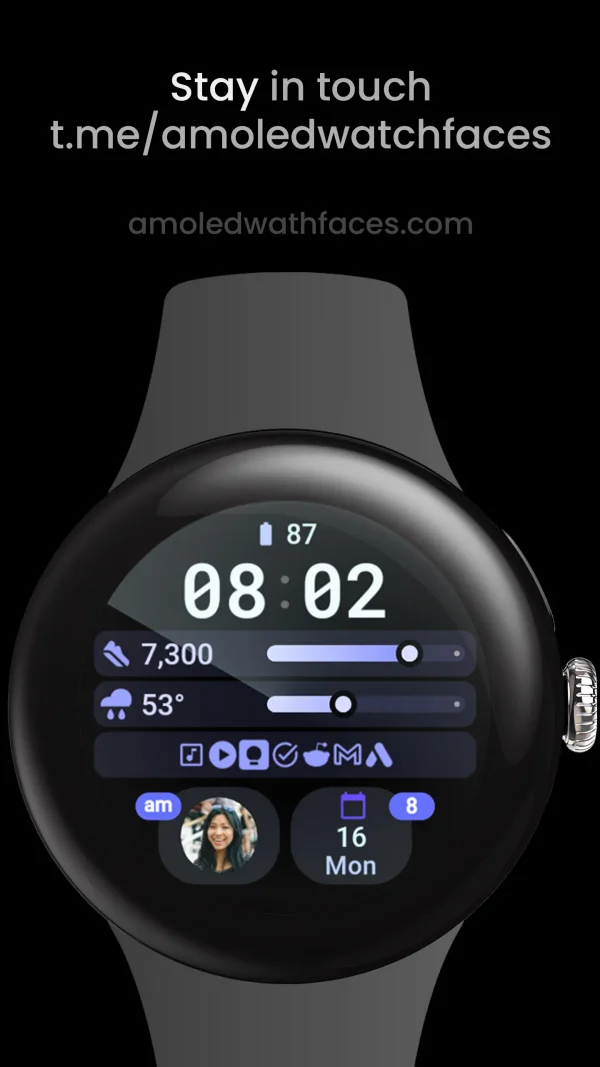
• Insgesamt 6 individuelle Komplikationen
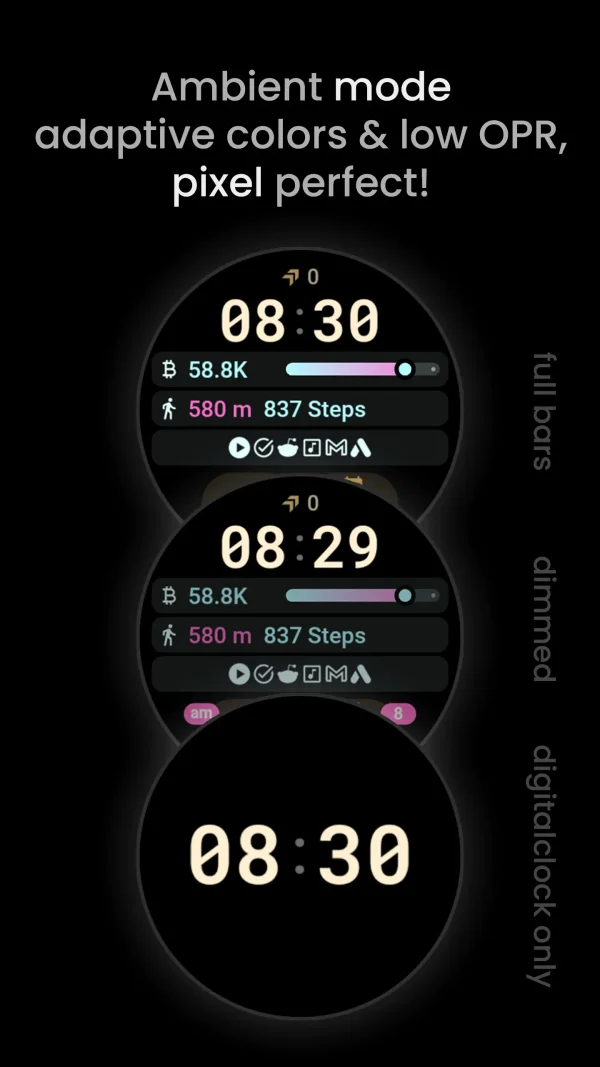
• Ambient-Modus mit drei Stilen und der Option „Umrissene Zeitschrift“ (Hollow AOD)
• Materialfarbthemen
• Material 3 Design-Fortschrittsbalken, Farbverläufe vom Thema übernehmen
• Einbrennschutz
• echter schwarzer Hintergrund
• Erstellen Sie Ihre eigenen, kombinierten Themen und andere Benutzerkonfigurationen für Ihr bevorzugtes Aussehen
• Tippen Sie auf die Digitaluhr, um die Alarm-App zu öffnen
BENUTZERKONFIGURATIONEN
• Materialthema (60+ Farben)
• Unterthema „Material“ (über 60 Farben)
• AOD (3x)
• Mittelkästen (keine, grau, getönt)
• Abzeichen (Am-Pm, Anzahl ungelesener Benachrichtigungen > Standard, Invertiert)
• Sekundenanzeige (Keine, Nachfüllen, Einweg)
• Balkenverläufe (umschalten)
• Hollow AOD (Umschalten)
• Sekunden (umschalten)
• Benutzerdefinierte Komplikation (6x)
Anleitung zur Installation und Fehlerbehebung
amoledwatchfaces.com/guide
Bitte senden Sie alle Problemberichte oder Hilfeanfragen an unsere Support-Adresse
support@amoledwatchfaces.com
Treten Sie unserer Telegram-Gruppe für Live-Support und Diskussionen bei
t.me/amoledwatchfaces
Newsletter
amoledwatchfaces.com/contact#newsletter
amoledwatchfaces™ – Awf
Originaltext anzeigen
Only for Wear OS 4+ devices
// Not suitable for rectangular watches
Powered by Watch Face Format
amoledwatchfaces.com
BUY ONE GET ONE OFFER!
amoledwatchfaces.com/bogo
CUSTOM COMPLICATION APPS
amoledwatchfaces.com/apps
FEATURES
• Watch Face Format 1 / 2
• flavors feature support (Wear OS 5)
• Galaxy Watch7 / Pixel Watch 3 supported
• option to choose between hh:mm:ss @ hh:mm time mode
• optional sweep seconds indicator (two styles)
• three main complications with three types (RANGED_VALUE, LONG_TEXT, SHORT_TEXT)
• am-pm, unread notification count badges
• 6 custom complication in total
• Ambient Mode with three styles & Outlined time font option (Hollow AOD)
• material color themes
• material 3 design progress bars, taking gradients from theme
• burn-in protection
• true black background
• make it your own, combined themes and other user configurations for preferred look
• tap digital clock to open Alarm app
USER CONFIGURATIONS
• Material Theme (60+ colors)
• Material SubTheme (60+ colors)
• AOD (3x)
• Center Boxes (None, Grey, Tinted)
• Badges (Am-Pm, Unread Notification Count > Default, Inverted)
• Seconds Indicator (None, Refill, One-Way)
• Bar Gradients (Toggle)
• Hollow AOD (Toggle)
• Seconds (Toggle)
• Custom Complication (6x)
Installation and troubleshooting guide
amoledwatchfaces.com/guide
Please send any issues reports or help requests to our support address
support@amoledwatchfaces.com
Join our Telegram group for live support and discussion
t.me/amoledwatchfaces
Newsletter
amoledwatchfaces.com/contact#newsletter
amoledwatchfaces™ - Awf
Datensicherheit
Was amoledwatchfaces™ bei Google Play zu den Daten angibt, die diese App erfasst und weitergibt.
- Keine Daten werden mit Drittunternehmen oder -organisationen geteiltWeitere Informationen dazu, wie Entwickler Angaben zur Weitergabe von Daten machen
- Keine Daten erhobenWeitere Informationen dazu, wie Entwickler Angaben zur Datenerhebung machen
Neue Funktionen
04.08.2026
v1.0.6
• small watchface.xml improvements
v1.0.4
• removed dual Sunrise / Sunset support (Complications Suite)
v1.0.3
• replaced digital clock ALARM shortcut with custom app shortcut (complication slot)
v1.0.2
• hollow AOD handling changes
v1.0.1
• initial release
Kontakt zum Entwickler
- Websiteamoledwatchfaces.com
- E-Mailsupport@amoledwatchfaces.com
- Datenschutzerklärungamoledwatchfaces.com
- Adresse51 Nižný Kručov 09301 Nižný Kručov Slovakia
Informationen
- Angeboten von
- amoledwatchfaces™
- Kategorie
- Effizienz
- Aktualisiert
- 04.08.2026
- Veröffentlicht
- 16.09.2024
- Altersfreigabe
- USK ab 0 Jahren
- Preis
- 1,49 €
- Paketname
- com.amoledwatchfaces.infoHub
Ähnliche Apps
-
 DADAM80: Digital Watch Face
Personalisierung
-
 Symmetrical Watch Face
Personalisierung
-
 Digital Deefon Watch Face
Personalisierung
-
 Minimal Dash - digital fitness
Personalisierung
-
 Apex SE Watch Face
Personalisierung
-
 WFP 341 Informer watch face
Personalisierung
-
 HMK WD001
Personalisierung
-
 LUXUS - elegant minimalist
Personalisierung
-
 Glass Weather 2 - Watch face
Wetter
-
 Battery v10 digital watch face
Personalisierung
-
 AWD Weather G01
Personalisierung
-
 Night ver 66 - watch face
Personalisierung