Outlined Watch Face
amoledwatchfaces™- USK ab 0 JahrenAltersfreigabe
- Kunst & DesignKategorie
- 04.08.2026Aktualisiert
- 0,99 €Preis
Verlinkt auf den offiziellen Google Play-Eintrag von com.amoledwatchfaces.outlined. Zuletzt geprüft am 26.11.2026.

Screenshots


Über diese App
Automatische Übersetzung von Google. Originalsprache: Englisch (Vereinigte Staaten).
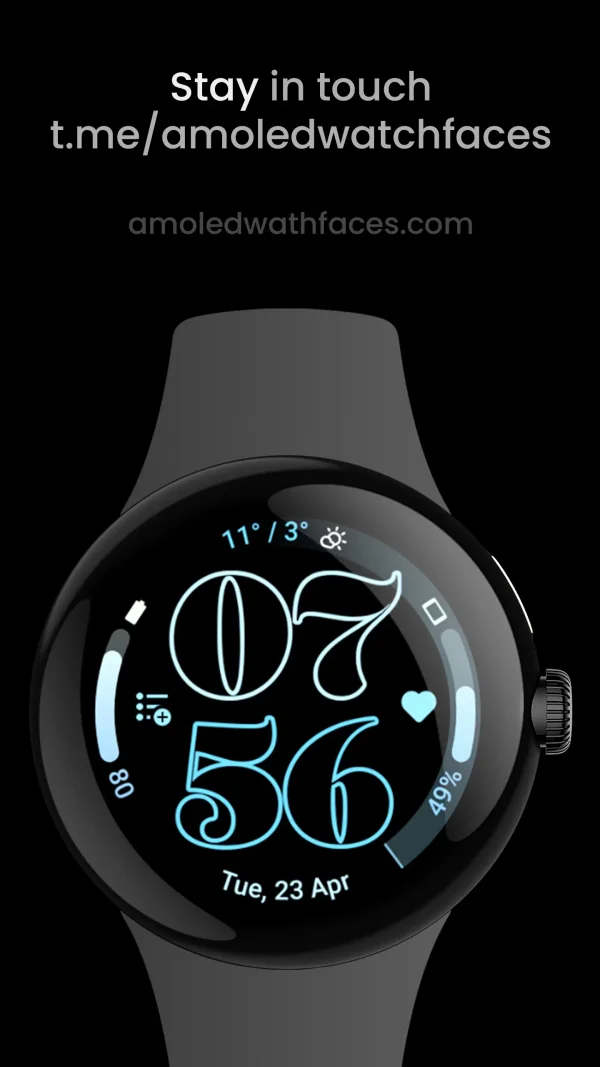
Anpassbare, umrissene Schriftarten. Zifferblattformat ansehen. Batteriefreundliche Digitaluhr.
Nur für Wear OS 4+-Geräte
// Nicht für rechteckige Uhren geeignet
Unterstützt von Watch Face Format
amoledwatchfaces.com
KAUFEN SIE EINEN, ERHALTEN SIE EIN ANGEBOT!
amoledwatchfaces.com/bogo
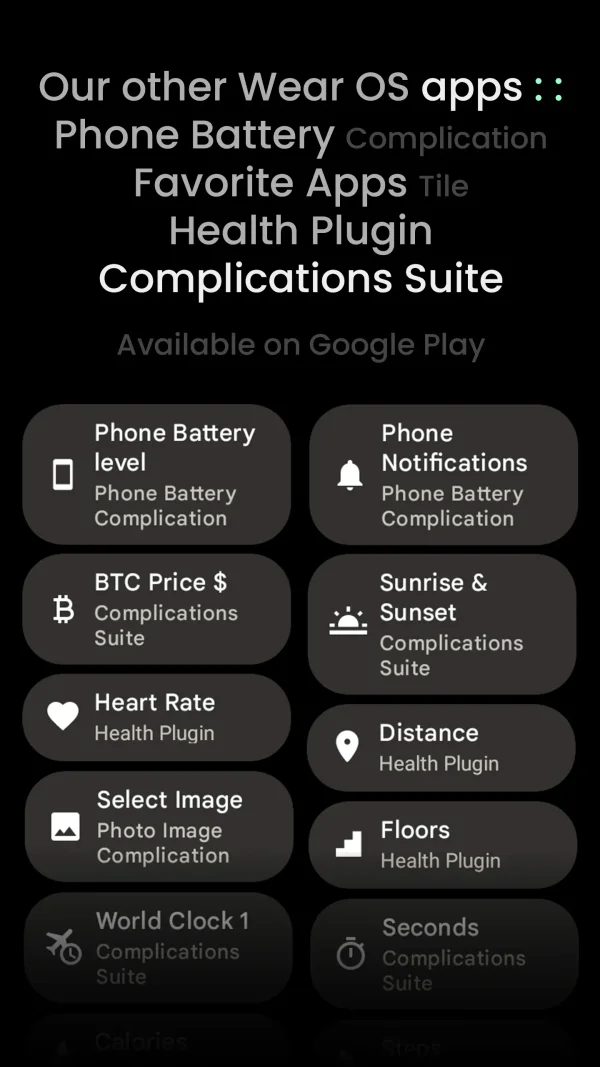
BENUTZERDEFINIERTE KOMPLIKATIONS-APPS
amoledwatchfaces.com/apps
FUNKTIONEN
• Zifferblattformat ansehen
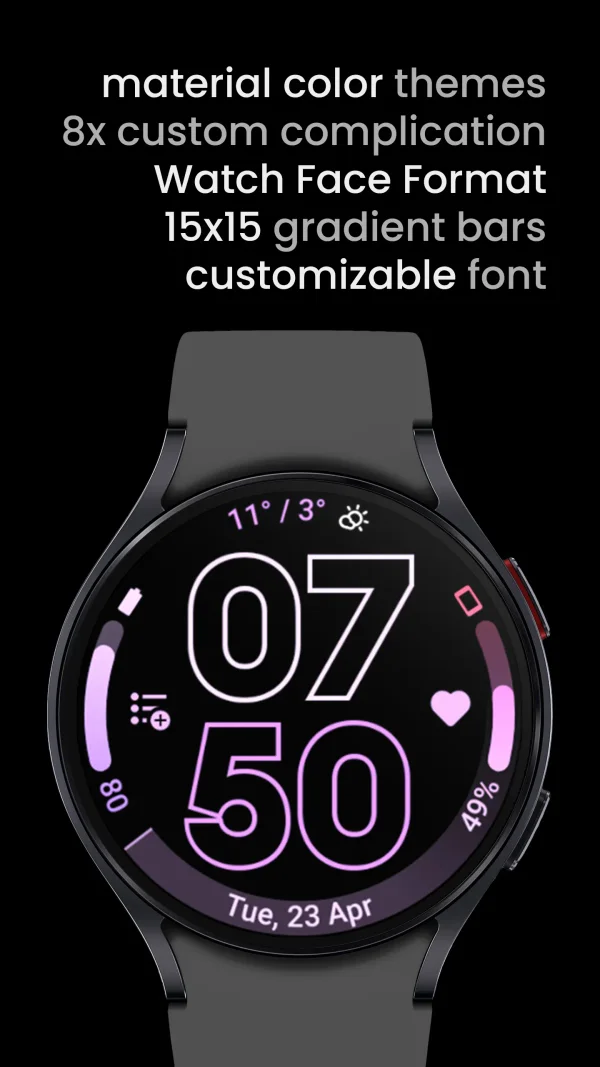
• zwei Komplikationsschlitze mit Verlaufsbogen
• Komplikationsunterstützung für kombinierte Uhren-/Telefonbatterien!
• Einzigartige/auswählbare umrandete Digitaluhr-Schriftarten
• echter schwarzer Hintergrund
• Batteriefreundlich!
• Hochauflösendes Design
• Einzigartiges Material, das Ihnen Farbthemen bietet
• Vollständig kompatibel mit Pixel Watch 2 und Galaxy Watch6
• Machen Sie es zu Ihrem eigenen, passen Sie jeden Verlauf des Fortschrittsbalkens individuell an, wenn die Bereichswertkomplikation verwendet wird
• Einbrennschutz
• optionale wellenförmige Sekundenanzeige
• Verschiedene Einstellungen, um Ihren einzigartigen täglichen Begleiter zu erstellen
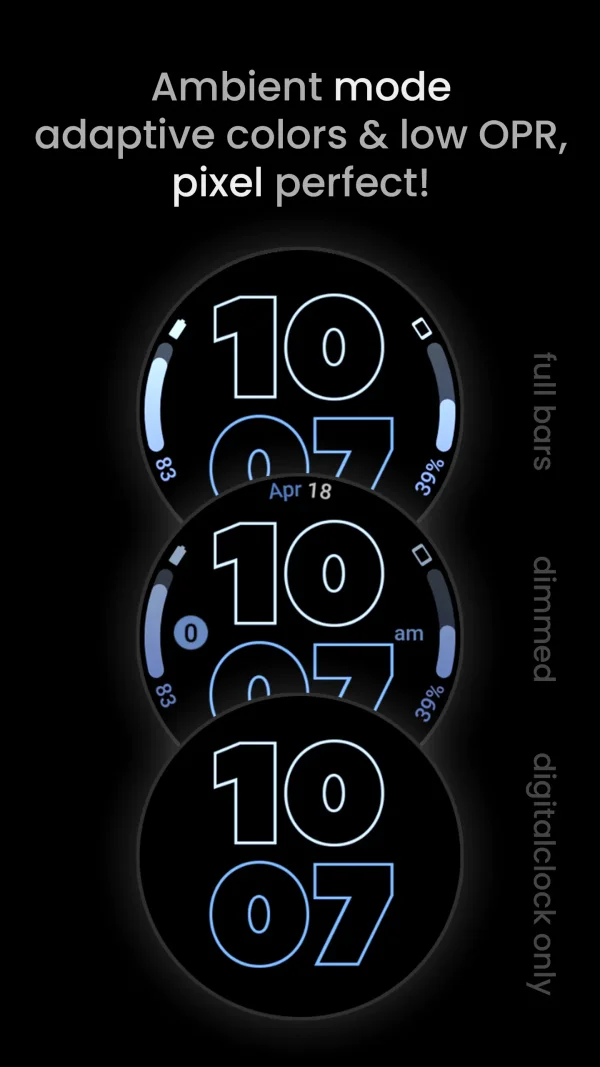
• drei AOD-Stile mit der Option, nur die Digitaluhr zu verwenden und vollständig auf die MCU auszulagern (Batterie++)
BENUTZERKONFIGURATIONEN
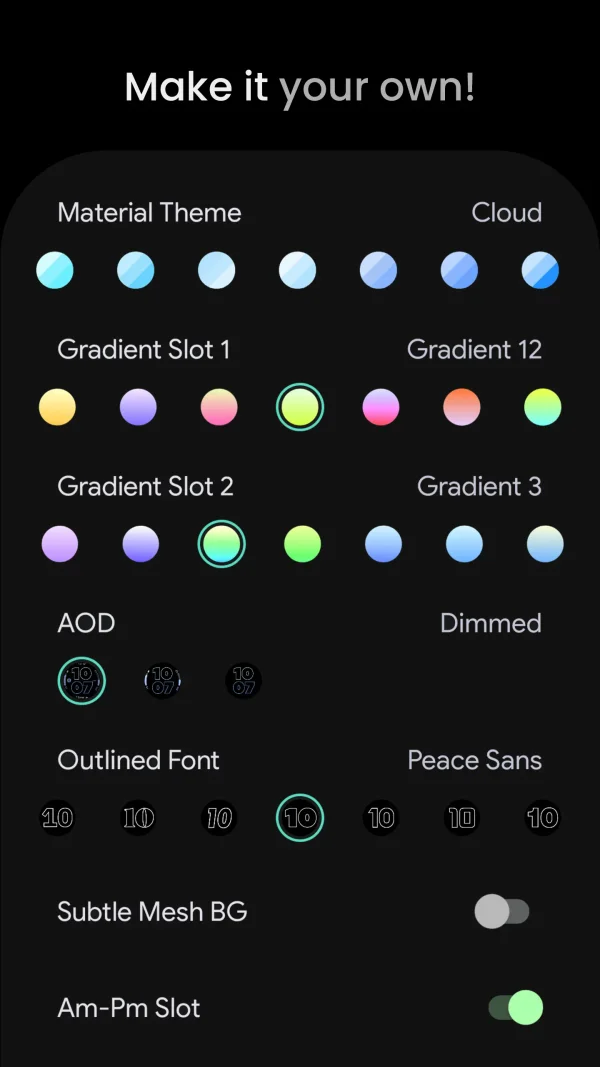
• Materialthema (60+)
• Verlaufssteckplatz 1,2 (19 Verläufe, Weiß, Farbton)
• Umrissene Schriftart (10x)
• AOD (Stil – 3x)
• Dezenter Mesh-Hintergrund (umschalten)
• Am-PM-Steckplatz (umschaltbar) – verwandelt eine Komplikation in eine Am-PM-Anzeige (12 Stunden)
• Sekundenanzeige (umschalten) – Wellenstil
• Tönungssymbole (umschalten) – monochromatische Tönung von Symbolkomplikations-Slots
• Benutzerdefinierte Komplikation (8x) – zwei benutzerdefinierte App-Verknüpfungen
Anleitung zur Installation und Fehlerbehebung
amoledwatchfaces.com/guide
Bitte senden Sie alle Problemberichte oder Hilfeanfragen an unsere Support-Adresse
support@amoledwatchfaces.com
Treten Sie unserer Telegram-Gruppe für Live-Support und Diskussionen bei
t.me/amoledwatchfaces
Newsletter
amoledwatchfaces.com/contact#newsletter
amoledwatchfaces™ – Awf
Originaltext anzeigen
Only for Wear OS 4+ devices
// Not suitable for rectangular watches
Powered by Watch Face Format
amoledwatchfaces.com
BUY ONE GET ONE OFFER!
amoledwatchfaces.com/bogo
CUSTOM COMPLICATION APPS
amoledwatchfaces.com/apps
FEATURES
• Watch Face Format
• two gradient arc complication slots
• combined watch / phone batteries complication support!
• unique / selectable outlined Digital Clock fonts
• true black background
• battery friendly!
• high-res design
• unique material you color themes
• fully compatible with Pixel Watch 2 & Galaxy Watch6
• make it your own, customize each progress bar gradient individually when ranged value complication is used
• burn-in protection
• optional wave styled seconds indicator
• different settings to create your unique daily companion
• three AOD styles with an option to use only Digital Clock and fully offload to MCU (battery++)
USER CONFIGURATIONS
• Material Theme (60+)
• Gradient Slot 1,2 (19 Gradients, White, Tint)
• Outlined Font (10x)
• AOD (Style - 3x)
• Subtle Mesh Background (Toggle)
• Am-Pm Slot (Toggle) - turns one complication into am-pm indicator (12h)
• Seconds Indicator (Toggle) - wave style
• Tint Icons (Toggle) - monchromatic icon complication slots tinting
• Custom Complication (8x) - two custom app shortcuts
Installation and troubleshooting guide
amoledwatchfaces.com/guide
Please send any issues reports or help requests to our support address
support@amoledwatchfaces.com
Join our Telegram group for live support and discussion
t.me/amoledwatchfaces
Newsletter
amoledwatchfaces.com/contact#newsletter
amoledwatchfaces™ - Awf
Datensicherheit
Was amoledwatchfaces™ bei Google Play zu den Daten angibt, die diese App erfasst und weitergibt.
- Keine Daten werden mit Drittunternehmen oder -organisationen geteiltWeitere Informationen dazu, wie Entwickler Angaben zur Weitergabe von Daten machen
- Keine Daten erhobenWeitere Informationen dazu, wie Entwickler Angaben zur Datenerhebung machen
Neue Funktionen
04.08.2026
v1.3.3
• added Outlined Font toggle (switch between solid and outlined font variant)*
• added Google Sans Flex font option*
* wff3+ only
v1.3.1
• added wff3 version
• small watchface.xml improvements
v1.3.0
• added digital clock leading zero setting (Wear OS 5+)
v1.2.9
• dual batteries icon colors final fix
v1.2.6
• added WFF 2 version
• added Wear OS 5 flavors
• switched to unified watchface.xml
v1.2.5
• dual batteries slot improvements
...
Kontakt zum Entwickler
- Websiteamoledwatchfaces.com
- E-Mailsupport@amoledwatchfaces.com
- Datenschutzerklärungamoledwatchfaces.com
- Adresse51 Nižný Kručov 09301 Nižný Kručov Slovakia
Informationen
- Angeboten von
- amoledwatchfaces™
- Kategorie
- Kunst & Design
- Aktualisiert
- 04.08.2026
- Veröffentlicht
- 22.04.2024
- Altersfreigabe
- USK ab 0 Jahren
- Preis
- 0,99 €
- Paketname
- com.amoledwatchfaces.outlined
Ähnliche Apps
-
 Everyday Watch Face
Lifestyle
-
 OMG 409 - Digital Watch Face
Personalisierung
-
 RUN 3: Watch Face
Personalisierung
-
 Minimal - Elegant - RE20
Personalisierung
-
 Maverick Watch Face
Personalisierung
-
 Pioneer Watch Face
Personalisierung
-
 Hike ONE Watch face
Personalisierung
-
 Fit X Watch Face
Personalisierung
-
 Fitness Watch Face
Tools
-
 AD Capsule (2) - Watch Face
Personalisierung
-
 Key032 Analog Watch Face
Personalisierung
-
 Pilot Watch Face
Personalisierung