Phone Battery Complication
themaEnthält Werbung
- USK ab 0 JahrenAltersfreigabe
- PersonalisierungKategorie
- 26.11.2026Aktualisiert
- KostenlosPreis
Verlinkt auf den offiziellen Google Play-Eintrag von fr.thema.wear.watch.complication.phone. Zuletzt geprüft am 28.11.2026.
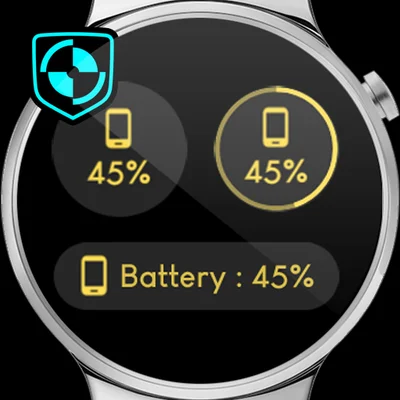
Screenshots

Über diese App
Automatische Übersetzung von Google. Originalsprache: Englisch (Vereinigte Staaten).
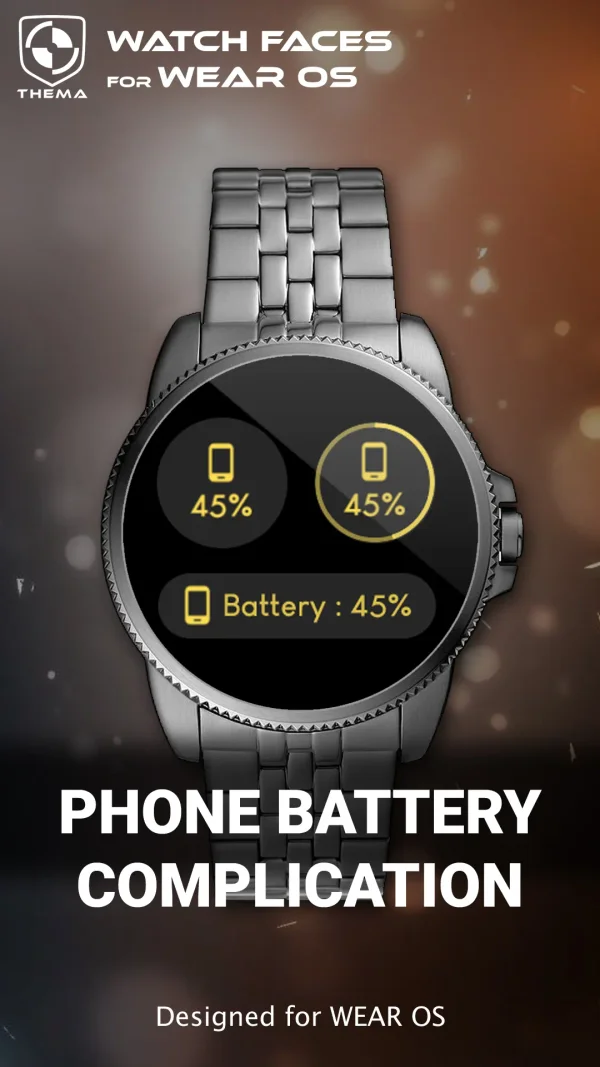
Zeigt den Akkustand Ihres Telefons auf Ihrem bevorzugten Zifferblatt an
Akkuanzeige für Wear OS!
★ Funktionen der Akkuanzeige ★
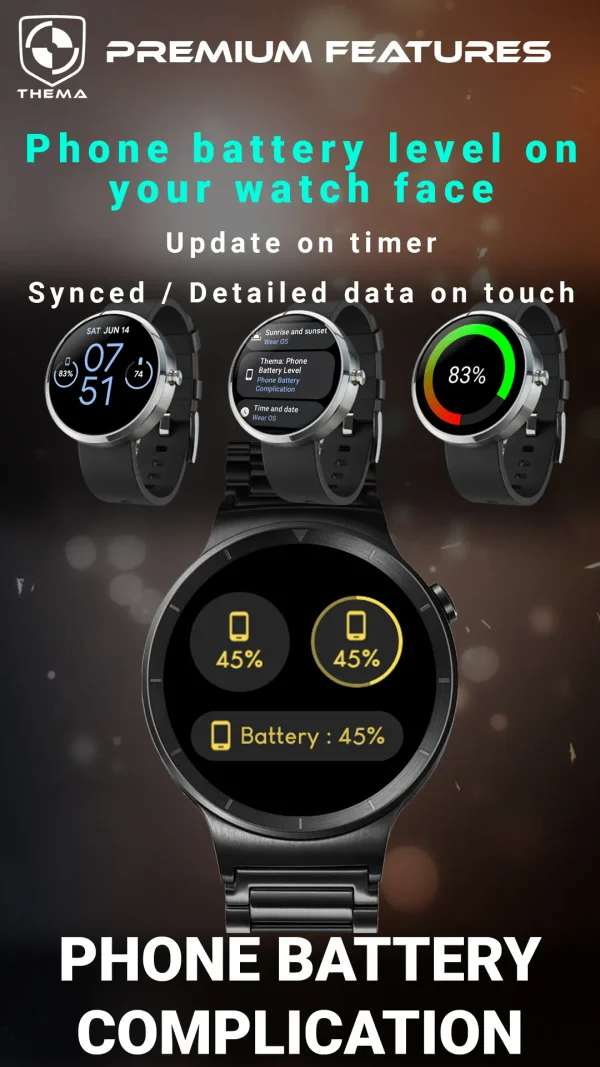
Diese Anwendung zeigt den Akkustand Ihres Smartphones auf Ihrer Wear OS-Smartwatch an. Sie können diese Informationen auf jedem Wear OS-Zifferblatt anzeigen lassen. Wählen Sie einfach die gewünschten Daten für die Anzeige auf Ihrem Zifferblatt aus.
Hinweis: Der Akkustand wird alle 10 Minuten synchronisiert. Daher kann es zu geringfügigen Abweichungen zwischen dem Akkustand Ihres Smartphones und dem angezeigten Wert kommen.
In den Einstellungen können Sie die Prozentanzeige ein- oder ausblenden, um sie an Ihr bevorzugtes Zifferblattdesign anzupassen.
(Gilt nicht für die dedizierten Akkubereiche der Thema-Zifferblätter; das Design ist bereits bereichsspezifisch.)
Sie können auch auf die Anzeige tippen, um eine Vollbildanzeige zu öffnen und die Synchronisierung sofort zu erzwingen.
Die Smartphone-App ist erforderlich, um die Daten an Ihr Wear OS-Gerät zu senden. Die App funktioniert nicht ohne diese Voraussetzung.
Prüfen Sie außerdem, ob Ihr Smartphone die Anwendung nicht durch Akkubeschränkungen beeinträchtigt.
Hinweis: Die in den Screenshots dargestellten Bildschirme sind nur über die Komplikation des Zifferblatts zugänglich. Sie können nicht über die App-Liste Ihrer Uhr gestartet werden.
★ Installation ★
🔸Wear OS 2.X / 3.X / 4.X
Direkt nach der Installation auf Ihrem Smartphone wird eine Benachrichtigung auf Ihrer Uhr angezeigt. Tippen Sie einfach darauf, um die Installation der Komplikations-App zu starten.
Falls die Benachrichtigung aus irgendeinem Grund nicht angezeigt wird, können Sie die Komplikations-App weiterhin über den Google Play Store auf Ihrer Uhr installieren: Suchen Sie einfach nach der App.
🔸Wear OS 6.X
Installieren Sie die Komplikations-App sowohl auf Ihrem Smartphone als auch auf Ihrer Uhr direkt aus dem jeweiligen Play Store. Die App muss auf beiden Geräten installiert sein.
Nachdem die App auf Ihrem Smartphone installiert und gestartet wurde, installieren Sie sie auf Ihrer Smartwatch. Den Installationsstatus können Sie in der Smartphone-App überprüfen.
Anschließend können Sie auf allen Zifferblättern, die Komplikationen unterstützen (siehe Screenshot-Beispiele), das Thema „Akkustand des Telefons“ auswählen und es der Komplikation Ihres Zifferblatts zuordnen.
Nach der Zuordnung wird der Akkustand Ihres Telefons angezeigt.
Sie können auf die Komplikation des Zifferblatts tippen, um die Detailansicht aufzurufen (siehe Screenshot der Detailansicht) und auf verschiedene Einstellungen zuzugreifen.
★ Weitere Zifferblätter ★
Besuchen Sie meine Zifferblattsammlung für Wear OS im Play Store unter https://goo.gl/CRzXbS
** Bei Problemen oder Fragen kontaktieren Sie mich bitte per E-Mail (auf Englisch oder Französisch), bevor Sie eine negative Bewertung abgeben. Vielen Dank!
Website: https://www.themaapps.com
YouTube: https://youtube.com/ThomasHemetri
Twitter: https://x.com/ThomasHemetri
Instagram: https://www.instagram.com/thema_watchfaces
Originaltext anzeigen
Phone Battery Complication for Wear OS!
★ Features of Phone Battery Complication ★
This application provides phone battery level information to Wear OS watches. You will be able to display this information on any wear os watch face. Just pick the data for the complication of your watch face.
NB: The battery level is synced every 10 minutes. As a result, there might be a slight difference between your phone battery and the level displayed on the complication.
Use settings to show the percent symbol or not, to match your favorite watchface design.
(does not apply on dedicated battery areas of Thema's watchfaces, design is already applied by area)
You can also tap the complication to display a full screen indicator, and force the sync immediately.
The phone app is required to send the data to the wear os device. The app can not work without it.
Also check that there is no battery restrictions applied by your phone on the application.
NB: The screens available in screenshots can only be accessed through the complication of the watchface. It can not be started in apps list of your watch.
★ Installation ★
🔸Wear OS 2.X / 3.X / 4.X
A notification will be displayed on your watch, right after your mobile installation. You just have to hit it to start the installation process of the complication app.
If the notification did not display for some reason, you can still install the complication app by using the Google Play Store available on your watch: just search the complication app by its name.
🔸Wear OS 6.X
Install the complication app on your phone AND on your watch, directly from their play store.
The app REQUIRES to be installed on both devices.
Once installed phone and started, install it on the watch. You can verify the installation status from the phone app.
Then, on any watchfaces supporting complications (see screenshot examples), you can select the "Thema: phone battery level" data and assocaite it to the complication of you watchface.
Once associated, it will show your phone battery level.
You can tap on the watchface's complication to access the detailed screen (see screenshot of detailed screen), and access some settings.
★ More watch faces ★
Visit my watch faces collection for Wear OS on the Play Store at https://goo.gl/CRzXbS
** If you have any issues or questions, feel free to contact me by email (English or French language) before giving a bad rating. Thanks!
Website: https://www.themaapps.com
Youtube: https://youtube.com/ThomasHemetri
Twitter: https://x.com/ThomasHemetri
Instagram: https://www.instagram.com/thema_watchfaces
Datensicherheit
Was thema bei Google Play zu den Daten angibt, die diese App erfasst und weitergibt.
- Keine Daten werden mit Drittunternehmen oder -organisationen geteiltWeitere Informationen dazu, wie Entwickler Angaben zur Weitergabe von Daten machen
- Diese App kann die folgenden Datentypen erhebenApp-Aktivitäten und App-Informationen und -Leistung
- Daten werden bei der Übertragung verschlüsselt
- Daten können nicht gelöscht werden
Neue Funktionen
26.11.2026
2.26.11.2700
- January 2027 permission requirements compliance
- App optimisation and shrink
- Bump library versions
Requires app update on both Watch & Mobile.
If you have any issue, please let me know by email at thema.apps@gmail.com
Kontakt zum Entwickler
- Websitethemaapps.com
- E-Mailthema.apps@gmail.com
- Datenschutzerklärungthemaapps.com
- Adresse7 Rue Alfred Sisley 78370 Plaisir France
Informationen
- Angeboten von
- thema
- Kategorie
- Personalisierung
- Aktualisiert
- 26.11.2026
- Veröffentlicht
- 14.06.2025
- Altersfreigabe
- USK ab 0 Jahren
- Preis
- Kostenlos
- Paketname
- fr.thema.wear.watch.complication.phone