QR BarCode
nTools- USK ab 0 JahrenAltersfreigabe
- EffizienzKategorie
- 05.11.2026Aktualisiert
- KostenlosPreis
Verlinkt auf den offiziellen Google Play-Eintrag von net.sjava.barcode. Zuletzt geprüft am 16.11.2026.
Screenshots


Über diese App
Automatische Übersetzung von Google. Originalsprache: Englisch (Vereinigte Staaten).
Scannen, erstellen und teilen Sie QR-Codes und Barcodes. Behalten Sie Ihre Codes übersichtlich organisiert.
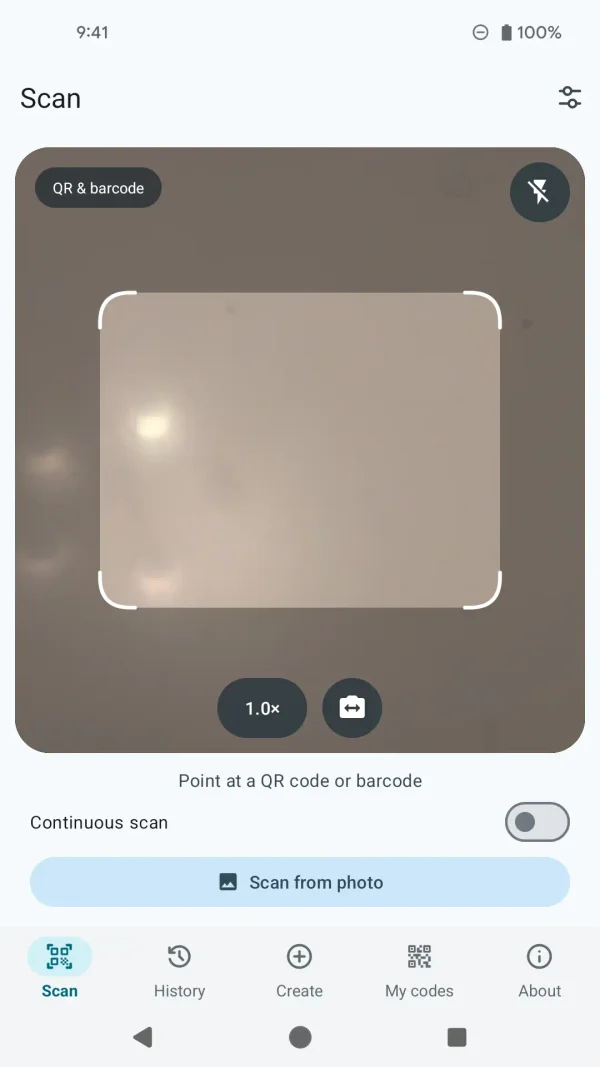
QR BarCode hilft Ihnen beim Scannen, Erstellen und Teilen von QR-Codes und Barcodes. Scannen Sie mit Ihrer Kamera oder von einem Foto, erstellen Sie Codes für alltägliche Informationen und organisieren Sie diese für einen schnellen Zugriff.
MIT DER KAMERA ODER VON FOTOS SCANNEN
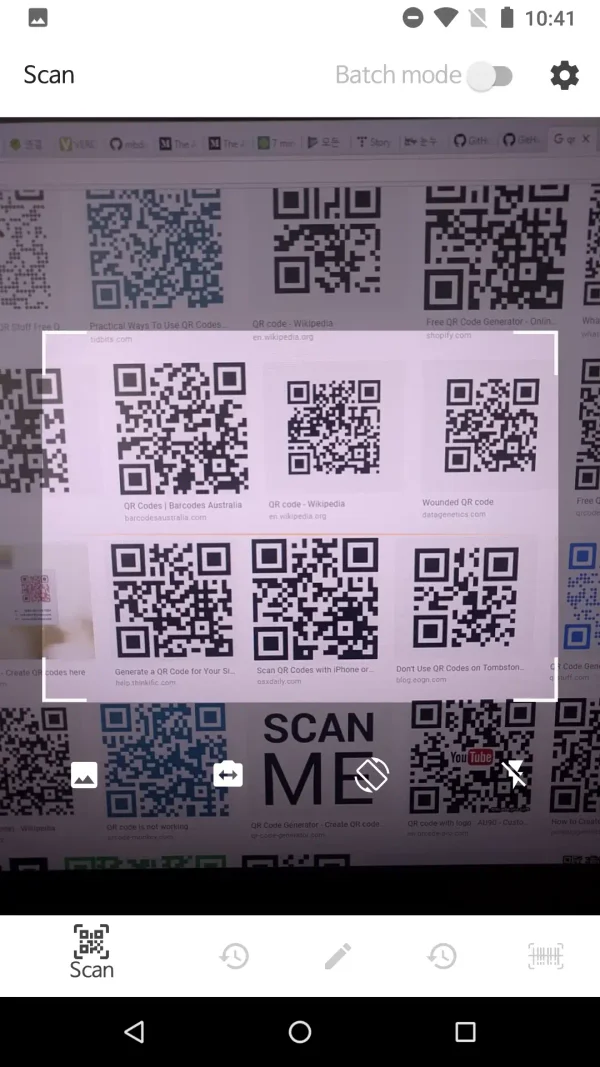
• Scannen Sie QR-Codes und unterstützte Barcodes.
• Lesen Sie Codes aus Bildern auf Ihrem Gerät.
• Nutzen Sie die kontinuierliche Scanfunktion, um mehrere Codes nacheinander zu speichern.
• Passen Sie den Zoom an oder aktivieren Sie bei Bedarf die Taschenlampe.
EIGENE CODES ERSTELLEN
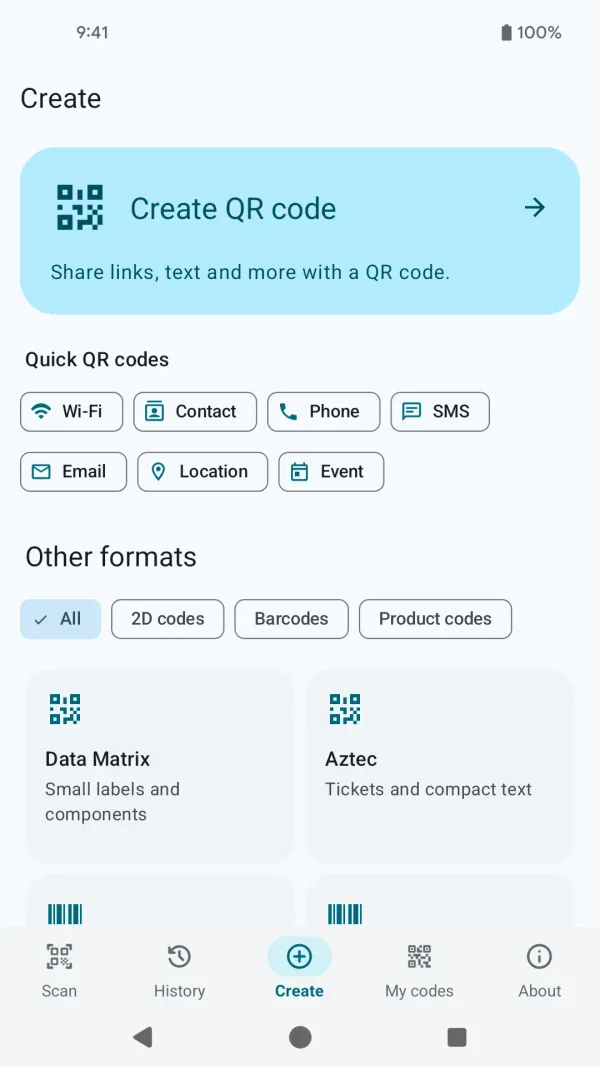
• Erstellen Sie QR-Codes für Links, Texte, WLAN-Netzwerke, Kontakte, Telefonnummern, SMS, E-Mails, Standorte und Kalenderereignisse.
• Generieren Sie unterstützte 1D- und 2D-Barcodes.
• Sehen Sie sich Ihren Code in der Vorschau an und teilen Sie ihn mit anderen Apps.
CODES ORGANISIEREN
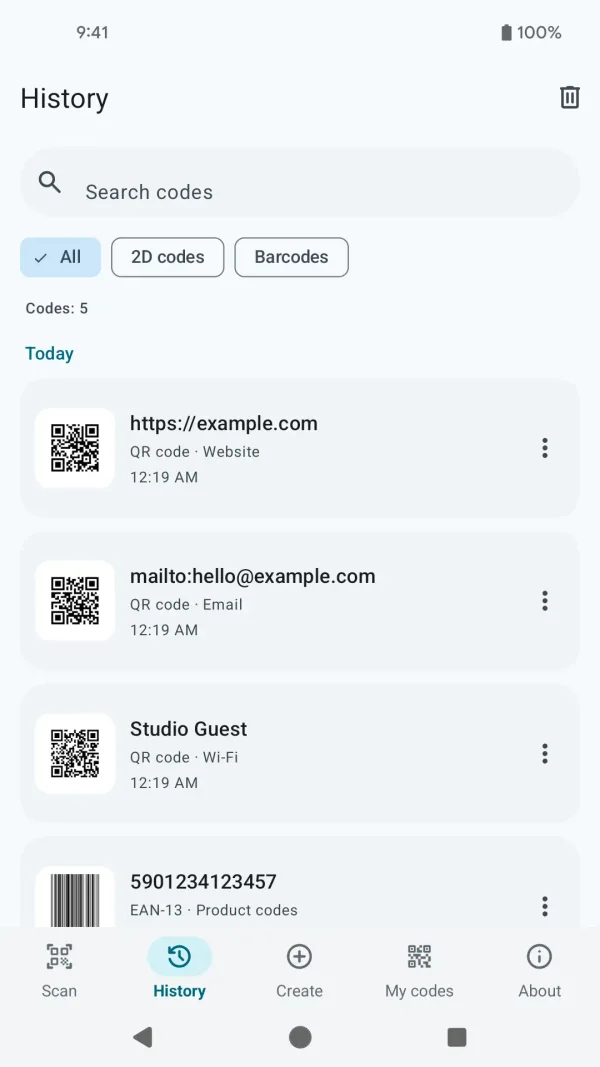
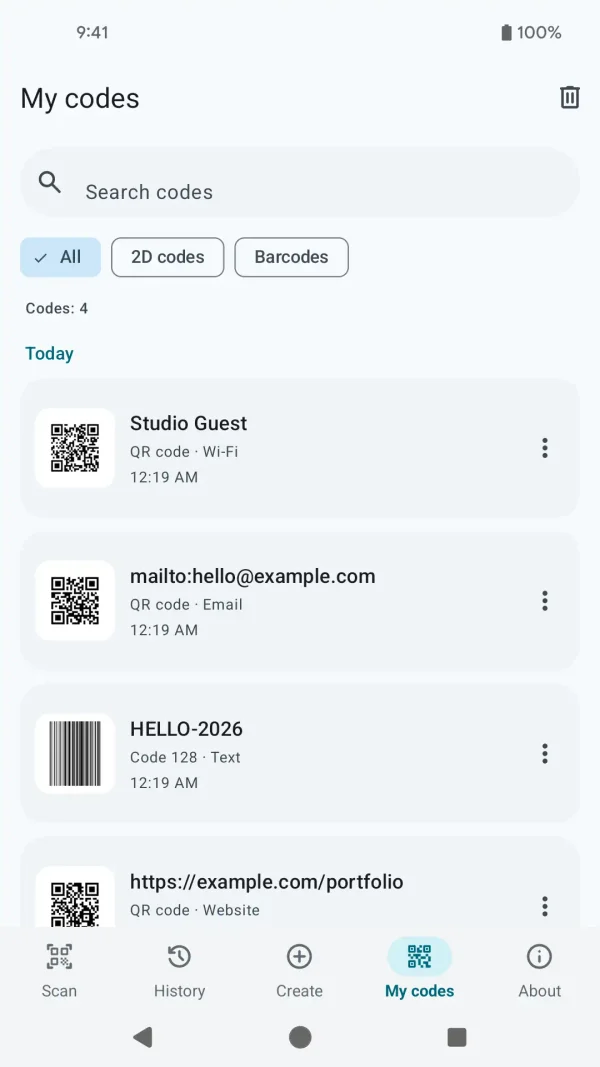
• Sehen Sie gescannte Codes im Verlauf und erstellte Codes unter „Meine Codes“ wieder.
• Suchen und filtern Sie gespeicherte Codes.
• Kopieren Sie den Codeinhalt oder teilen Sie ihn bei Bedarf.
GESTALTEN SIE ES NACH IHREN VORTEILEN
• Genießen Sie eine übersichtliche Material-Design-Oberfläche mit hellem und dunklem Design.
• Passen Sie Scan-Sounds, Vibration und automatisches Kopieren individuell an.
UNTERSTÜTZTE FORMATE
Scannen und erstellen:
• 2D: QR-Code, Data Matrix, Aztec, PDF417
• 1D: Code 39, Code 93, Code 128, Codabar, ITF
• Produkt-Barcodes: UPC-A, UPC-E, EAN-8, EAN-13
Das Scannen unterstützt außerdem RSS-14 und RSS-Expanded.
Die Erstellung unterstützt GS1-128 und GS1 Data Matrix mit Feldern für GTIN, Chargennummer, Seriennummer und Verfallsdatum.
KAMERAZUGRIFF
Der Kamerazugriff wird für Live-Scans verwendet. Sie können auch ein Foto scannen, indem Sie ein Bild über die Android-Dateiauswahl auswählen.
Originaltext anzeigen
QR BarCode helps you scan, create and share QR codes and barcodes. Scan with your camera or from a photo, create codes for everyday information, and keep them organized for easy access.
SCAN WITH YOUR CAMERA OR FROM PHOTOS
• Scan QR codes and supported barcodes.
• Read codes from images on your device.
• Use continuous scanning to save multiple codes in a row.
• Adjust zoom or turn on the flashlight when needed.
CREATE YOUR OWN CODES
• Create QR codes for links, text, Wi-Fi networks, contacts, phone numbers, SMS, email, locations and calendar events.
• Generate supported 1D and 2D barcodes.
• Preview your code and share it with other apps.
KEEP YOUR CODES ORGANIZED
• Revisit scanned codes in History and created codes in My codes.
• Search and filter saved codes.
• Copy code content or share it when you need it.
MAKE IT YOURS
• Enjoy a clean Material Design interface with light and dark themes.
• Customize scan sounds, vibration and automatic copying.
SUPPORTED FORMATS
Scan and create:
• 2D: QR Code, Data Matrix, Aztec, PDF417.
• 1D: Code 39, Code 93, Code 128, Codabar, ITF.
• Product barcodes: UPC-A, UPC-E, EAN-8, EAN-13.
Scanning also supports RSS-14 and RSS-Expanded.
Creation also supports GS1-128 and GS1 Data Matrix, with fields for GTIN, lot number, serial number and expiry date.
CAMERA ACCESS
Camera access is used for live scanning. You can also scan a photo by selecting an image through Android's file picker.
Datensicherheit
Was nTools bei Google Play zu den Daten angibt, die diese App erfasst und weitergibt.
- Keine Daten werden mit Drittunternehmen oder -organisationen geteiltWeitere Informationen dazu, wie Entwickler Angaben zur Weitergabe von Daten machen
- Keine Daten erhobenWeitere Informationen dazu, wie Entwickler Angaben zur Datenerhebung machen
Neue Funktionen
Version 2.1.6 · 05.11.2026
- Bug fixes and stability improvements.
Kontakt zum Entwickler
- Websitentoolslab.com
- E-Mailsupport@ntoolslab.com
- Datenschutzerklärungntoolslab.com
- Adresse673 Comet Dr Foster City, CA 94404-1705 United States
Informationen
- Angeboten von
- nTools
- Kategorie
- Effizienz
- Version
- 2.1.6
- Aktualisiert
- 05.11.2026
- Veröffentlicht
- 08.12.2016
- Erfordert
- Android 7.0 oder höher
- Altersfreigabe
- USK ab 0 Jahren
- Preis
- Kostenlos
- Paketname
- net.sjava.barcode