QR Scanner & Barcode Generator
HubXIn-App-Käufe
- USK ab 0 JahrenAltersfreigabe
- EffizienzKategorie
- 06.11.2026Aktualisiert
- KostenlosPreis
Verlinkt auf den offiziellen Google Play-Eintrag von hubx.qr.code. Zuletzt geprüft am 27.11.2026.

Screenshots
Über diese App
Automatische Übersetzung von Google. Originalsprache: Englisch (Vereinigte Staaten).
QR-Code-Leser, Barcode-Scanner und QR-Code-Generator. QR-Codes schnell scannen und erstellen.
QR-Code-Leser, Barcode-Scanner & QR-Code-Generator
📱 Scannen Sie QR-Codes und Barcodes in Sekundenschnelle mit einem schnellen und benutzerfreundlichen QR-Code-Leser. Scannen Sie Speisekarten, öffnen Sie Links, lesen Sie Barcodes und erstellen Sie QR-Codes mit einem QR-Code-Scanner, Barcode-Scanner und QR-Code-Generator in einer einzigen App.
Ob Sie einen QR-Code für eine Speisekarte scannen, einen Barcode lesen, einen QR-Code erstellen oder einen vorherigen Scan finden möchten – diese einfache Scanner-App bietet Ihnen alle wichtigen Werkzeuge.
📷 QR-CODE-LESER & QR-SCANNER
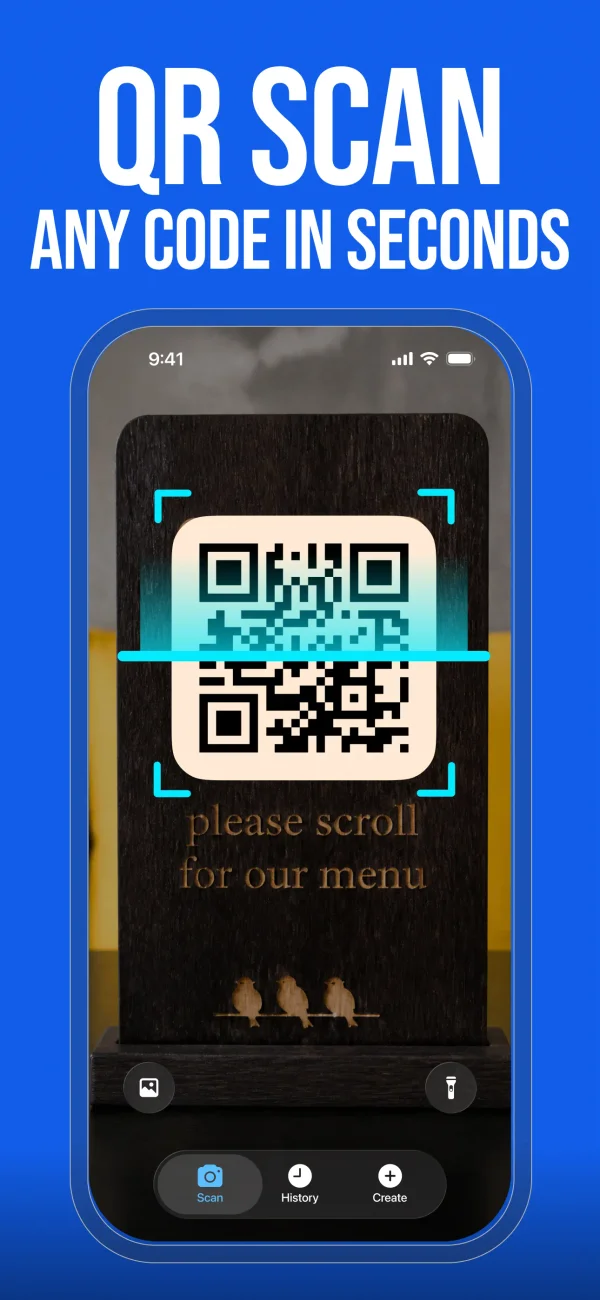
Richten Sie Ihre Kamera auf einen Code und scannen Sie ihn sofort. Der integrierte QR-Code-Scanner und Code-Leser erkennen unterstützte QR-Codes und Barcodes schnell.
Nutzen Sie den QR-Code-Leser für:
🍽️ Speisekarten von Restaurants und Cafés
📋 Digitale Speisekarten
🔗 Website-URLs
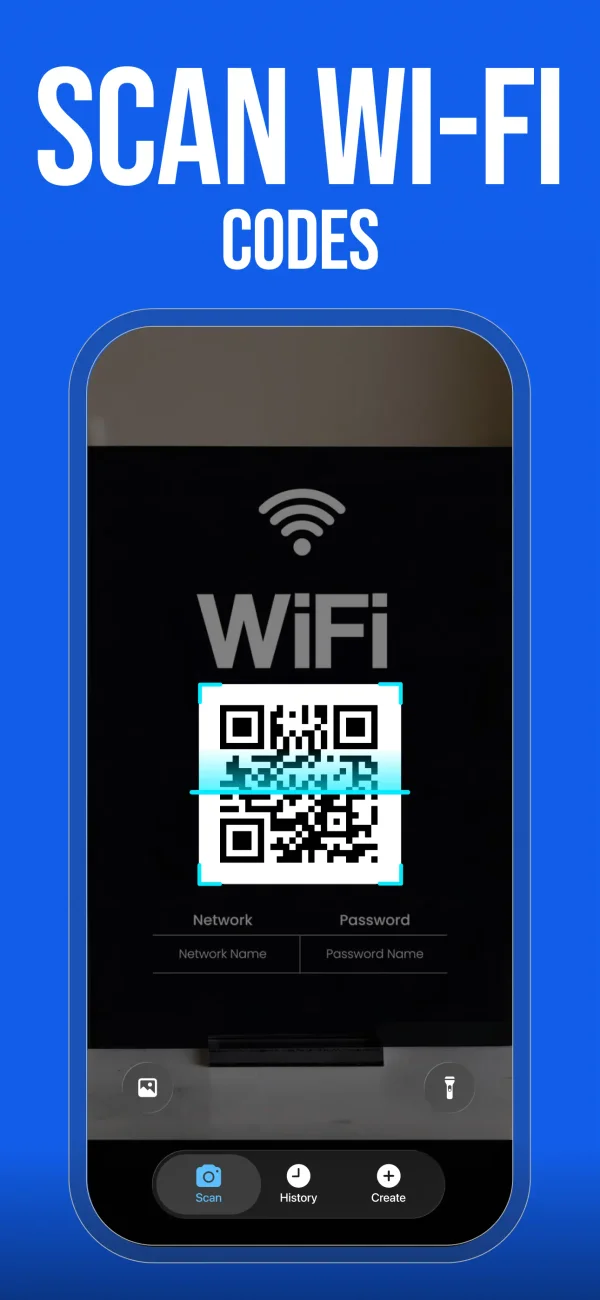
📶 WLAN-Netzwerke
📸 Instagram
👥 Facebook
🎵 TikTok
👻 Snapchat
𝕏 Twitter / X
▶️ YouTube
Öffnen Sie Links, greifen Sie auf Social-Media-Profile zu und lesen Sie QR-Code-Informationen, ohne diese manuell einzugeben.
🍽️ QR-CODES SCANNEN
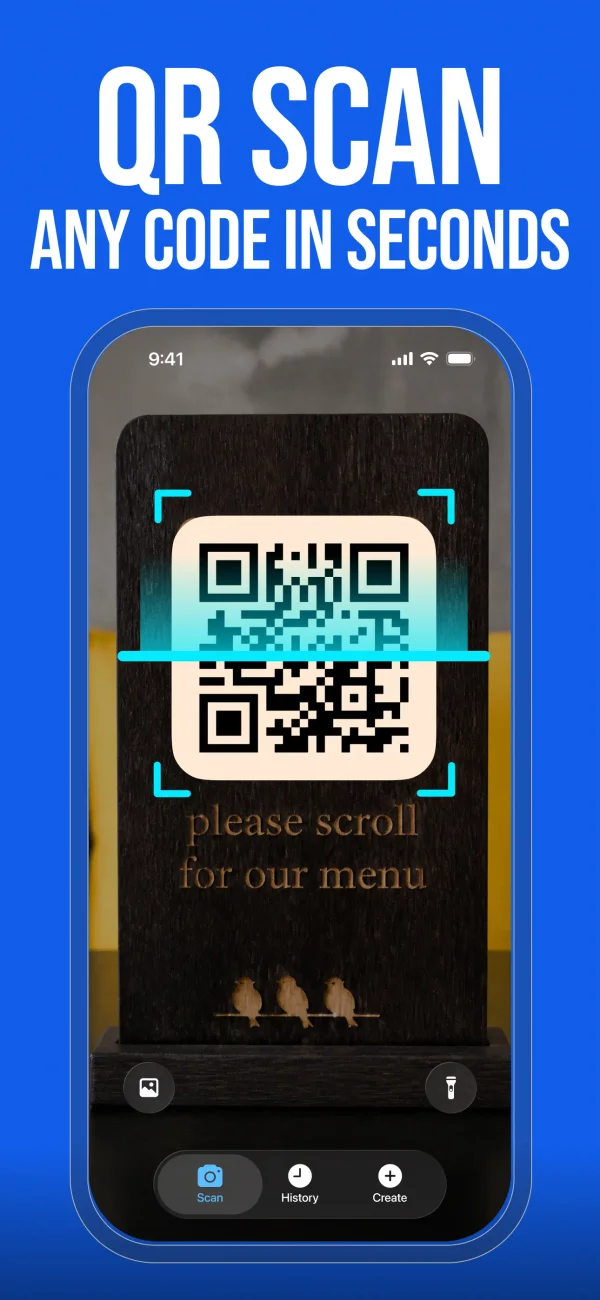
Sie essen in einem Restaurant, Café, einer Bar oder einem Hotel? Nutzen Sie den QR-Scanner, um den QR-Code einer Speisekarte zu scannen und schnell auf die digitale Speisekarte zuzugreifen.
Richten Sie einfach Ihre Kamera auf den Speisekarten-QR-Code, scannen Sie ihn und öffnen Sie den Link zur Speisekarte. Sie müssen keine Website-Adresse eingeben oder manuell nach der Speisekarte suchen.
Nutzen Sie die App als praktischen QR-Code-Scanner, wann immer Sie in Restaurants, Cafés und anderen Lokalen auf digitale Speisekarten stoßen.
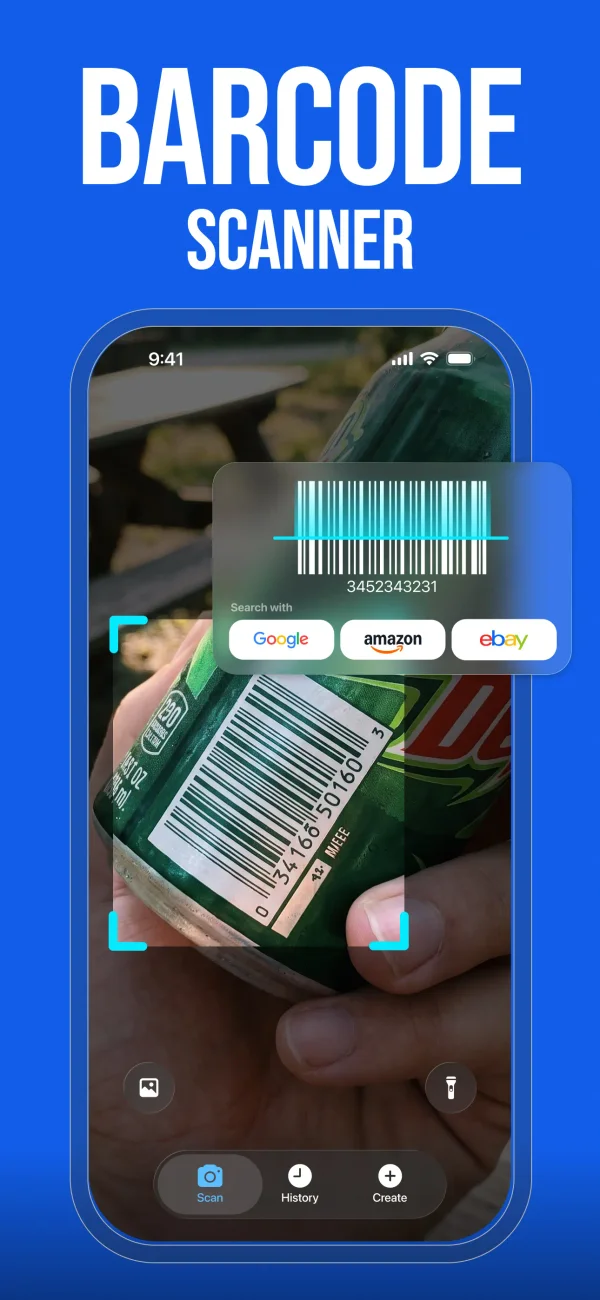
🔎 Barcode-Scanner & Barcode-Leser
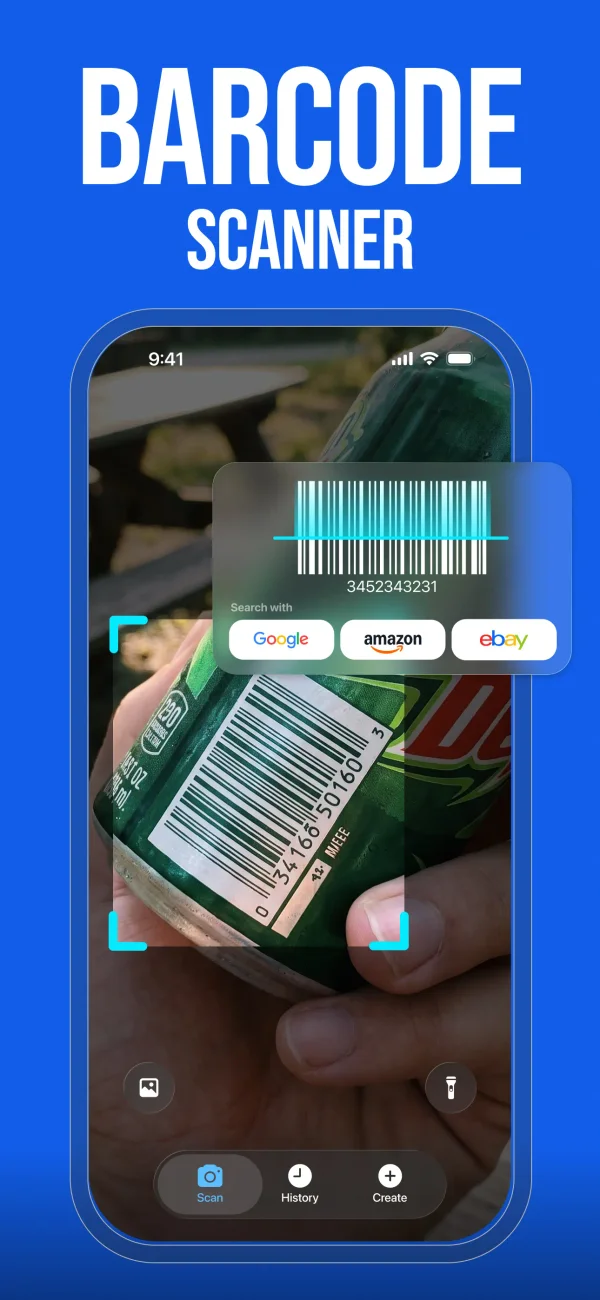
Nutzen Sie Ihr Smartphone als praktischen Barcode-Scanner für alltägliche Barcodes. Richten Sie einfach Ihre Kamera auf einen Barcode, um ihn zu scannen und die Informationen auszulesen.
Die App fungiert als Barcode-Leser, Barcode-Scanner und Barcode-Leser. Mit dem QR-Barcode-Scanner können Sie QR-Codes und Barcodes gleichzeitig verarbeiten.
🔍 Manuelle Barcode-Suche
Sie haben bereits eine Barcode-Nummer? Geben Sie sie manuell ein und suchen Sie online nach relevanten Informationen.
Die manuelle Barcode-Suche bietet Ihnen eine weitere Möglichkeit, Barcodes nachzuschlagen, wenn das Scannen mit der Kamera nicht möglich ist.
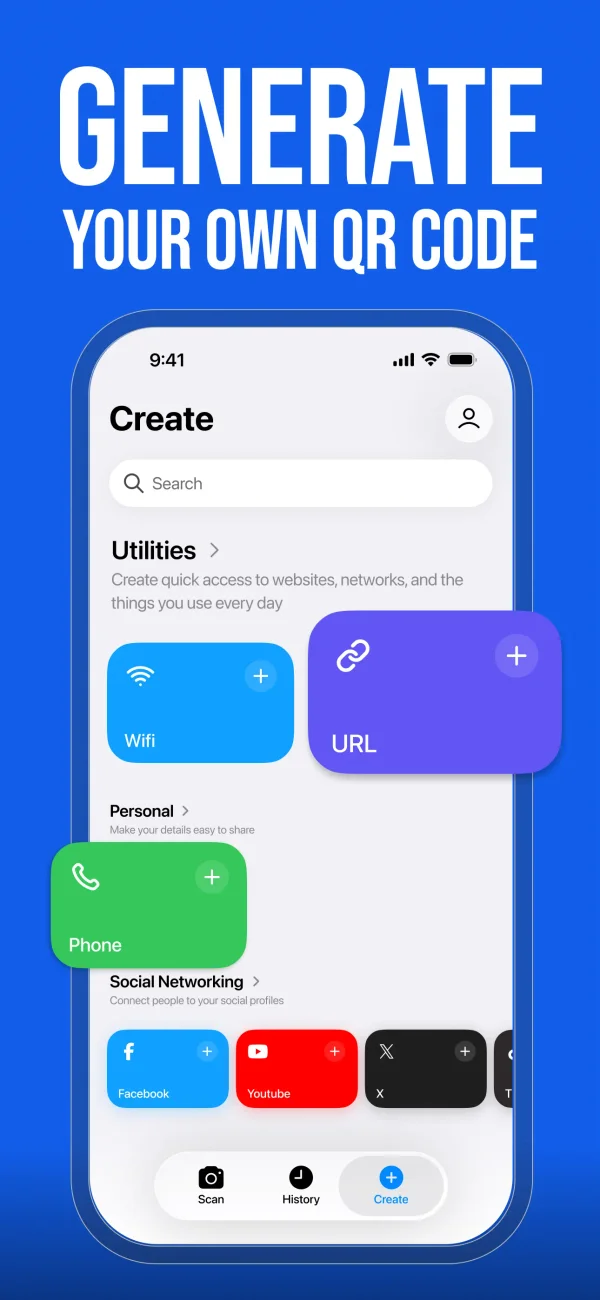
✨ QR-Code-Generator & QR-Code-Ersteller
Erstellen Sie Ihre eigenen QR-Codes mit dem integrierten QR-Code-Generator.
QR-Codes generieren für:
🔗 URLs & Websites
📶 WLAN
📸 Instagram
👥 Facebook
🎵 TikTok
👻 Snapchat
𝕏 Twitter / X
▶️ YouTube
Ob QR-Generator, Code-Generator-App oder QR-Code-Ersteller – alles an einem Ort.
📶 WLAN-QR-CODES ERSTELLEN
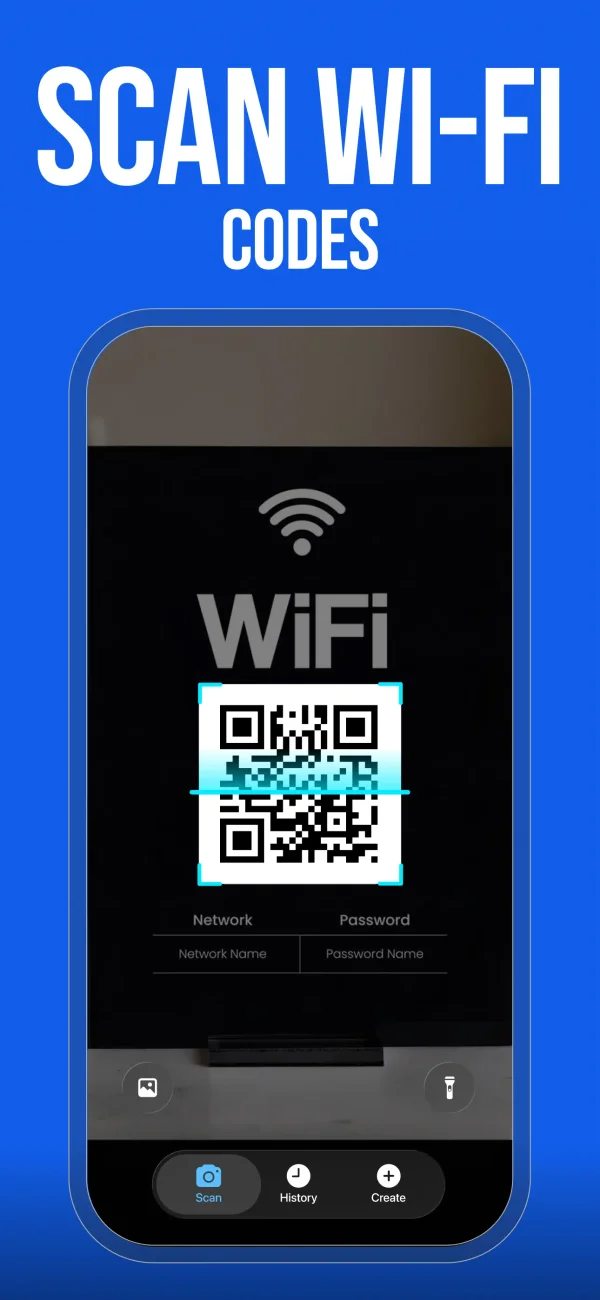
Erstellen Sie QR-Codes für WLAN-Informationen und vereinfachen Sie die Netzwerkverbindung. Generieren Sie einen WLAN-QR-Code, der gescannt werden kann, anstatt die Netzwerkdetails manuell einzugeben.
📱 SOCIAL-MEDIA-QR-CODES ERSTELLEN
Verwandeln Sie Ihre Social-Media-Profile und -Links in QR-Codes für Instagram, Facebook, TikTok, Snapchat, Twitter / X und YouTube.
Nutzen Sie den QR-Code-Generator, um Ihre Links leichter zugänglich und teilbar zu machen.
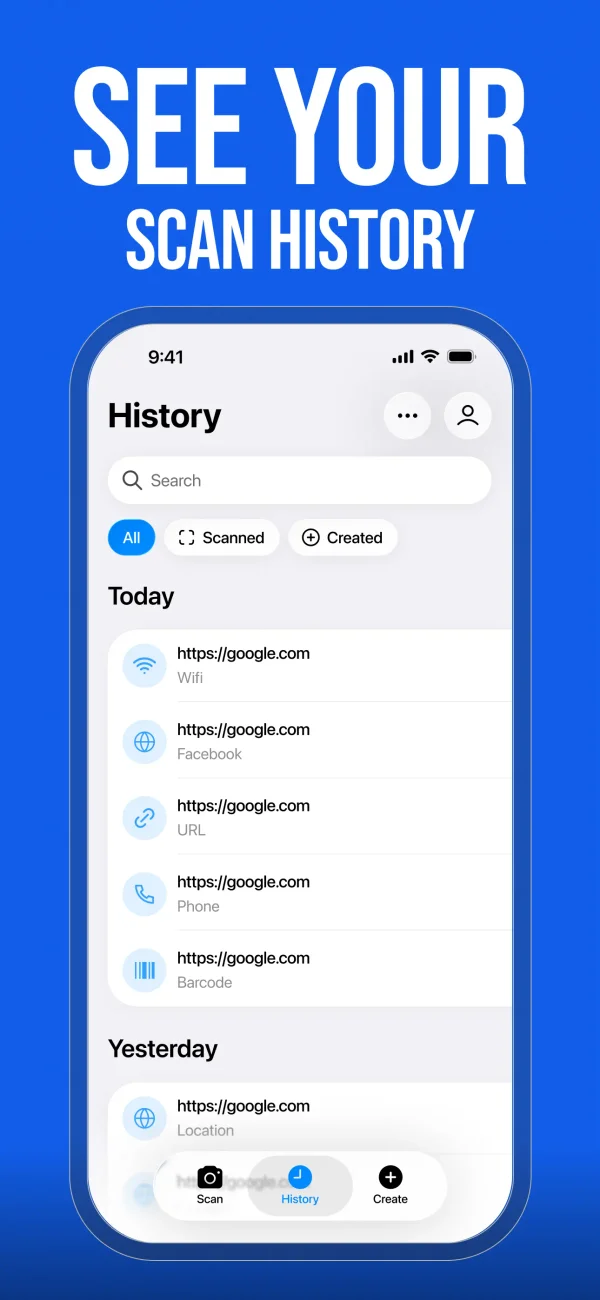
🕘 Scanverlauf
Mit dem Verlauf behalten Sie den Überblick über Ihre vorherigen Scans. Greifen Sie schnell auf QR-Codes, Speisekarten, Website-URLs und Barcodes zu, die Sie bereits gescannt haben.
⚡ ALLES, WAS DU BRAUCHST, IN EINER SCANNER-APP
✓ QR-Code-Leser
✓ QR-Scanner
✓ QR-Code-Scanner
✓ QR-Menü-Scanner
✓ Barcode-Scanner
✓ Barcode-Scanner
✓ QR-Barcode-Scanner
✓ Barcode-Leser
✓ Barcode-Leser
✓ Code-Leser
✓ QR-Code-Generator
✓ QR-Generator
✓ QR-Ersteller
✓ QR-Code-Ersteller
✓ Code-Generator-App
✓ Manuelle Barcode-Suche
✓ Scanverlauf
🚀 EINFACH, SCHNELL & BEDIENBAR
1️⃣ Scanner öffnen
2️⃣ Kamera auf einen QR-Code oder Barcode richten
3️⃣ Code vom Scanner erkennen lassen
4️⃣ Auf die gescannten Informationen zugreifen
Eine Speisekarte scannen, eine Website öffnen, sich mit WLAN verbinden, ein Social-Media-Profil besuchen oder Produktinformationen lesen Barcode in Sekundenschnelle erstellen.
Sie möchten lieber selbst einen erstellen? Öffnen Sie den Generator, wählen Sie den QR-Code-Typ und geben Sie Ihre Daten ein.
💡 EINE APP FÜR QR-CODES & BARCODES
Nutzen Sie den QR-Code-Leser zum Scannen von QR-Codes, den Barcode-Scanner zum Lesen von Barcodes und den QR-Code-Generator zum Erstellen eigener Codes.
Originaltext anzeigen
QR Code Reader, Barcode Scanner & QR Generator
📱 Scan QR codes and barcodes in seconds with a fast and easy-to-use QR code reader. Scan restaurant menus, open links, read barcodes and create QR codes with a QR scanner, barcode scanner and QR code generator in one app.
Whether you need to scan a menu QR code, read a barcode, create a QR code or find a previous scan, this simple scanner app gives you the essential tools you need.
📷 QR CODE READER & QR SCANNER
Point your camera at a code and scan instantly. The built-in QR code scanner and code reader quickly recognize supported QR codes and barcodes.
Use the QR reader for:
🍽️ Restaurant & cafe menus
📋 Digital menus
🔗 Website URLs
📶 Wi-Fi networks
📸 Instagram
👥 Facebook
🎵 TikTok
👻 Snapchat
𝕏 Twitter / X
▶️ YouTube
Open links, access social profiles and read QR code information without manually typing it.
🍽️ SCAN QR MENUS
Dining at a restaurant, cafe, bar or hotel? Use the QR scanner to scan a menu QR code and quickly access the available digital menu.
Simply point your camera at the menu QR code, scan it and open the restaurant menu link. No need to type a website address or manually search for the menu.
Use the app as a convenient QR menu scanner whenever you encounter digital menus at restaurants, cafes and other venues.
🔎 BARCODE SCANNER & BARCODE READER
Use your phone as a convenient barcode scanner for everyday barcodes. Simply point your camera at a barcode to scan and read its information.
The app works as a barcode reader, bar code scanner and bar code reader, while the QR barcode scanner lets you handle QR codes and barcodes from the same place.
🔍 MANUAL BARCODE SEARCH
Already have a barcode number? Enter it manually and search online for relevant information.
Manual Barcode Search gives you another way to look up barcodes when scanning with the camera isn't convenient.
✨ QR CODE GENERATOR & QR MAKER
Create your own QR codes with the built-in QR code generator.
Generate QR codes for:
🔗 URLs & websites
📶 Wi-Fi
📸 Instagram
👥 Facebook
🎵 TikTok
👻 Snapchat
𝕏 Twitter / X
▶️ YouTube
Whether you're looking for a QR generator, code generator app or QR code creator, you can scan and create from one place.
📶 CREATE WI-FI QR CODES
Create QR codes for Wi-Fi information and make connecting to a network easier. Generate a Wi-Fi QR code that can be scanned instead of manually entering network details.
📱 CREATE SOCIAL MEDIA QR CODES
Turn your social media profiles and links into QR codes for Instagram, Facebook, TikTok, Snapchat, Twitter / X and YouTube.
Use the QR code maker to make your links easier to access and share.
🕘 SCAN HISTORY
Keep your previous scans organized with History. Quickly return to QR codes, restaurant menus, website URLs and barcodes you've scanned before.
⚡ EVERYTHING YOU NEED IN ONE SCANNER APP
✓ QR code reader
✓ QR scanner
✓ QR code scanner
✓ QR menu scanner
✓ Barcode scanner
✓ Bar code scanner
✓ QR barcode scanner
✓ Barcode reader
✓ Bar code reader
✓ Code reader
✓ QR code generator
✓ QR generator
✓ QR maker
✓ QR code maker
✓ Code generator app
✓ Manual barcode search
✓ Scan history
🚀 SIMPLE, FAST & EASY TO USE
1️⃣ Open the scanner
2️⃣ Point your camera at a QR code or barcode
3️⃣ Let the scanner recognize the code
4️⃣ Access the scanned information
Scan a restaurant menu, open a website, connect to Wi-Fi, visit a social profile or read a product barcode in seconds.
Need to create instead? Open the generator, choose the QR code type and enter your information.
💡 ONE APP FOR QR CODES & BARCODES
Use the QR code reader to scan QR codes, the barcode scanner to read barcodes and the QR code generator to create your own codes.
Datensicherheit
Was HubX bei Google Play zu den Daten angibt, die diese App erfasst und weitergibt.
- Diese App kann die folgenden Datentypen an Dritte weitergebenFotos und Videos, App-Aktivitäten und 2 weitere
- Keine Daten erhobenWeitere Informationen dazu, wie Entwickler Angaben zur Datenerhebung machen
- Daten werden bei der Übertragung verschlüsselt
Neue Funktionen
Version 1.1.0 · 06.11.2026
Bug fixes
Kontakt zum Entwickler
- E-Mailsupport@codescan.pro
- Datenschutzerklärungcodescan.pro
- AdresseNO:15/411 CINARLI MAHALLESI ANKARA ASFALTI CADDESI, KONAK 35170 Izmir/İzmir Türkiye
Informationen
- Angeboten von
- HubX
- Kategorie
- Effizienz
- Version
- 1.1.0
- Aktualisiert
- 06.11.2026
- Veröffentlicht
- 14.08.2026
- Erfordert
- Android 9 oder höher
- Altersfreigabe
- USK ab 0 Jahren
- Preis
- Kostenlos
- In-App-Käufe
- 3,19 €–31,99 € bei Abrechnung über Google Play
- Paketname
- hubx.qr.code
Ähnliche Apps
-
 Phomemo
Tools
-
 QR- & Barcode-Scanner
Effizienz
-
 Paycom
Tools
-
 Reolink
Kommunikation
-
 Narwal
Tools
-
 RawBT Druckdienst
Effizienz
-
 Me-QR: QR Code Generator
Tools
-
 QR-und Strichcode Scanner Plus
Tools
-
 ieGeek Cam
Tools
-
 Home V
Tools
-
 NetShare+ WiFi Tethering
Kommunikation
-
 Fonty - Draw and Make Fonts
Kunst & Design