SamWatch Digital I
Samtree- USK ab 0 JahrenAltersfreigabe
- PersonalisierungKategorie
- 18.08.2026Aktualisiert
- 2,09 €Preis
Verlinkt auf den offiziellen Google Play-Eintrag von com.watchfacestudio.samwatch_digital_1. Zuletzt geprüft am 14.11.2026.
Screenshots




Über diese App
Automatische Übersetzung von Google. Originalsprache: Englisch (Vereinigte Staaten).
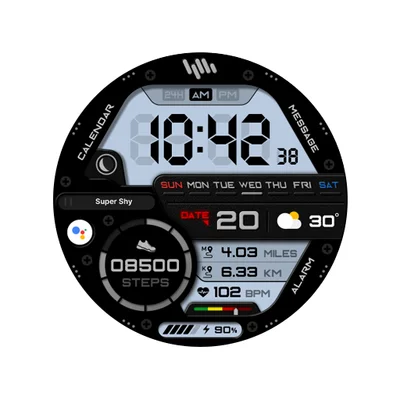
SamWatch Digitales Zifferblatt für Wear OS und Galaxy Watch.
SamWatch Digital Watch Face | Premium-Design für Wear OS
WICHTIGER HINWEIS
Dieses Zifferblatt wird nur von One UI 6.0 oder höher unterstützt.
Diese App ist ausschließlich für Smartwatches konzipiert. Nutzer ohne kompatible Smartwatch können das Zifferblatt nach dem Kauf nicht mehr nutzen.
ZIFFERNBLATTFUNKTIONEN
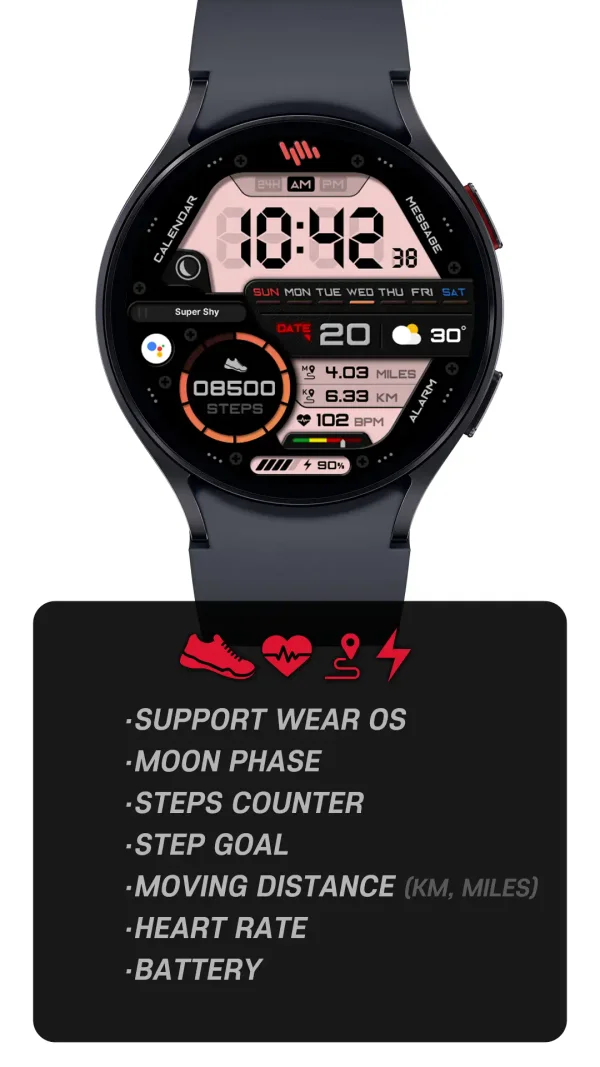
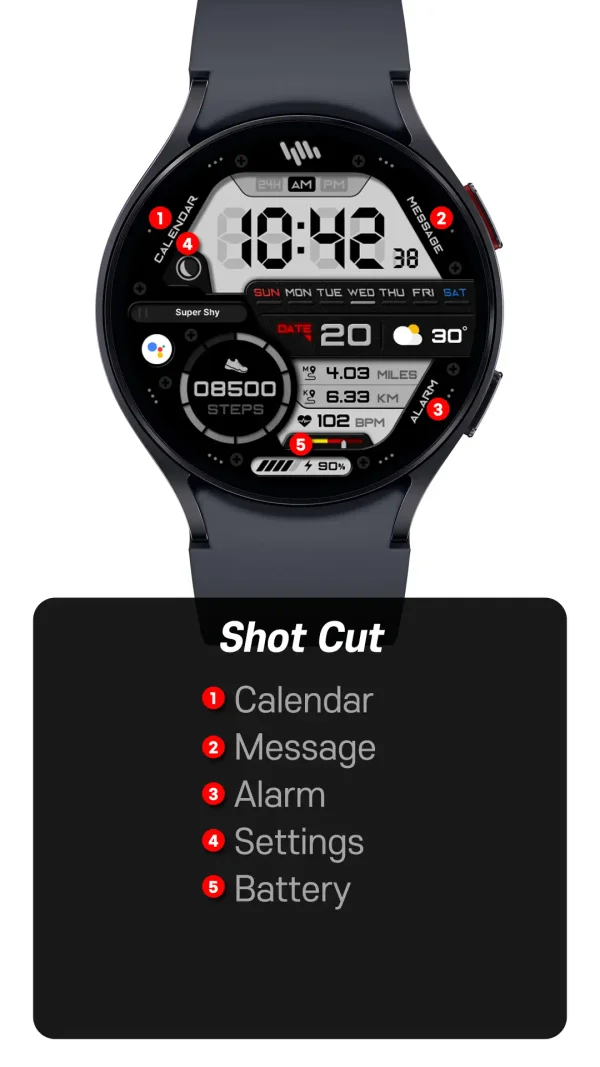
• Hochwertiges digitales Design – Elegante Benutzeroberfläche mit traditionellen und modernen Elementen
• Mondphasenanzeige – Verfolgen Sie Mondzyklen mit präziser Mondphasenvisualisierung
• Schrittzähler – Überwachen Sie Ihr tägliches Aktivitätsniveau
• Zielfortschritt – Verfolgen Sie Ihren Fortschritt in Richtung Ihrer täglichen Schrittziele
• Distanzmessung – Zeigen Sie Ihre Bewegung in Kilometern oder Meilen an
• Herzfrequenzmesser – Zeigen Sie die von Ihrer Uhr gemessenen Herzfrequenzdaten an
• Batteriestatus – Behalten Sie den Batteriestand Ihrer Uhr im Auge
• Wetterinformationen – Bleiben Sie über die aktuellen Wetterbedingungen auf dem Laufenden
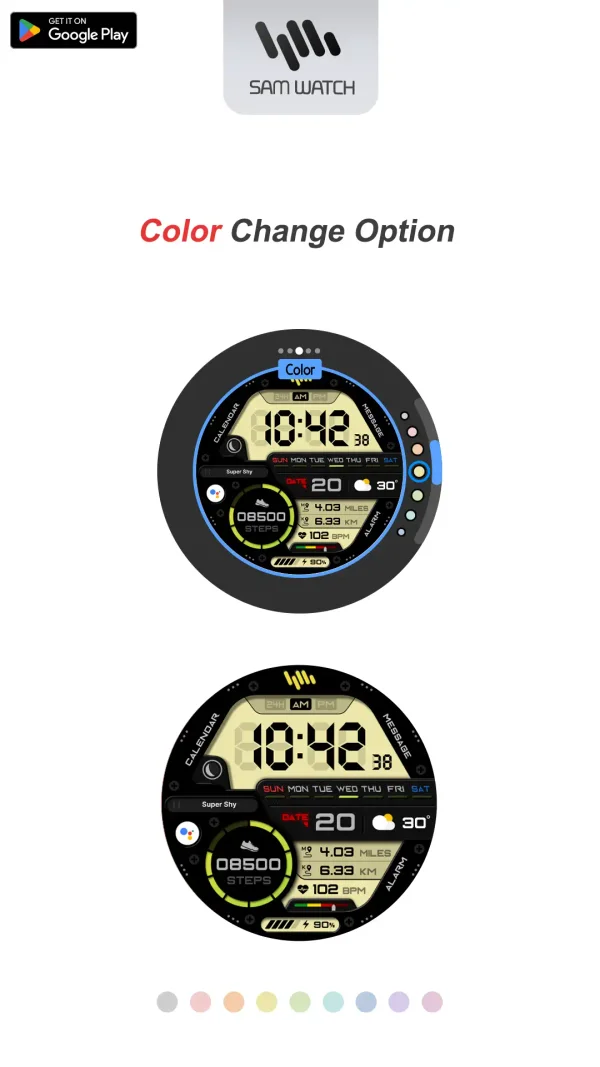
• Anpassbare Farben – Personalisieren Sie Ihr Zifferblatt mit verschiedenen Farboptionen
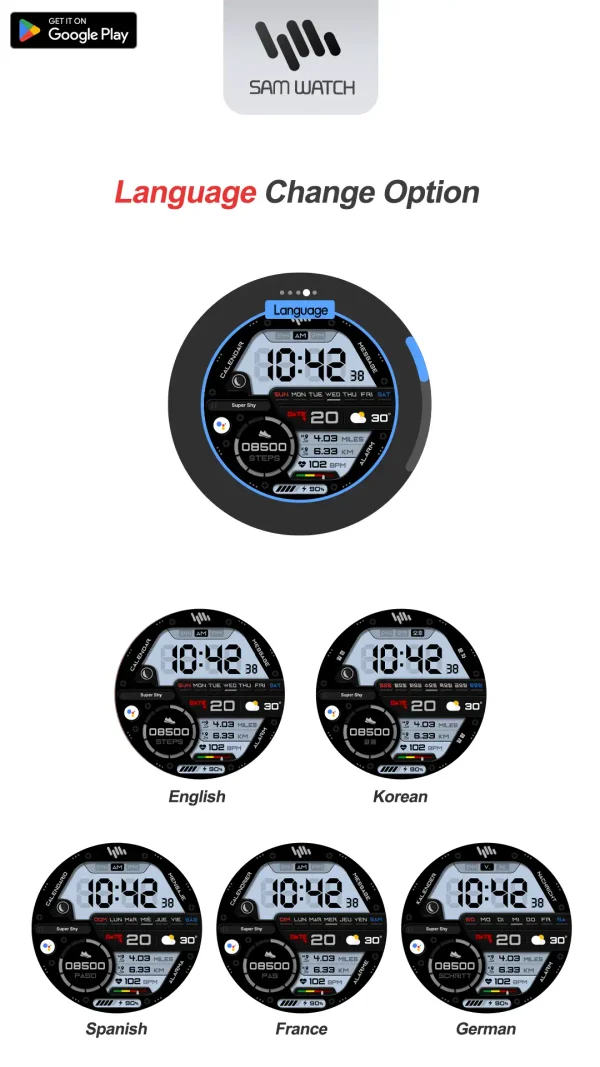
• Mehrere Sprachen – Unterstützung für Englisch, Koreanisch, Spanisch, Französisch und Deutsch
SAMWATCH-INSTALLATIONSHANDBUCH
Die Apps des „SamWatch-Installationshandbuchs“ sind Begleitanwendungen, die das Herunterladen von Zifferblättern auf Wear OS-Geräte erleichtern. Bitte beachten Sie, dass die Vorschau-Screenshots in der Anleitungs-App vom tatsächlich heruntergeladenen Zifferblatt abweichen können. Die meisten SamWatch-Produkte enthalten Smartphone-Begleit-Apps. Das „SamWatch-Installationshandbuch“ unterstützt lediglich das Herunterladen von Wear OS-Anwendungen.
ZUSÄTZLICHE INFORMATIONEN
Dieser Artikel enthält zusätzliche Apps für Ihr Smartphone. Diese bieten:
• Zugriff auf die offizielle Samtree-Website
• Detaillierte Anleitungen zur Installation von Zifferblättern
• Fehlerbehebung, falls das Zifferblatt nicht auf Ihrer Uhr installiert werden kann
HINWEISE ZUR NUTZUNG
• Je nach Gerät kann im Anpassungsmodus eine OK-Schaltfläche angezeigt werden.
• Die Herzfrequenzinformationen stellen die von der Herzfrequenz-App auf Ihrer Uhr gemessenen Daten dar.
• Unterstützte Sprachen erkennen Sie am Markennamen von SamWatch.
• Dieses Zifferblatt gehört zur SamWatch Digital Collection.
COMMUNITY & SUPPORT
Kontaktieren Sie uns über unsere offiziellen Kanäle:
• Offizielle Website: https://isamtree.com
• X: https://x.com/samtree_watch
• Galaxy Watch Community: http://cafe.naver.com/facebot
• Facebook: www.facebook.com/SamtreePage
• Telegram: https://t.me/SamWatch_SamTheme
• YouTube: https://www.youtube.com/channel/UCobv0SerfG6C5flEngr_Jow
• Blog: https://samtreehome.blogspot.com/
• Koreanischer Blog: https://samtree.tistory.com/
Originaltext anzeigen
SamWatch Digital Watch Face | Premium Design for Wear OS
IMPORTANT NOTICE
This watch face is supported only on One UI 6.0 or above.
This app is designed exclusively for smartwatches. Users without a compatible smartwatch will not be able to use the watch face after purchase.
WATCH FACE FEATURES
• Premium Digital Design - Elegant interface combining traditional and modern elements
• Moon Phase Display - Track lunar cycles with accurate moon phase visualization
• Step Counter - Monitor your daily activity levels
• Goal Progress - Track your progress toward daily step goals
• Distance Tracking - View your movement in kilometers or miles
• Heart Rate Monitor - Display heart rate data measured by your watch
• Battery Status - Keep track of your watch's battery level
• Weather Information - Stay updated with current weather conditions
• Customizable Colors - Personalize your watch face with various color options
• Multiple Languages - Support for English, Korean, Spanish, French, and German
SAMWATCH INSTALL GUIDE
The 'SamWatch Install Guide' apps are companion applications that facilitate downloading watch faces on Wear OS devices. Please note that the preview screenshots in the guide app may differ from the actual downloaded watch face. Most SamWatch products include smartphone companion apps, and the 'SamWatch Install Guide' only assists in downloading Wear OS applications.
ADDITIONAL INFORMATION
This item includes additional applications for your smartphone that provide:
• Access to Samtree's official website
• Detailed instructions for installing watch faces
• Troubleshooting solutions if the watch face fails to install on your watch
USAGE NOTES
• Depending on your device, an OK button may appear in customize mode
• Heart rate information represents data measured by the heart rate app on your watch
• You can identify supported languages by the SamWatch brand name
• This watch face belongs to the SamWatch Digital collection
COMMUNITY & SUPPORT
Connect with us through our official channels:
• Official Website: https://isamtree.com
• X: https://x.com/samtree_watch
• Galaxy Watch Community: http://cafe.naver.com/facebot
• Facebook: www.facebook.com/SamtreePage
• Telegram: https://t.me/SamWatch_SamTheme
• YouTube: https://www.youtube.com/channel/UCobv0SerfG6C5flEngr_Jow
• Blog: https://samtreehome.blogspot.com/
• Korean Blog: https://samtree.tistory.com/
Datensicherheit
Was Samtree bei Google Play zu den Daten angibt, die diese App erfasst und weitergibt.
- Keine Daten werden mit Drittunternehmen oder -organisationen geteiltWeitere Informationen dazu, wie Entwickler Angaben zur Weitergabe von Daten machen
- Keine Daten erhobenWeitere Informationen dazu, wie Entwickler Angaben zur Datenerhebung machen
Kontakt zum Entwickler
- Websiteisamtree.com
- E-Mailhelp@isamtree.com
- Datenschutzerklärungisamtree.com
- AdresseRm 1310 201 Daegudae-ro, Jillyang-eup 경산시, 경상북도 38453 South Korea
Informationen
- Angeboten von
- Samtree
- Kategorie
- Personalisierung
- Aktualisiert
- 18.08.2026
- Veröffentlicht
- 12.09.2023
- Altersfreigabe
- USK ab 0 Jahren
- Preis
- 2,09 €
- Paketname
- com.watchfacestudio.samwatch_digital_1