Simple Black Watch Face
znwatches- USK ab 0 JahrenAltersfreigabe
- PersonalisierungKategorie
- 06.08.2026Aktualisiert
- 3,09 €Preis
Verlinkt auf den offiziellen Google Play-Eintrag von com.znwatchfaces.simpleblackwatchface. Zuletzt geprüft am 15.11.2026.

Screenshots
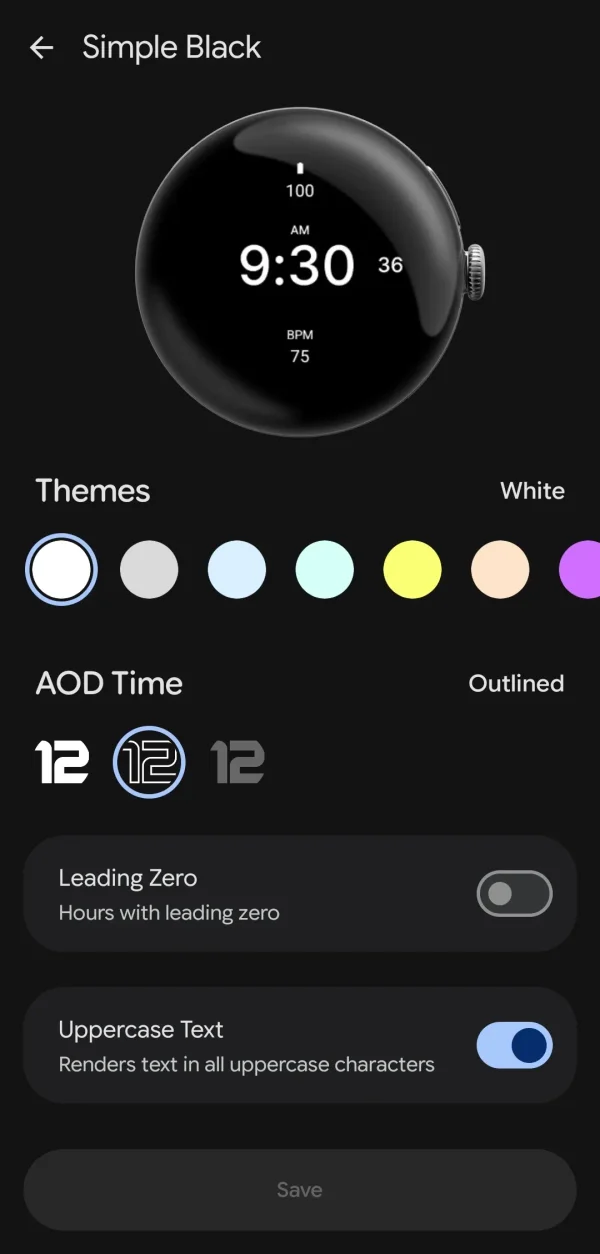
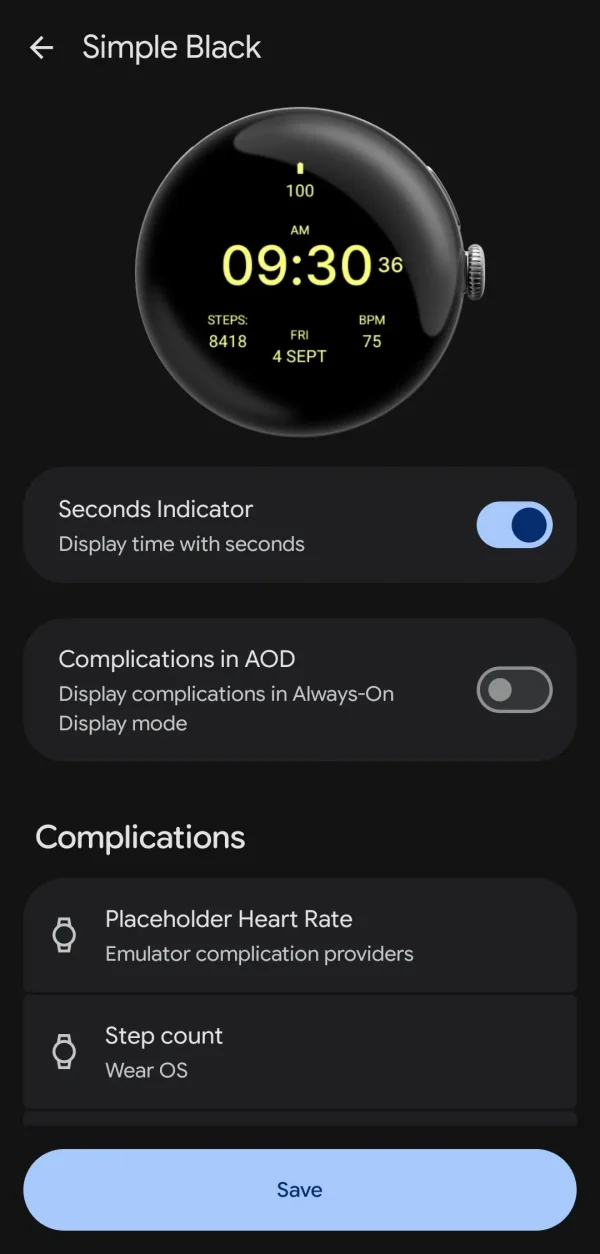


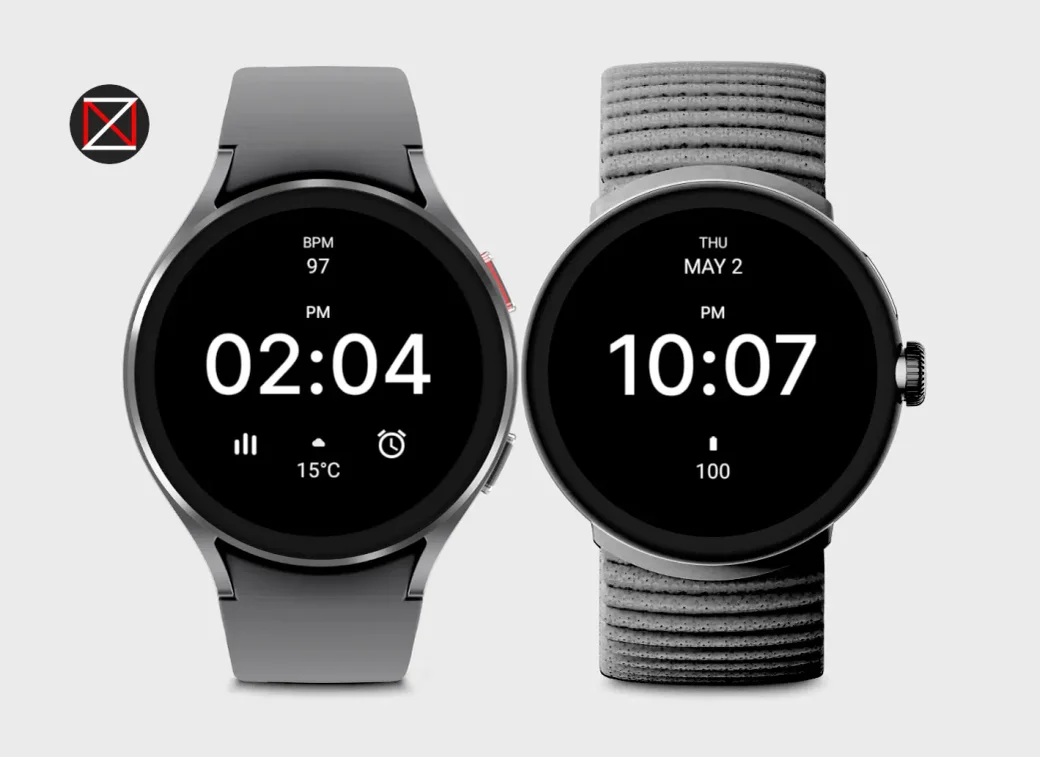
Über diese App
Automatische Übersetzung von Google. Originalsprache: Englisch (Vereinigte Staaten).
Einfaches schwarzes Zifferblatt für Wear OS
Erleben Sie das elegante, übersichtliche Zifferblatt „Simple Black“ für Ihre Wear OS-Smartwatch. Passen Sie Komplikationen individuell an, um Schritte, Herzfrequenz oder Wetter mühelos zu erfassen.
FUNKTIONEN VON SIMPLE BLACK:
- Gut lesbare digitale Zeitanzeige
- Anpassbare Komplikationen*
- Anpassbare App-Verknüpfungen
- Mehrere Farboptionen
- Hohe Auflösung
- 12-/24-Stunden-Modus (abhängig von den Geräteeinstellungen)
- Sekundenanzeige ein-/ausblenden
- AM/PM-Markierung
- Datum
- Akkuinformationen
- 3 Always-On-Display-Modi (Vollbild, Umrandet, Abgedunkelt)
- Entwickelt für Wear OS-Geräte mit dem Zifferblattformat
ANPASSBARE KOMPLIKATIONEN:
- Kurztext-Komplikation (Schrittzähler, Herzfrequenz, Wetter und mehr)
Monochrom-Bild-Komplikation/Kleinbild-Komplikation (App-Verknüpfungen)
INSTALLATION:
- Verbinden Sie Ihre Smartwatch mit Ihrem Smartphone.
- Wählen Sie in der Play Store-App Ihre Smartwatch aus dem Dropdown-Menü aus. Tippen Sie anschließend auf „Installieren“.
Nach wenigen Minuten wird das Zifferblatt auf Ihrer Smartwatch installiert.
Alternativ können Sie es direkt über den Play Store auf Ihrer Smartwatch oder im mobilen Browser installieren. Suchen Sie dazu einfach nach „Simple Black watch face“ (in Anführungszeichen).
* Die verfügbaren Komplikationen hängen von Ihren installierten Apps und der Software Ihres Smartwatch-Herstellers ab.
Originaltext anzeigen
Experience Simple Black watch face for a sleek, distraction-free look on your Wear OS watch. Customize complications to track steps, heart rate, or weather effortlessly.
SIMPLE BLACK FEATURES:
- Easy to read digital time display
- Customizable complications *
- Customizable app shortcut
- Multiple color options
- High resolution
- 12/24 hours mode based on device settings
- Show/hide seconds indicator
- AM/PM marker
- Date
- Battery information
- 3x Always-On Display styles (Solid, outlined, dimmed)
- Designed for Wear OS device with Watch Face Format
CUSTOMIZABLE COMPLICATIONS:
- SHORT_TEXT complication (Step count, heart rate, weather, and more)
- MONOCHROMATIC_IMAGE/SMALL_IMAGE complication (App shortcuts)
INSTALLATION:
- Connect your watch device to the phone
- On the Play Store app, select your watch device from the install drop-down button. Then tap install.
- After a few minutes the watch face will be installed on your watch device
- You can also install directly to watch device via on-watch Play Store or mobile browser Play Store using search function with "Simple Black watch face" keyword between quotation mark.
* Customizable complications data depends on your installed applications and watch manufacturer software.
Datensicherheit
Was znwatches bei Google Play zu den Daten angibt, die diese App erfasst und weitergibt.
- Keine Daten werden mit Drittunternehmen oder -organisationen geteiltWeitere Informationen dazu, wie Entwickler Angaben zur Weitergabe von Daten machen
- Keine Daten erhobenWeitere Informationen dazu, wie Entwickler Angaben zur Datenerhebung machen
Kontakt zum Entwickler
- E-Mailznwatches@gmail.com
- Datenschutzerklärungsites.google.com
- AdresseJl. Melon No 21 RT/RW 003/004 Perbon Kecamatan Tuban Tuban Jawa Timur 62310 Indonesia
Informationen
- Angeboten von
- ZN Watch Faces
- Kategorie
- Personalisierung
- Aktualisiert
- 06.08.2026
- Veröffentlicht
- 10.09.2021
- Altersfreigabe
- USK ab 0 Jahren
- Preis
- 3,09 €
- Paketname
- com.znwatchfaces.simpleblackwatchface