- Altersfreigabe4+
- KategorieGesundheit und Fitness
- Entwickleryohei yamashita
- SprachenJapanisch+ 2 weitere
- Größe39,9 MB
Verlinkt auf die offizielle App Store-Seite
Download.org hostet keine Datei von 10-Year Weight. Die Schaltfläche öffnet die App-Seite bei App Store, wo yohei yamashita die App veröffentlicht. Eintrag zuletzt geprüft am 23.11.2026.
Screenshots



Info
Der Entwickler hat diesen Text nicht in Ihrer Sprache bereitgestellt.
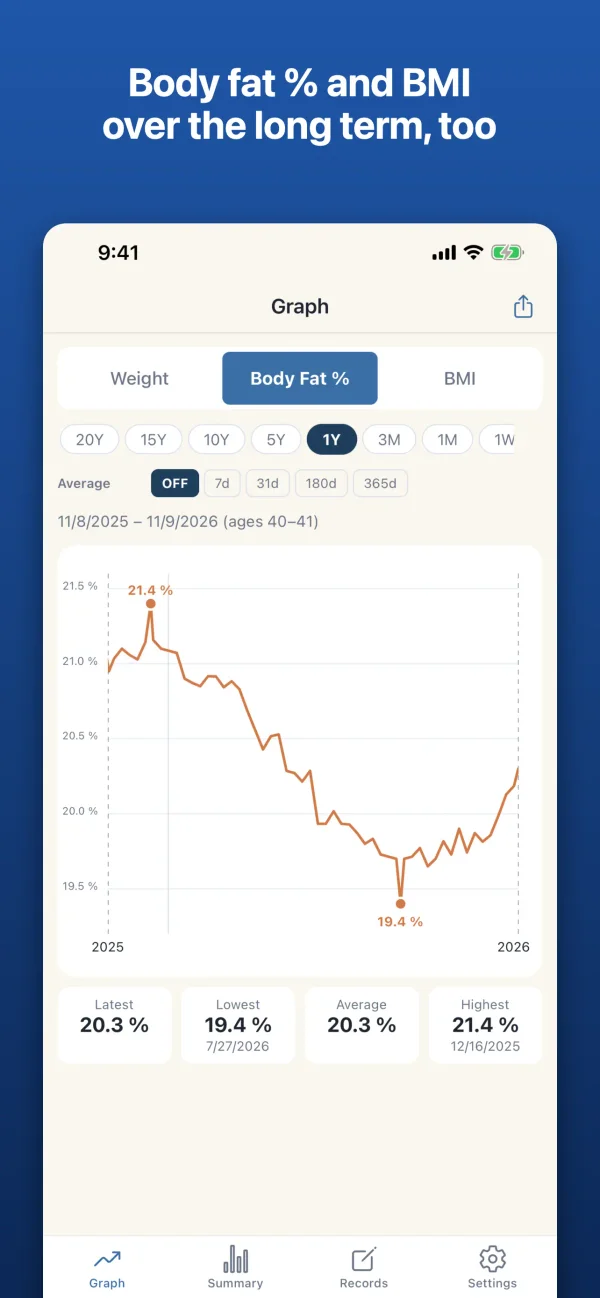
10-Year Weight lets you look back on your weight, body fat percentage, and BMI in graphs that span long periods such as 10 or 20 years. It reads your records from Apple Health (HealthKit), and you can add older records that aren't in Health by hand.
[Features]
■ Built for the long term
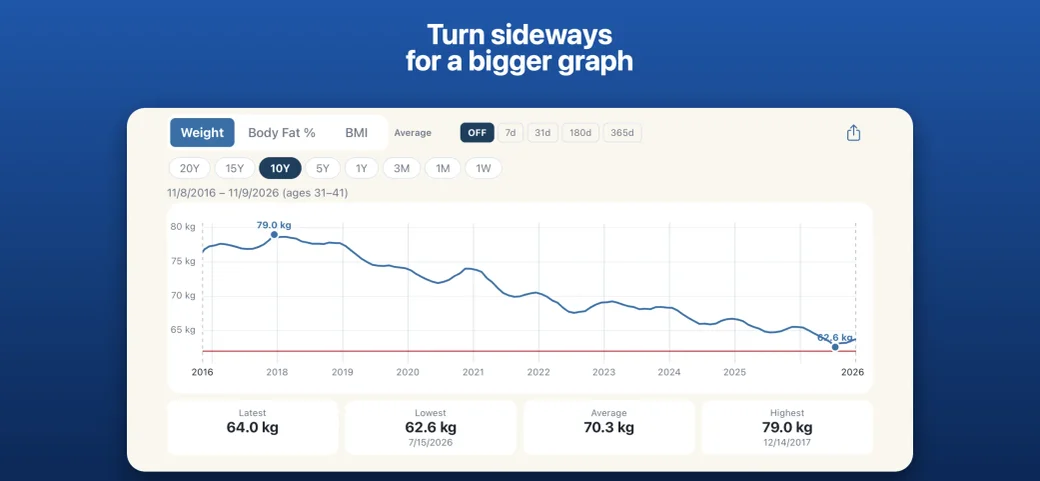
Beyond 1 month, 3 months, and 1 year, you can view 5, 10, 15, 20, and up to 50 years. The period options adjust to how much history you have, so years of data in Apple Health can be reviewed at a glance.
■ Explore the graph
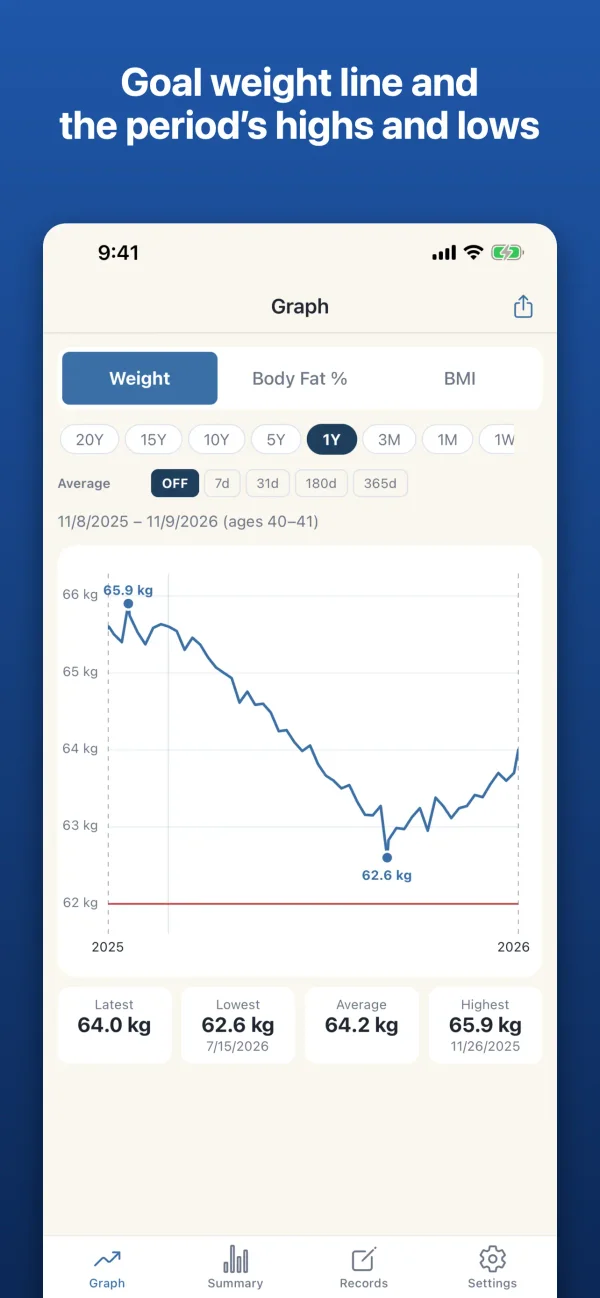
Swipe the graph left or right to go back to earlier periods, and tap "Latest" to return to the current one. The highest and lowest values in the period are marked. When points are shown (1W or 1M, or with averaging on), tap a point to see its value.
■ Average mode
Switch between 7-, 31-, 180-, and 365-day averages to graph only the long-term trend, without the day-to-day ups and downs.
■ Target weight line
Set a target weight and it appears as a red line on the graph, so you can see your long-term progress.
■ Summary
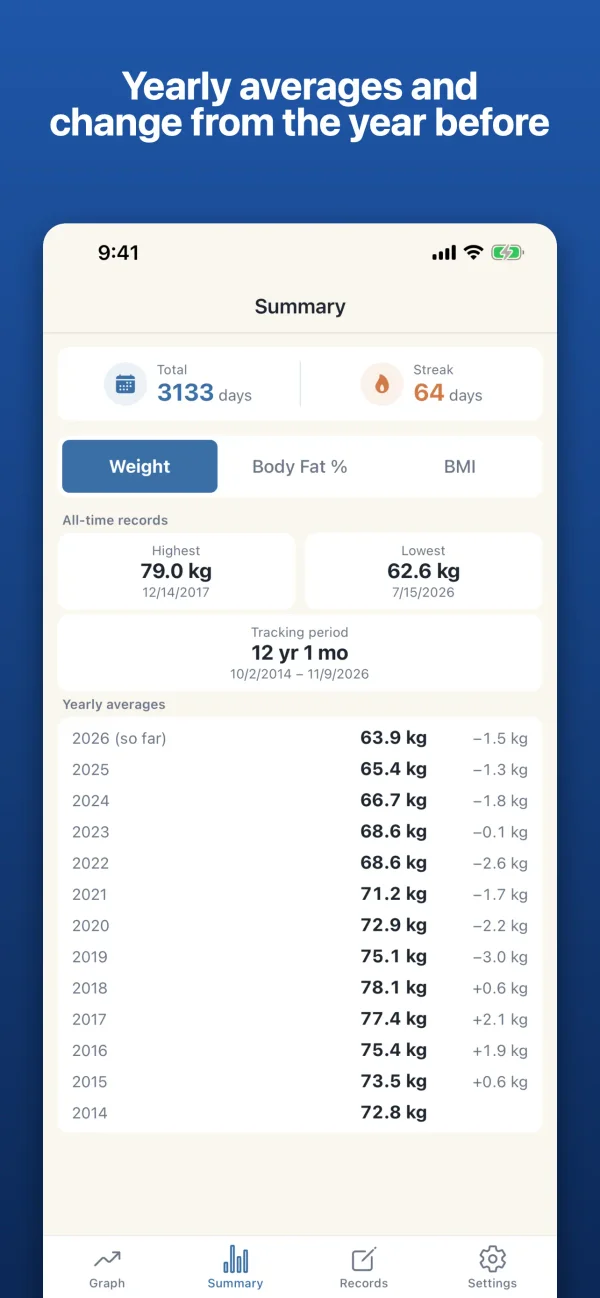
The Summary tab shows your total and streak of recorded days, and for each metric the all-time highest and lowest values, your tracking period (for example, 12 years 1 month), and yearly averages with the change from the year before.
■ Your age
Set your birth date and the graph shows your age for the period next to its dates. Your birth date is stored only on your iPhone and is never sent anywhere.
■ Share the graph as an image
Turn the period, graph, and latest, lowest, average, and highest values you're viewing into one image and send it from the share sheet.
■ Line style and daily value
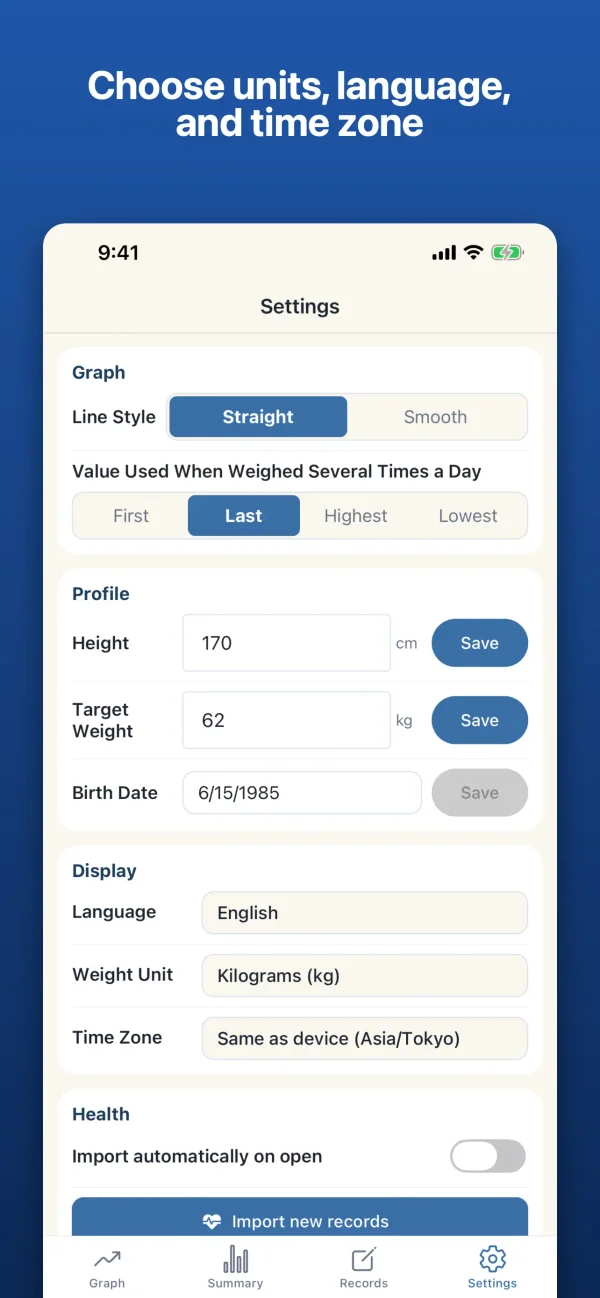
Choose a Straight or Smooth line. For days when you weighed yourself several times, choose whether to use the First, Last, Highest, or Lowest value.
■ Landscape support
Turn your iPhone sideways to hide the title bar and tabs and show the graph across the full width.
■ Apple Health integration (read-only)
Reads weight, body fat percentage, BMI, and height from HealthKit, keeps a local copy, and shows it as graphs. The app never writes to Health. It supports syncing only new records and resyncing everything, so older records (such as from the 2010s) are included too. You can also import the file exported from the Health app (export.xml).
■ kg, lb, or st
View and enter weight in kilograms, pounds, or stones. By default, it follows the unit set in the Health app, or your region if Health is not connected.
■ Manual entry
Enter past records you never saved to Health (such as values from paper notes) by hand in the Records tab. Manual records are kept through Health resyncs, and you can delete them all at once in the Records tab.
■ Fully offline
All data stays on your iPhone. Nothing is sent to external servers, and there is no analytics or advertising. The developer does not collect any of your data, including records such as your weight and your birth date.
[Recommended for]
- People who love graphs
- People who have recorded their weight in Apple Health for years
- People who want to see weight trends over several years to decades
- People who value a long-term view for dieting or health management
- People who do not want to send personal data to the cloud
[Requirements]
- iOS 16.0 or later
- iPhone only
[Disclaimer]
The numbers shown in this app are not medical advice or a diagnosis. Please consult a doctor or specialist about your health.
Neue Funktionen
Version 1.0.15 · 21.11.2026
• In Summary, you can now collapse "On this day", "Yearly averages", and "Monthly averages" by tapping their headings.
• "On this day" now shows today's value at the top.
• In "On this day", "Yearly averages", and "Monthly averages", the highest value is now shown in red and the lowest in blue.
App-Datenschutz
Was yohei yamashita im App Store zum Umgang dieser App mit Daten angibt.
-
Keine Daten erfasst
Der Entwickler erfasst keine Daten von dieser App.
Die Datenschutzpraktiken können variieren, zum Beispiel je nach den von Ihnen verwendeten Funktionen oder Ihrem Alter.
Informationen
- Anbieter
- yohei yamashita
- Kategorie
- Gesundheit und Fitness
- Version
- 1.0.15
- Aktualisiert
- 21.11.2026
- Veröffentlicht
- 07.05.2026
- Größe
- 39,9 MB
- Erfordert
- iOS 16.0 oder neuer
- Altersfreigabe
- 4+
- Preis
- Kostenlos
- Sprachen
- Japanisch, Tradit. Chinesisch, Englisch
- Copyright
- © 2026 yowl.dev
Das könnte Ihnen auch gefallen
-
 Fitona - Simple Weight TrackerGesundheit und Fitness
-
 かるっと体重 − 体重・体脂肪・BMI記録Gesundheit und Fitness
-
 Daily Average WeightGesundheit und Fitness
-
 Nokome DietGesundheit und Fitness
-
 らくしょく:写真でゆるく続く食事記録ダイエットGesundheit und Fitness
-
 NyanGram: Cat Weight DiaryGesundheit und Fitness
-
 体重管理・体重記録 シンプルなダイエット日記Gesundheit und Fitness
-
 はかレポ|体調管理・記録グラフGesundheit und Fitness
-
 Calorie Counter: TanoshimiGesundheit und Fitness
-
 Simple Weight Tracker:SlimLogGesundheit und Fitness