3D Mockup Generator
App Preview & Promo Showcase
Entwickelt für iPhone, iPad
Kostenlos · In-App-Käufe
- Altersfreigabe4+
- KategorieEntwickler-Tools
- Entwicklerjiawei mai
- SprachenEnglisch+ 4 weitere
- Größe28,7 MB
Verlinkt auf die offizielle App Store-Seite
Download.org hostet keine Datei von 3D Mockup Generator. Die Schaltfläche öffnet die App-Seite bei App Store, wo jiawei mai die App veröffentlicht. Eintrag zuletzt geprüft am 17.11.2026.
Screenshots

Info
Der Entwickler hat diesen Text nicht in Ihrer Sprache bereitgestellt.
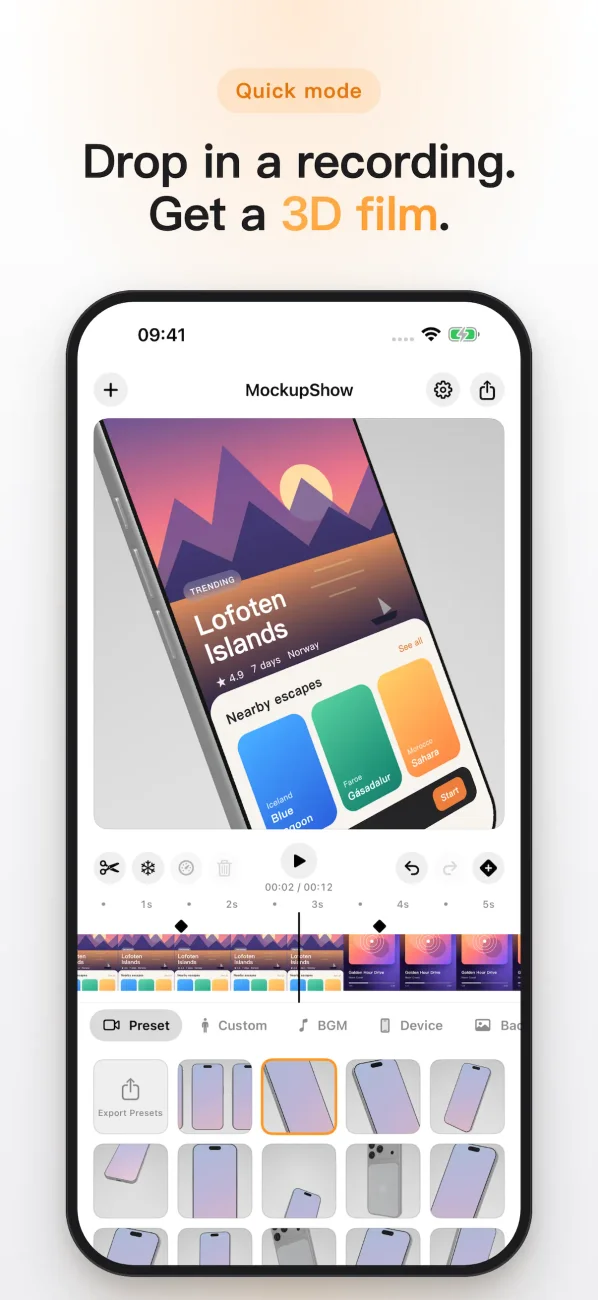
MockupShow turns your app screen recordings into polished 3D phone mockup videos — right on your iPhone.
Import a recording, pick a camera move, swap the backdrop, add music. In minutes you have a promo video, an App Store preview and screenshots ready to publish. No computer, no 3D software to learn.
REALISTIC 3D DEVICES
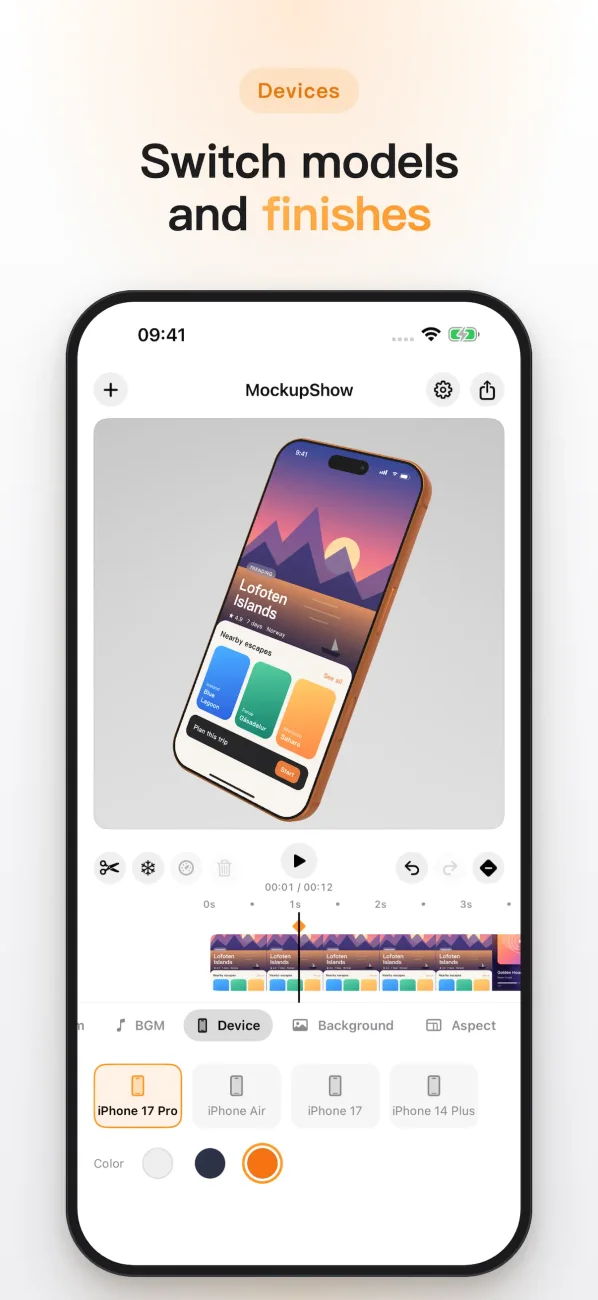
• Real-time 3D iPhone 17, iPhone 17 Pro and iPhone Air
• Multiple finishes with true-to-life materials and lighting
ONE-TAP CAMERA MOVES
• Quick mode: apply a preset move to the whole video and watch it loop instantly
• Save your own moves and reuse them anytime
KEYFRAMED POSES
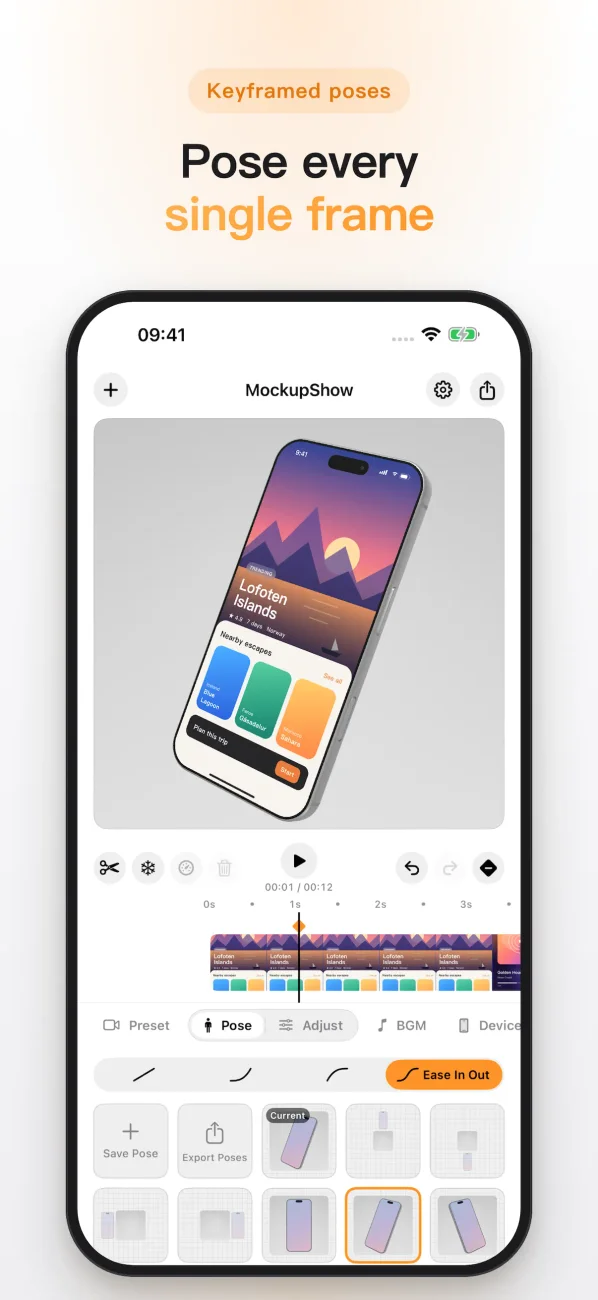
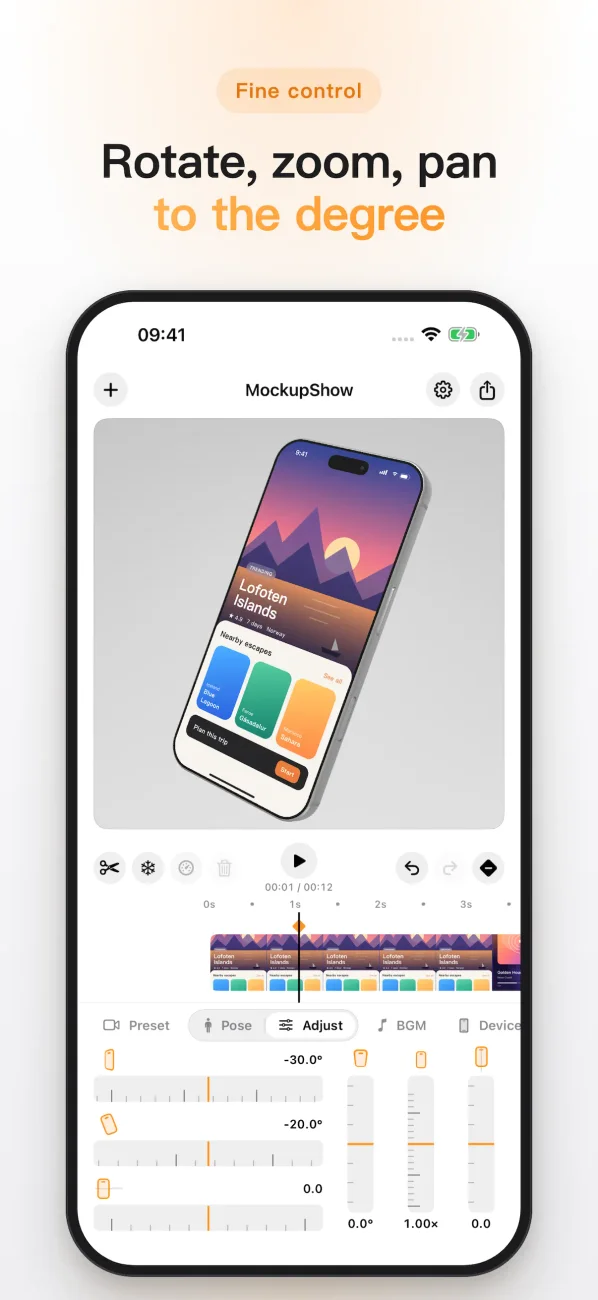
• Free mode: add keyframes on the timeline
• Fine-tune 3-axis rotation, zoom and pan
• Easing curves for silky transitions
• Save favourite poses as presets
EFFORTLESS EDITING
• Recordings, videos and images line up on one timeline
• Split, trim, change speed, freeze frames, drag to reorder
• Undo / redo, drafts saved automatically
BACKDROPS & MUSIC
• Curated backdrops from studio grey to sunset and night, or use any photo
• Import your own soundtrack and balance clip and music volume separately
ONE PROJECT, EVERY PLATFORM
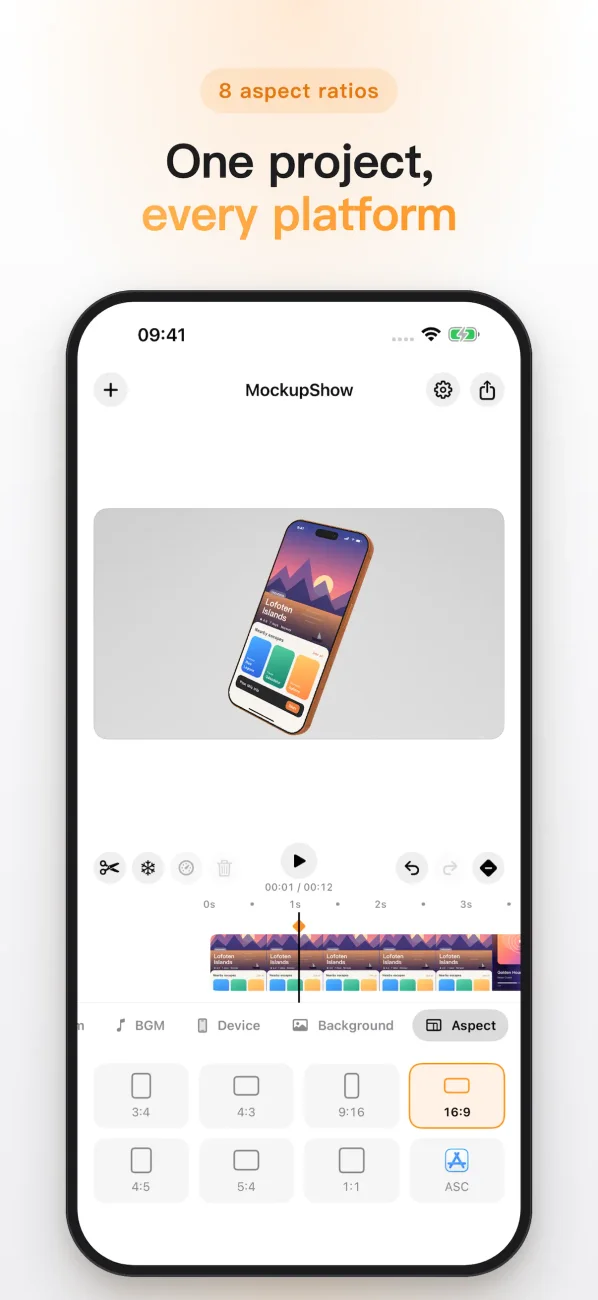
• Switch between 1:1, 4:5, 3:4, 9:16, 5:4, 4:3, 16:9 and App Store frames anytime
• The phone keeps its size; only the stage is cropped
• Export at 30 or 60 fps, up to 4K quality (short edge up to 2160)
• Export App Store previews (886 × 1920) and screenshots (1284 × 2778) directly
PRIVACY FIRST
• No account required
• Editing, rendering and exporting all happen on your device
• No personal data collected, no ads, no analytics SDKs
MOCKUPSHOW PRO
The free version includes full editing and export at 30 fps / 1080p, with a MockupShow watermark on the result.
Pro is a one-time purchase: no watermark in previews or exports, plus 60 fps and 2K / 4K quality (stills up to 3x). Not a subscription — it never renews. Restore anytime with the same Apple ID.
Privacy Policy: https://mockupshow.maijiawei.com/privacy.html?lang=en
Terms of Use: https://mockupshow.maijiawei.com/terms.html?lang=en
Feedback: maijiawei2020@gmail.com
Apple, iPhone and iPad are trademarks of Apple Inc. MockupShow is not affiliated with Apple Inc.
Neue Funktionen
Version 1.1.1 · 12.11.2026
What's New:
· 50 all-new built-in presets — entrances, reveals, screen showcases, slow drifts, angle changes, portrait/landscape turns and exits, ordered by how often you'll use them
· Add a preset anywhere on the timeline: it starts at the playhead and only replaces the keyframes in its range
· Presets are now linked by a line on the timeline; touching or overlapping presets merge into one, and picking a new preset on a preset's first keyframe replaces the whole group
· Keyframes you add inside a preset join it, and deleting any of its keyframes removes the whole preset
· Tapping a preset now previews it in place instead of playing the whole video
· In template mode only templates are shown — tap "Camera Moves" to go back
· Custom now remembers whether you were last in Pose or Adjust
· New drafts start at 1:1, with no camera move added and no autoplay
· With a single photo, applying a preset no longer changes how long it lasts
· Freeze Frame now sits before Speed
· Fixed: pausing during a preset preview started playback instead
App-Datenschutz
Was jiawei mai im App Store zum Umgang dieser App mit Daten angibt.
-
Keine Daten erfasst
Der Entwickler erfasst keine Daten von dieser App.
Die Datenschutzpraktiken können variieren, zum Beispiel je nach den von Ihnen verwendeten Funktionen oder Ihrem Alter.
Informationen
- Anbieter
- jiawei mai
- Kategorie
- Entwickler-Tools
- Version
- 1.1.1
- Aktualisiert
- 12.11.2026
- Veröffentlicht
- 02.11.2026
- Größe
- 28,7 MB
- Erfordert
- iOS 17.6 oder neuer
- Altersfreigabe
- 4+
- Preis
- Kostenlos
- In-App-Käufe
- Ja
- Sprachen
- Englisch, Japanisch, Koreanisch, Vereinf. Chinesisch, Tradit. Chinesisch
- Copyright
- © 2026 maijiawei
Das könnte Ihnen auch gefallen
-
 Frame Mockup ScreenEntwickler-Tools
-
 Motionary – Motion DictionaryEntwickler-Tools
-
 AgentAlarm: KI-Agenten-AlarmErinnerung & Countdown-Widget
-
 Screenshot Bro: Mockup MakerBildschirmfoto-Generator & ASO
-
 App PreviewsEntwickler-Tools
-
 PoseKit: Quick 3D MockupEntwickler-Tools
-
 Protato: 3D Mockup GeneratorEntwickler-Tools
-
 Codex Tracker: News & ResetsKI-Agenten: Nutzung & Limits
-
 Search Panel - Search ConsoleGoogle Search Console-Daten
-
 Screenly - Mockup ScreenshotsEntwickler-Tools