Accelerating Metronome
Tempo trainer & practice log
Entwickelt für iPhone
5,99 €
- Altersfreigabe4+
- KategorieMusik
- EntwicklerSteve Ball
- SprachenEnglisch
- Größe41,4 MB
Verlinkt auf die offizielle App Store-Seite
Download.org hostet keine Datei von Accelerating Metronome. Die Schaltfläche öffnet die App-Seite bei App Store, wo Steve Ball die App veröffentlicht. Eintrag zuletzt geprüft am 17.11.2026.
Screenshots

Info
Der Entwickler hat diesen Text nicht in Ihrer Sprache bereitgestellt.
Most metronomes only keep a tempo. This one accelerates gradually while you play, and remembers every minute you practice.
Accelerating Metronome is a practice instrument, made by a working musician in Seattle over forty years of daily practice. This is not what a product committee would have asked for. It is a cross between a Stairmaster and Duolingo. Designed to motivate you to keep going and growing in your practice.
ACCELERATOR
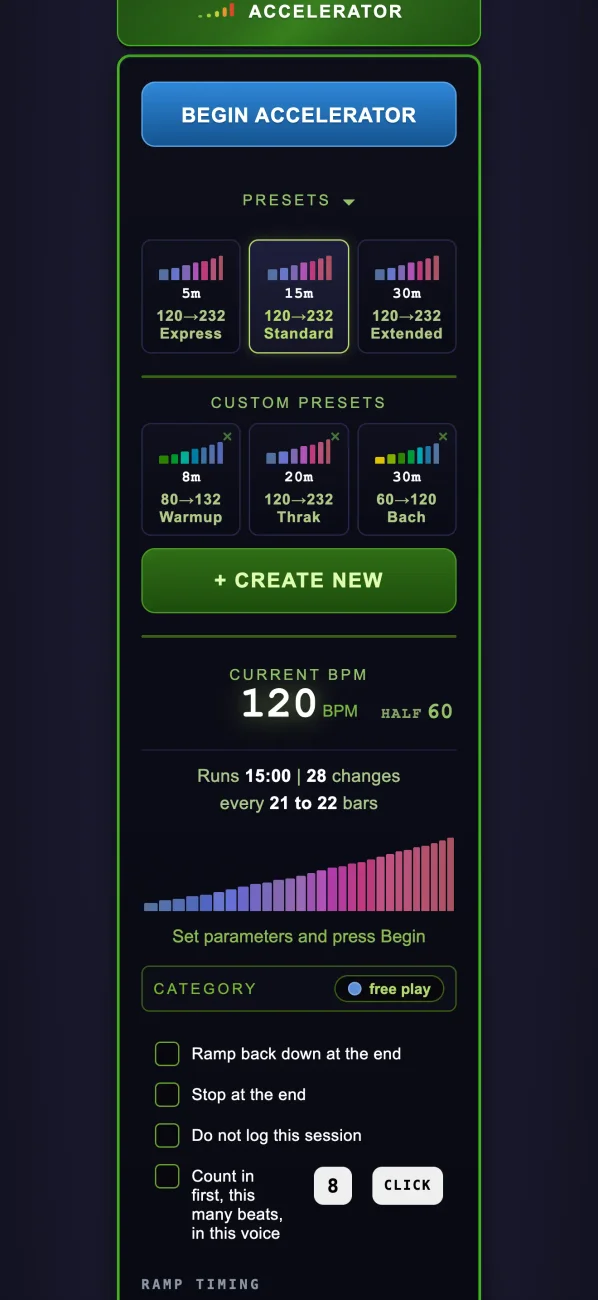
Choose a beginning tempo, a target, and how long you want to practice. It climbs the Ramp in steps, so you invest your time playing rather than reaching for the Dial. When it reaches the target it keeps going at that tempo, and extra time is counted separately as Play Time. Practice and playing are not the same thing. And are not counted as if they were. Save and name your own Custom Ramps.
PEAK SPEED
Mark the tempo where you hit a wall so you have a visual record of your limits. We graph your Peak Speed(s) so you can see your progress.
SPIN THE METRONOME
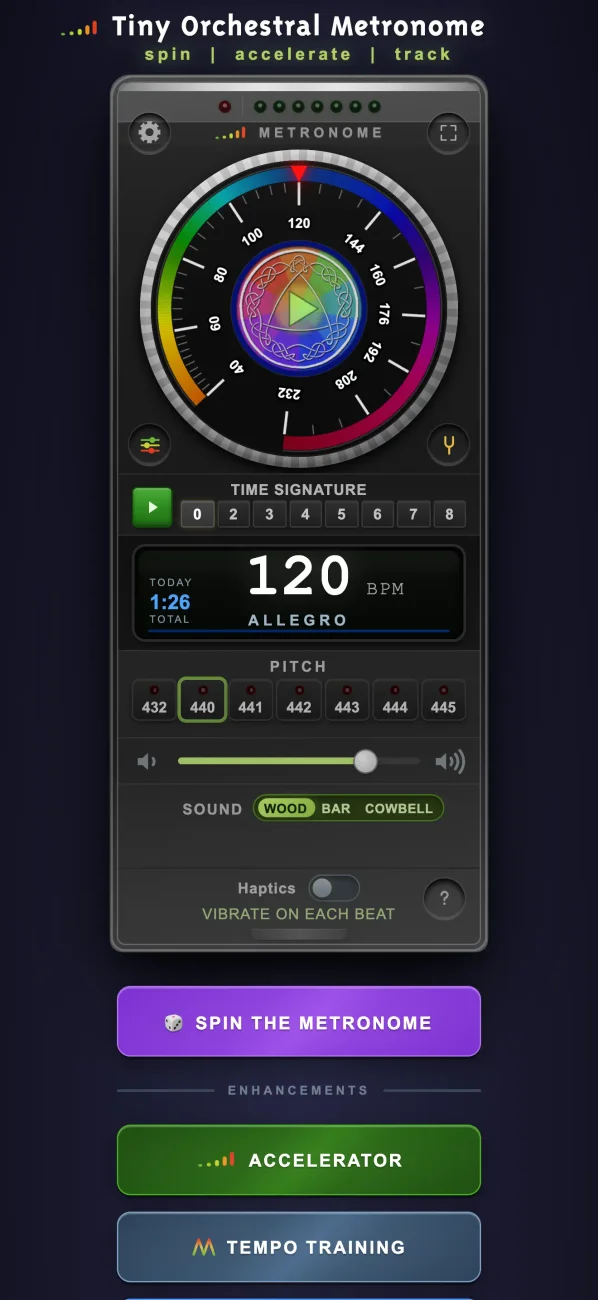
Press this and let the Universe choose a tempo for you. Practicing only at the tempos you like is how blind spots appear. And this is the cure. Spin the Metronome before a Group Rehearsal to bring everyone into listening and warming up together beginning with a cue from the Muse.
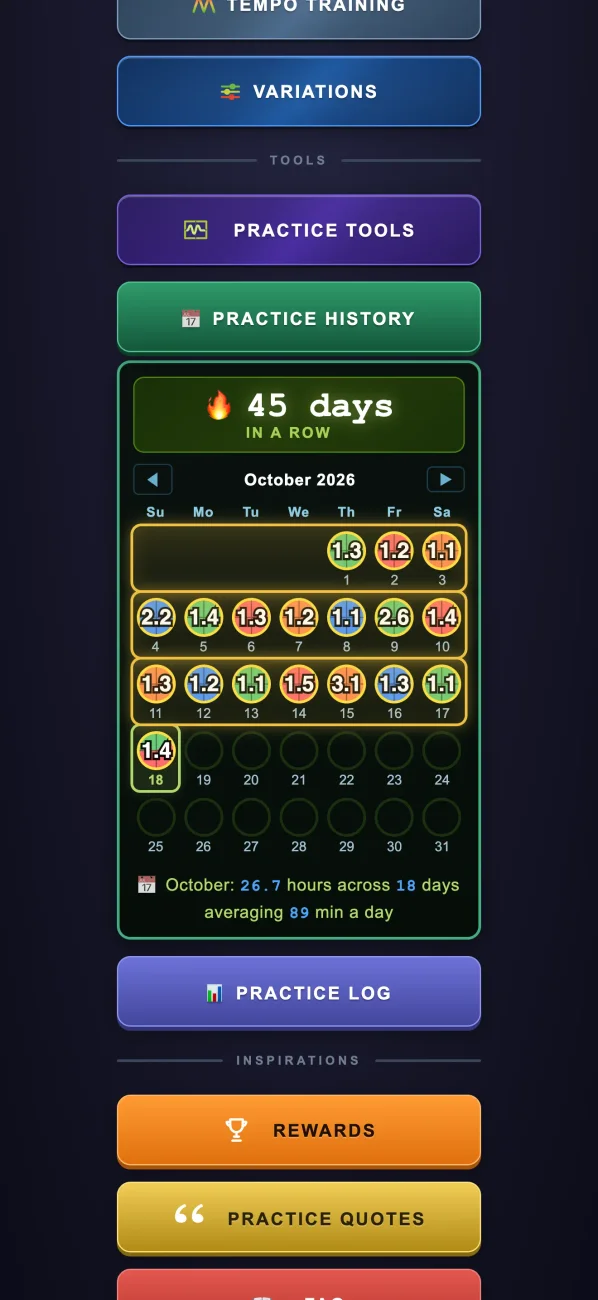
PRACTICE HISTORY: YOUR PRACTICE, VISUALIZED OVER TIME
Every session is documented: when, how long, which tempos, and what you were working on. Name your own Categories and each one has its own color. The Calendar shows a month at a glance, with Celebrations and Gold after you have completed a full hour of practice.
STREAKS + CELEBRATIONS
A Streak counts the days in a row you practiced. Momentum may motivate you to pick up the instrument on an evening you had decided not to. And practice more than an hour every day from Sunday to Saturday and the whole week is celebrated in Gold.
A ROCK SOLID METRONOME
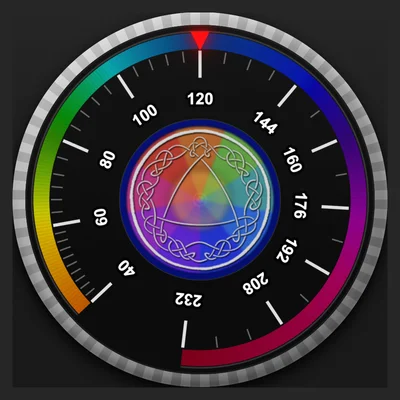
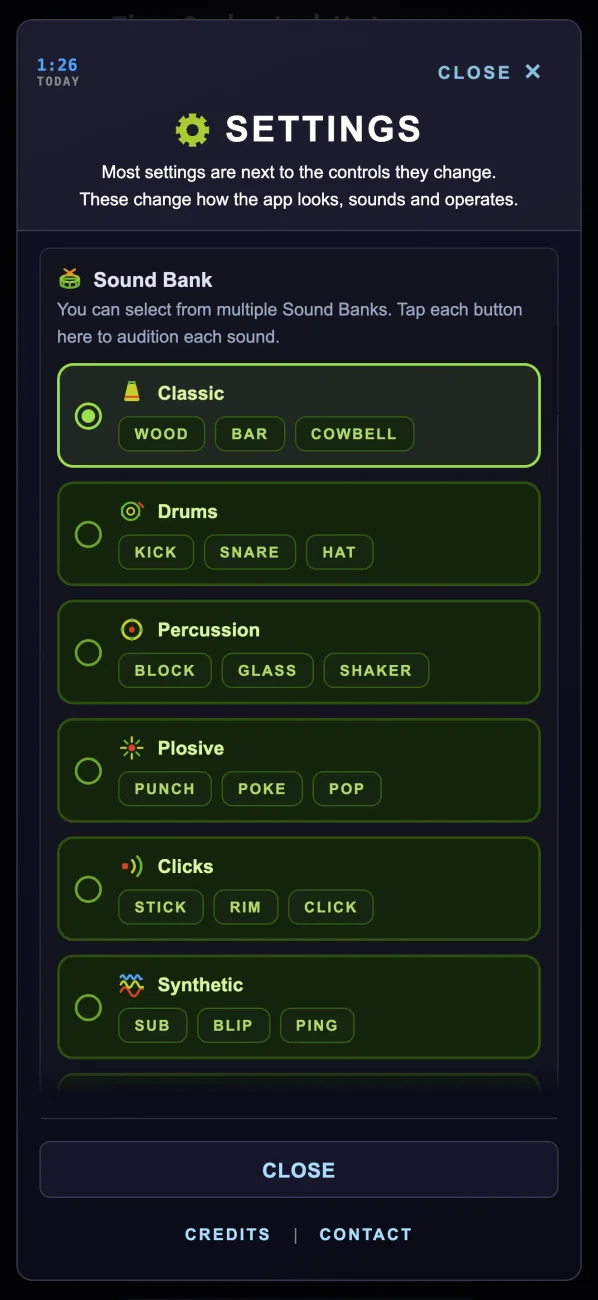
Tempo is set from a rotary dial you drag with your thumb, the way a hardware tempo wheel works. Three default voices with ten alt Sound Banks deliver a wide variety of sounds. Select a Time Signature, and the downbeat gets its own sound. An integrated Tuner and Tuning references from 432 to 445.
TAP TEMPO + TYPE TEMPO
Tap the BPM Window, and the tempo changes to what you tap. Press and hold to type in a tempo.
MIXING
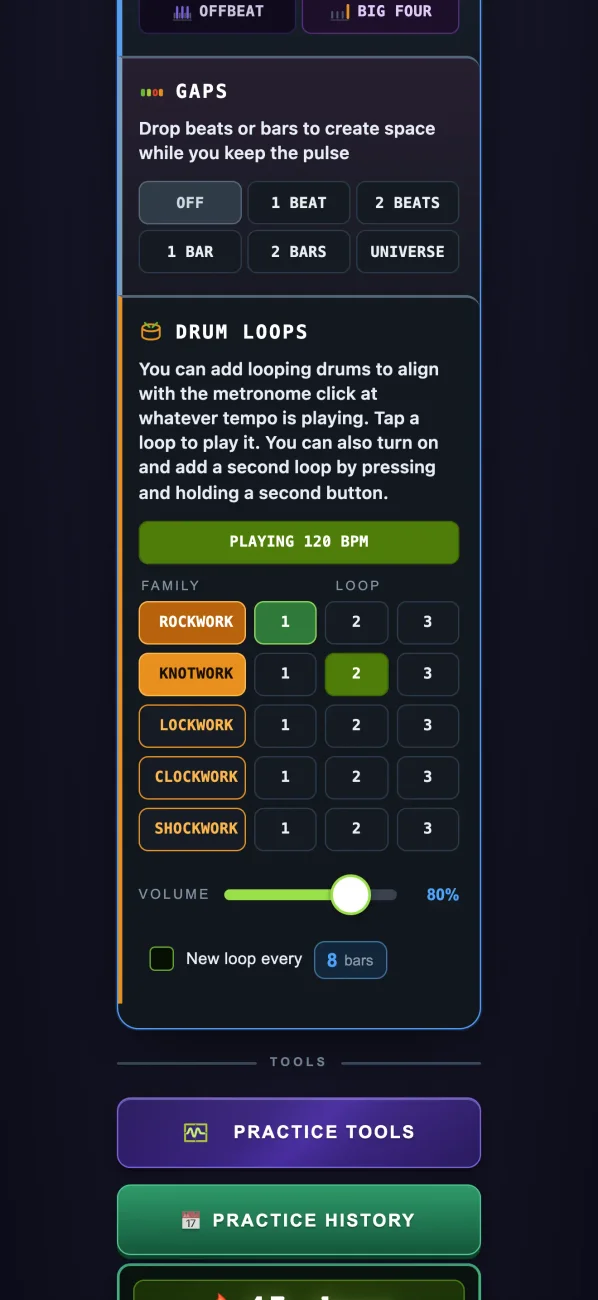
The click plays over (or under) your other app's sound, music, podcasts, or a backing track without interruption. The Metronome keeps going when you switch apps or the screen locks. Beats align with the audio hardware's clock rather than a timer, so nothing drifts while you are not looking. Optional Haptics let you feel the Beat, the screen stays awake while it plays, and a Loudness Booster doubles the click volume.
UNIQUE PRACTICE TOOLS
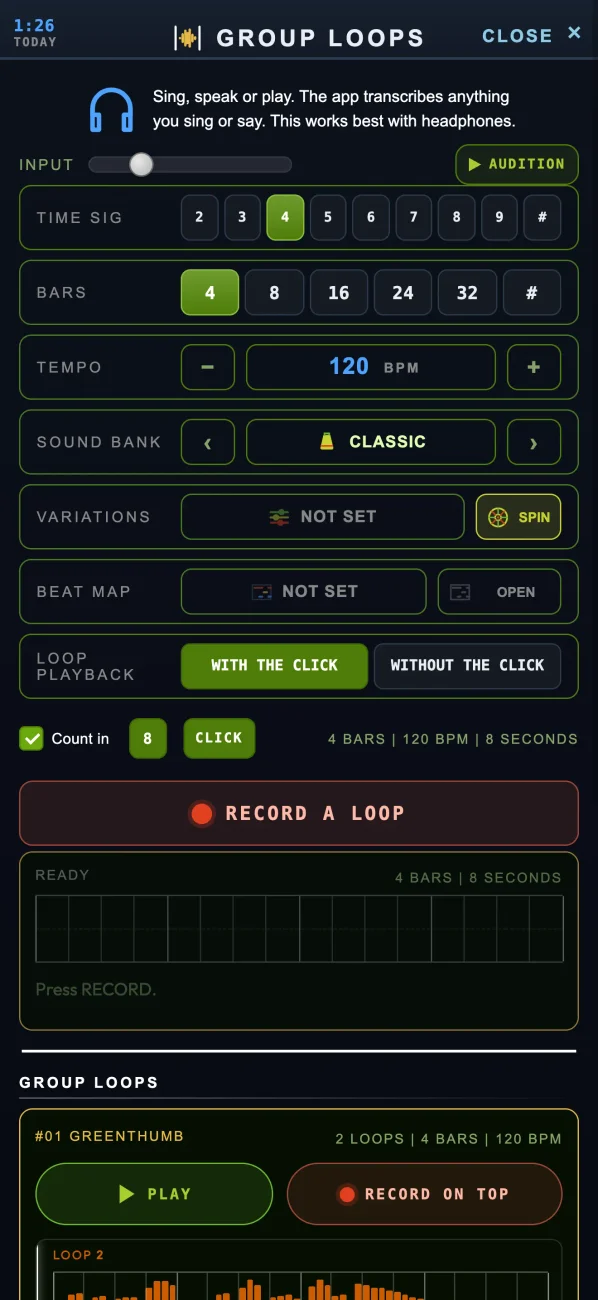
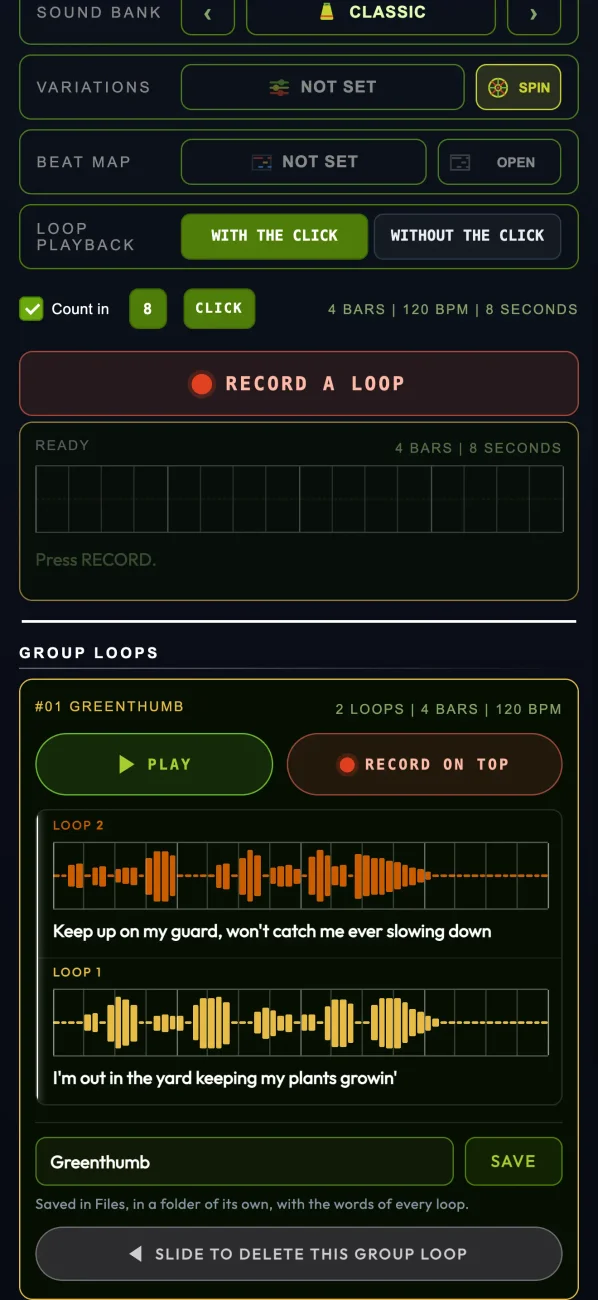
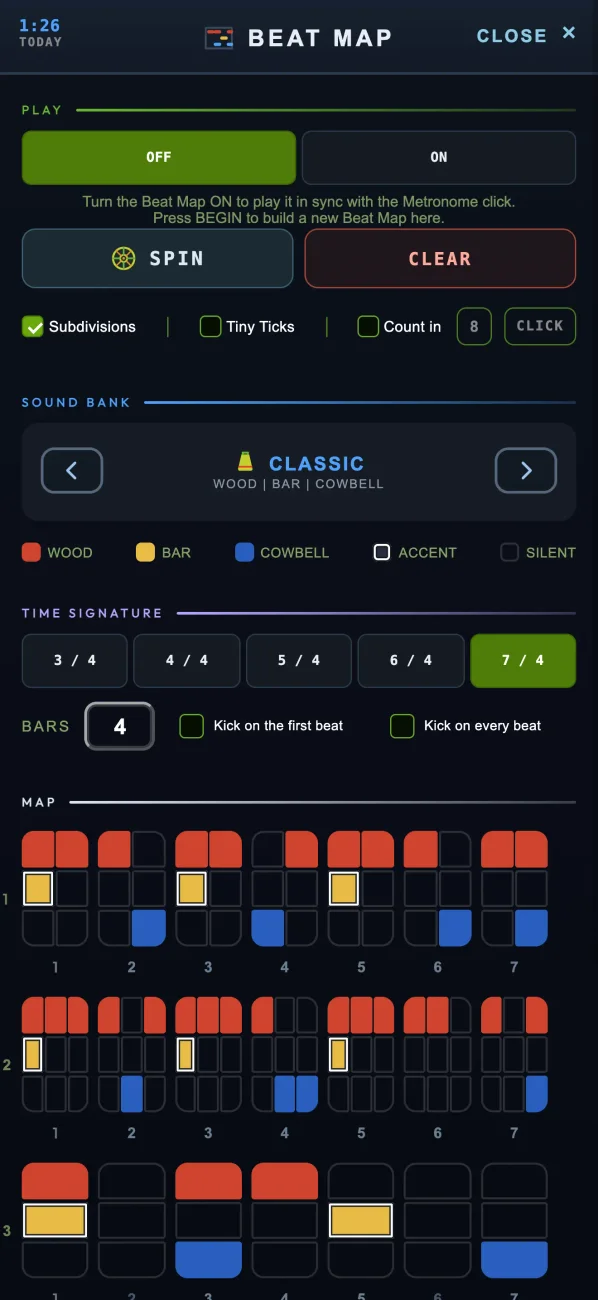
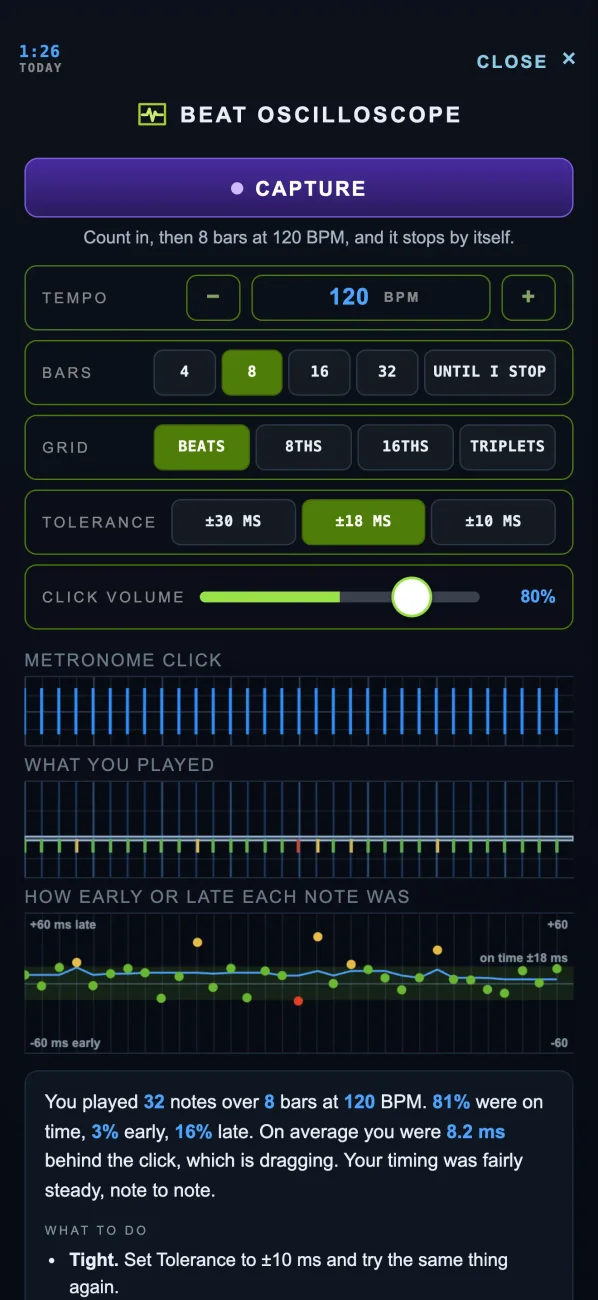
Beat Map is a grid where you choose 1, 2 or 3 sounds per beat, and save your Maps by name. Group Loops captures and layers what you play, cut at the bar lines, as WAVs. Beat Oscilloscope lets you see where you play relative to the click. Beat Speedometer tells you the tempo you are actually keeping, worked out from the gaps between your sounds. Or press SPIN, let the Universe name a tempo, and find it from memory with nothing to hear.
FLEXIBLE SETTINGS
Display Size with three choices, for easier reading. High and Low Pass filters shape the click.
YOURS, PRIVATE
No account, no login, no shared analytics, no advertising, no tracking, no subscription. You buy it once. Your Practice History is only on your phone. Only two features send data, and both are OFF unless you turn them on: 1. Leaderboard, where you choose the name that appears, and 2. Find Quotes online, which sends a musician or artist name you type to Wikiquote. You can back up your practice history to your own Files or iCloud Drive whenever you like, in a plain file you can read, and import it onto a new device. It works offline.
Portrait or landscape. In English, Spanish, Italian.
An accelerating practice tool, to grow and visualize your work over time.
Neue Funktionen
Version 1.8 · 07.11.2026
This is v1.8 of Accelerating Metronome, and it brings Crafty Cards and the Accelerating Metronome together, a new LOUD Sound Bank, and a long list of refinements to the features you already use.
What's New?
CRAFTY CARDS INTEGRATION
Crafty Cards is a new companion app (coming soon to the App Store): Strategies and suggestions to unseat the hold of habit in our musical practice. Developed over forty years in Guitar Craft and the Guitar Circle by Steve Ball.
Accelerating Metronome can inspire you with HOW FAST to practice by accelerating your progress. Crafty Cards can inspire you with non-linear ideas of WHAT to Practice by offering suggestions designed to unseat your habits and history in the tradition of Oblique Strategies, with a more practical set of suggestions.
If you have both apps on your iPhone, press BEGIN on a card in the CC app, and the Accelerating Metronome opens with that card's words and its card length set up in the Accelerator. Press Back to switch back to the Crafty Cards app when you are done, and the card is marked complete. You can choose the tempo, or a Ramp, in Crafty Cards Settings, so there is nothing to decide in the Metronome. Of course, you can always add Variations (drones, drum loops, polyrhythms, gaps) as you practice the selected Crafty Card.
A NEW LOUD SOUND BANK
Do you play with a band, or through a mixer? LOUD is the Classic bank, but each WAV is nine decibels louder, so the click will cut through loud environments. Your Drum Loops, Pedal Tones and Count In are unchanged. (Thank You Brian Tario for this request.)
DRAW A CUSTOM RAMP
You can now turn on "Draw a Custom Ramp" in Settings and draw the shape of your acceleration or deceleration session with a finger: climb, slow down, add a hump. The line you draw is the Ramp, and you can draw it in Zoom or while it plays. "Draw a Custom Ramp" is OFF by default, so the Accelerator looks and works as before until you turn it on. (Thank You Dave Hill Jr. for this suggestion.)
THE ACCELERATOR REMEMBERS YOUR CATEGORY
The Accelerator opens on the last category you chose. (Thank You Alain Pinero for this request.)
DIAL RESOLUTION: ANY STEP FROM 1 TO 20
Alongside 1, 4 and 8, you can type any step from 1 to 20 BPM into the new box. (Thank You Juan Gabriel Di Lucia, who asked for 7.)
GOLDEN TICKETS + STREAKS
You can store up to ten Golden Tickets now. Past five, the extras fold under one row, so Rewards stays tidy. Practice History and Rewards count your Streak the same way, and a Golden Ticket keeps both alive.
LEADERBOARD WEEKS
Leaderboard weeks run Sunday to Saturday, the same as a Golden Week. And Crafty Cards has its own Global Leaderboard, in the Crafty Cards app.
QUOTES + CARDS
The Quotes and Cards drawer has a Crafty Cards section with the three decks and a Learn More link, and every section has its own glyph.
POLISH and FIXES
You can now set up a 'flat' Ramp that extends any session to a static tempo with a 'static' RAMP playable at any tempo of your choice.
As always, your feedback, feature ideas, bugs and observations are most welcome.
* * *
App-Datenschutz
Was Steve Ball im App Store zum Umgang dieser App mit Daten angibt.
-
Mit Ihnen verknüpfte Daten
Können erfasst und mit Ihrer Identität verknüpft werden.
- Kontaktinformationen
- Nutzungsdaten
Die Datenschutzpraktiken können variieren, zum Beispiel je nach den von Ihnen verwendeten Funktionen oder Ihrem Alter.
Informationen
- Anbieter
- Steve Ball
- Kategorie
- Musik
- Version
- 1.8
- Aktualisiert
- 07.11.2026
- Veröffentlicht
- 25.08.2026
- Größe
- 41,4 MB
- Erfordert
- iOS 16.0 oder neuer
- Altersfreigabe
- 4+
- Preis
- 5,99 €
- Sprachen
- Englisch
- Copyright
- © 2026 Ballistic Music