AccuScale
Blueprint & Plan Measurement
Entwickelt für iPhone, iPad, iPod touch
0,99 €
- Altersfreigabe4+
- KategorieProduktivität
- Entwicklervance slingerland
- SprachenEnglisch
- Größe67,4 MB
Verlinkt auf die offizielle App Store-Seite
Download.org hostet keine Datei von AccuScale. Die Schaltfläche öffnet die App-Seite bei App Store, wo vance slingerland die App veröffentlicht. Eintrag zuletzt geprüft am 12.11.2026.
Screenshots



Info
Der Entwickler hat diesen Text nicht in Ihrer Sprache bereitgestellt.
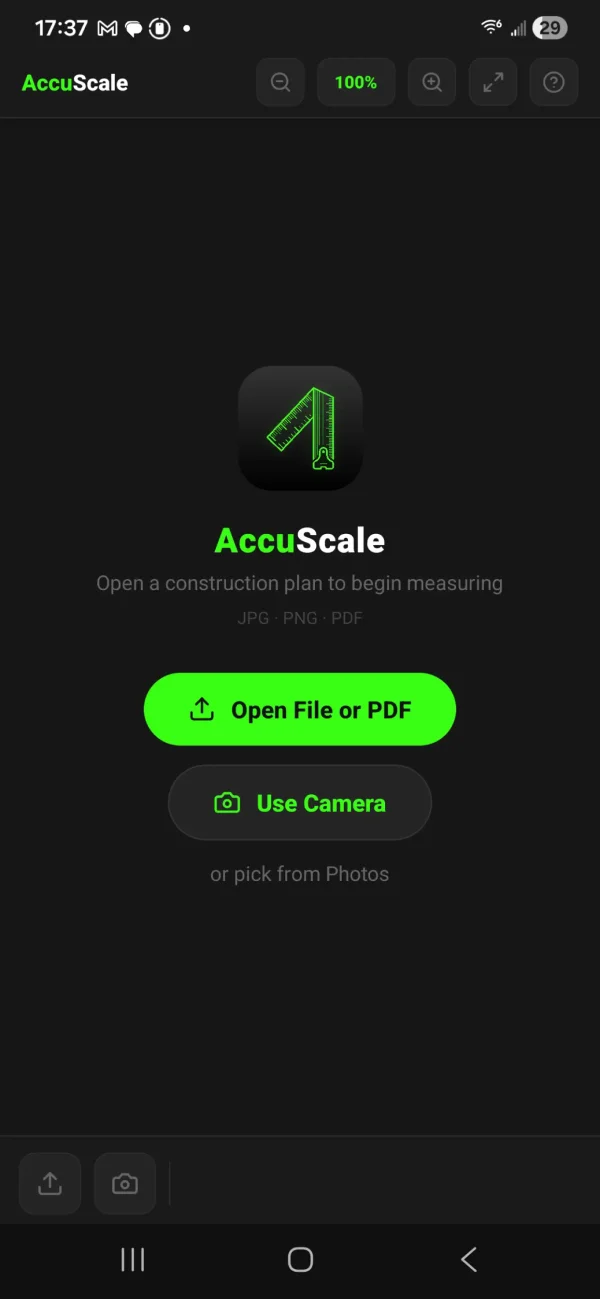
AccuScale turns your iPhone or iPad into a professional measurement tool for construction plans, architectural blueprints, and job-site photos.
Whether you're a contractor verifying room dimensions, an architect reviewing drawings on-site, or a designer estimating material quantities — AccuScale delivers precise real-world measurements in seconds. No tape measure. No scale bar math. No guessing.
HOW IT WORKS:
1. OPEN — Import any JPG, PNG, or multi-page PDF blueprint from your files, or photograph a physical plan with your camera.
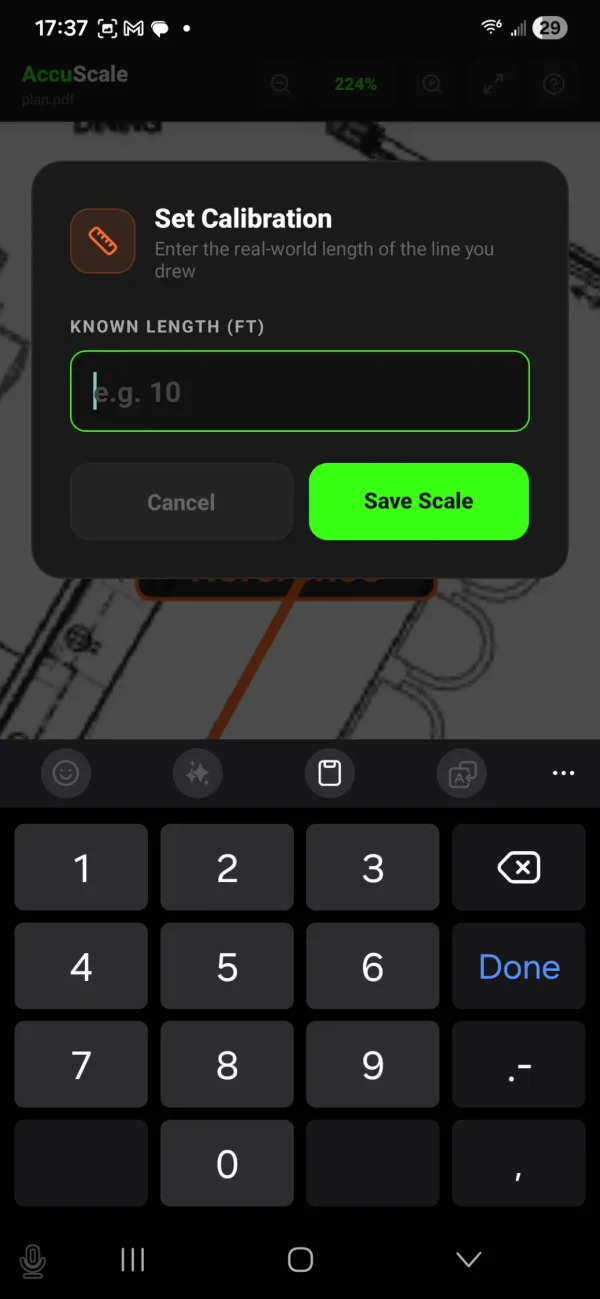
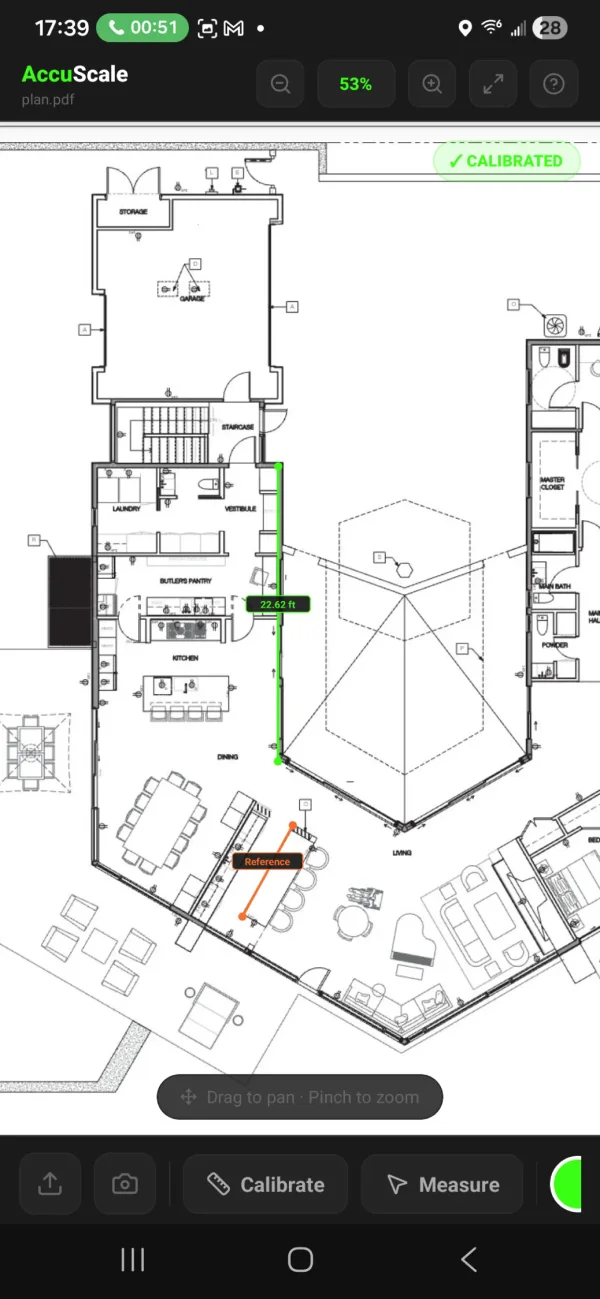
2. CALIBRATE — Tap two points on any element with a known length (a door, a wall, a standard feature). Enter the real measurement and AccuScale locks in your scale.
3. MEASURE — Tap any two points on the plan. AccuScale instantly calculates and displays the true real-world distance.
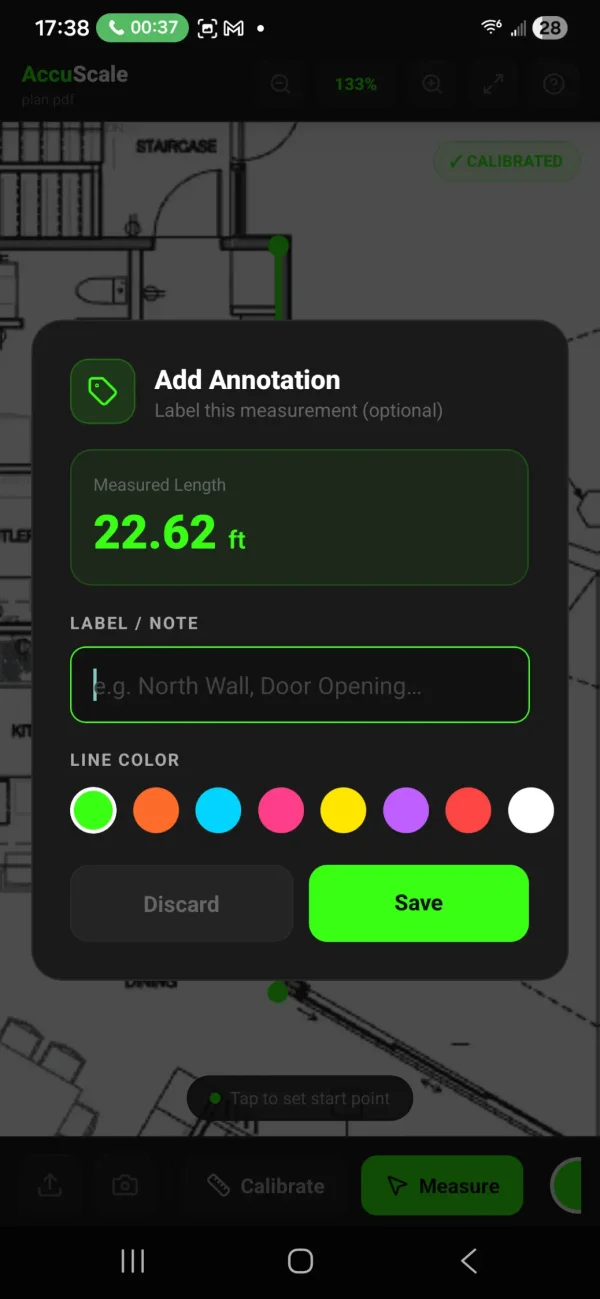
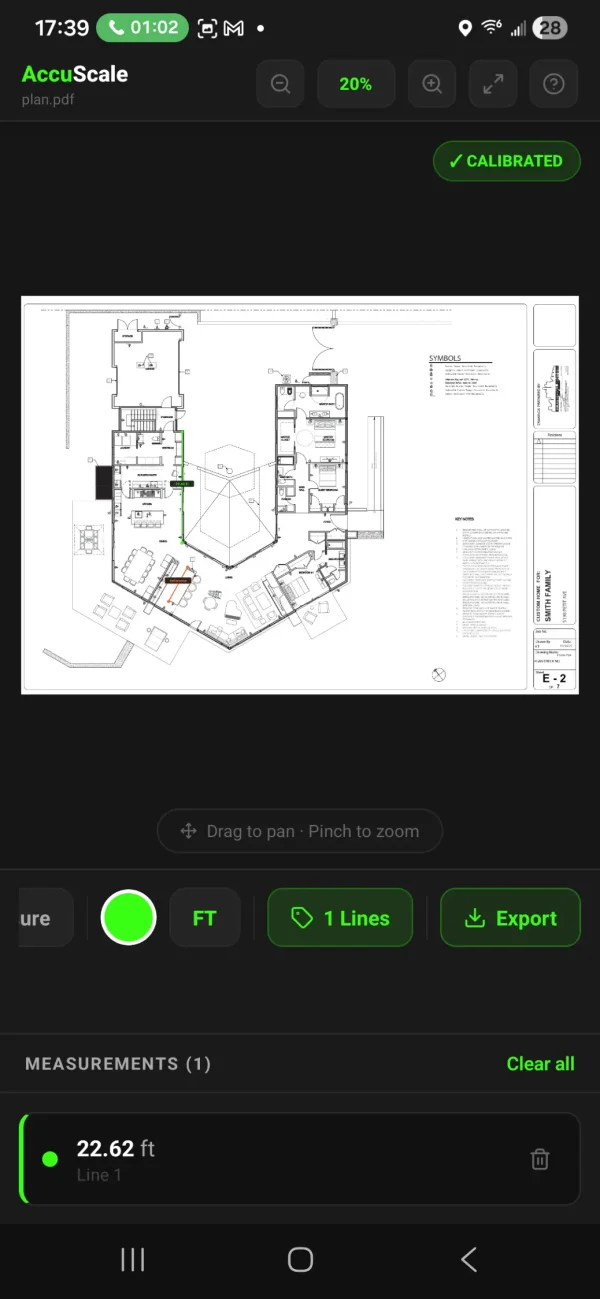
4. ANNOTATE & EXPORT — Label each measurement, color-code by area or trade, and export a finished image with all lines and dimensions drawn directly on the plan.
KEY FEATURES:
MULTI-FORMAT SUPPORT
Open JPGs, PNGs, and multi-page PDFs. Navigate page by page through full blueprint sets.
PRECISION CALIBRATION
Calibrate against any known reference on the plan — no printed scale required. A clear CALIBRATED badge confirms you're ready to measure.
INSTANT REAL-WORLD MEASUREMENTS
Tap two points, get the answer. Every measurement is calculated automatically from your calibration.
FOUR UNIT MODES
Switch between feet, inches, meters, and centimetres at any time. All existing measurements convert automatically.
COLOR-CODED ANNOTATIONS
Organize measurements by room, trade, or category using 8+ color options and custom text labels.
FULL PDF BLUEPRINT SUPPORT
Open multi-page PDF documents and measure on any page. Pinch to zoom, pan to position.
ANNOTATED EXPORT
Export a composite image of your plan with all measurement lines and labels burned in — ready for reports, emails, or team sharing.
WORKS COMPLETELY OFFLINE
All calculations happen on your device. No account, no cloud, no internet connection required.
BUILT FOR:
• General contractors and subcontractors
• Architects and structural engineers
• Interior designers and space planners
• Property managers and real estate professionals
• Quantity surveyors and estimators
• Anyone measuring from plan documents
Download AccuScale and start measuring smarter.
Neue Funktionen
Version 1.5.4 · 30.10.2026
Bug Fixes
App-Datenschutz
Was vance slingerland im App Store zum Umgang dieser App mit Daten angibt.
-
Keine Daten erfasst
Der Entwickler erfasst keine Daten von dieser App.
Die Datenschutzpraktiken können variieren, zum Beispiel je nach den von Ihnen verwendeten Funktionen oder Ihrem Alter.
Informationen
- Anbieter
- vance slingerland
- Kategorie
- Produktivität
- Version
- 1.5.4
- Aktualisiert
- 30.10.2026
- Veröffentlicht
- 14.09.2026
- Größe
- 67,4 MB
- Erfordert
- iOS 15.1 oder neuer
- Altersfreigabe
- 4+
- Preis
- 0,99 €
- Sprachen
- Englisch
- Copyright
- © 2026 Vance Slingerland
Das könnte Ihnen auch gefallen
-
 TrueDimProduktivität
-
 PlanMeasure TakeoffProduktivität
-
 PlanBridge: Measure PDF PlansProduktivität
-
 PlanMeasure - VermessungGrundrisse & Karten messen
-
 PlanInspect CAD DWG PDF ViewerPläne messen & markieren
-
 ScaleTap: PDF-Plan messenAufmaß & Massenermittlung
-
 AiLancer - AI Writer & AlertsProduktivität
-
 QuickPlan, ProjektmanagementProjektplan im Gantt-Diagramm
-
 SparkifyBerichte für Elektriker
-
 Text to Speech ePub PDF: StageHören, lesen, besser verstehen