
Add Watermark: Maker Batch
Make Copyright Image and Video
Entwickelt für iPhone, iPad, iPod touch
Kostenlos · In-App-Käufe
- Altersfreigabe12+
- KategorieFoto und Video
- EntwicklerStockimg AI Yazilim Teknolojileri A.S
- SprachenEnglisch
- Größe57,7 MB
Verlinkt auf die offizielle App Store-Seite
Download.org hostet keine Datei von Add Watermark: Maker Batch. Die Schaltfläche öffnet die App-Seite bei App Store, wo Stockimg AI Yazilim Teknolojileri A.S die App veröffentlicht. Eintrag zuletzt geprüft am 20.11.2026.
Screenshots
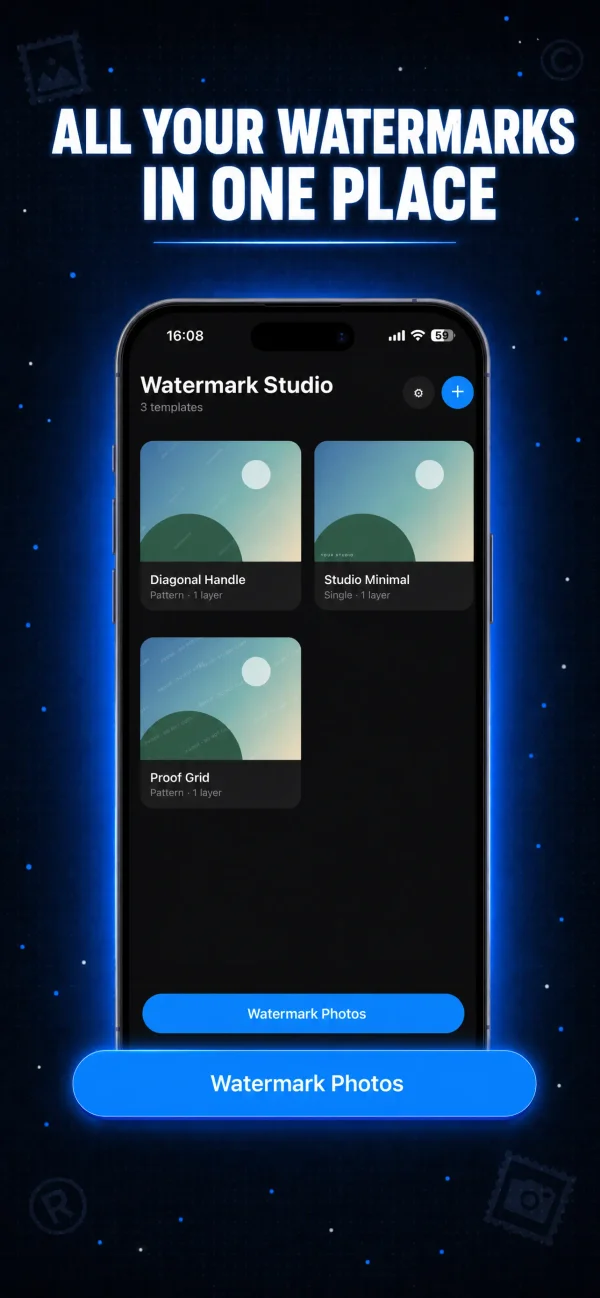
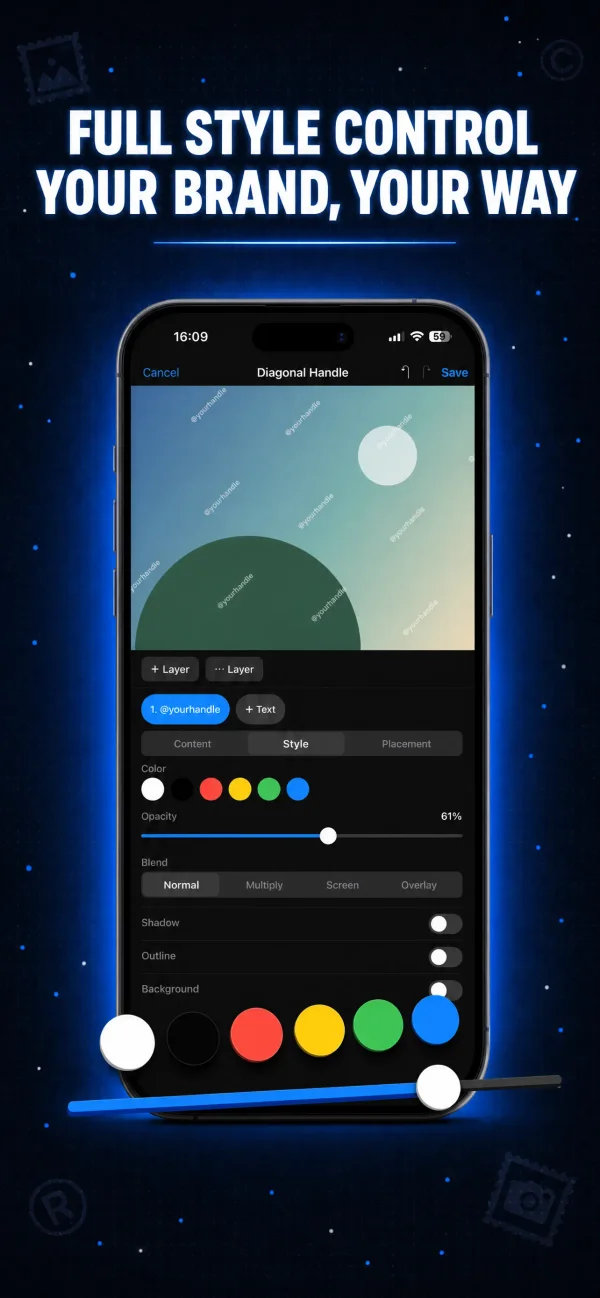

Info
Der Entwickler hat diesen Text nicht in Ihrer Sprache bereitgestellt.
Add Watermark: Batch Maker is an app designed with privacy and simplicity in focus, allowing you to add watermarks to your images and videos all at once. Don't spend hours manually stamping your files one by one. Add Watermark lets you protect your entire library or just the files you choose. Add Watermark is a powerful watermarking tool built for creators who want to safeguard their work and claim their copyright without the endless manual effort.
WATERMARK IN BULK
-Add watermarks to hundreds of photos and videos with just a few taps
-No need to edit files one by one
-Protect months (or years) of content in minutes
FULL CREATIVE CONTROL
-Use text, your logo, or a custom image as your watermark
-Adjust opacity, size, position, and rotation to fit any file
-Apply tiled or single-mark styles for stronger protection
CUSTOM WATERMARK OPTIONS
-Choose exactly which files to watermark
-Save your favorite watermark presets for instant reuse
-Preview every result before you export
Add Watermark: Batch Maker is the ultimate watermarking tool designed for photographers, videographers, and content creators who value protecting their work. Unlike manual methods that take hours in complex editing software, our batch watermark maker automates the entire process so you can get back to creating.
HOW IT WORKS
Import your images and videos
Design your watermark with text, a logo, or a custom image
Adjust the style, position, and opacity to your liking
Sit back while Add Watermark applies it to every file and exports in one go
That's it. No editing skills required.
We take your privacy seriously. Add Watermark processes your files on your device and does not store unnecessary data or share your content with third parties.
Stop wasting time watermarking files one by one. Download Add Watermark.
Subscription terms:
Weekly Premium: $ /week, auto-renewable
Lifetime: $, one-time purchase
Payment will be charged to your Apple ID account at confirmation of purchase. Subscription automatically renews unless it is canceled before the end of the current period. You can manage and cancel your subscriptions by going to your account settings on the App Store after purchase.
Terms of Use:
Privacy Policy:
App-Datenschutz
Was Stockimg AI Yazilim Teknolojileri A.S im App Store zum Umgang dieser App mit Daten angibt.
-
Mit Ihnen verknüpfte Daten
Können erfasst und mit Ihrer Identität verknüpft werden.
- Käufe
-
Nicht mit Ihnen verknüpfte Daten
Können erfasst werden, sind aber nicht mit Ihrer Identität verknüpft.
- Nutzungsdaten
- Diagnose
Die Datenschutzpraktiken können variieren, zum Beispiel je nach den von Ihnen verwendeten Funktionen oder Ihrem Alter.
Informationen
- Anbieter
- STOCKIMG AI YAZILIM TEKNOLOJILERI ANONIM SIRKETI
- Kategorie
- Foto und Video
- Version
- 1.0
- Aktualisiert
- 14.07.2026
- Veröffentlicht
- 14.07.2026
- Größe
- 57,7 MB
- Erfordert
- iOS 15.1 oder neuer
- Altersfreigabe
- 12+
- Preis
- Kostenlos
- In-App-Käufe
- Ja
- Sprachen
- Englisch
- Copyright
- © 2026 Stockimg AI
Das könnte Ihnen auch gefallen
-
 Video zu Foto: Perfect FrameHD Standbild & Export
-
 Jobim: KI-Fotos & HaustiereHaustiere, Avatare & Kunst
-
 Watermark: Photo, Video & FileFoto und Video
-
 WatermarklyProdukte stapelweise schützen
-
 Locker App - Security galleryFoto und Video
-
 Watermark Maker-Add SignatureFoto und Video
-
 Photo Watermark - Logo & TextFoto und Video
-
 Video Volume UpFoto und Video
-
 Add Watermark : Photo & VideoFoto und Video
-
 Wasserzeichen: Logo hinzufügenSignatur und Text hinzufügen