Adding Machine 10Key for iPad
True 10Key Adding Machine
Entwickelt für iPad
2,99 €
- Altersfreigabe4+
- KategorieFinanzen
- EntwicklerRichard Silverman
- SprachenEnglisch+ 4 weitere
- Größe21,9 MB
Verlinkt auf die offizielle App Store-Seite
Download.org hostet keine Datei von Adding Machine 10Key for iPad. Die Schaltfläche öffnet die App-Seite bei App Store, wo Richard Silverman die App veröffentlicht. Eintrag zuletzt geprüft am 14.11.2026.
Screenshots
Info
Der Entwickler hat diesen Text nicht in Ihrer Sprache bereitgestellt.
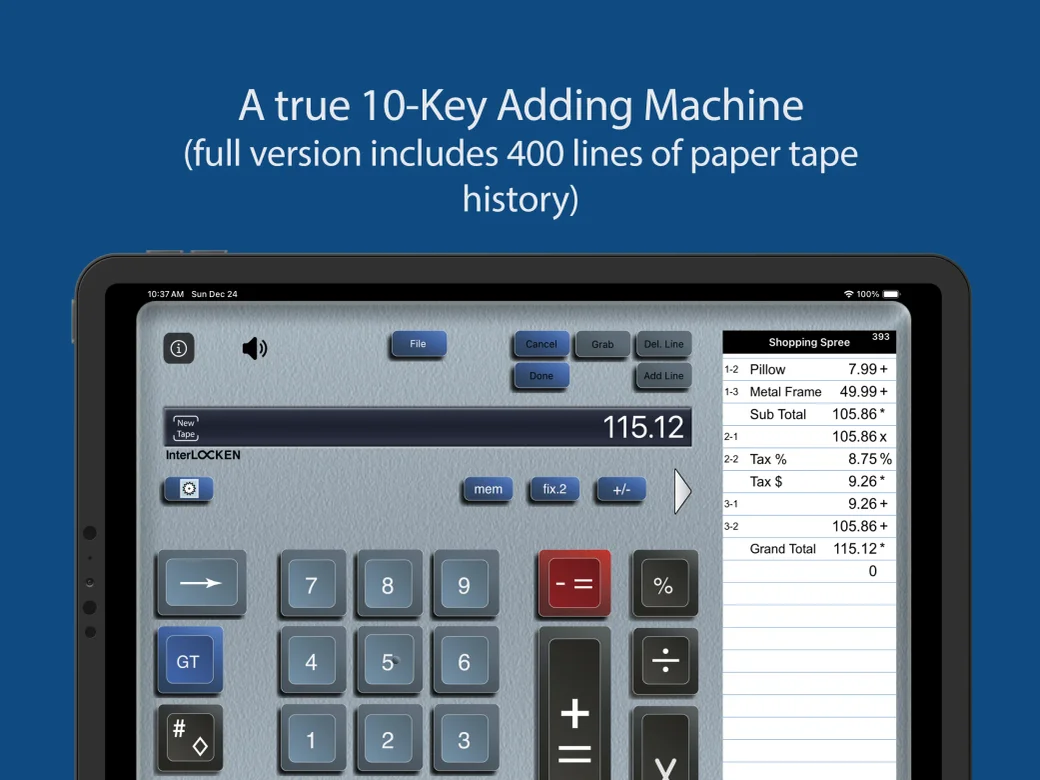
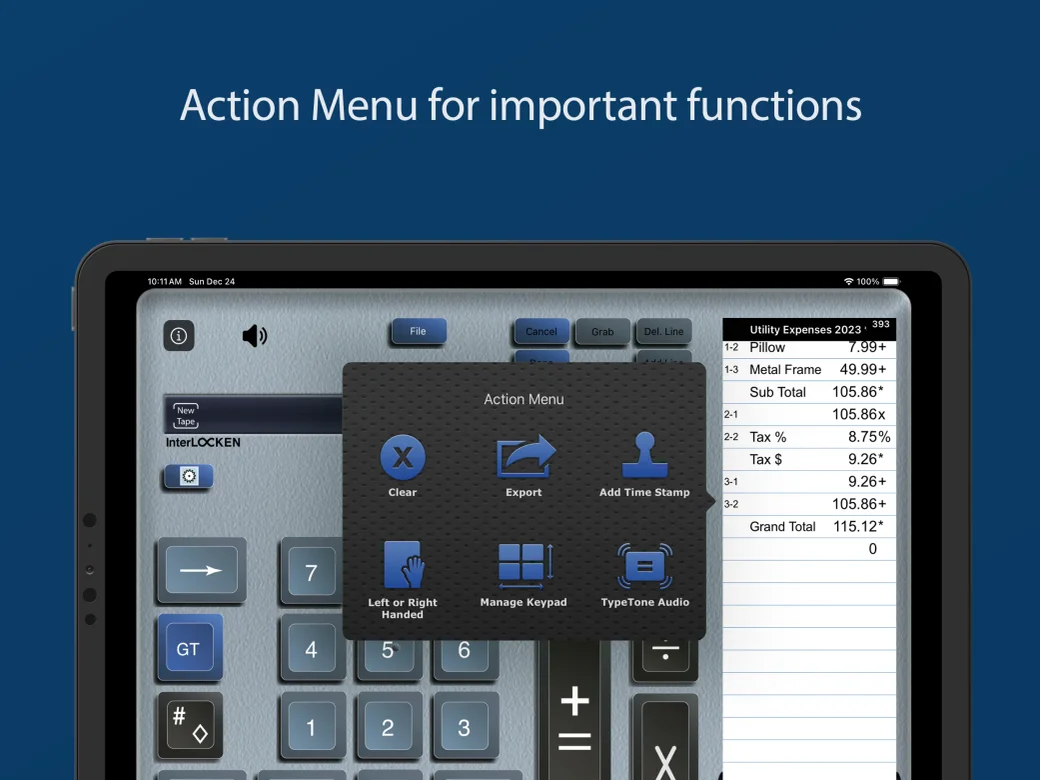
'Adding Machine 10Key for iPad’ behaves like a true '10 Key' or 'adding machine' like those made by Monroe, Casio, Sharp and others. Press asterisk (*) for a total, operator entry is reversed, and calculate percentages by multiplying and adding to a stream of numbers. SEE THE 1ST FAQ BELOW.
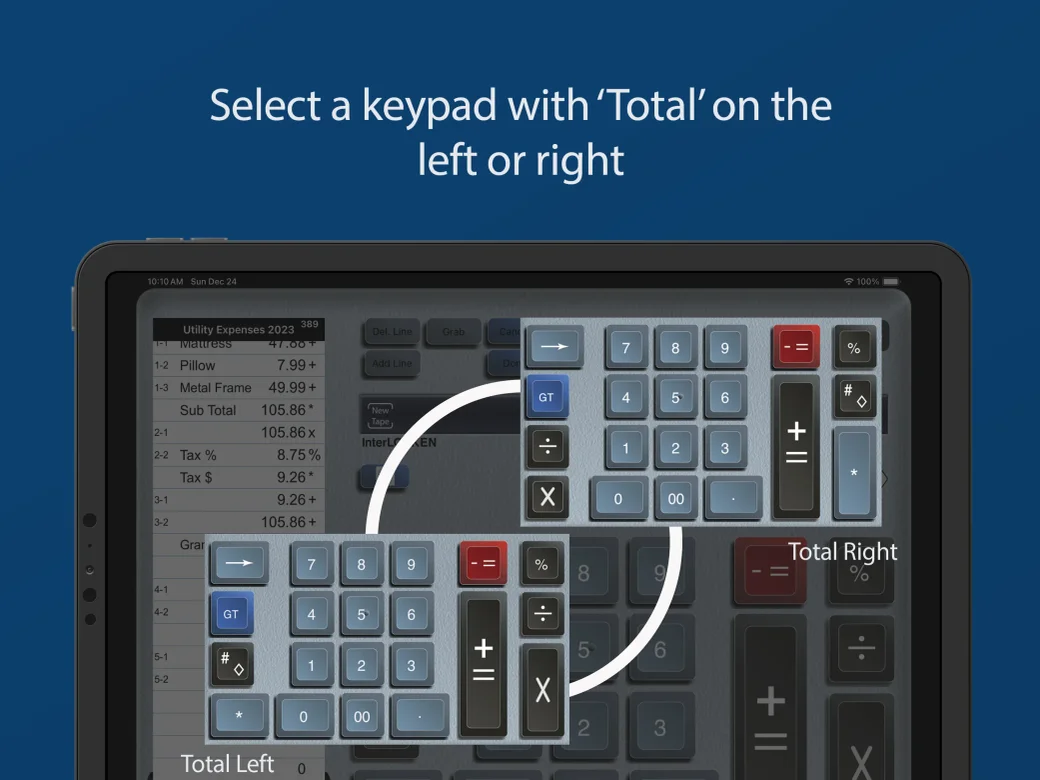
The iPad version features a full sized (1:1) keypad with TypeTone, a unique audio aid to help guide your finger back to the center of a key. The total (*) key can be on either the left or right side (Sharp or Canon style).
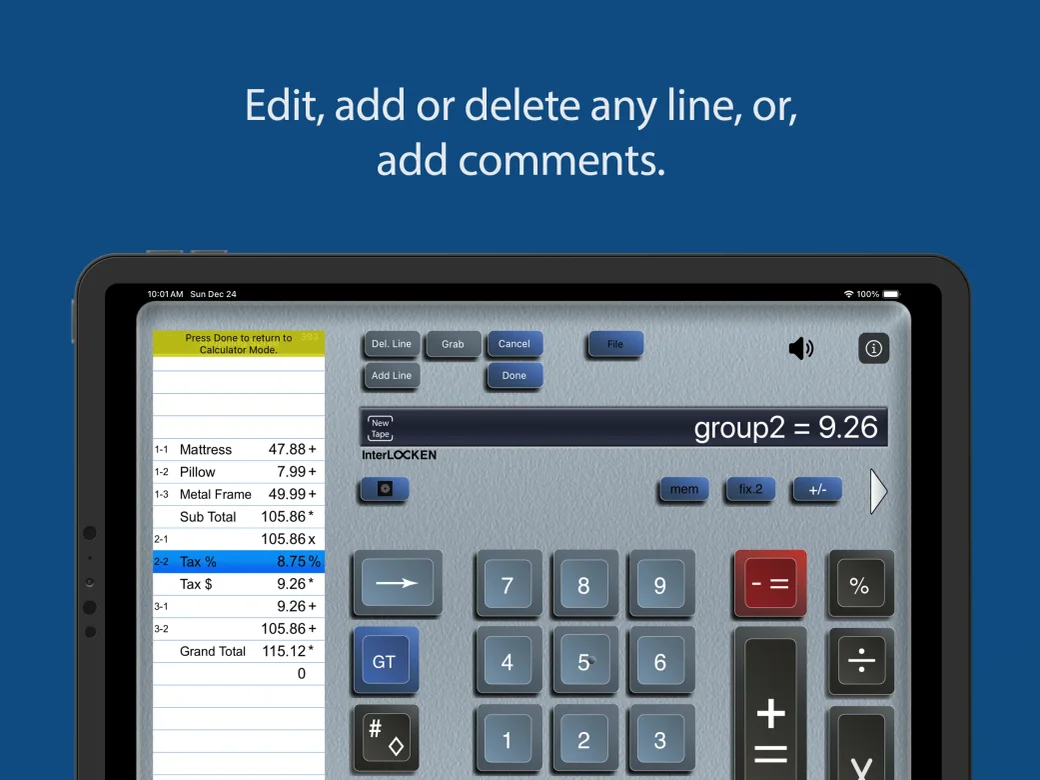
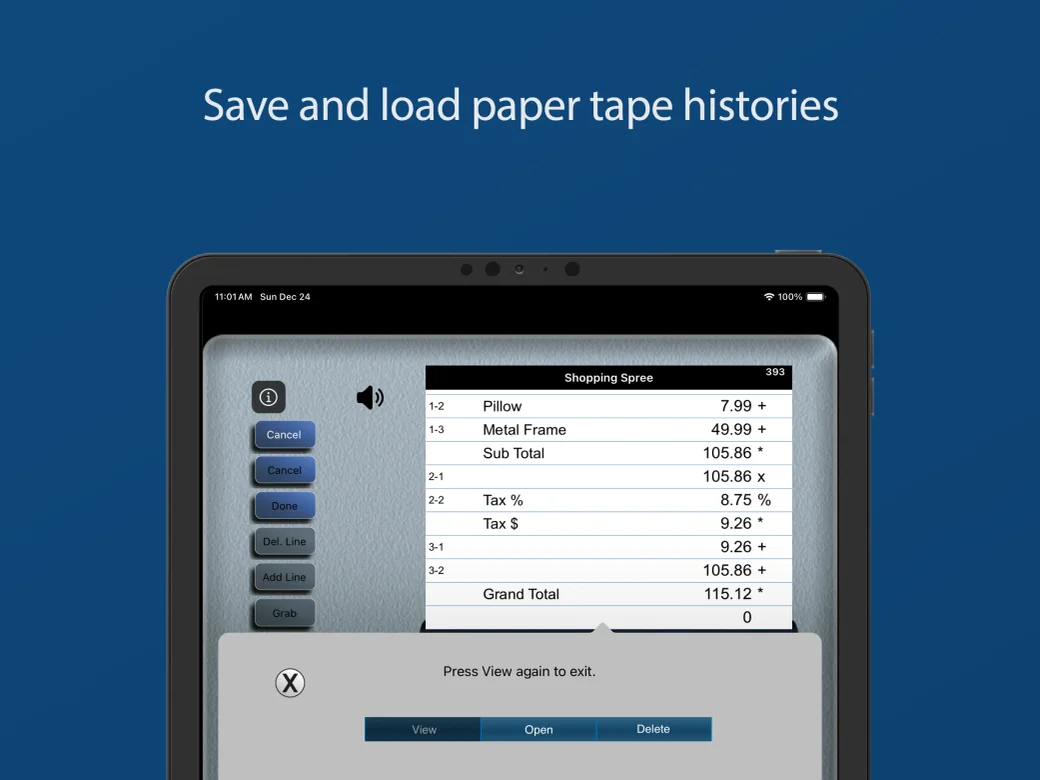
Also. Review & edit numbers, add or delete lines. Save & retrieve paper tape files. Export paper tape files to iBooks©, Dropbox©, or your favorite printing utility (see the FAQs).
==== Recent Press =====
Has been featured in iTunes "What's Hot" in the Finance Category.
Strategic Finance (Tools of the Trade): "If you're looking for a professional desk calculator that can give you full 10-key accounting functions with a tape you can name and save, edit, e-mail, or print, check out Interlocken's 10 Key for iPad."
=================
Specifications:
=================
. Behaves the same as a '10 Key' adding machine.
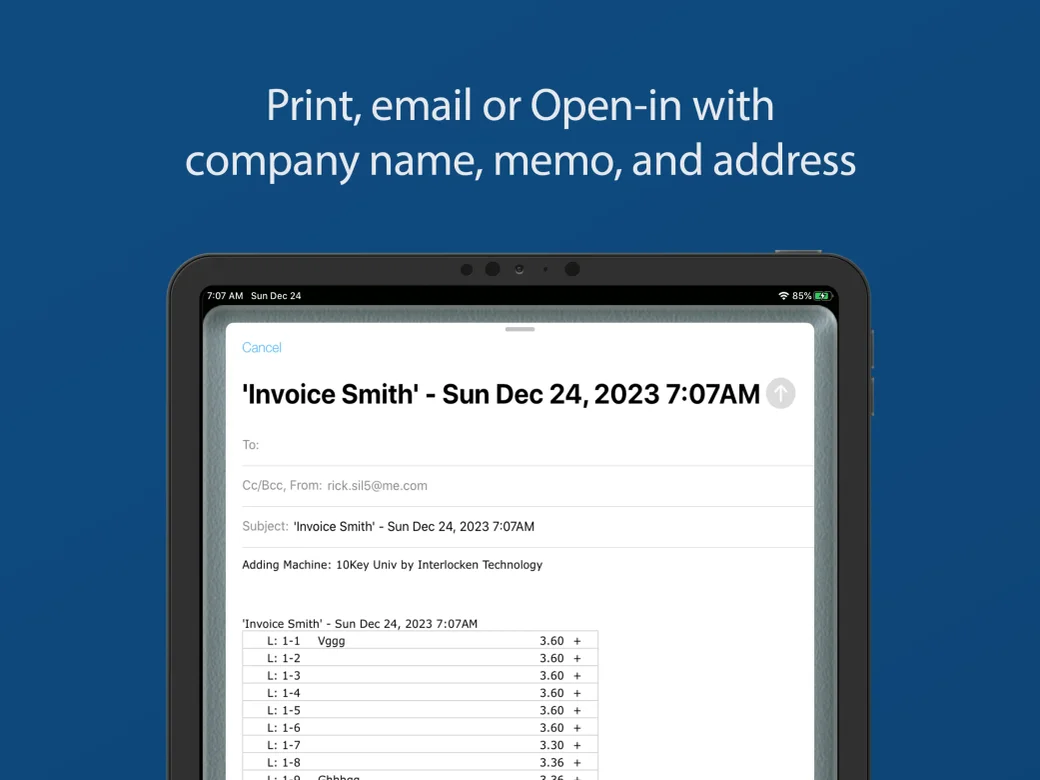
. Export a PDF file to iBooks©, DropBox©, Email, and print with your favorite printing utility.
. Use Apple AirPrint© to print directly.
. TypeTone - a major innovation to aid accurate key entry using audio feedback (iPad version).
. Full size (1:1) keyboard.
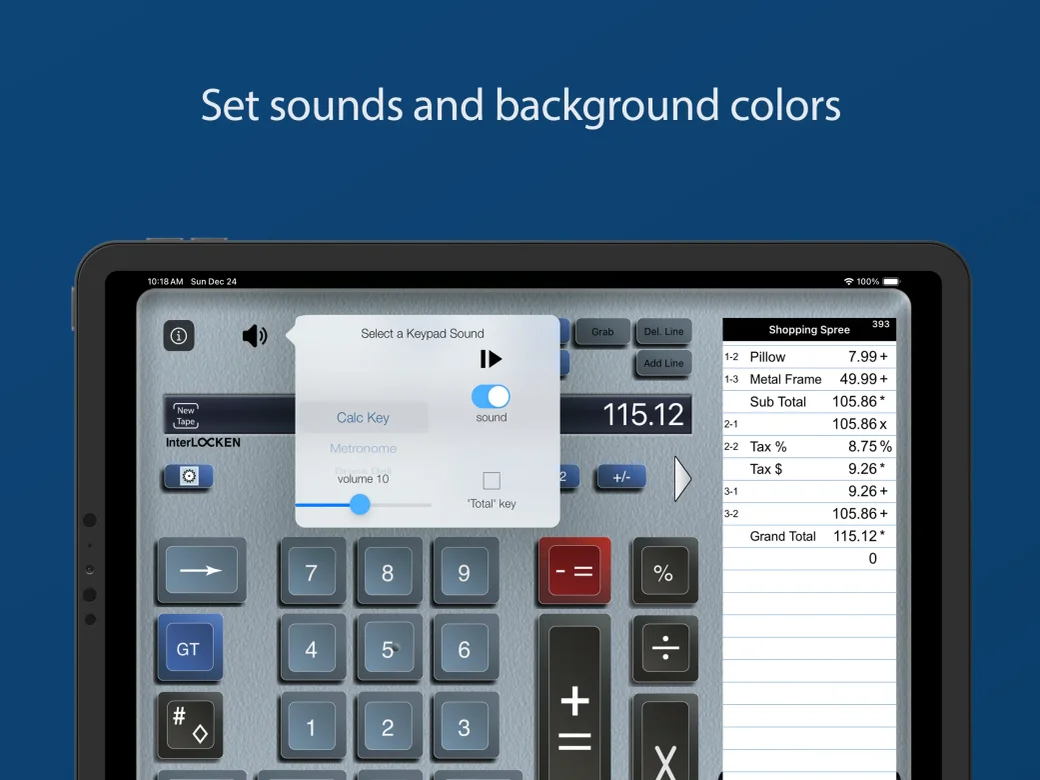
. Select from a menu of keypad sounds.
. 400 lines of paper tape history.
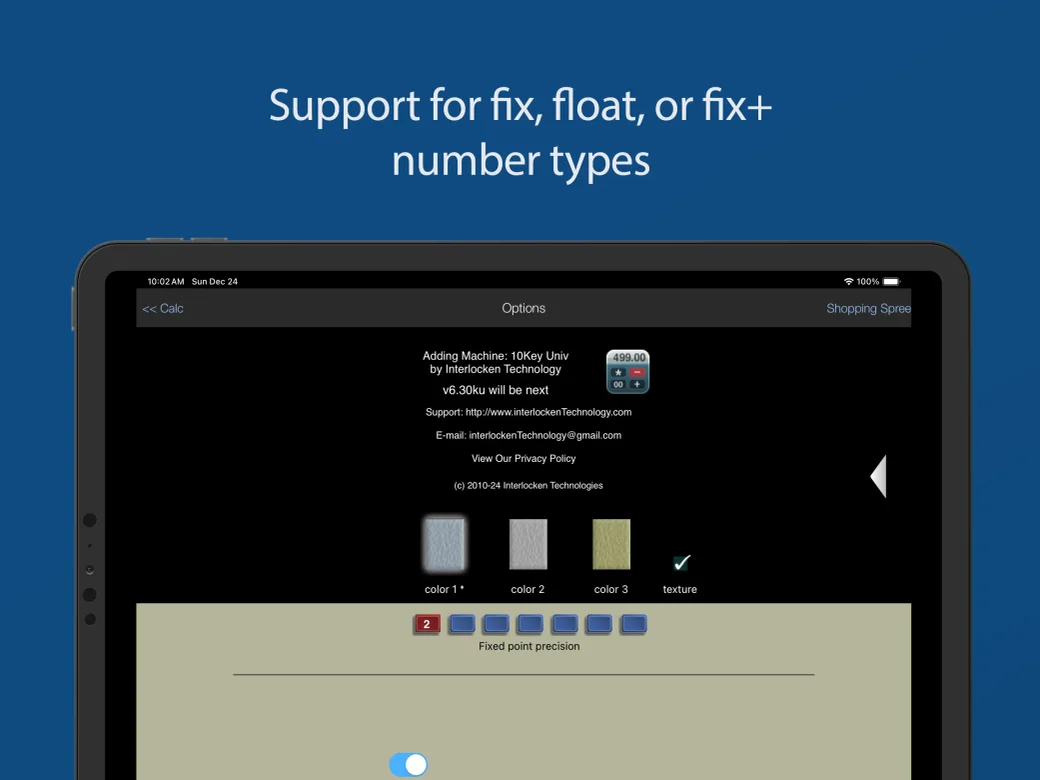
. 3 display formats: fixed, fix+, float
. Save paper tapes to disk for later use.
. Correct numbers, add comments, add/delete lines
. Two keypads offer the 'total' key on the left or right (Sharp or Canon style)
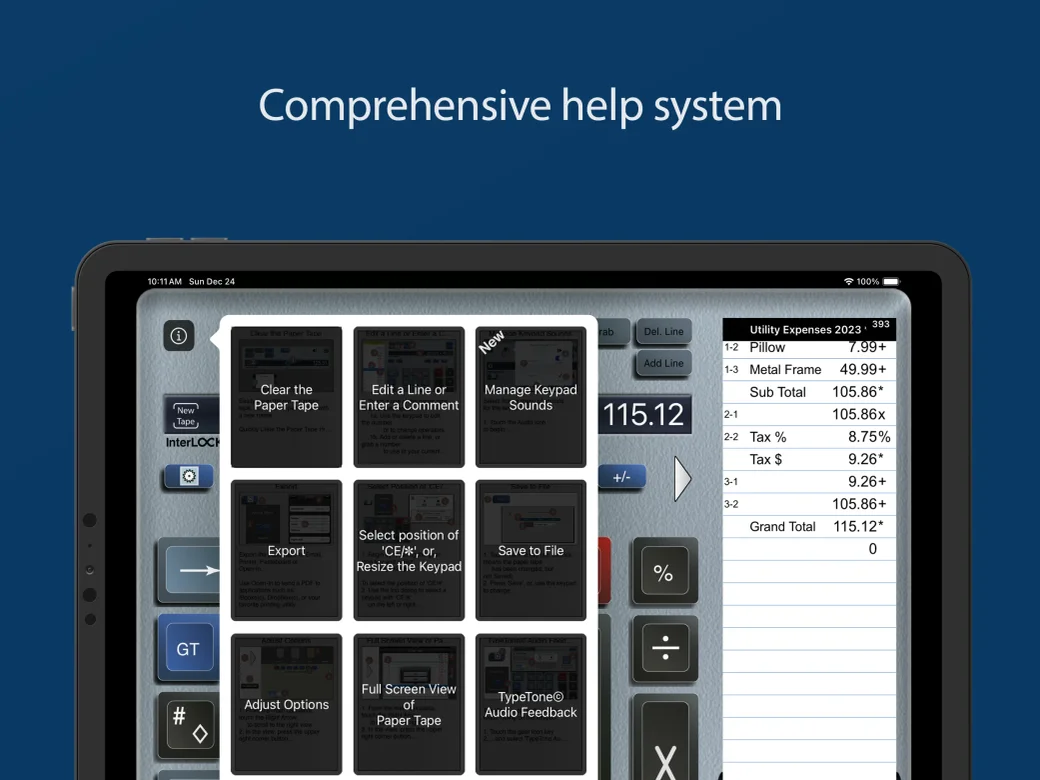
. Comprehensive set of help screens.
. 3 Orientations: Landscape Left/Right + Portrait
================
FAQ's
Q1. What is the difference between 'Adding Machine 10Key for iPad, and 'Accountant Calc' in the App. Store.?
A1. Both calculators are single-column adding machines or calculators with full-size (1:1) keypads and are optimized for the iPad User Interface. '10 Key' behaves the same as a 10 Key Adding Machine with reversed operator entry while ‘Accountant Calc’ supports free chaining of +, -, x, /, %, √, 1/x. It is easier to use if you are not familiar with how a '10-key' works.
Q2. Can I touch-type?
A2. The iPad version comes as close to touch-typing as a touch-screen can be. With ‘TypeTone’, a key will guide your finger back to the center of a key with an audio tone.
Q3. How can I edit an incorrect number or add & delete lines from the paper tape?
A3. Touch any line of the paper tape for edit mode. Touch the side controls: Add Line, Delete Line. You can also edit numbers, split Add/Sub or Mul/Div groups. Press Done to return to Calculator mode.
Q4. Tell me about Email, Printing, and Exporting a Paper Tape.
A4. Email includes a pdf attachment. Print requires an AirPrint capable printer. Open-In will cause a menu of 3rd party Apps to appear. Once exported, print directly to a network reachable printer (even if it is NOT AirPrint capable).
============================
TERMS AND CONDITIONS
Your use of this application is governed by Interlocken Technology's Terms of Use (http://s354819480.onlinehome.us/InterlockenPrivacyPolicy/Interlocken%20Technology%20Privacy%20Policy.pdf) and Privacy Policy (http://s354819480.onlinehome.us/InterlockenPrivacyPolicy/InterlockenTechnologyTermsOfUse.pdf)
Neue Funktionen
Version 7.10kPad · 27.12.2023
v7.10
====
1. Support for iOS 12.4 and newer.
App-Datenschutz
Was Richard Silverman im App Store zum Umgang dieser App mit Daten angibt.
-
Keine Daten erfasst
Der Entwickler erfasst keine Daten von dieser App.
Die Datenschutzpraktiken können variieren, zum Beispiel je nach den von Ihnen verwendeten Funktionen oder Ihrem Alter.
Informationen
- Anbieter
- Richard Silverman
- Kategorie
- Finanzen
- Version
- 7.10kPad
- Aktualisiert
- 27.12.2023
- Veröffentlicht
- 03.02.2011
- Größe
- 21,9 MB
- Erfordert
- iOS 12.4 oder neuer
- Altersfreigabe
- 4+
- Preis
- 2,99 €
- Sprachen
- Englisch, Französisch, Deutsch, Italienisch, Spanisch
- Copyright
- © 2011-24 Interlocken Technology
Das könnte Ihnen auch gefallen
-
 Pocket LedgersFinanzen
-
 BondurantFinanzen
-
 BillVault: Bill TrackerFinanzen
-
 BillsPaid: Bill TrackerFinanzen
-
 EzenvelopesFinanzen
-
 Finance Factors Mobile BankingFinanzen
-
 Rapid & Quick Calculator ProFinanzen
-
 Mobile SinglePoint for iPadFinanzen
-
 Loan Calculator and ManagerFinanzen
-
 Bills io: Subscription TrackerFinanzen