
ADSignify - Active Directory
AD Users and Computers Tool
Entwickelt für iPhone, iPad, iPod touch
Kostenlos · In-App-Käufe
- Altersfreigabe4+
- KategorieProduktivität
- EntwicklerSignifium LLC
- Größe106,3 MB
Verlinkt auf die offizielle App Store-Seite
Download.org hostet keine Datei von ADSignify - Active Directory. Die Schaltfläche öffnet die App-Seite bei App Store, wo Signifium LLC die App veröffentlicht. Eintrag zuletzt geprüft am 12.11.2026.
Screenshots



Info
Der Entwickler hat diesen Text nicht in Ihrer Sprache bereitgestellt.
ADSIGNIFY — ACTIVE DIRECTORY MANAGEMENT FOR iOS
Your AD doesn't wait for your desk anymore.
Password resets, unlocks, and more—
from the airport lounge to Saturday at home,
your Active Directory is always in the zone.
Stop being tethered to your desk.
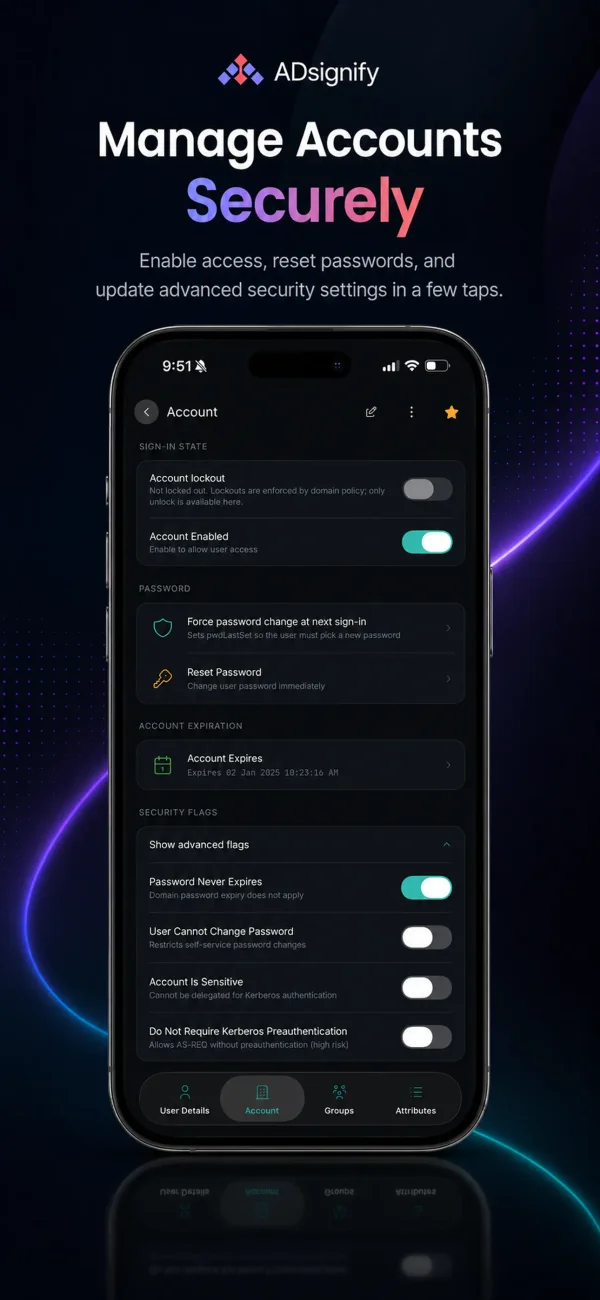
Manage Active Directory directly from your iPhone or iPad. Reset passwords, unlock accounts, manage group memberships, and generate compliance reports in seconds. No RDP, or server setup required.
BUILT BY AD ADMINISTRATORS, FOR AD ADMINISTRATORS
We work with Active Directory every day. We understand the frustration of being away from your desk when a critical issue hits, the complexity of managing multiple domains, the burden of compliance audits, and the pressure to respond faster.
That's why we built ADSignify—to give AD administrators the control and speed they deserve.
We're proud of what we've built, but we're not done improving. Have a feature request or found something that could work better? Let us know. We're listening, and we respond.
REAL-WORLD SCENARIOS
• A user stops your boss because they can't log in. You reset the password in 30 seconds. Crisis averted.
• You're at a doctor's appointment when a critical access issue comes in. Unlock the account, reset the password, and get back to your appointment.
• It's Saturday morning and an urgent AD task arrives. No laptop. No scrambling for RDP. Handle it from your phone and get back to your weekend.
• You're at the airport when a compliance audit request arrives. Generate the report from your gate—no stress after you land.
ENTERPRISE-GRADE SECURITY. NO COMPLEXITY.
Your credentials and sensitive data are protected within the iPhone's secure application sandbox. No hashes left on other devices. No exposed credentials. No server component to install, manage, or secure. Just native iOS security.
ADSIGNIFY CORE FEATURES
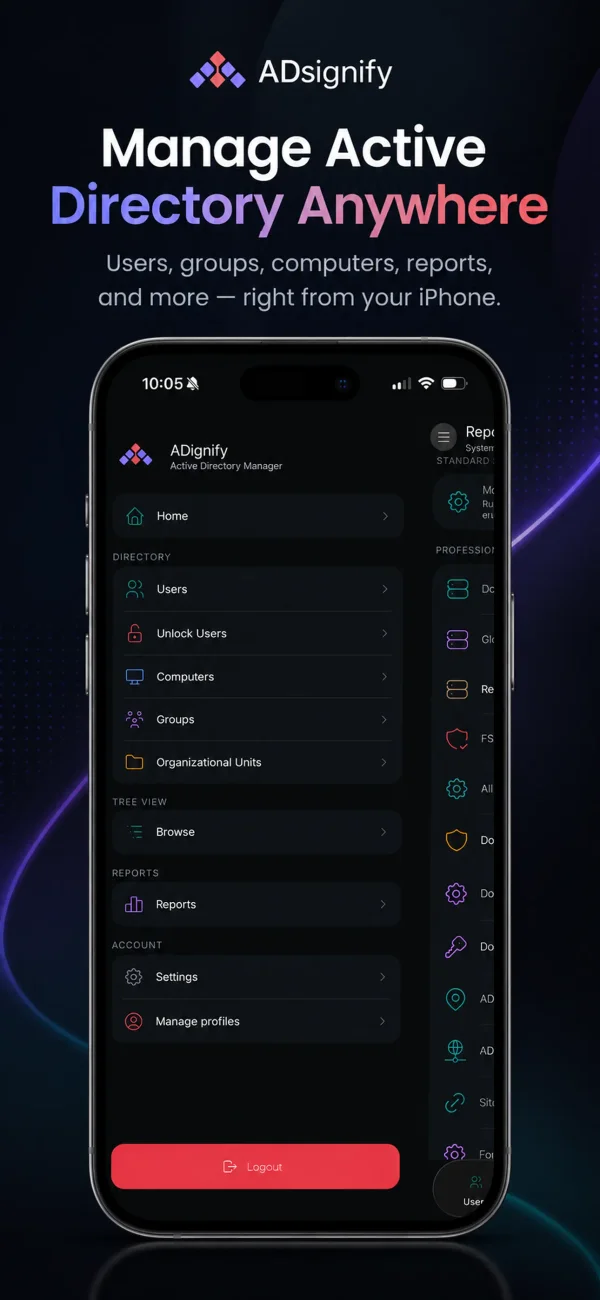
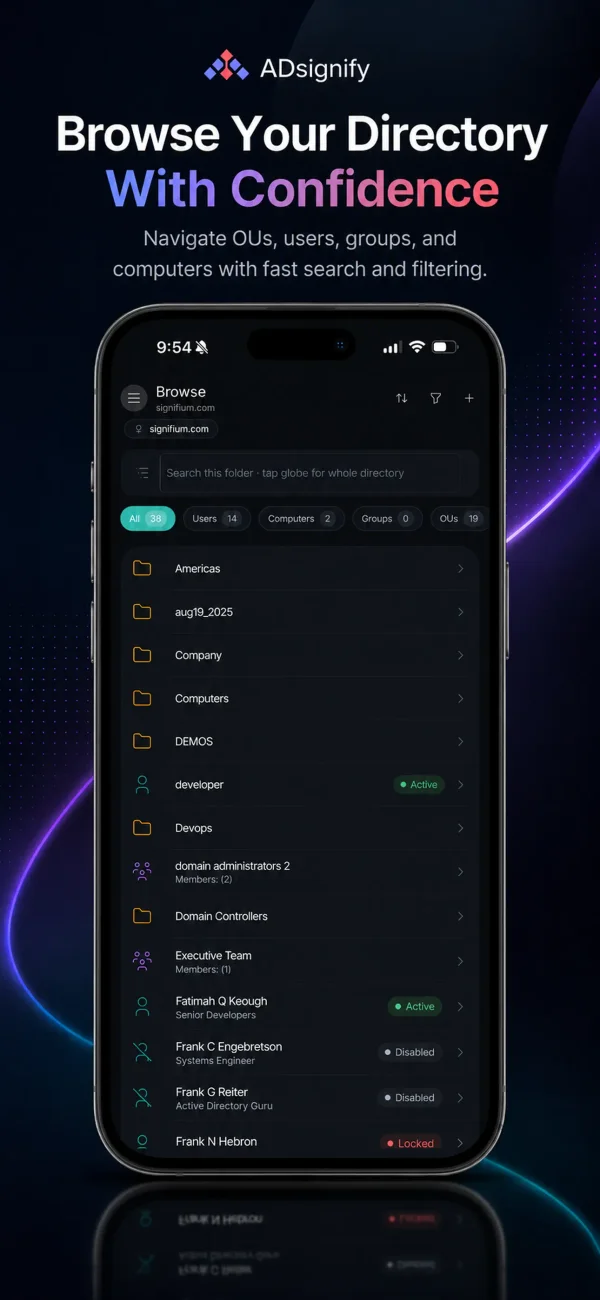
• Browse Tree
Navigate your complete AD structure like a ADUC or file system, with instant search and filtering.
• User Management
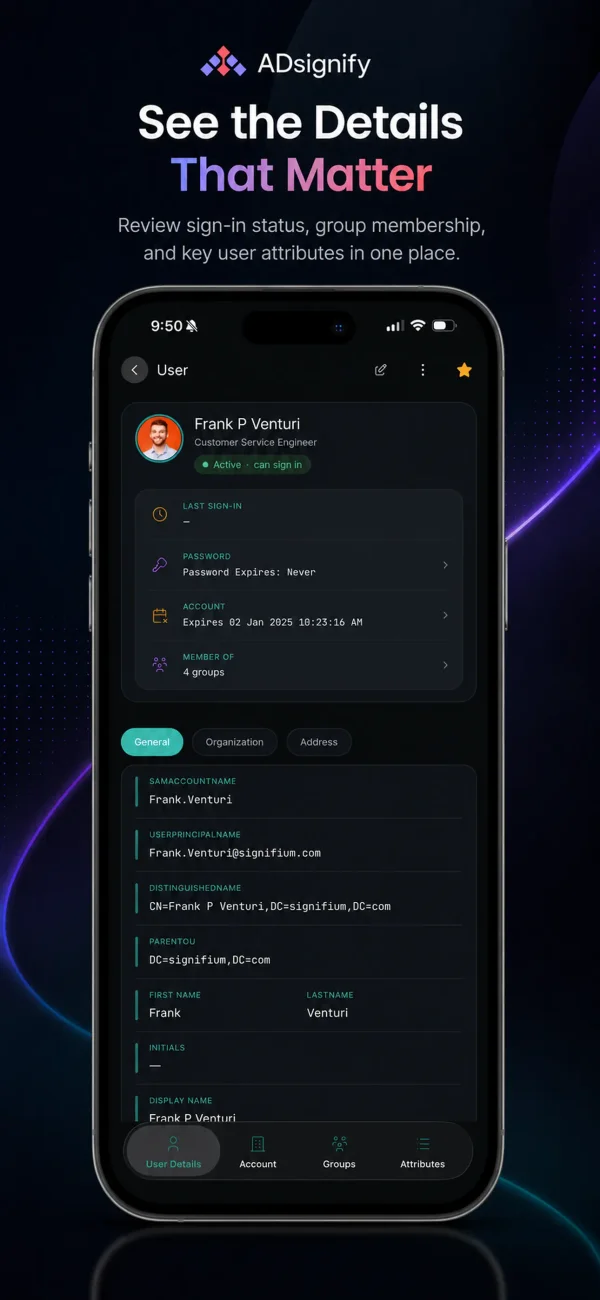
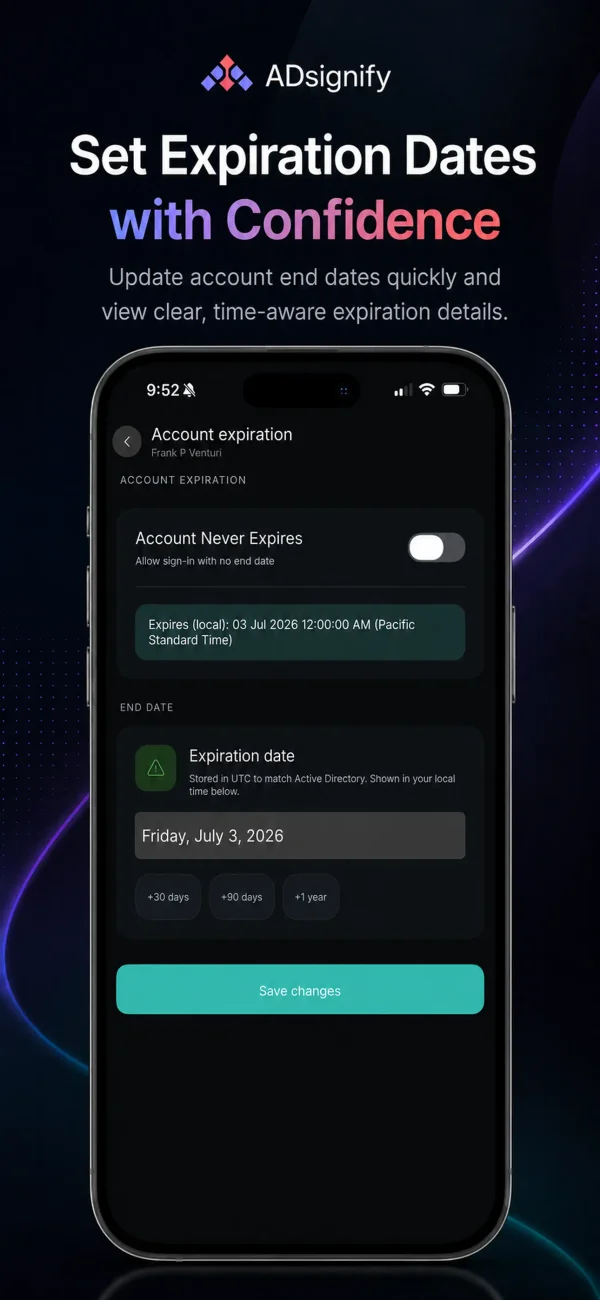
Reset passwords, unlock accounts, enable or disable users, set expiration dates, and edit attributes.
• Group Operations
Manage memberships, edit group properties, and audit access.
• Computer & OU Management
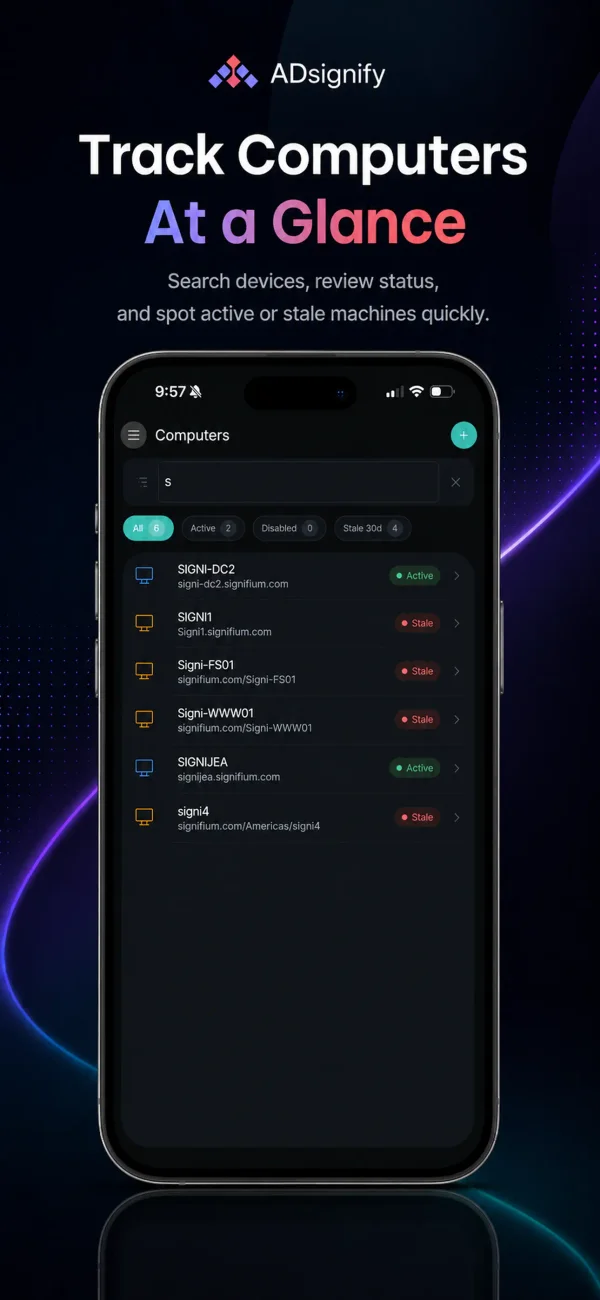
Move or delete computers, update organizational units, and manage properties.
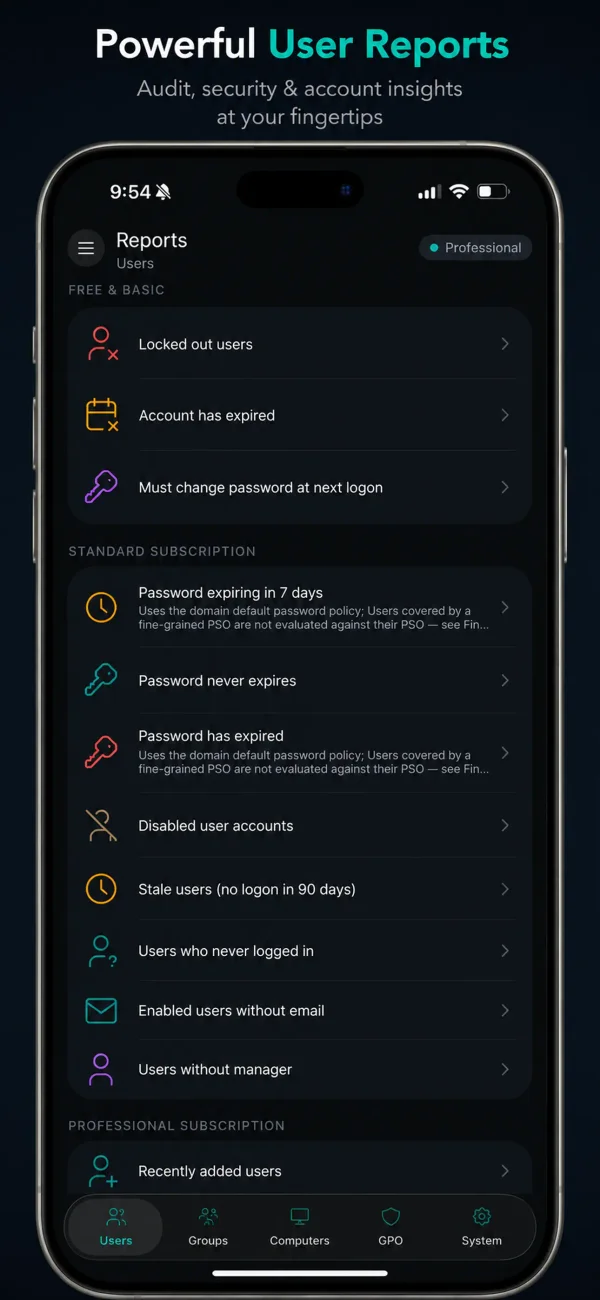
• Reports
Generate reports for expired accounts, locked users, inactive computers, empty groups, and more.
• Multi-Profile Support
Save and manage multiple AD domains with custom search bases.
• Enterprise Security
Use LDAP, SSL, and TLS connections with biometric unlock. Credentials are not stored on other devices.
• Intuitive UI
Manage complex AD operations through a clean, simple interface.
• Smart Defaults
Configure default OUs and password policies with Standard and Professional plans.
SUBSCRIPTION PLANS
• Free
Read-only browsing, read/write computer management, basic reports, and no saved profiles. Free forever.
• Basic — $7.99/year
Full management for users, groups, computers, and OUs. Includes one saved profile and password reset.
• Standard — $9.99/year
Tree browsing, default OU settings, and standard reports.
• Professional — $14.99/year or $2.99/month
Up to 10 profiles, professional reports, and all available features.
All paid plans include a 7-day free trial.
SUBSCRIPTION TERMS
Start with a 7-day free trial and cancel anytime during the trial at no charge. After the trial, payment is charged to your Apple ID at the start of each billing period. Subscriptions renew automatically unless canceled at least 24 hours before the end of the current period. Manage or cancel your subscription in your App Store account settings.
CONTACT
Questions, suggestions, or feature requests?
Email: [support@signifium.com](mailto:support@signifium.com)
Terms of Service:
https://www.signifium.com/termsofuse
Privacy Policy:
https://www.signifium.com/privacy
Neue Funktionen
Version 4.0 · 07.07.2026
ADignify 4.0 — What's New
New UI — Complete redesign with a modern iOS-style look, custom navigation, and refreshed screens throughout.
New Home — Dashboard with connection status, quick actions, favorites, recents, and locked-user alerts.
Browse — Filter chips, pin users/groups/computers/OUs, recent locations, and quick actions from any row.
Reports — 50+ LDAP reports including GPO coverage, security posture, and hygiene checks, with tier preview mode.
Favorites & Default OU — Star favorite users on Home; set a per-profile default OU (Professional) for faster LDAP workflows.
App-Datenschutz
Was Signifium LLC im App Store zum Umgang dieser App mit Daten angibt.
-
Mit Ihnen verknüpfte Daten
Können erfasst und mit Ihrer Identität verknüpft werden.
- Kennungen
- Nutzungsdaten
Die Datenschutzpraktiken können variieren, zum Beispiel je nach den von Ihnen verwendeten Funktionen oder Ihrem Alter.
Informationen
- Anbieter
- Signifium LLC
- Kategorie
- Produktivität
- Version
- 4.0
- Aktualisiert
- 07.07.2026
- Veröffentlicht
- 11.09.2020
- Größe
- 106,3 MB
- Erfordert
- iOS 15.0 oder neuer
- Altersfreigabe
- 4+
- Preis
- Kostenlos
- In-App-Käufe
- Ja
- Copyright
- © 2020 Signifium LLC
Das könnte Ihnen auch gefallen
-
 NetSupport Manager ControlProduktivität
-
 Delinea Secret Server MobileProduktivität
-
 Network Utilities & AnalyzerProduktivität
-
 BeyondTrust Access ConsoleProduktivität
-
 BenQ DMS ToolProduktivität
-
 ExtremeCloud IQ CompanionProduktivität
-
 Telnet Client TerminalProduktivität
-
 PRTG - MonitoringFür PRTG Network Monitor
-
 S3 Files & Storagefor AWS, Backblaze & MinIO
-
 SonicExpressProduktivität