AGAIN. Rehearsal Notes
Remembers why the band stopped
Entwickelt für iPhone
2,99 €
- Altersfreigabe4+
- KategorieMusik
- EntwicklerTrevor Lawrence
- SprachenEnglisch
- Größe23,8 MB
Verlinkt auf die offizielle App Store-Seite
Download.org hostet keine Datei von AGAIN. Rehearsal Notes. Die Schaltfläche öffnet die App-Seite bei App Store, wo Trevor Lawrence die App veröffentlicht. Eintrag zuletzt geprüft am 17.11.2026.
Screenshots


Info
Der Entwickler hat diesen Text nicht in Ihrer Sprache bereitgestellt.
AGAIN. is the rehearsal app that remembers why the band stopped — and, new in Version 2, who said what in a writing session or a table read.
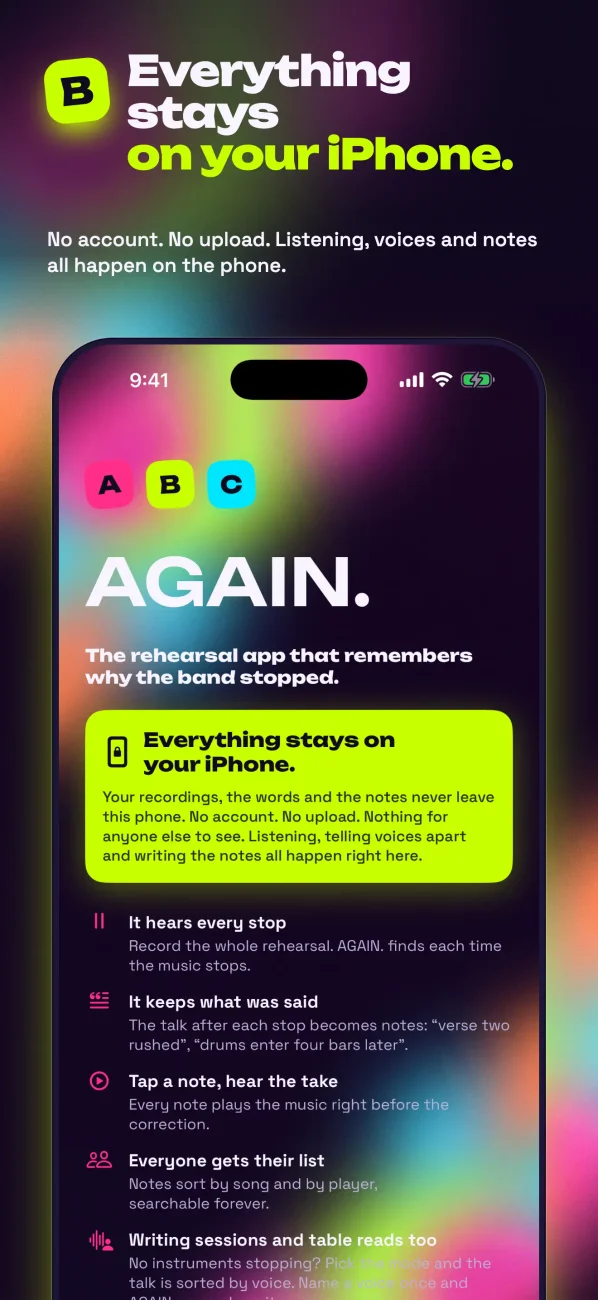
EVERYTHING STAYS ON YOUR IPHONE
No account. No ads. No servers. Your recordings, the words and the notes never leave your iPhone. Listening, telling voices apart and writing the notes all happen on the device.
You run the tune. Somebody stops it. "Bass, you're early on the bridge — verse two is four bars, not eight." Everyone nods. Next week nobody remembers. AGAIN. does.
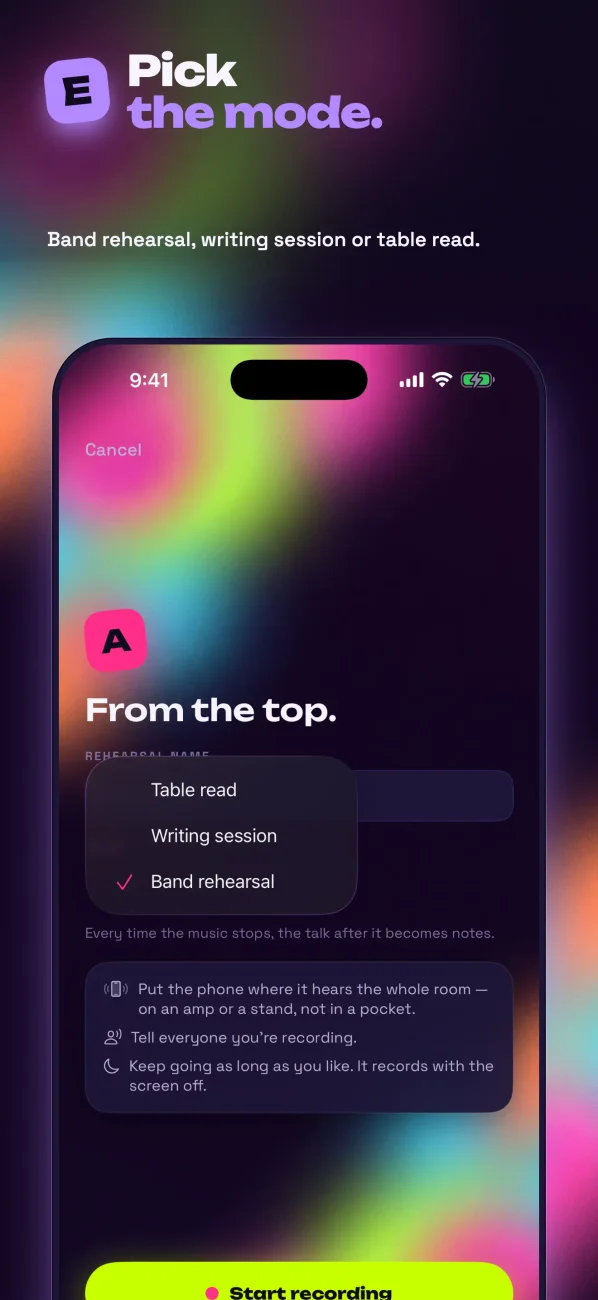
PICK THE MODE
Band rehearsal, Writing session or Table read: one dropdown on the record screen. An imported recording asks the same.
BAND REHEARSAL: IT FINDS EVERY STOP
Put the phone where it can hear the room, tap Record and play. On-device sound analysis tells music from talking. Each time the band stops to talk, that stop becomes a rehearsal letter — A, B, C — like the boxed letters in a score. It keeps going with the screen off, as long as the rehearsal runs.
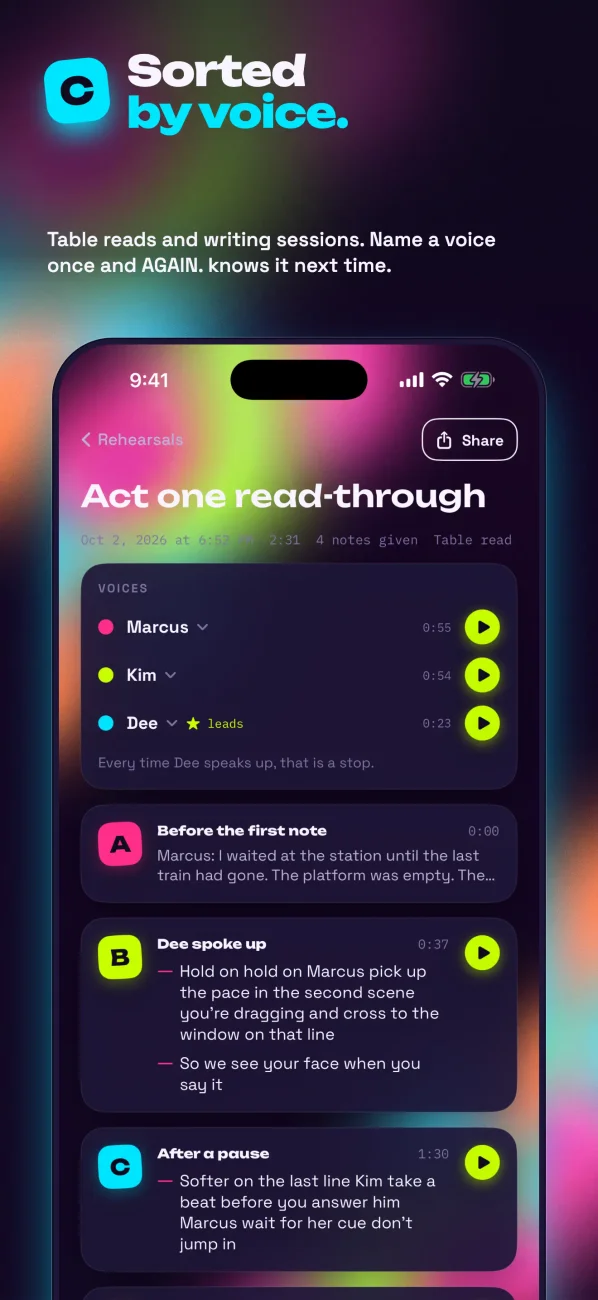
WRITING SESSIONS AND TABLE READS: SORTED BY VOICE
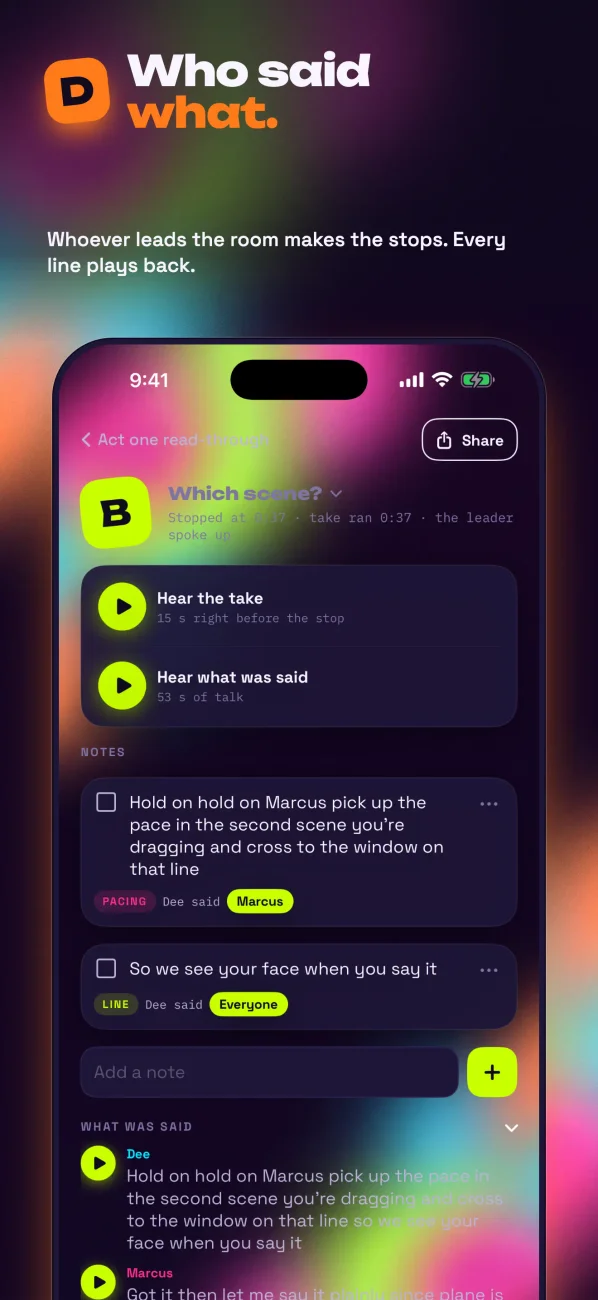
No instruments stopping? AGAIN. tells the voices in the room apart. Hear a few seconds of each, give it a name, and AGAIN. knows that voice the next time. Mark who leads the room — the director, the lead writer — and every time they speak up becomes a stop. Tap Mark a stop now whenever you like; long pauses and music that stops count too. Every line plays back, in the voice's own colour.
IT WRITES THE NOTES
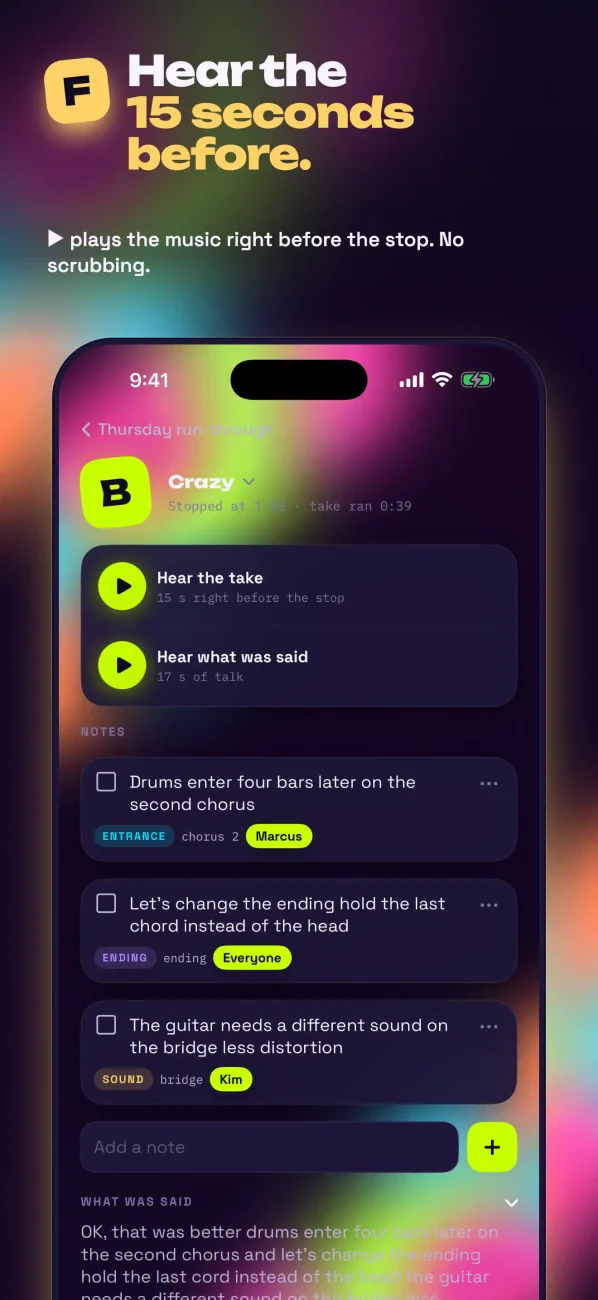
What was said is transcribed on your iPhone and turned into short notes: who it's for, which song, what kind of fix. A band gets tempo, entrance, ending, arrangement, dynamics, sound, pitch and lyrics. A table read gets line, delivery, pacing, blocking, cue and character — from the director's words, not the reading. A writing session gets lyric, melody, chords, structure, groove and hook. Each note says who said it. Wrong? Edit any note, or write your own.
▶ THE 15 SECONDS BEFORE
Every stop and every note has a play button that plays the music right before the band stopped. No scrubbing. Everyone hears the spot.
MORE THAN ONE BAND, MORE THAN ONE SETLIST
Play in a band, a choir and a trio? Tap the band's name to switch. Each band keeps its own players, setlists, rehearsals, notes and named voices. Give a band as many setlists as it needs (Sunday service, the wedding, the club set) and pick one before you record: its songs are the ones you tap while you play.
BY SONG, BY PLAYER, BY WORD
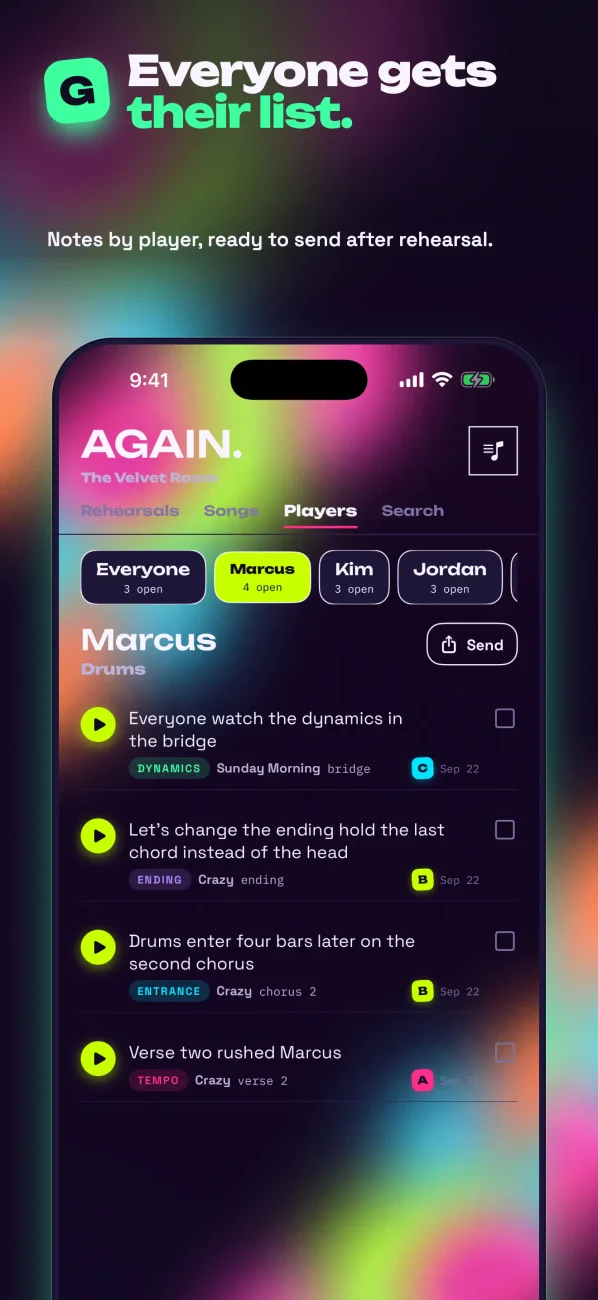
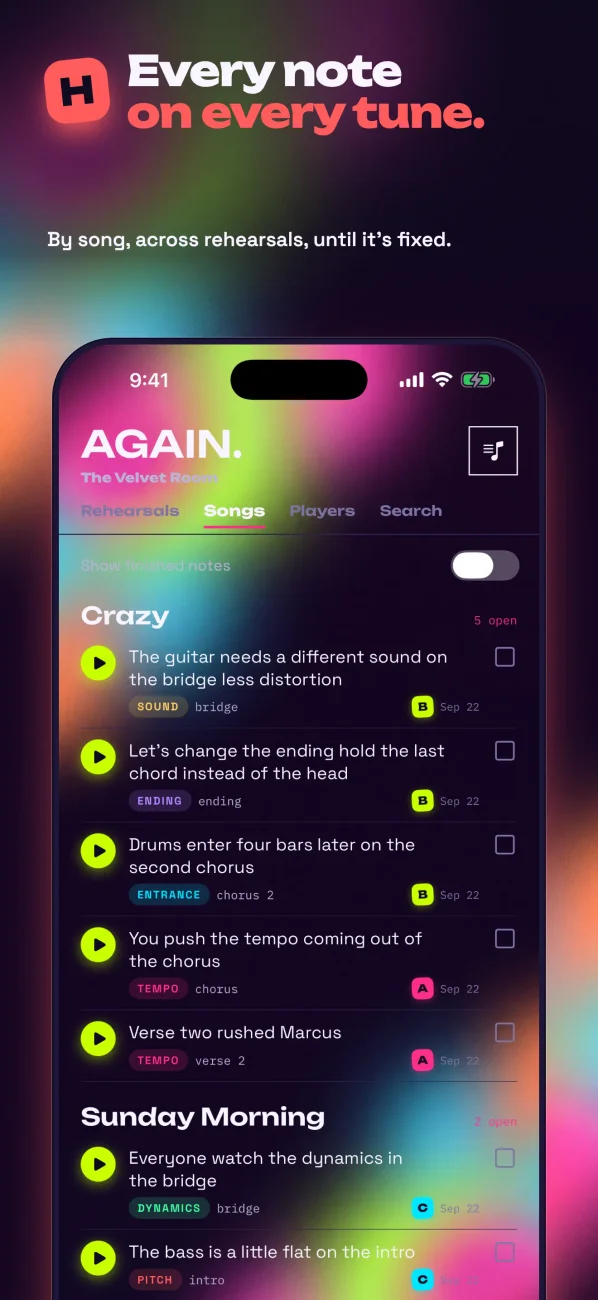
Songs: every note on each tune, across rehearsals. Players: each musician's list, ready to send. Search: notes and full transcripts.
SEND THE NOTES
Share a whole rehearsal's notes, or one stop's, to a text, an email or the group chat. Each musician's list has its own Send.
AGAIN. records other people's voices. Always tell the room you're recording and follow the recording laws where you play.
Neue Funktionen
Version 2.0.1 · 23.10.2026
SAVE THE WHOLE RECORDING
Every rehearsal now has The whole recording: play it from any point and save the file to Files, AirDrop or a computer. Your recordings also show in the Files app, under On My iPhone › AGAIN. › rehearsals.
LOOK FOR STOPS AGAIN
A rehearsal that shows no stops has a Look for stops again button: AGAIN. reads the whole recording from the top. Long rehearsals recorded with the screen off are now read again from the recording when needed, so stops are not missed.
App-Datenschutz
Was Trevor Lawrence im App Store zum Umgang dieser App mit Daten angibt.
-
Keine Daten erfasst
Der Entwickler erfasst keine Daten von dieser App.
Die Datenschutzpraktiken können variieren, zum Beispiel je nach den von Ihnen verwendeten Funktionen oder Ihrem Alter.
Informationen
- Anbieter
- TREVBEATS MULTIMEDIA LLC
- Kategorie
- Musik
- Version
- 2.0.1
- Aktualisiert
- 23.10.2026
- Veröffentlicht
- 28.09.2026
- Größe
- 23,8 MB
- Erfordert
- iOS 26.0 oder neuer
- Altersfreigabe
- 4+
- Preis
- 2,99 €
- Sprachen
- Englisch
- Copyright
- © 2026 TrevBeats Multimedia