- Altersfreigabe4+
- KategorieProduktivität
- EntwicklerDuy Nguyen
- SprachenEnglisch+ 1 weitere
- Größe123,2 MB
Verlinkt auf die offizielle App Store-Seite
Download.org hostet keine Datei von AI Recap. Die Schaltfläche öffnet die App-Seite bei App Store, wo Duy Nguyen die App veröffentlicht. Eintrag zuletzt geprüft am 27.11.2026.
Screenshots


Info
Der Entwickler hat diesen Text nicht in Ihrer Sprache bereitgestellt.
AI Recap turns lengthy content into the points you need to remember and the work you need to do. Keep AI results together in one app, with Vietnamese and English interfaces.
SUMMARIZE DIFFERENT SOURCES
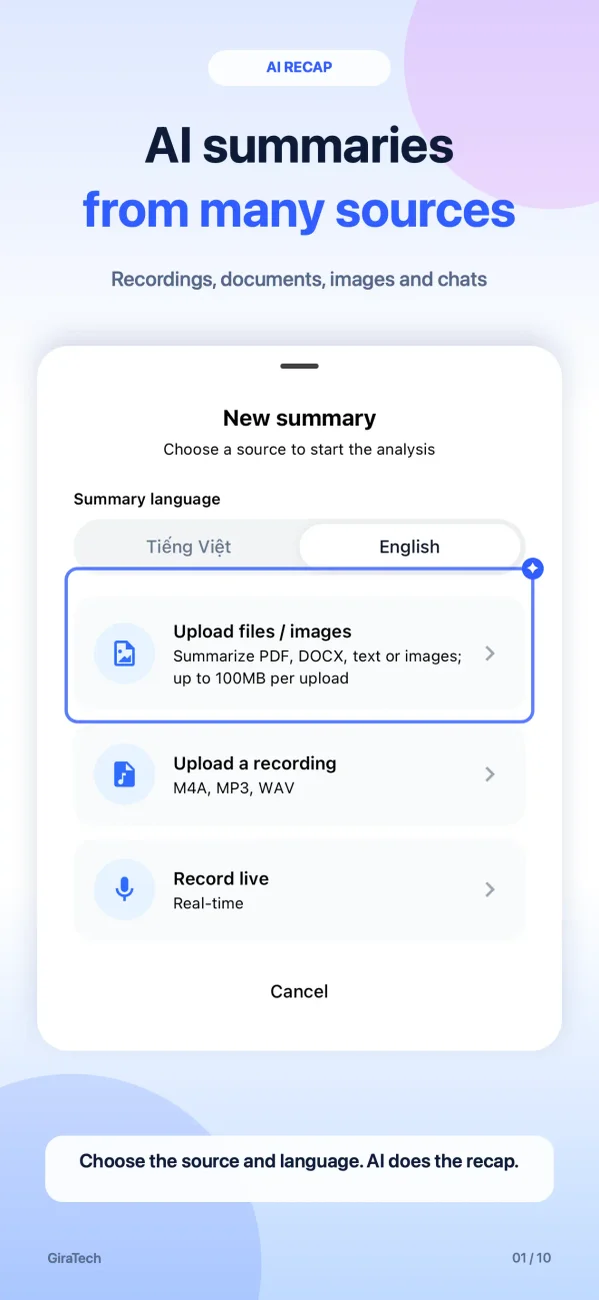
• Record a meeting or upload an audio recording
• Summarize PDF, DOCX, text documents and images
• Choose the result language, search your summaries and filter by source type
FROM MEETINGS TO USEFUL RESULTS
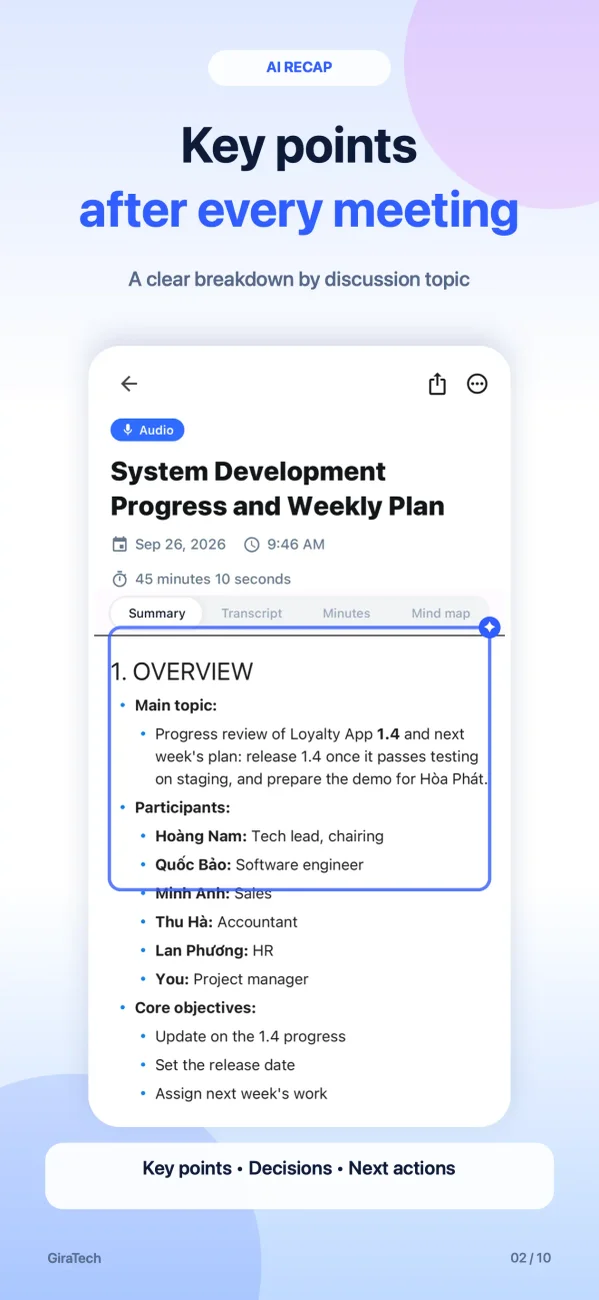
• Read key points, a breakdown by topic and decisions
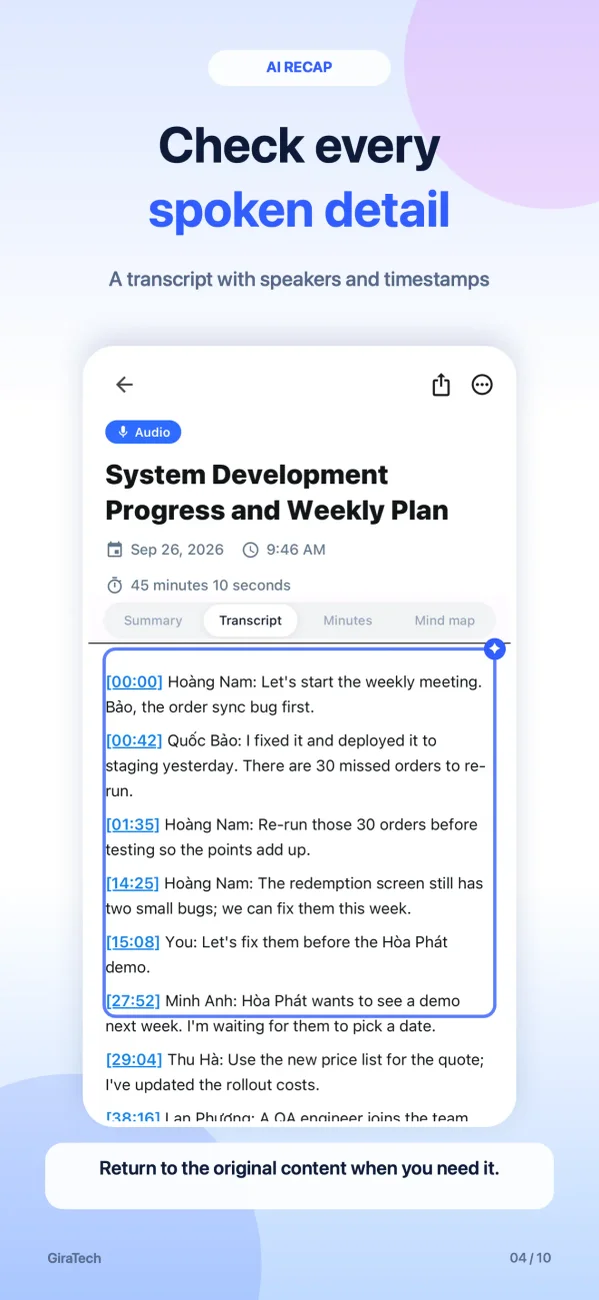
• Check the transcript with speakers and timestamps
• View structured minutes, edit them and export a PDF
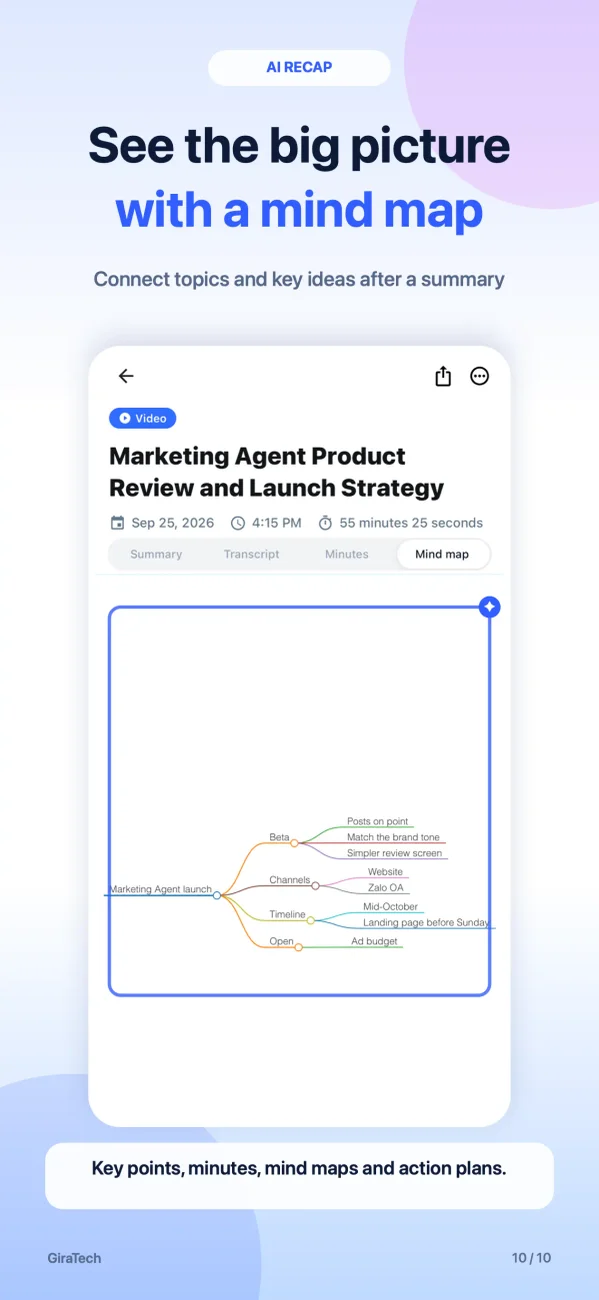
• Explore a mind map to see the discussion at a glance
• Turn the action plan into tasks after checking the assignee and deadline
AI CHAT SUMMARIES
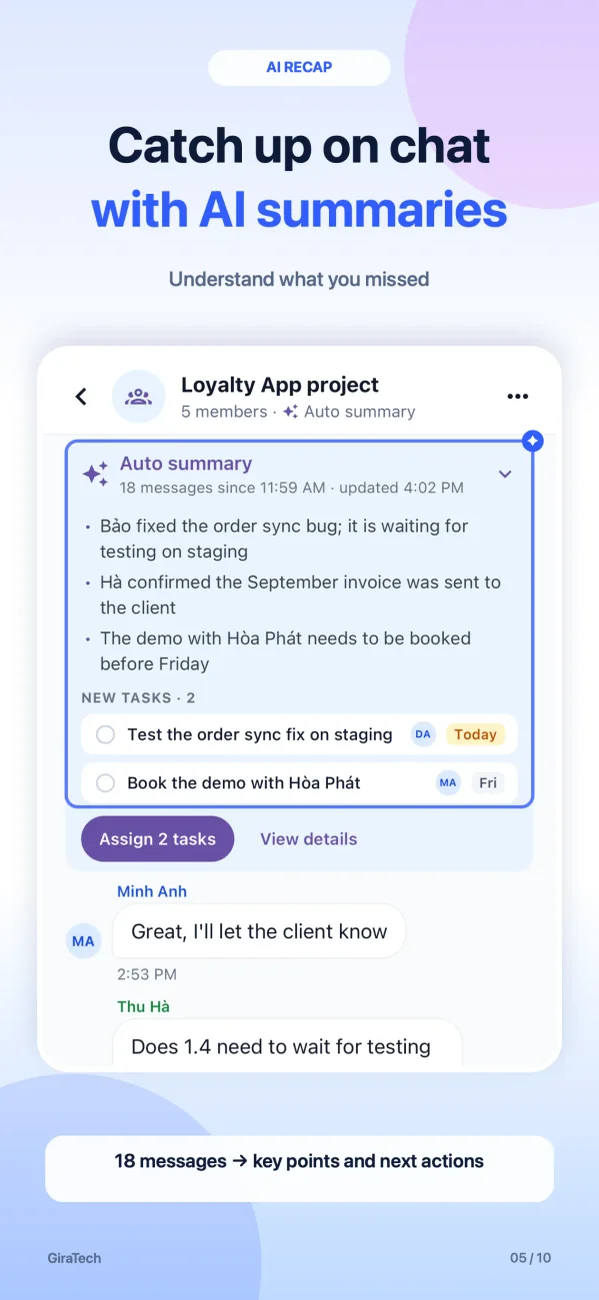
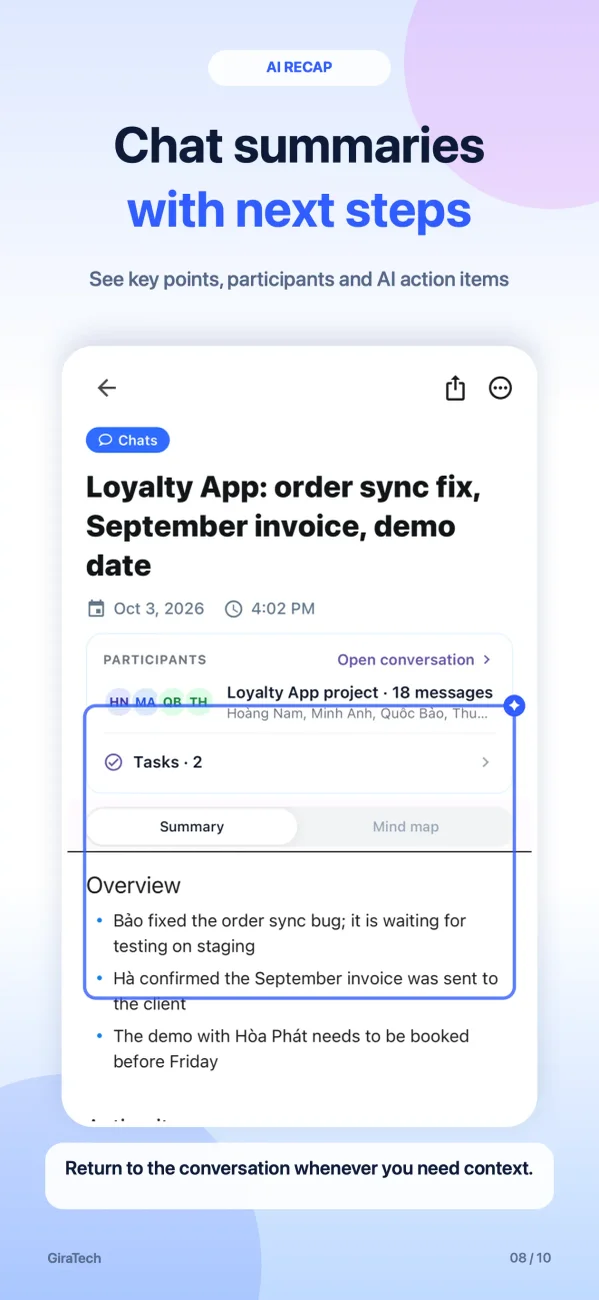
• Catch up on unread conversations with an AI summary card
• Open the details to review key points and suggested tasks; return to the chat to check the source content
• Request a conversation summary when you need one
• Send direct or group messages, voice messages, photos, GIFs, videos, audio, more document formats and archives
• React with emoji and see who reacted
• Find shared content in Media, Documents and Links; filter by type or sender and return to the original message
• Recognize documents by their first-page previews and open supported formats in the app
• Translate messages in another language; reply, pin, recall and mention colleagues
• Report inappropriate content and block users
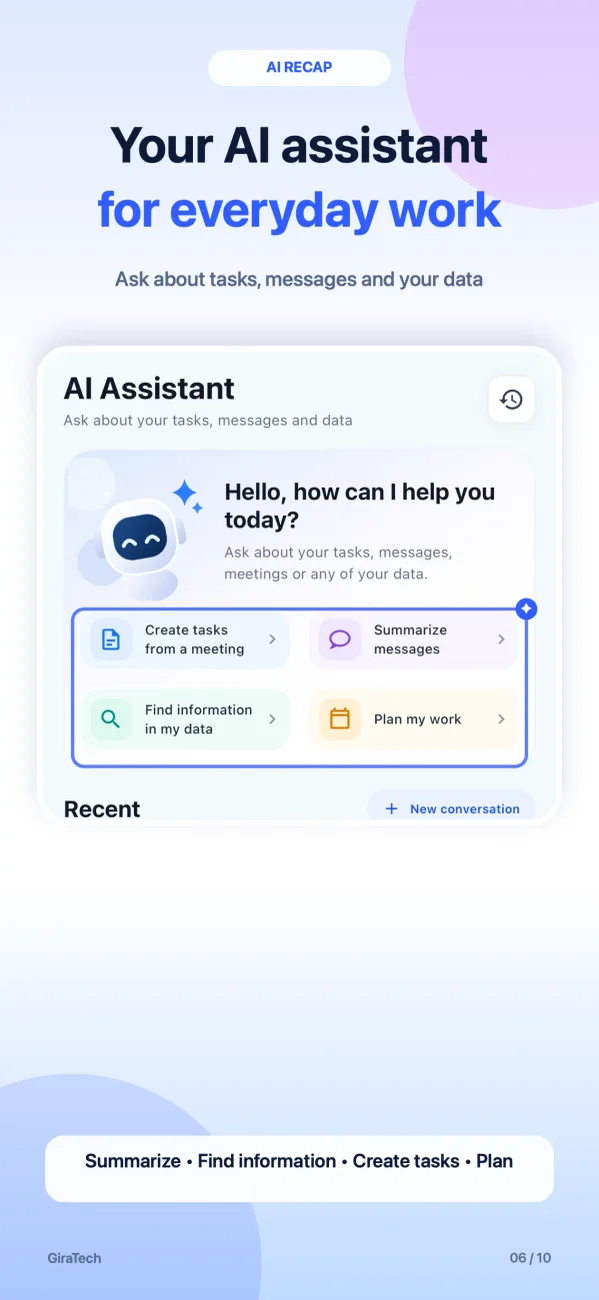
GIRA AI ASSISTANT
• Find information, summarize messages, create meeting tasks and plan your work
• Ask about your own tasks, messages and data
• Review and approve every proposed change before it is applied
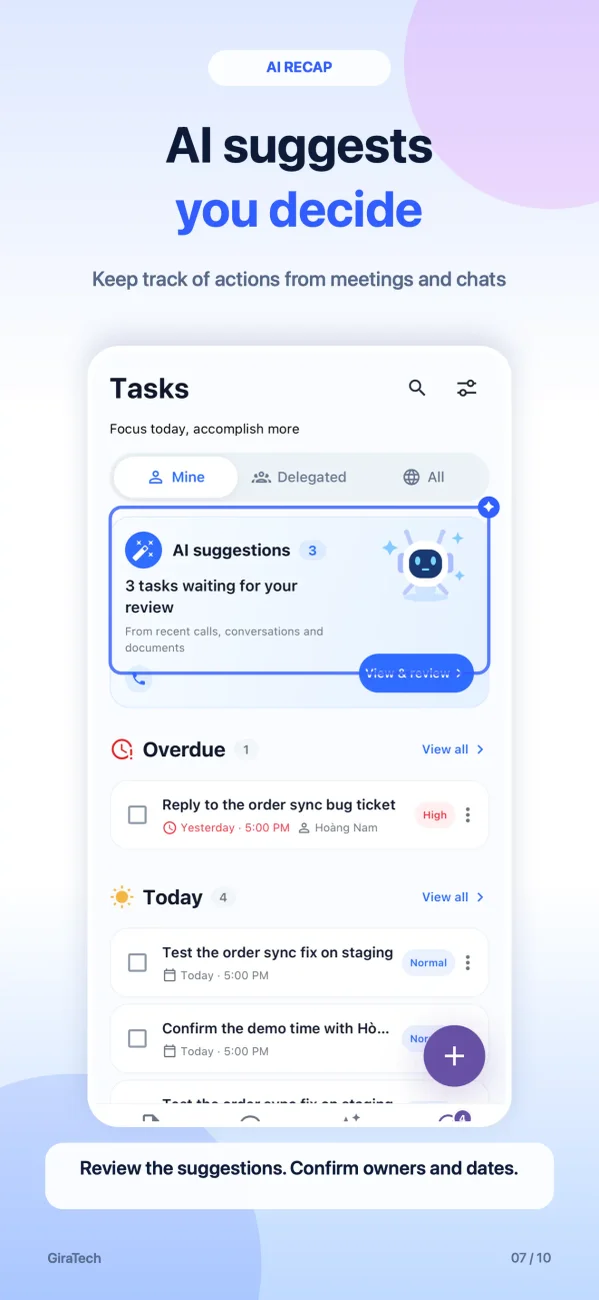
TASKS WITH AI
• Bring together AI task suggestions from meetings, chats and documents
• Check the details, assignee, deadline and source; unselect what you do not need
• Assign after confirming, then track Overdue, Today and Upcoming work
• Follow task sources, subtasks, comments and completion status
• Choose who a task reports to, receive progress notifications and filter tasks that report to you
• Attach photos and documents when creating or updating tasks; add files to comments and view photos inline
VOICE CALLS AND CALL SUMMARIES
• Call a colleague from a direct chat; receive calls through the iOS call interface, including on the lock screen
• Answering is always voice only. A call is recorded for an AI summary only when both people agree: for that call, or when both have turned on Always agree
• While recording, both people always see an indicator and either can stop it
CONNECTIONS AND YOUR ACCOUNT
• Scan QR codes with the camera or from a saved image; save and share your own code
• Send, accept or decline friend requests in a chat and view group members’ profiles
• Create an account step by step, set a PIN and choose Face ID sign-in on supported devices
• Select a country calling code for international numbers and verify your email with a code during sign-up
• Recover your PIN with an SMS or email code and clear on-screen guidance
• Add a job title to your profile and QR card
PRIVACY
The app asks for your consent before sending meeting recordings, call audio, files, chat content or questions to the third-party AI service Google Gemini to provide AI features. Contacts are used only to find people already using the app when you allow access; phone numbers and email addresses are not stored.
Sign-in is required. AI Recap is a GiraTech product.
Neue Funktionen
Version 2.1.5 · 23.11.2026
Version 2.1.5
• Choose the Fast model or the Thinking model when you create a summary (Thinking model for VIP)
• A cleaner New summary screen: live recording in one tap
• Clearer audio when you play recordings back
• Quick feedback after each recording
• Better quality and faster processing
App-Datenschutz
Was Duy Nguyen im App Store zum Umgang dieser App mit Daten angibt.
-
Mit Ihnen verknüpfte Daten
Können erfasst und mit Ihrer Identität verknüpft werden.
- Kontaktinformationen
- Benutzerinhalte
- Kennungen
Die Datenschutzpraktiken können variieren, zum Beispiel je nach den von Ihnen verwendeten Funktionen oder Ihrem Alter.
Informationen
- Anbieter
- Duy Nguyen
- Kategorie
- Produktivität
- Version
- 2.1.5
- Aktualisiert
- 23.11.2026
- Veröffentlicht
- 09.02.2026
- Größe
- 123,2 MB
- Erfordert
- iOS 16.4 oder neuer
- Altersfreigabe
- 4+
- Preis
- Kostenlos
- Sprachen
- Englisch, Vietnamesisch
- Copyright
- © 2026
Das könnte Ihnen auch gefallen
-
 NoteTalk: KI-NotizenSprache zu Text & Meeting
-
 AimeNote - Smart Meeting NoteProduktivität
-
 mCheckeeProduktivität
-
 InsideSync: AI Life PlannerProduktivität
-
 KI Notizen, ZusammenfassungSprachnotizen, KI-Zusammenfass
-
 Hey: AI Note Taker TranscribeProduktivität
-
 QLĐXProduktivität
-
 MeetingInsights: AI MinutesProduktivität
-
 AI Note Taker - YapBrainStimme in Aktionspläne mit KI
-
 MeetingMarkNotizen & KI-Transkriptionen