
- Altersfreigabe4+
- KategorieNavigation
- EntwicklerBryce Percoco
- SprachenEnglisch
- Größe695,0 KB
Aimless Drives ist bei App Store derzeit möglicherweise nicht verfügbar
Bei unserer letzten Prüfung war der Store-Eintrag nicht erreichbar. Der Link führt weiterhin zur offiziellen App Store-Seite.
Screenshots


Info
Der Entwickler hat diesen Text nicht in Ihrer Sprache bereitgestellt.
Aimless makes driving loops that start and end exactly where you are.
Pick how long you want to be out — 30, 60, 90, or 120 minutes — and Aimless hands
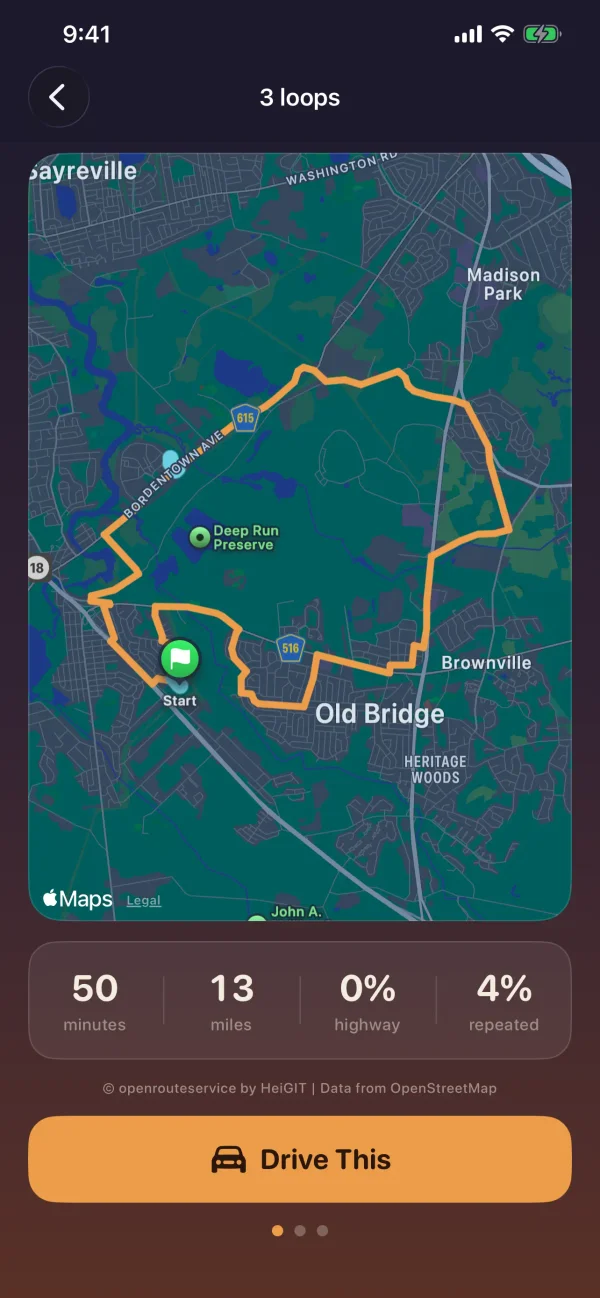
you three routes that wander out and come back without retracing themselves.
Tap one and it opens in Google Maps, ready to drive.
It exists because aimless drives have a flaw. You head out with no
destination, you get too far from home, and the drive back becomes dead time
retracing roads you just covered. A loop fixes that. The whole drive is the
good part.
WHAT IT DOES
• Generates three loops starting from your current location
• Shows each on a map with real distance, drive time, and highway percentage
• Hands off to Google Maps for turn-by-turn navigation
• Favors back roads — loops with significant highway are filtered out
BUILT FOR BACK ROADS
Aimless deliberately avoids highways. Every candidate route is checked for
motorway content and anything with a meaningful share is discarded, because a
highway loop is not a drive worth taking.
The times are honest, too. Aimless routes each loop through the exact waypoints
it hands to Google, so the duration you see is the duration you drive — not an
optimistic estimate of a route you were never going to take.
WHAT IT DOESN'T DO
No account. No sign-up. No history, no sync, no ads, no tracking. It doesn't
store anything, including where you have been. Open it, tap once, drive.
Aimless needs a location fix to know where your loop should start, and it needs
Google Maps for navigation. That's the whole dependency list.
Good for a Sunday morning, a passenger worth talking to, and no particular
place to be.
Neue Funktionen
Version 1.0.3 · 02.10.2026
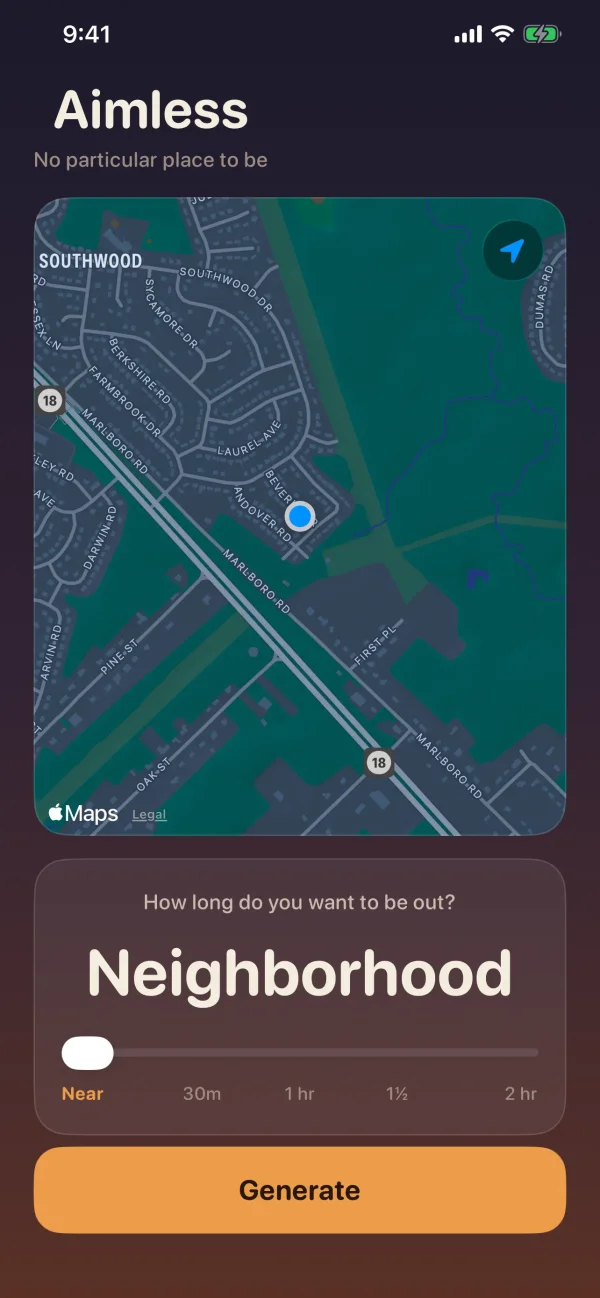
Neighborhood loops. Slide to "Near" for a drive that winds through nearby neighborhoods — great for holiday lights. Shorter loops also now steer away from roads you've already driven.
App-Datenschutz
Was Bryce Percoco im App Store zum Umgang dieser App mit Daten angibt.
-
Keine Daten erfasst
Der Entwickler erfasst keine Daten von dieser App.
Die Datenschutzpraktiken können variieren, zum Beispiel je nach den von Ihnen verwendeten Funktionen oder Ihrem Alter.
Informationen
- Anbieter
- Bryce Percoco
- Kategorie
- Navigation
- Version
- 1.0.3
- Aktualisiert
- 02.10.2026
- Veröffentlicht
- 02.09.2026
- Größe
- 695,0 KB
- Erfordert
- iOS 17.0 oder neuer
- Altersfreigabe
- 4+
- Sprachen
- Englisch
- Copyright
- © 2026 Bryce Percoco
Das könnte Ihnen auch gefallen
-
 Treasure Map - Ineffable FilmsNavigation
-
 Playspots: Spielplatz FinderSpielplätze in der Nähe
-
 Mineral NoteNavigation
-
 ÜberraschungswegEndlose Abenteuer!
-
 Offline Übersetzer Pro 8 Spr.Sprache,Fotos,Text, 8 Sprachen
-
 ESD-ConnectNavigation
-
 ApexRoute: Curvy RoadsNavigation
-
 CommutybleReisen
-
 Track Trail Hunting & CallsNavigation
-
 RPT Mobile Fare AppNavigation