
- Altersfreigabe4+
- KategorieProduktivität
- EntwicklerAirPro Diagnostics, LLC
- Größe19,6 MB
AirPro ADAS ist bei App Store derzeit möglicherweise nicht verfügbar
Bei unserer letzten Prüfung war der Store-Eintrag nicht erreichbar. Der Link führt weiterhin zur offiziellen App Store-Seite.
Screenshots


Info
Der Entwickler hat diesen Text nicht in Ihrer Sprache bereitgestellt.
AirPro Diagnostics' Mobile App puts the power of the AirPro service in the palm of your hand.
AirPro Diagnostics' scan tool and service meet rigorous vehicle manufacturer requirements by having OEM sourced software and cutting-edge scan-tool hardware resident at, and directly connected to the vehicle. The AirPro app allows users to connect to AirPro's cloud-based diagnostic management system, with the mobility and convenience of their phone.
What is AirPro Diagnostics?
AirPro Diagnostics is the most advanced, remote diagnostics, ADAS calibration, and programming service on the market today! Our scan tool utilizes OEM sourced software directly connected to the vehicle, or local, as many vehicle manufacturers require, remotely operated by a team of skilled brand specialist diagnosticians. Contact us at (904) 717-1711 to sign up for AirPro’s services or visit us at www.AirProDiagnostics.com.
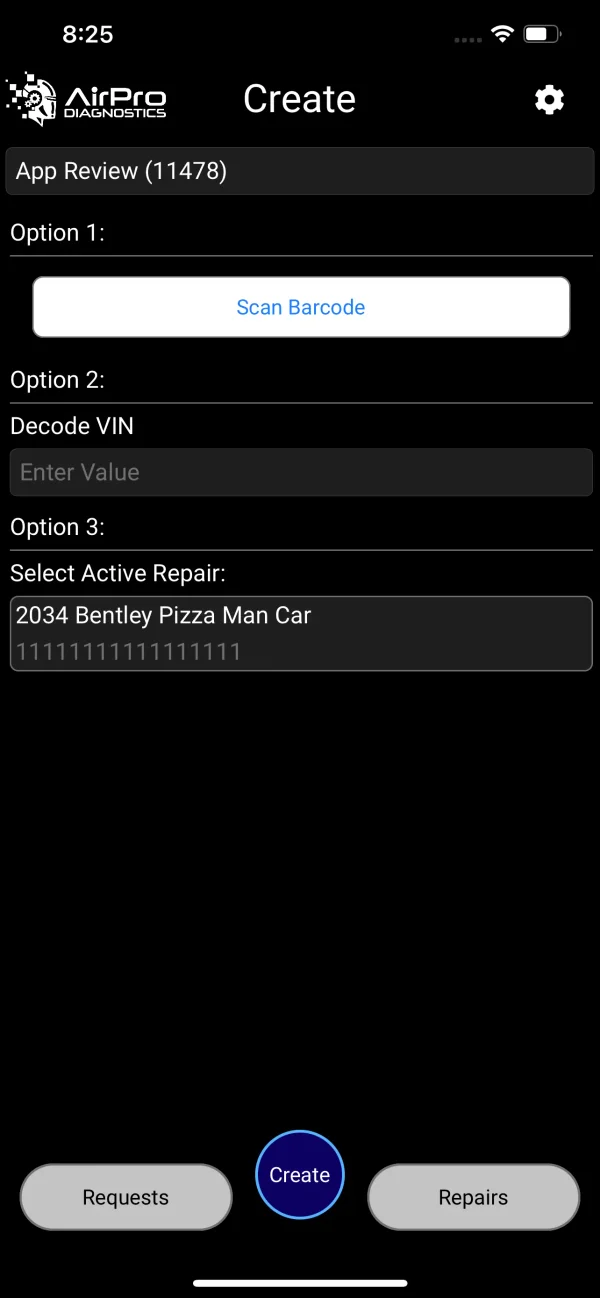
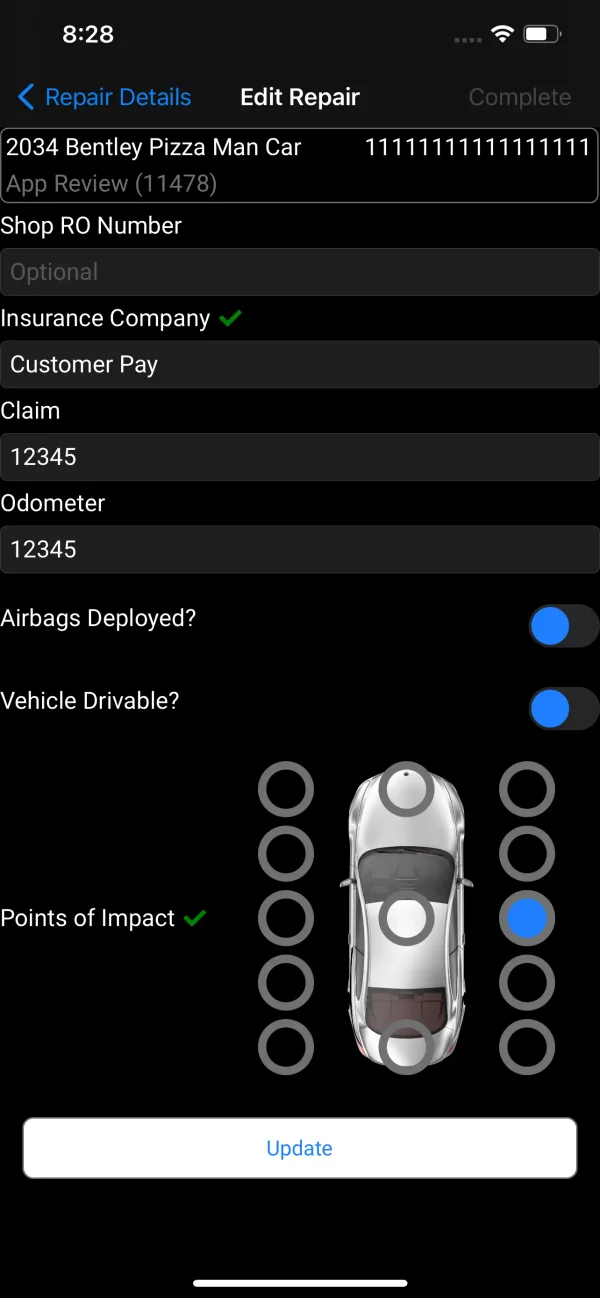
ADAS App works directly with AirPro Diagnostics' cloud-based program to quickly enter the vehicle information and photos of the vehicle. It also allows you to easily manage your existing repairs from ORION.
How does the AirPro Service Work?
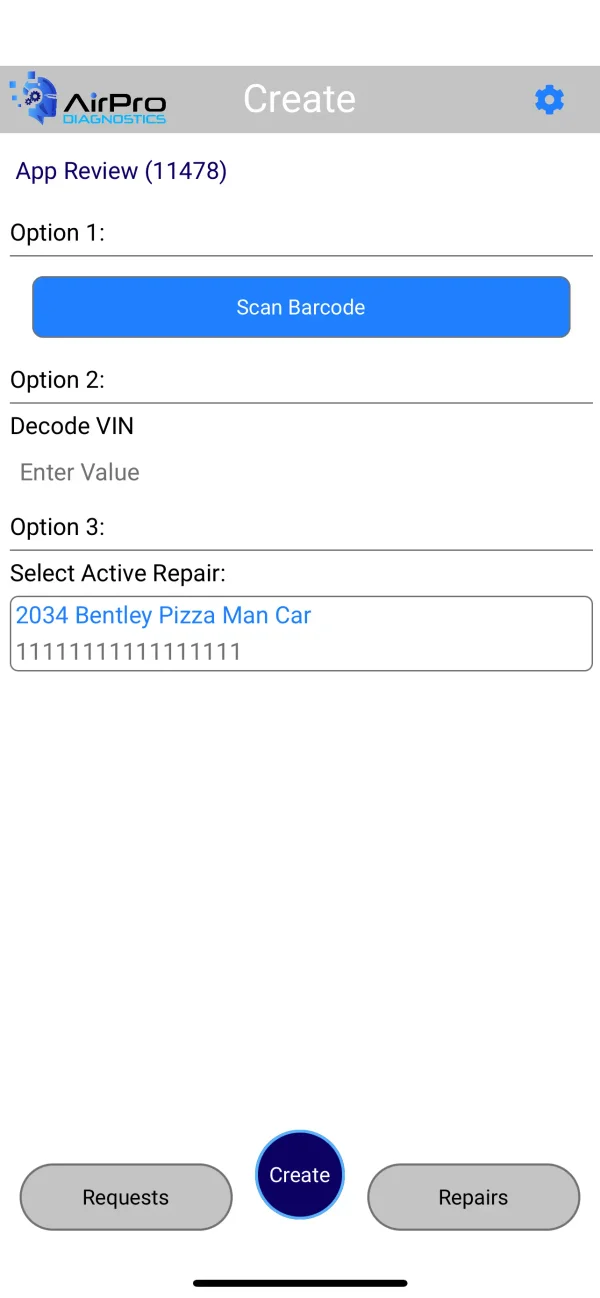
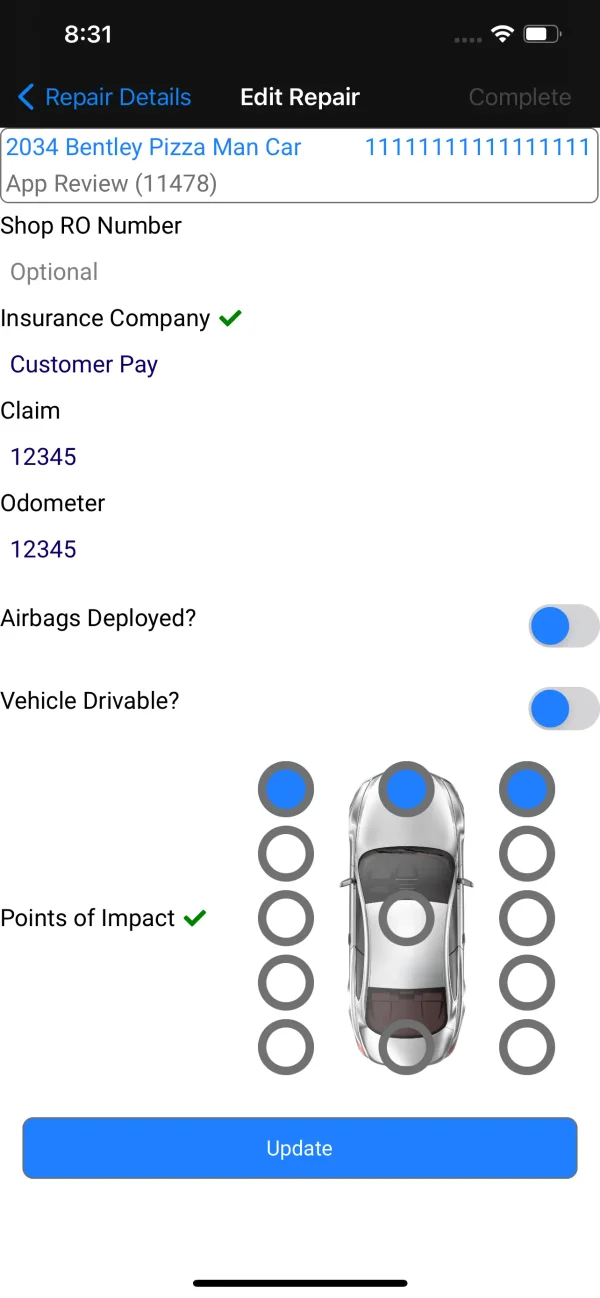
• Scan the VIN (Barcode or QR), and provide our technicians with details about the repair.
• Inspect the identified ADAS systems on the vehicle to check for damage.
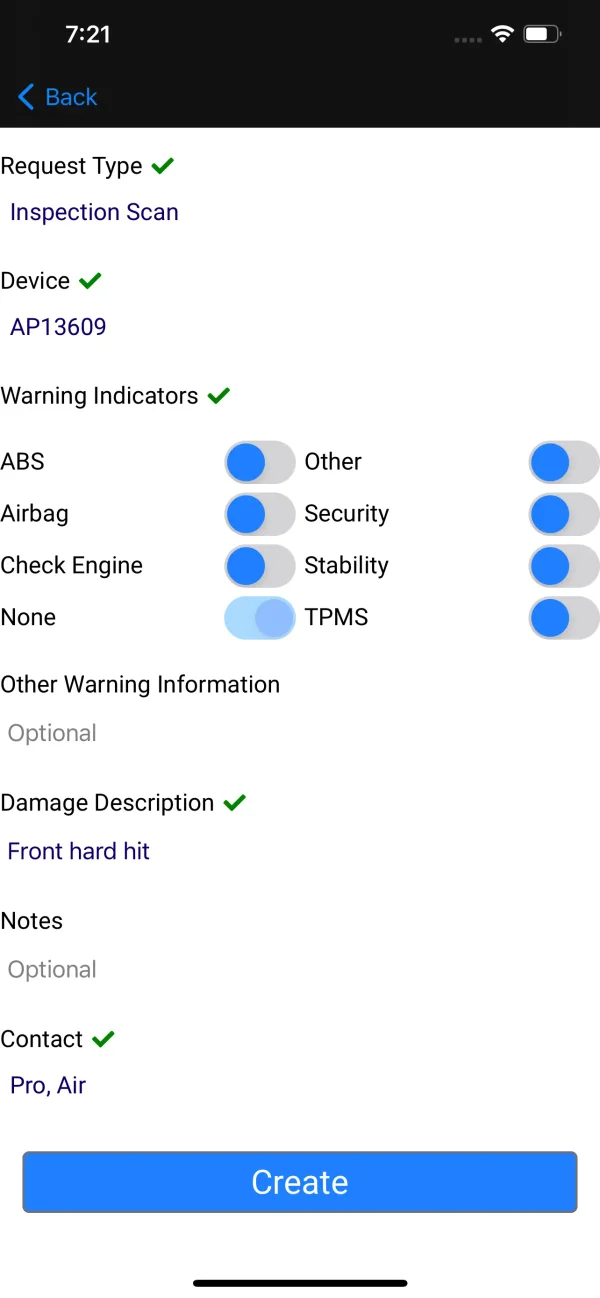
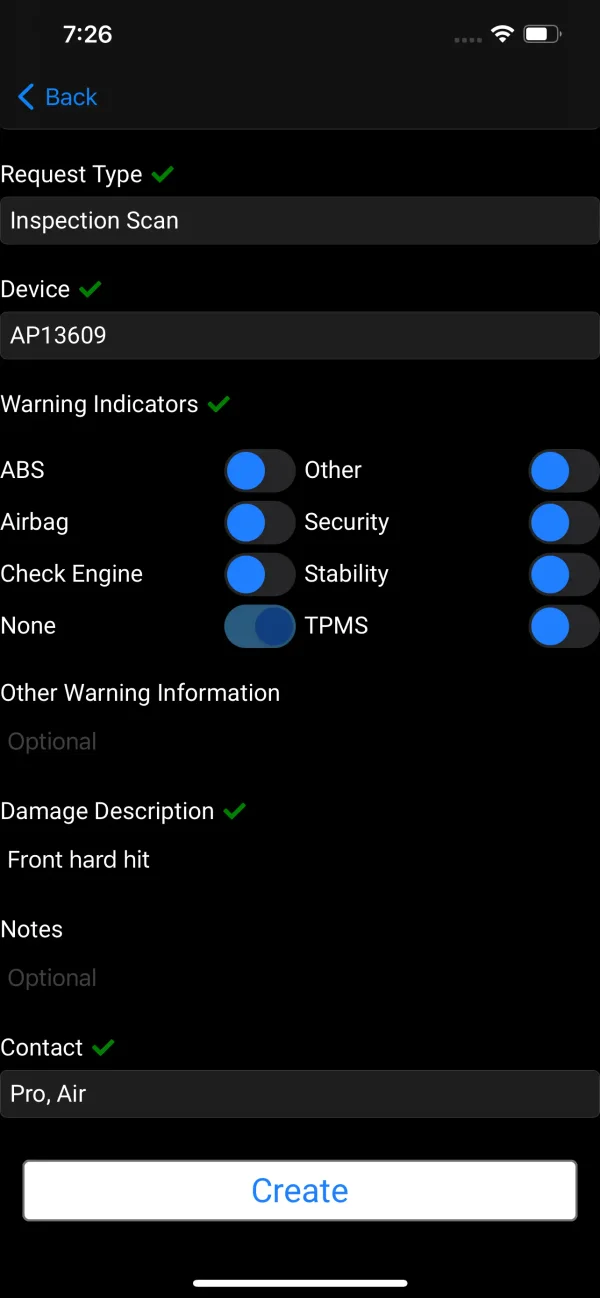
• Select a service (pre-scan, post-scan, diagnostics, ADAS calibration, or programming).
• Now pivot to your AirPro tool, power on and log in.
• Connect the tool to the vehicle OBD-II port.
• Place the vehicle in the key-on, engine-off mode.
• Submit a service request
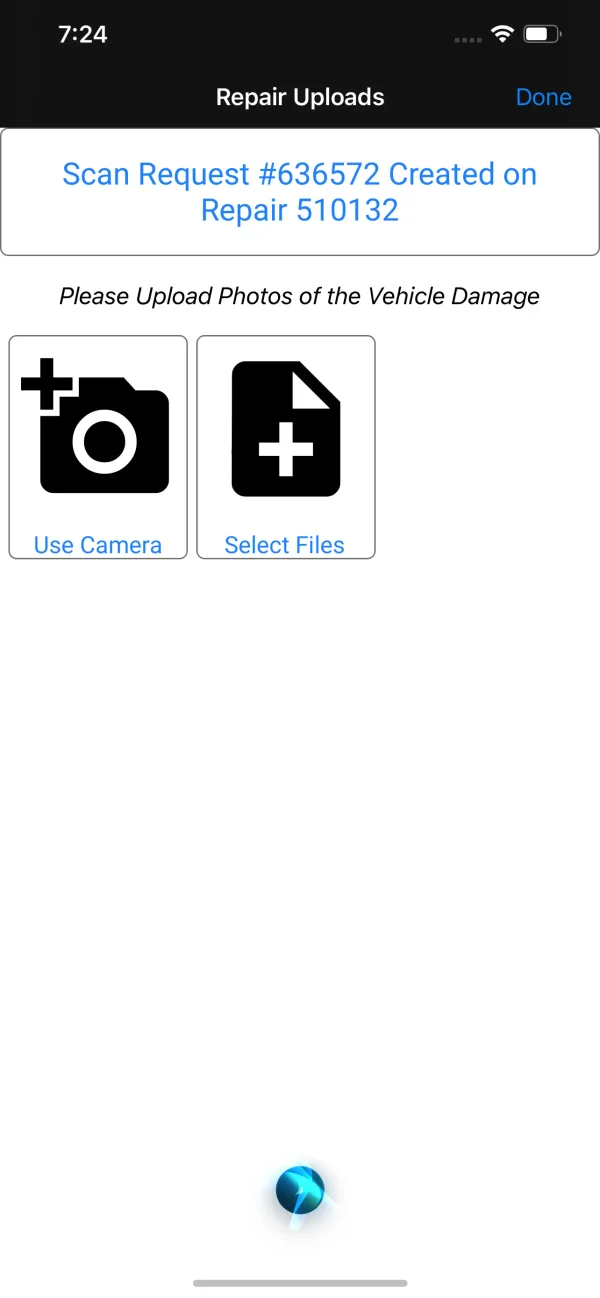
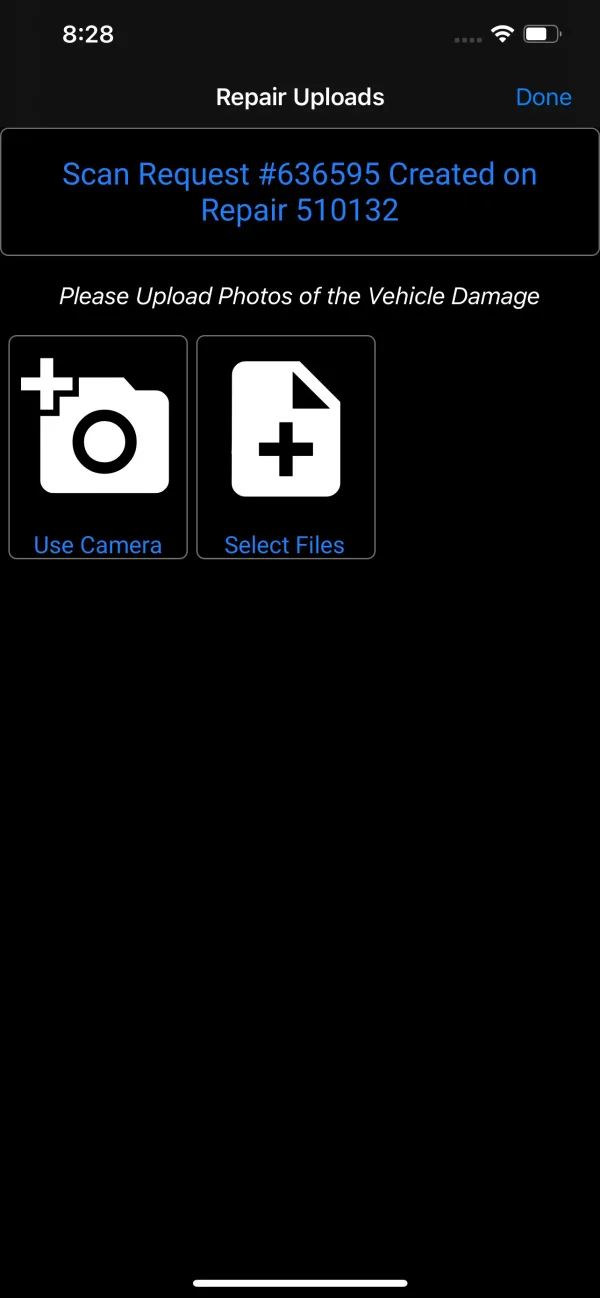
• Upload photos to help our technicians to further understand the repairs and properly service your vehicle.
• Our team of brand specialist diagnosticians goes to work on the vehicle within 10 minutes.
• Our technicians will contact you and provide the details about the service, including:
o The services that are needed (pre-scan)
o Services performed (post-scan)
o Necessary documentation to provide a complete and proper repair of the vehicle
o Specifications on manufacturer required ADAS Calibrations
All documentation about the service is available in the mobile app and via a web browser, allowing you to quickly find reports, invoices, and any other support materials you may need.
Neue Funktionen
Version 1.5.0 · 02.06.2026
This update delivers behind-the-scenes performance and stability improvements for a faster, more reliable experience on the latest iPhones and iOS versions. All your existing features and workflows work exactly as before.
App-Datenschutz
Was AirPro Diagnostics, LLC im App Store zum Umgang dieser App mit Daten angibt.
-
Keine Daten erfasst
Der Entwickler erfasst keine Daten von dieser App.
Die Datenschutzpraktiken können variieren, zum Beispiel je nach den von Ihnen verwendeten Funktionen oder Ihrem Alter.
Informationen
- Anbieter
- AirPro Diagnostics, LLC
- Kategorie
- Produktivität
- Version
- 1.5.0
- Aktualisiert
- 02.06.2026
- Veröffentlicht
- 20.04.2021
- Größe
- 19,6 MB
- Erfordert
- iOS 15.0 oder neuer
- Altersfreigabe
- 4+
- Copyright
- © 2026 AirPro Diagnostics
Das könnte Ihnen auch gefallen
-
 EZ-ADAS ExtendedProduktivität
-
 asTech ConnectProduktivität
-
 LX MobileProduktivität
-
 Collision Core InventoryProduktivität
-
 Shopmonkey for Techs 2.0Produktivität
-
 Direct-Hit Mobile by IdentifixProduktivität
-
 ARI (Auto Repair Software)Produktivität
-
 MaxiAP-AP200Produktivität
-
 Snap-onProduktivität
-
 Tekmetric MobileProduktivität