- Altersfreigabe4+
- KategorieWirtschaft
- EntwicklerDAVID JOHN PRESTON
- SprachenEnglisch
- Größe45,3 MB
Verlinkt auf die offizielle App Store-Seite
Download.org hostet keine Datei von Apex Connect. Die Schaltfläche öffnet die App-Seite bei App Store, wo DAVID JOHN PRESTON die App veröffentlicht. Eintrag zuletzt geprüft am 29.11.2026.
Screenshots


Info
Der Entwickler hat diesen Text nicht in Ihrer Sprache bereitgestellt.
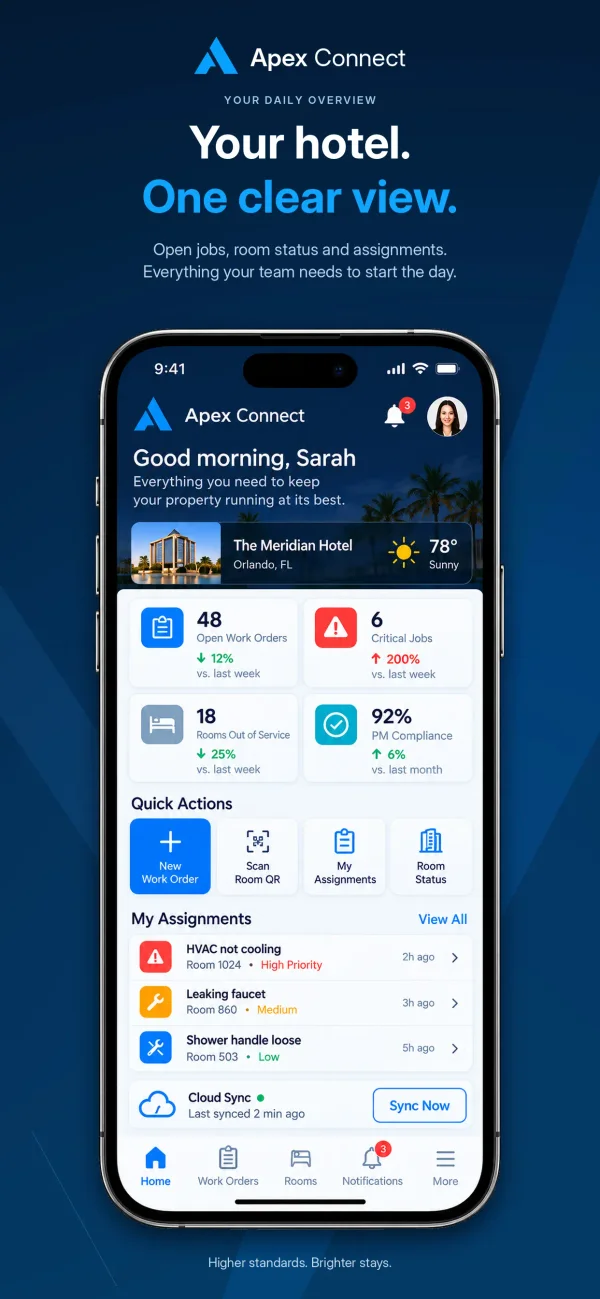
Apex Connect helps hotel teams manage maintenance and daily operations from their iPhone. Sign in with the work account and Site ID provided by your property administrator.
WORK ORDERS
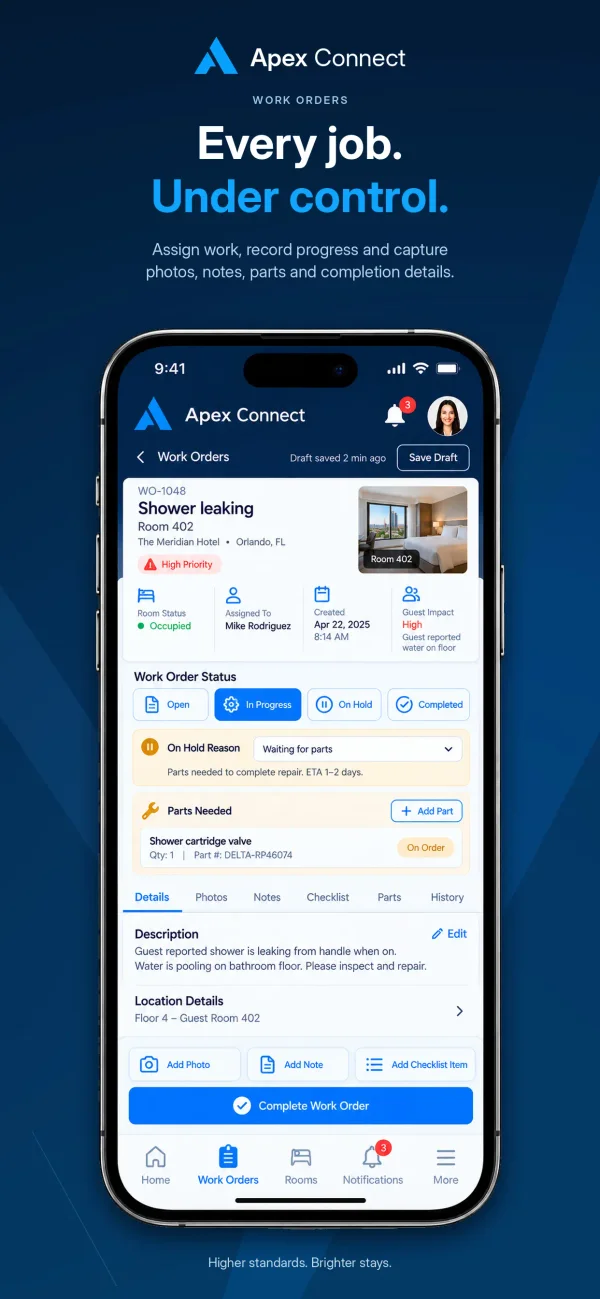
Report faults, assign people or teams, and add notes, checklists, photos and documents. Track open, in-progress, on-hold and completed jobs. Duplicate warnings help you find existing work before creating another job.
PLANNED MAINTENANCE AND INSPECTIONS
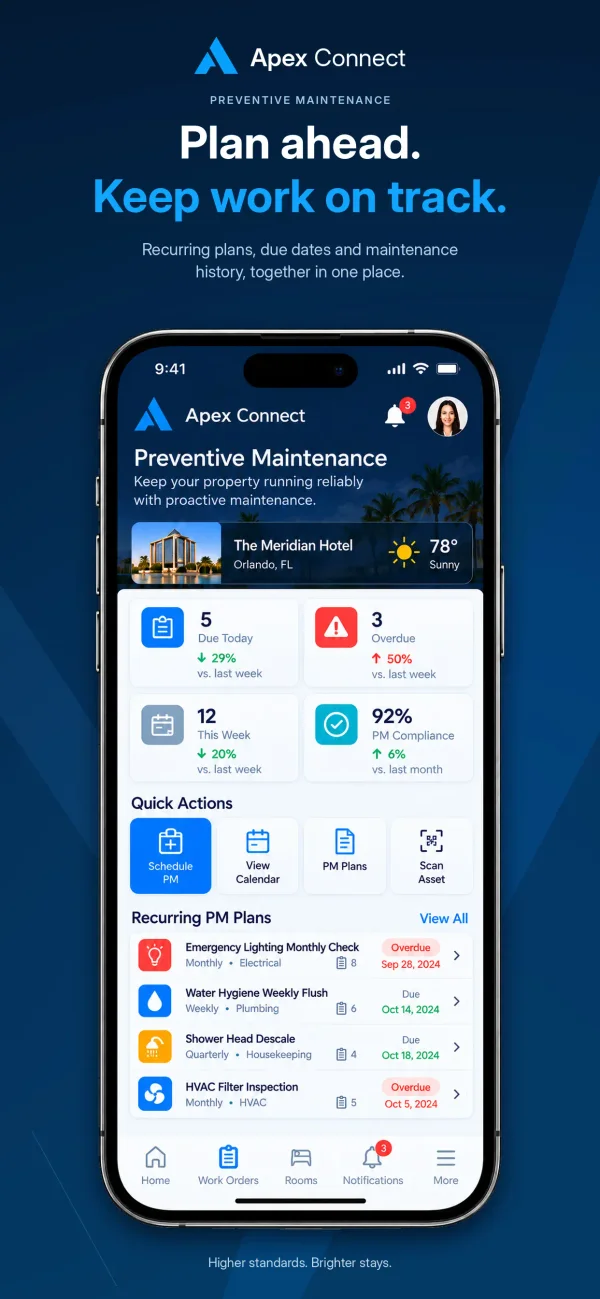
Create recurring PM plans with saved checklists. Record readings, pass/fail answers, photographs and signatures. Failed checks can link to remedial work orders. Inspect rooms and view their recorded condition, defects, assets and maintenance history in the directory or room map.
HOUSEKEEPING
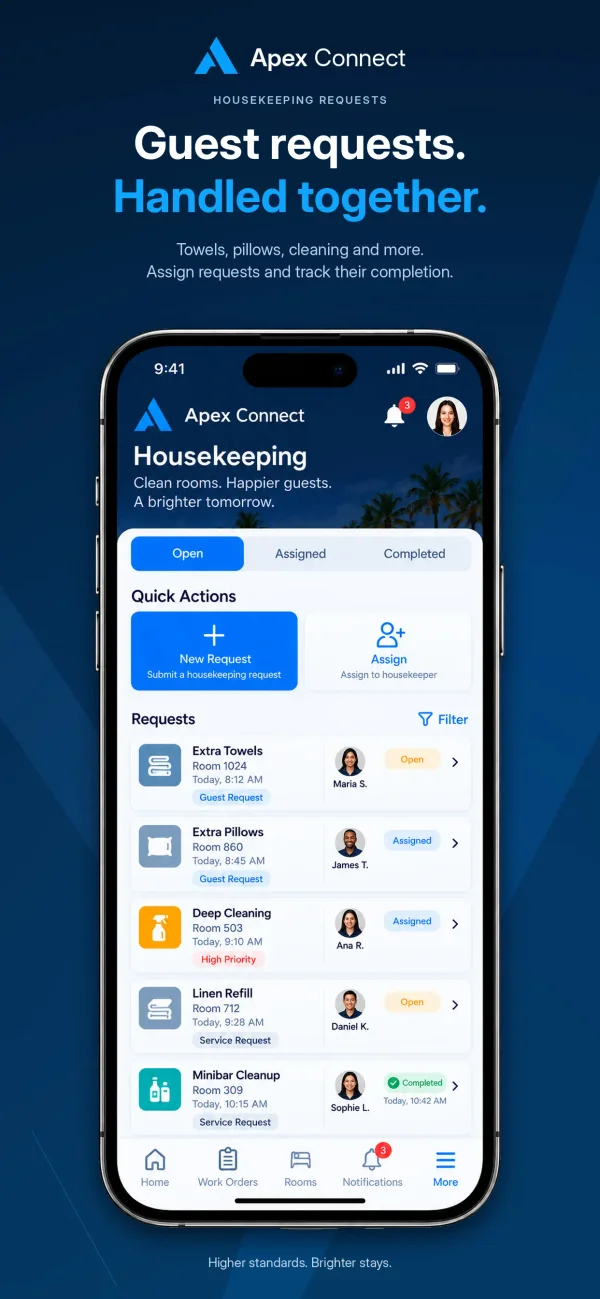
Create requests with quantities, due dates, assignments and evidence. Cleaning requests can be sent for inspection and signed off by an authorised manager.
TEAM CHAT
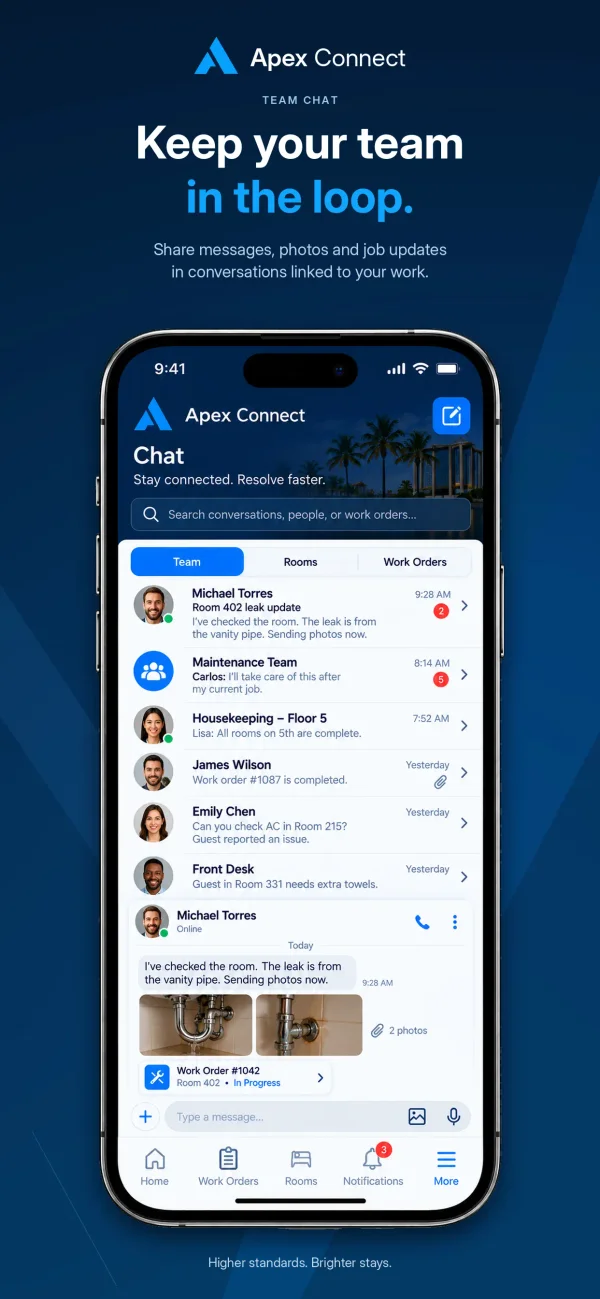
Start conversations with optional subjects, search message history, and share emojis, GIFs, images and PDFs. Follow linked rooms and work orders. Tap a message to see recorded reader names and read times.
STAFF UPDATES AND CALENDAR
Permitted managers can send staff notices to selected people, teams or the property, immediately or on a schedule. View work, PM and contractor visits in the calendar. Configure visit reminders and notices when an arrival is recorded. Emergency-priority notices follow normal device notification settings.
METER READINGS
Record cumulative readings with units, locations and notes. Review consumption and reading history, record resets with a reason, and assign recurring readings with due reminders.
ASSETS AND NFC TAGS
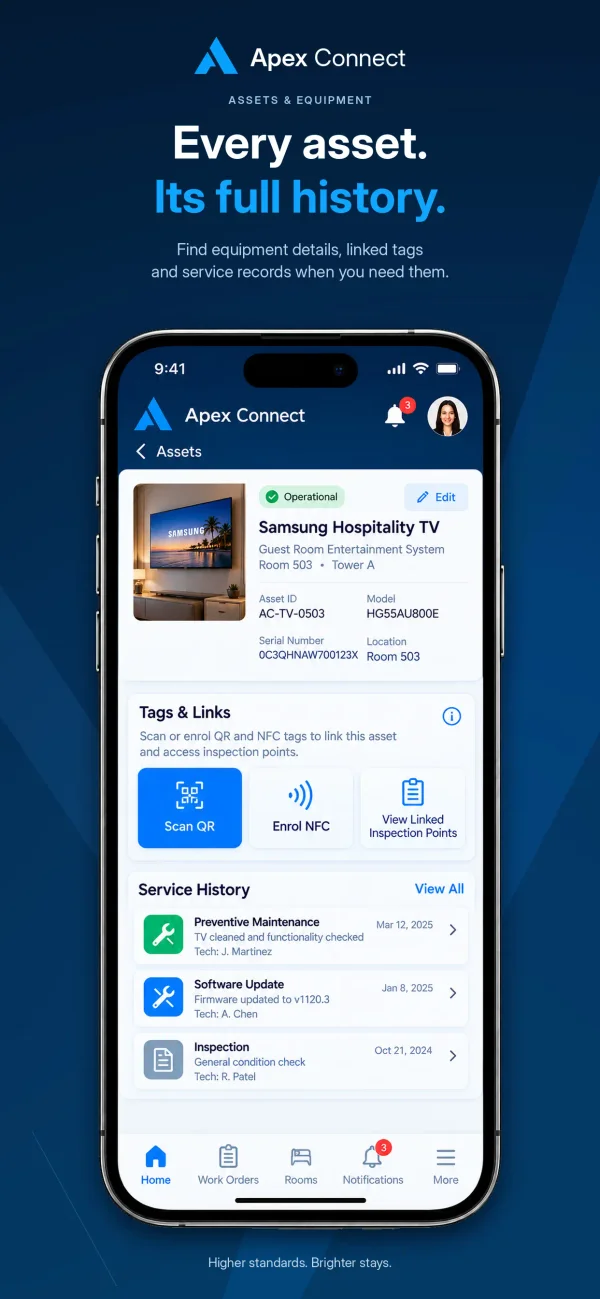
Look up assets and linked maintenance. Permitted managers can enrol writable NFC tags for rooms, assets or PM walk checkpoints on compatible iPhones. Scanning opens the linked record; recording a visit and completing work remain separate actions.
LOST PROPERTY
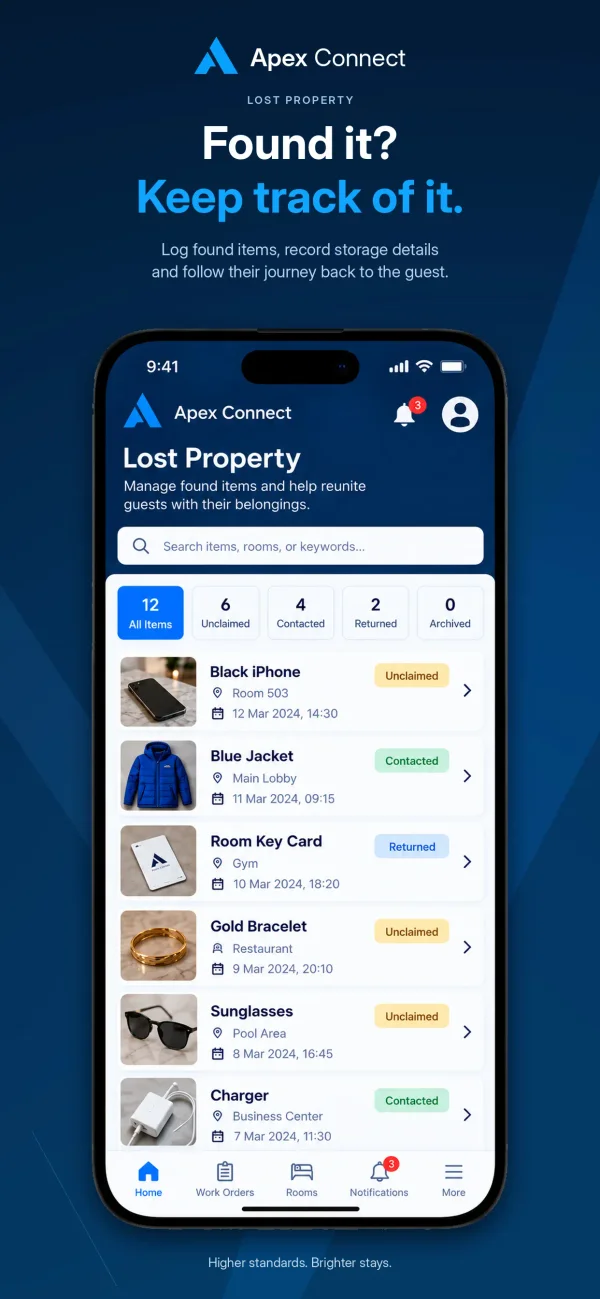
Log found items, photos, storage locations and optional guest contact details. Permitted staff can request a guest email, record contact, confirm returns and review disposal dates under the company's chosen retention policy. Disposal requires staff confirmation.
INVENTORY AND PURCHASING
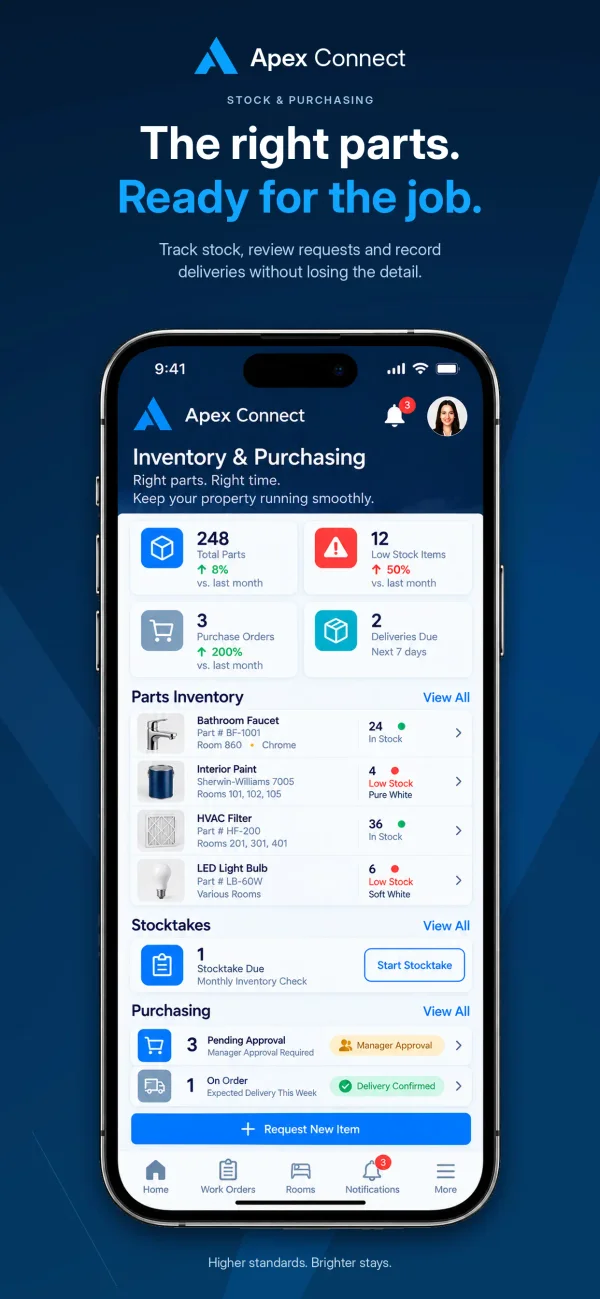
Review stock and paint, carry out stocktakes, and request items with quantities and supplier links. Issue parts to jobs and return unused stock. Permitted managers can approve requests; staff can record ordering and receipts. The app does not place supplier orders or process payments.
CONTRACTOR RECEPTION
Permitted managers can view the kiosk's on-site register and pair reception devices from their iPhone. The separate browser-based kiosk supports contractor sign-in and sign-out on an iPad. Branding, safety requirements and full visit management are configured on the website.
YOUR PROPERTY
See assignments and in-app notices, clear your notification inbox, and open permitted PDF reports. In Settings > Themes, permitted managers can set the property logo and weather location. No device GPS is required. Employee profiles, suppliers, escalations and complaints depend on your permissions.
STAFF ACCESS
Administrators can add staff and choose allowed features in Rights & Access. Use role defaults or a custom selection, including no operational features. Blocked areas are hidden; administrators retain full access.
MEET JENNY
When your organisation enables the Apex assistant, ask Jenny for help or a checklist/report draft. Staff review the results; Jenny does not automatically change hotel records or send emails.
An existing Apex Connect account, an active property workspace and an internet connection are required. Your organisation controls feature access. Push delivery depends on notification permissions, device settings and connection. Offline job synchronisation is not provided.
Higher standards. Brighter stays.
Powered By Apex Technologies & Electrical.
Support: David@ateuk.net
Neue Funktionen
Version 5.01 · 27.11.2026
See Arrival today directly on work orders, alongside departure, occupancy and cleaning status.
Spot Freshen Room more easily with its new blue Guestline badge.
Distinguish Guest rooms from Common areas with clearer labels and location filters.
Fixed a layout issue that could cut off status badges on smaller iPhones or when using larger text.
App-Datenschutz
Was DAVID JOHN PRESTON im App Store zum Umgang dieser App mit Daten angibt.
-
Keine Daten erfasst
Der Entwickler erfasst keine Daten von dieser App.
Die Datenschutzpraktiken können variieren, zum Beispiel je nach den von Ihnen verwendeten Funktionen oder Ihrem Alter.
Informationen
- Anbieter
- DAVID JOHN PRESTON
- Kategorie
- Wirtschaft
- Version
- 5.01
- Aktualisiert
- 27.11.2026
- Veröffentlicht
- 30.10.2026
- Größe
- 45,3 MB
- Erfordert
- iOS 15.0 oder neuer
- Altersfreigabe
- 4+
- Preis
- Kostenlos
- Sprachen
- Englisch
- Copyright
- © Copyright — suggested entry ONLY if this is the actual rights owner: 2026 Apex Technologies & Electrical Ltd