
Breeze Pixel Art
Pixel Art Editor & Creator
Entwickelt für iPhone, iPad, Mac
Kostenlos · In-App-Käufe
- Altersfreigabe17+
- KategorieGrafik und Design
- Entwickler锦荣 陈
- SprachenJapanisch+ 4 weitere
- Größe81,6 MB
Verlinkt auf die offizielle App Store-Seite
Download.org hostet keine Datei von Breeze Pixel Art. Die Schaltfläche öffnet die App-Seite bei App Store, wo 锦荣 陈 die App veröffentlicht. Eintrag zuletzt geprüft am 25.11.2026.
Screenshots


Info
Der Entwickler hat diesen Text nicht in Ihrer Sprache bereitgestellt.
Design it. Bead it.
Perler Beads Club is an all-in-one studio for fuse bead makers, pixel artists, and crafters. Start from a photo, an illustration, or a blank canvas; turn it into a bead chart you can actually build; manage your bead inventory and progress; then share your work with the community.
■ PHOTO TO BEAD CHART
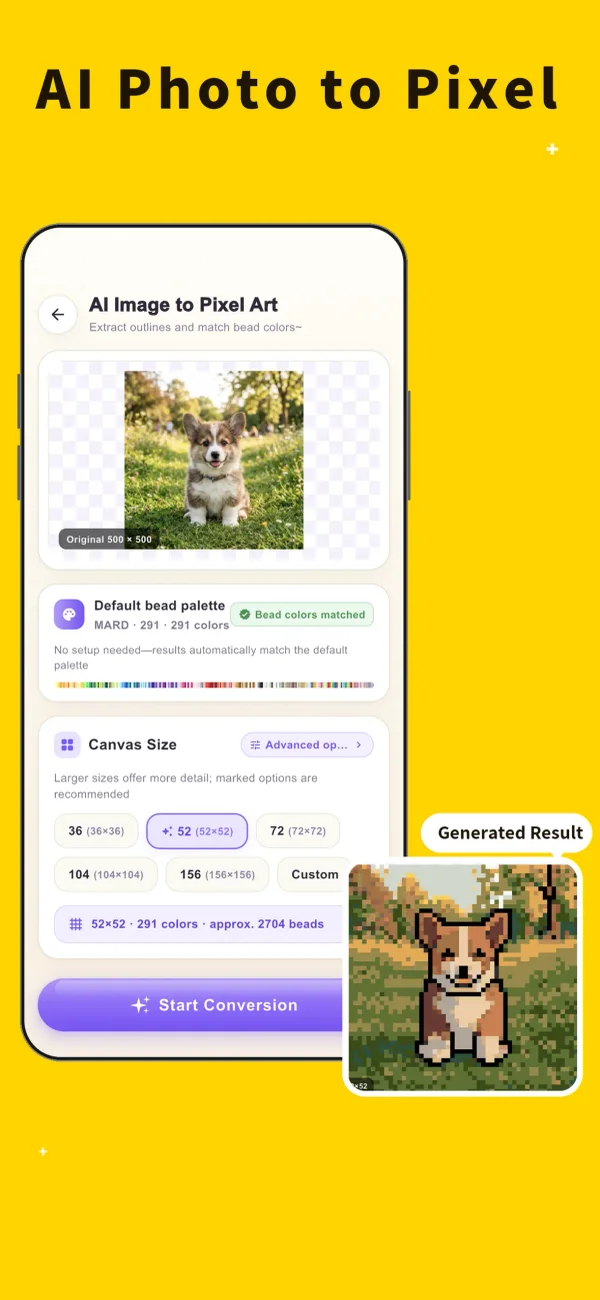
• Turn portraits, pets, landscapes, anime, logos, and everyday photos into pixel art
• Auto-match popular bead palettes such as MARD, COCO, DMC, Youken, and Mixiaowo
• Generate charts sized for standard pegboards, including multi-board layouts
• Smart color limits reduce isolated beads and messy color noise
• Remove backgrounds, add outlines, reduce colors, repaint areas, and clean up noise
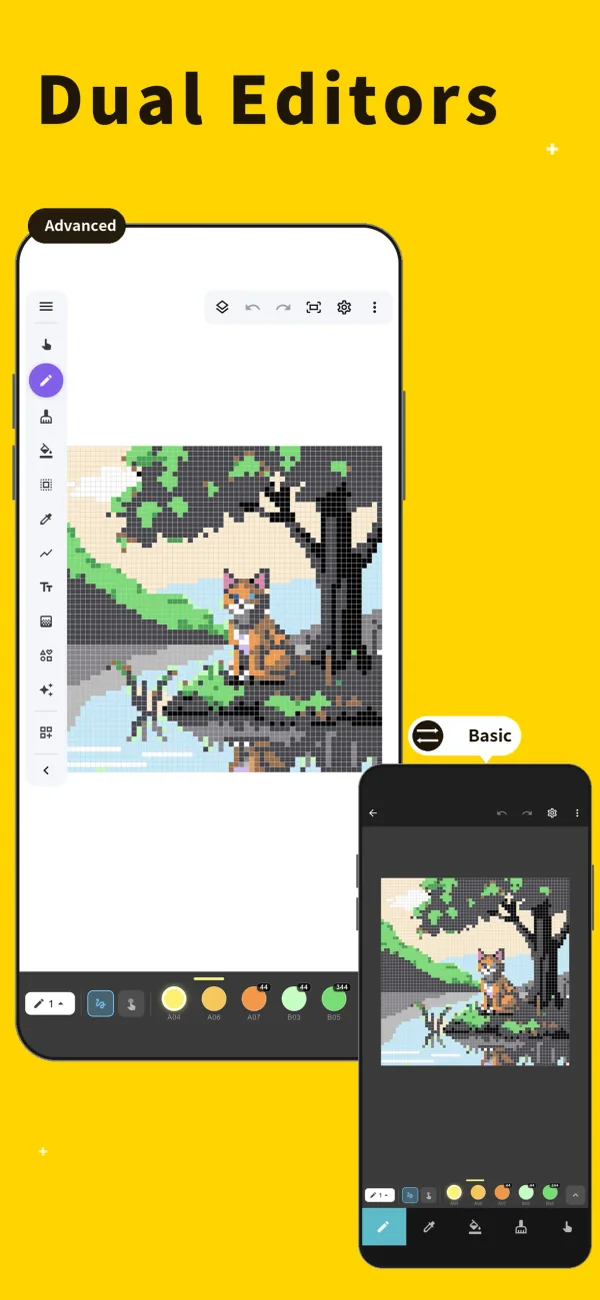
■ PROFESSIONAL PIXEL EDITOR
• Pencil, eraser, paint bucket, line, rectangle, ellipse, eyedropper, text, gradient, and pattern stamps
• Layers, animation frames, selection flip/rotate, symmetry drawing, guides, and reference images
• Undo/redo, canvas zoom, grid, and coordinate display
• Works from small 16×16 pieces to large 104×104 canvases
■ AI CREATIVE TOOLS (some features require membership)
• Text to pixel: describe an idea and generate pixel art or a bead chart
• AI edit: change the background, colors, or elements with one prompt
• Local repaint: redraw only the selected area and keep the surrounding pixels
• Prompt suggestions and style presets: game character, scene, icon, sticker, retro arcade
■ IMPORT EXISTING CHARTS
• Photograph or import a printed bead chart; the app detects the grid, color codes, and colors
• Fix low-confidence cells directly in the editor
• Automatically map the chart to your current bead palette
• Stop copying charts cell by cell—old patterns become editable again
■ BEAD INVENTORY & TASKS
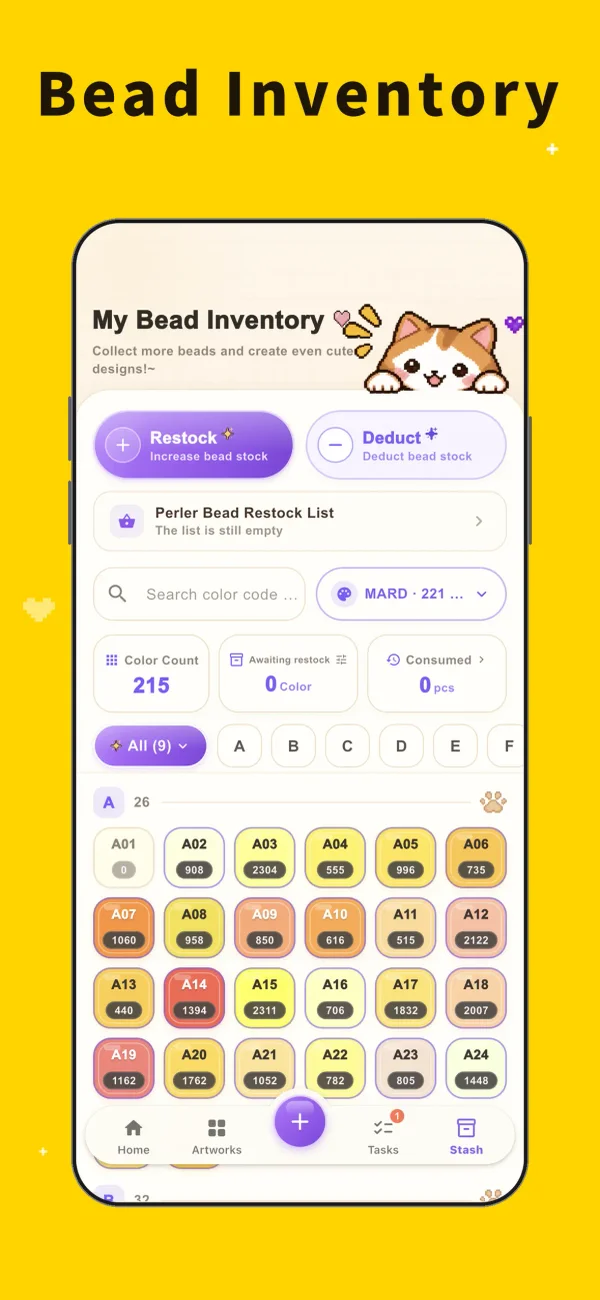
• Track stock by brand color code, with stock-in, stock-out, refills, and corrections
• Low-stock alerts and pending-arrival records
• Create a bead task from any finished project and check off progress by color
• See completed beads, remaining beads, time spent, and inventory used
• Group tasks, plan dates, and batch-manage multiple projects
■ BEAD BOARD VIEWER
• View charts board by board with coordinate guides
• Full-color and grayscale modes make the current color and finished areas easy to see
• Built for large, multi-color projects with fewer mistakes
■ EXPORT & SHARE
• Export print-ready charts with grids, coordinates, color codes, legends, and supply lists
• Export PNG, PXA project files, GIF animations, and palette sheets
■ COMMUNITY
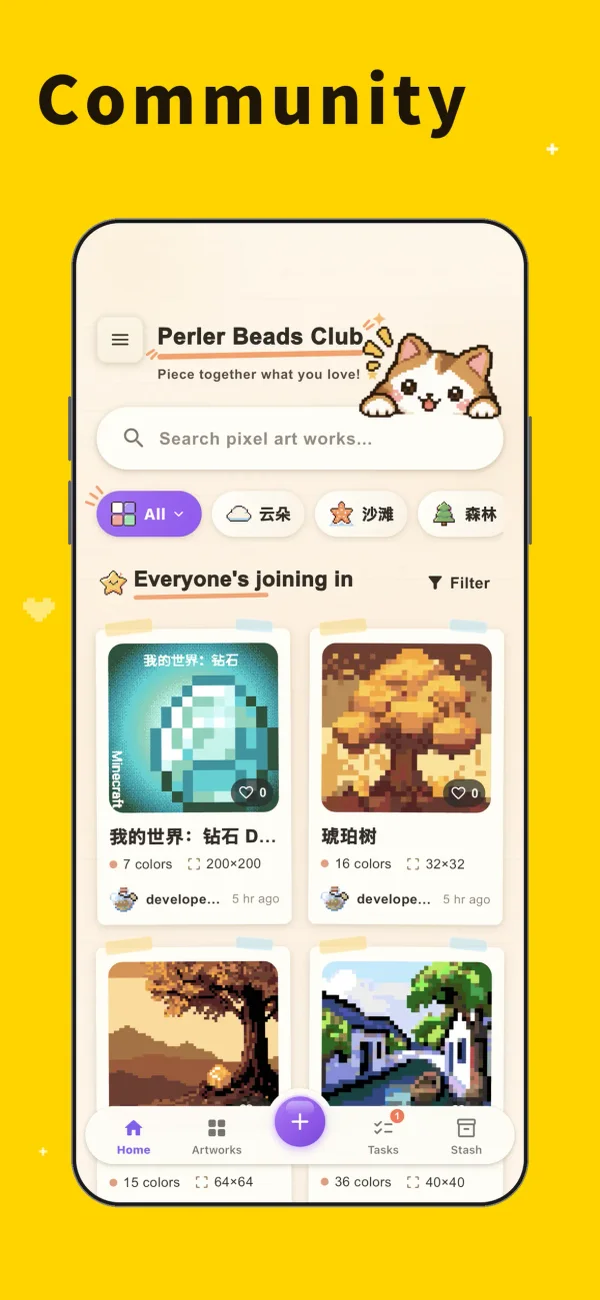
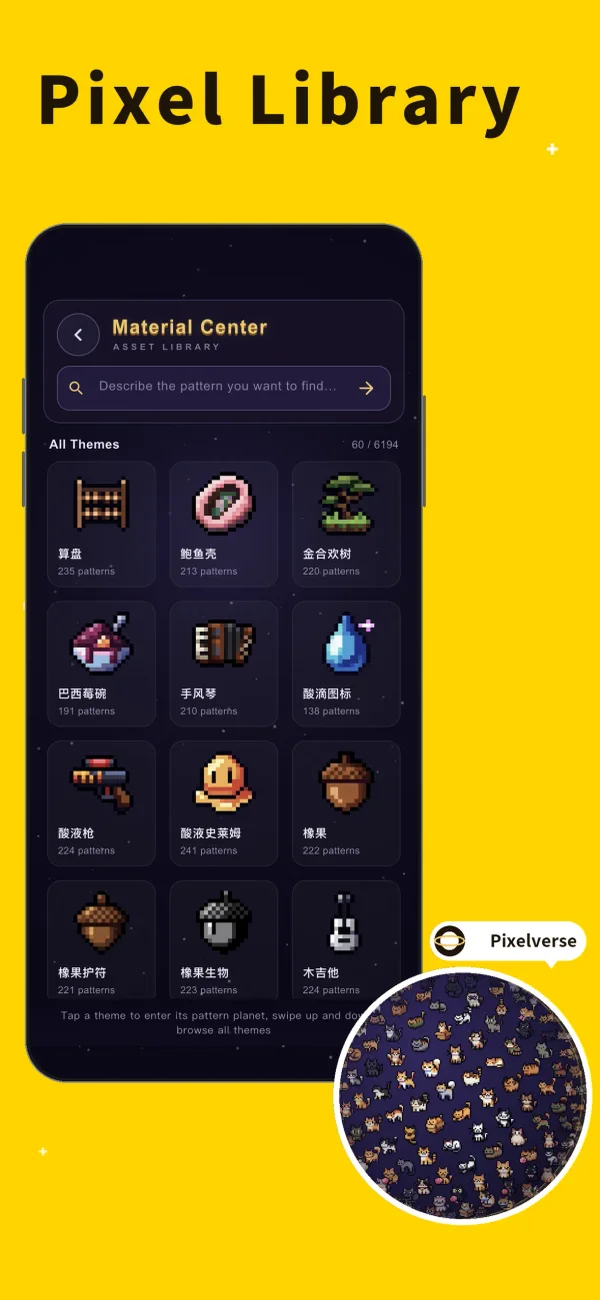
• Browse the latest and hottest bead projects by category, tag, or search
• Inspiration feed: follow creators, like, comment, and save
• Collections, project details, and one-tap import to the editor
• Color-by-number challenges and leaderboards
• Profiles with project walls, favorites, follows, and followers
• Publish projects and inspiration posts; public/private, comments, replies, reports
■ PROJECTS & DATA
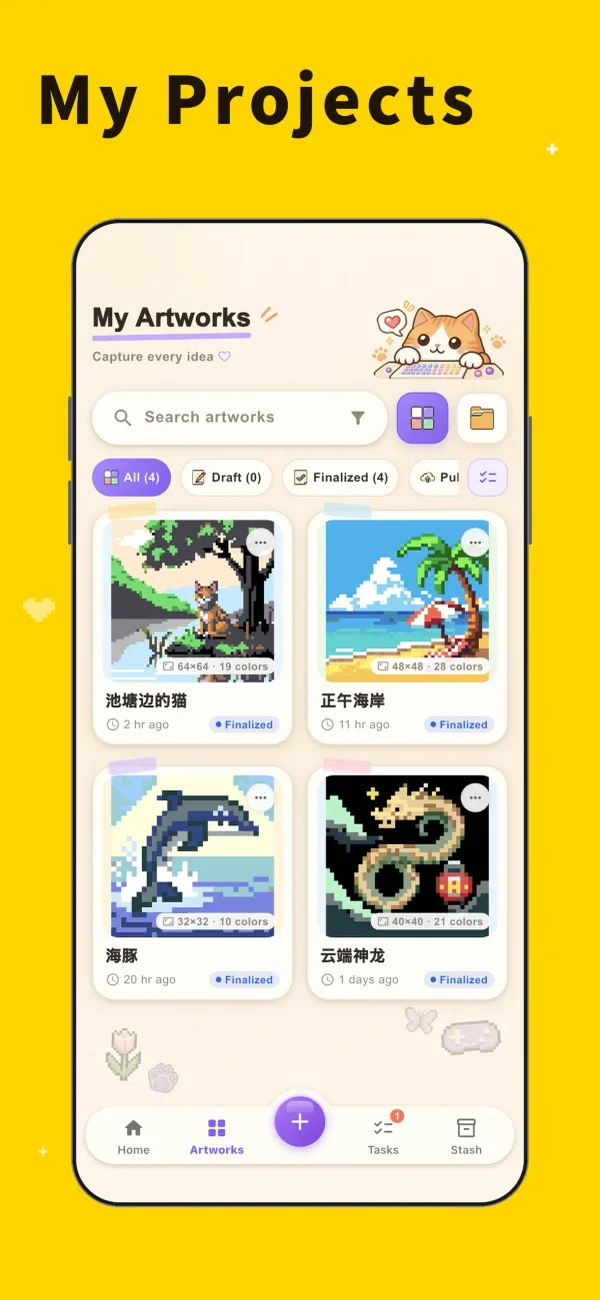
• Draft, finalized, and published statuses; categories, tags, search, and bulk actions
• Version history so you can roll back a bad edit
• Local and cloud backup; restore on a new device after signing in
■ MADE FOR
• Fuse bead, ironing bead, and melty bead hobbyists
• Pixel art, 8-bit, and retro game art creators
• Anyone who wants a custom bead pattern from a photo, pet, or portrait
• Bead shop owners and heavy users who need serious inventory control
■ MEMBERSHIP
Core drawing, inventory, bead tasks, and community features are free. Some AI tools, advanced guides, community chart downloads, and custom chart exports require a membership.
Membership includes monthly and yearly auto-renewable subscriptions. Prices are shown in the App Store. Subscriptions renew automatically and can be canceled anytime in Settings; benefits remain active until the end of the current period.
Privacy Policy: https://windpix.com/privacy.html
Terms of Use: https://windpix.com/terms.html
Contact: 1164413298@qq.com
Website: https://windpix.com
Neue Funktionen
Version 1.1.18 · 24.11.2026
What's New
· New AI chart conversion: queue photos or images for automatic recognition, with background processing and task progress.
· New quick-create shortcuts on the create page for faster access to common tools.
· Text-to-pixel art no longer asks you to pick a style — AI now decides automatically.
· Faster and more reliable bead chart extraction, and fixed a freeze some iPhones hit during extraction.
· Fixed the crop screen accidentally closing when you drag the left handle.
· Fixed layout overflow on the AI conversion screen and section titles on small screens and with long text.
· Shared links and the official site now use windpix.com.
App-Datenschutz
Was 锦荣 陈 im App Store zum Umgang dieser App mit Daten angibt.
-
Mit Ihnen verknüpfte Daten
Können erfasst und mit Ihrer Identität verknüpft werden.
- Kontaktinformationen
- Benutzerinhalte
- Kennungen
-
Nicht mit Ihnen verknüpfte Daten
Können erfasst werden, sind aber nicht mit Ihrer Identität verknüpft.
- Kennungen
- Nutzungsdaten
- Diagnose
Die Datenschutzpraktiken können variieren, zum Beispiel je nach den von Ihnen verwendeten Funktionen oder Ihrem Alter.
Informationen
- Anbieter
- 锦荣 陈
- Kategorie
- Grafik und Design
- Version
- 1.1.18
- Aktualisiert
- 24.11.2026
- Veröffentlicht
- 01.06.2026
- Größe
- 81,6 MB
- Erfordert
- iOS 16.0 oder neuer
- Altersfreigabe
- 17+
- Preis
- Kostenlos
- In-App-Käufe
- Ja
- Sprachen
- Japanisch, Vereinf. Chinesisch, Tradit. Chinesisch, Englisch, Koreanisch
- Copyright
- © 2026 limuquan
Das könnte Ihnen auch gefallen
-
 PixelBean - Bead Pattern MakerGrafik und Design
-
 Bead Camera: Photo PatternsGrafik und Design
-
 NDOT — Bead Pattern StudioEntwerfen, stecken, drucken
-
 Snap VoxelBügelperlen-Vorlagen,Farbcodes
-
 Pixelperlen Studio - VorlagenFotos als Bügelperlen-Vorlage
-
 拼豆先生Grafik und Design
-
 DodoGridGrafik und Design
-
 IconForge - AI Icon MakerGrafik und Design
-
 BeadPals - Bead Pattern MakerGrafik und Design
-
 StarSeed - Perler Bead PatternGrafik und Design