- Altersfreigabe4+
- KategorieFoto und Video
- EntwicklerMINISTER, K.K.
- SprachenJapanisch+ 1 weitere
- Größe2,5 MB
Verlinkt auf die offizielle App Store-Seite
Download.org hostet keine Datei von 4分割カメラ. Die Schaltfläche öffnet die App-Seite bei App Store, wo MINISTER, K.K. die App veröffentlicht. Eintrag zuletzt geprüft am 12.11.2026.
Screenshots
Info
Der Entwickler hat diesen Text nicht in Ihrer Sprache bereitgestellt.
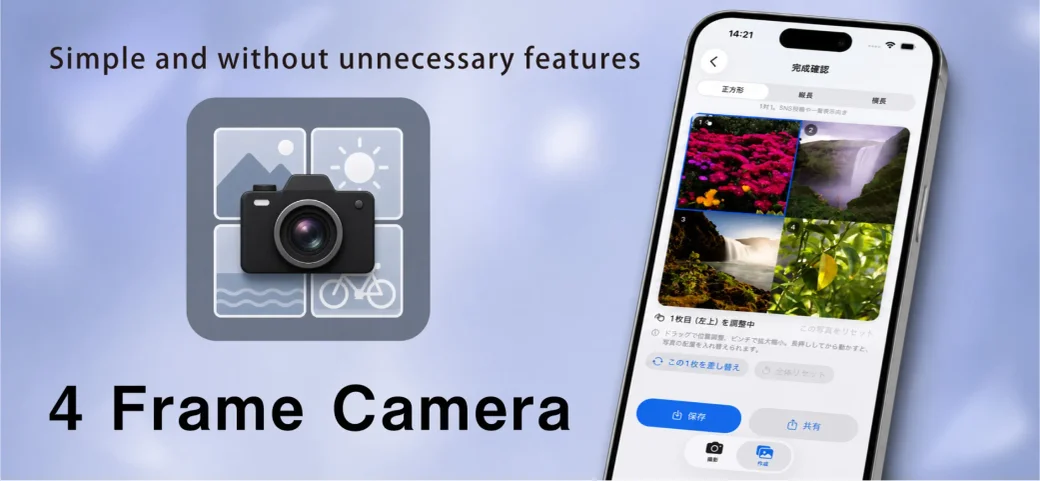
4 Frame Camera is a simple app for combining four photos into one 2x2 image.
Use the Camera tab to take four photos in order: top left, top right, bottom left, and bottom right. After the fourth photo, you can review the finished image and save it to Photos.
Use the Create tab to choose four existing photos from your photo library and build a 4-frame image in the selected order.
On the confirmation screen, you can adjust each photo's position and zoom. You can also replace a single photo, reset the layout, and choose square, portrait, or landscape output.
The app is designed for quick sharing, marketplace listings, product records, before-and-after notes, and everyday photo organization. Photos are processed on the device and are not sent to an external server.
Neue Funktionen
Version 1.1 · 24.08.2026
Added review, update checking, and company information to Settings, with stability and privacy improvements.
App-Datenschutz
Was MINISTER, K.K. im App Store zum Umgang dieser App mit Daten angibt.
-
Keine Daten erfasst
Der Entwickler erfasst keine Daten von dieser App.
Die Datenschutzpraktiken können variieren, zum Beispiel je nach den von Ihnen verwendeten Funktionen oder Ihrem Alter.
Informationen
- Anbieter
- MINISTER, K.K.
- Kategorie
- Foto und Video
- Version
- 1.1
- Aktualisiert
- 24.08.2026
- Veröffentlicht
- 30.07.2026
- Größe
- 2,5 MB
- Erfordert
- iOS 17.0 oder neuer
- Altersfreigabe
- 4+
- Preis
- Kostenlos
- Sprachen
- Japanisch, Englisch
- Copyright
- © 2026 MINISTER, K.K.
Das könnte Ihnen auch gefallen
-
 Grid Camera - Collage CameraFoto und Video
-
 OptiPixel: Komprimieren & ScanFoto-/Videodateien verkleinern
-
 Combine Photos & Join ImagesFoto und Video
-
 写真まとめFoto und Video
-
 Foto Video Collage EinfachClips mixen ohne Wasserzeichen
-
 Motion Photo Creator: Make VidFoto und Video
-
 Drivora: KI Auto Foto & VideoFotoshooting, Bilder & Editor
-
 ScrollCap Screen Collage MakerFoto und Video
-
 Tilea: Foto Collage ErstellenFotocollage, Raster, Karussell
-
 Cela - ナンバープレート自動除去Foto und Video