- Altersfreigabe4+
- KategorieProduktivität
- EntwicklerJUN HYUK CHOI
- SprachenEnglisch+ 1 weitere
- Größe7,2 MB
Arc Lock – App Blocker ist bei App Store derzeit möglicherweise nicht verfügbar
Bei unserer letzten Prüfung war der Store-Eintrag nicht erreichbar. Der Link führt weiterhin zur offiziellen App Store-Seite.
Screenshots
Info
Der Entwickler hat diesen Text nicht in Ihrer Sprache bereitgestellt.
Companies fight for every second of your time to keep you distracted. Taking control of your screen time should be a human right, not something locked behind a paywall.
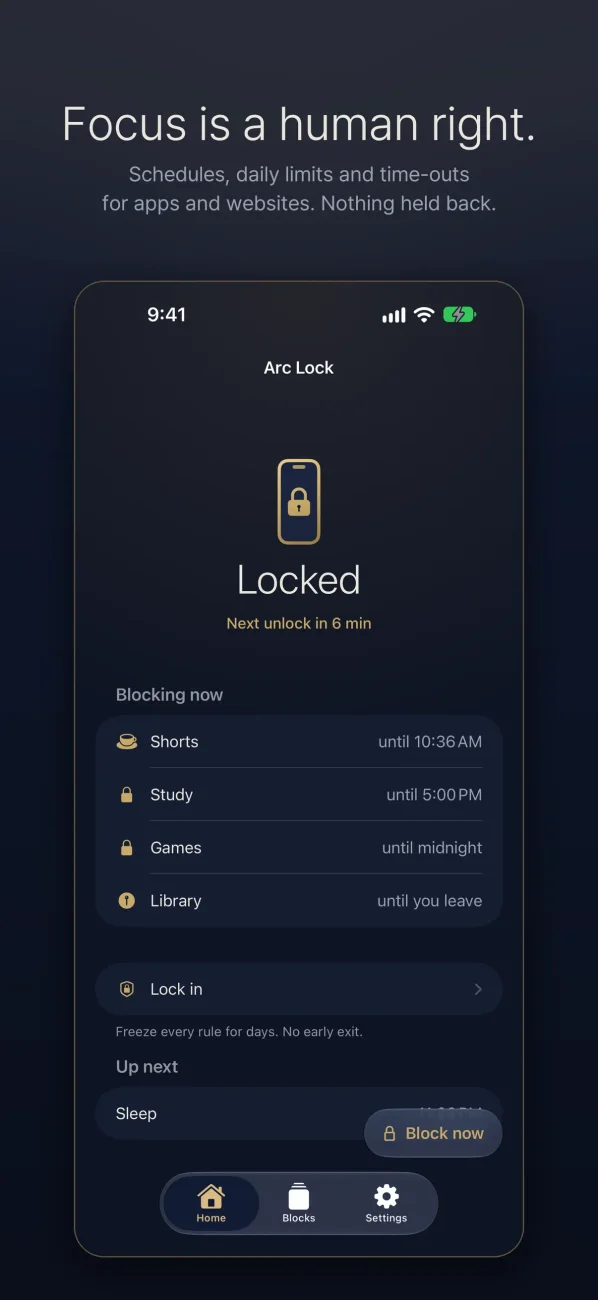
Arc Lock blocks the apps and websites that eat your day, and once a block starts, it stays on. Every feature is free for everyone: no subscription, no account, no ads, no in-app purchases.
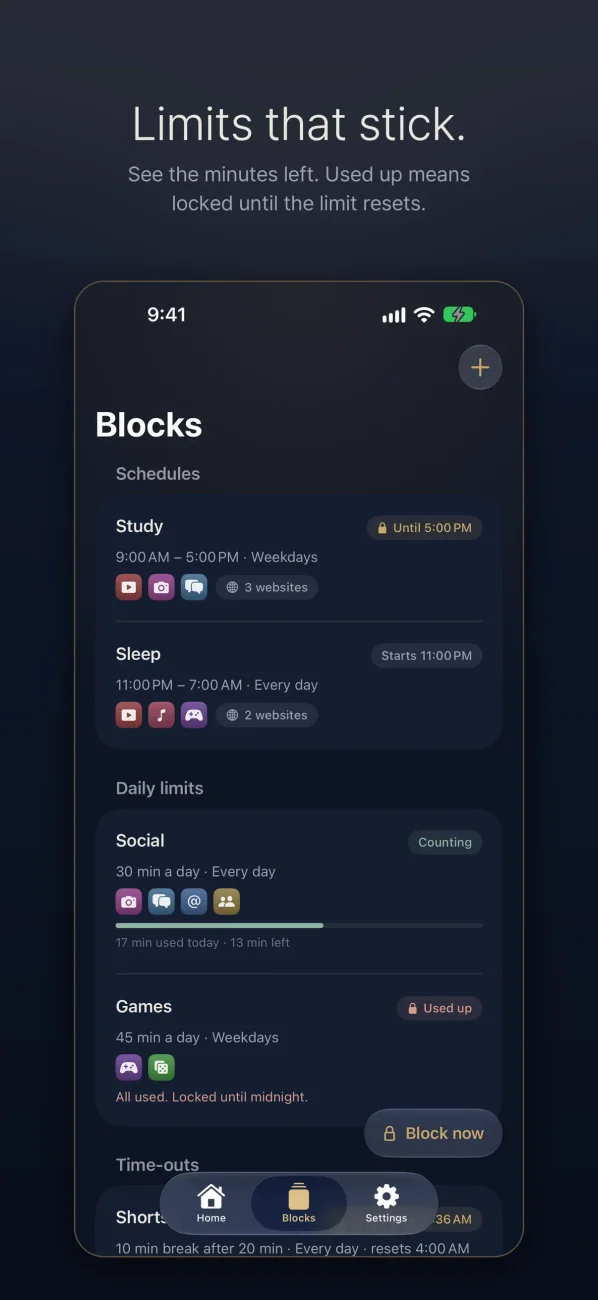
SCHEDULES
Pick apps, app categories and websites, choose the hours and days, and they lock on their own. Overnight windows like 11 PM – 7 AM work too (up to 22 hours).
DAILY LIMITS
Allow yourself a set time each day, from 5 minutes to 8 hours. See exactly how many minutes are used and left. When the time is used up, those apps lock until the limit resets: at midnight, or at the time you pick (say 4:00 AM, for late nights). Time you've already used that day counts too, so a limit you add after using up its time locks right away. A heads-up comes 5 minutes before.
TIME-OUTS
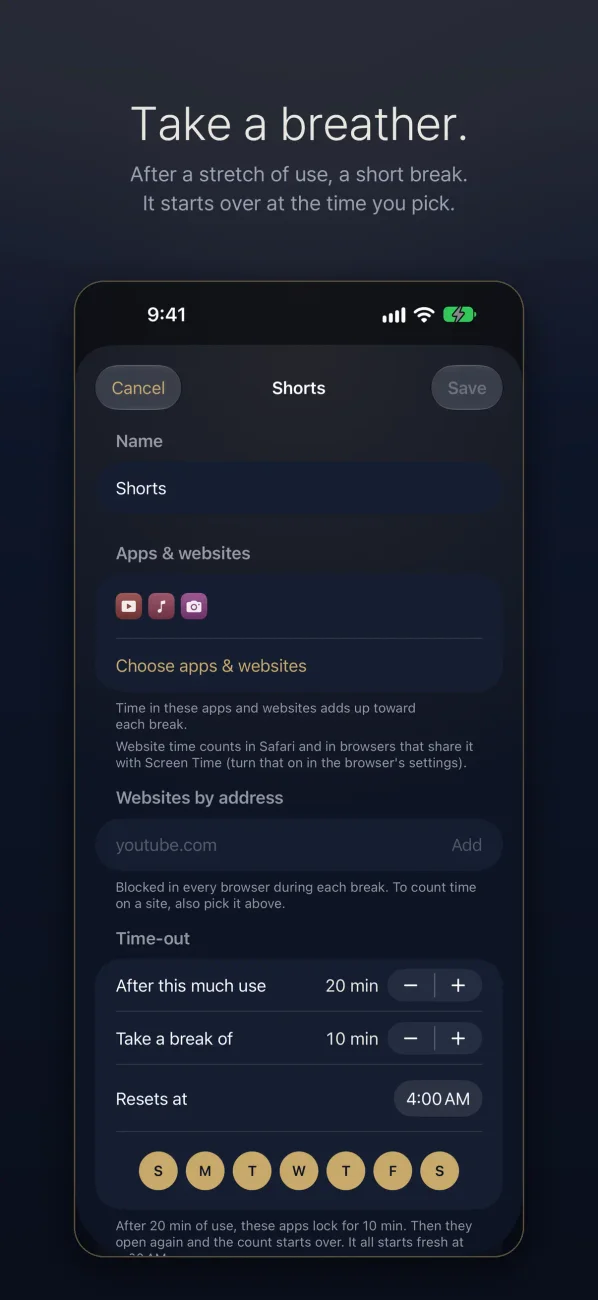
Not a full block, a pause. After a stretch of use, the apps take a short break, then open again. For example: after 20 minutes of short videos, a 10-minute break. It repeats all day and starts fresh at its reset time.
BLOCK NOW
Lock distractions right away, from 15 minutes to 12 hours. The Block now button is always one tap away.
PLACES
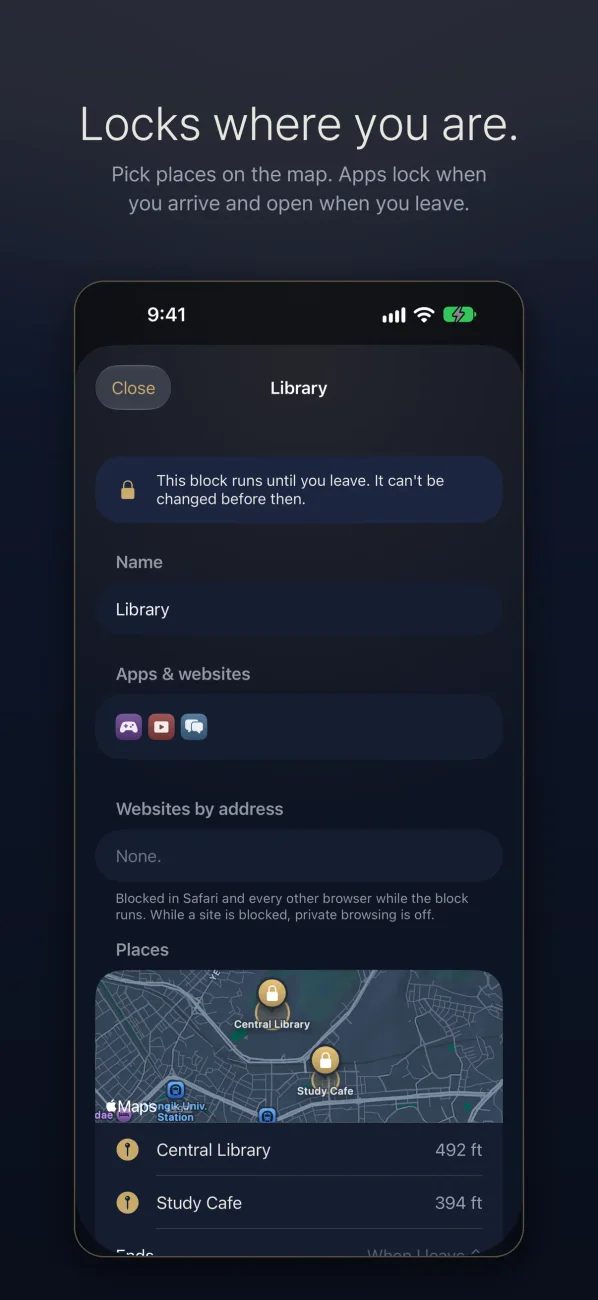
Pick one or more places on the map, like the library, your school or the gym, and the apps lock when you arrive. Each place block ends when you leave, or after a set time, whichever you choose, and starts only on the days you pick. Location access is asked for only when you set up a place block, and Arc Lock never sends your location anywhere.
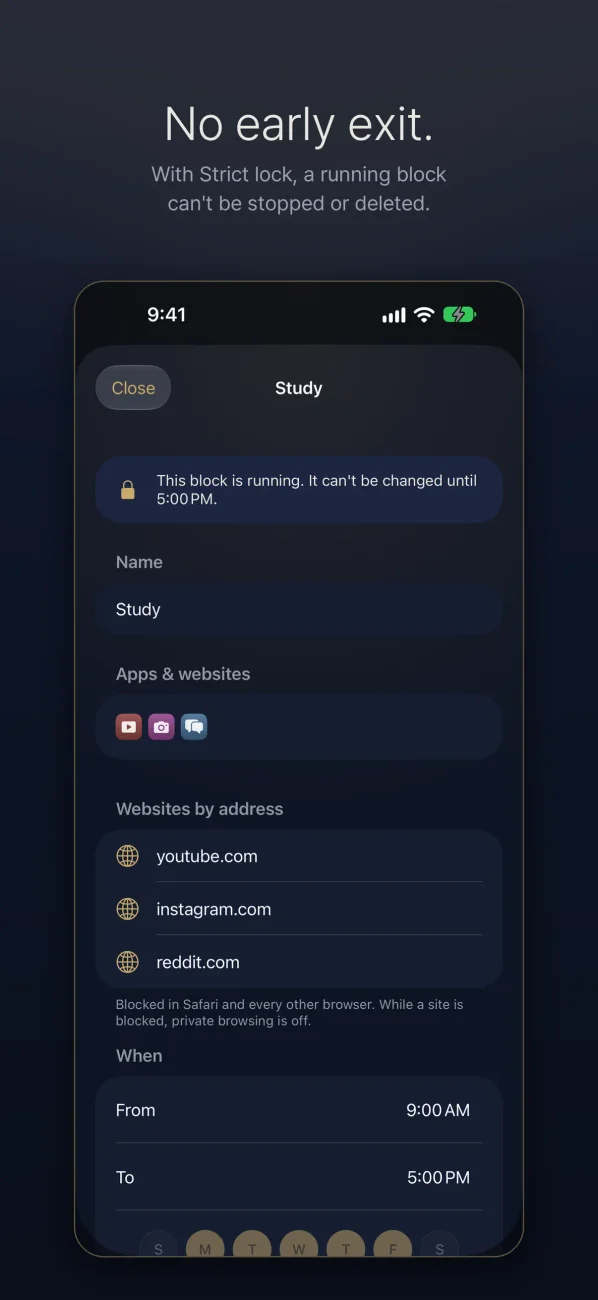
STRICT LOCK
Every block can have Strict lock, and it's on by default. While a strict block runs:
• it can't be stopped, loosened or deleted in Arc Lock
• the date and time can't be changed by hand
• the block screen has a single button: Close
Daily limits and time-outs are locked in until they reset: a stricter limit applies right away, but looser settings only start at its next reset.
Want a gentler block? Switch Strict lock off for that block, and you can stop it whenever you like. Switching Strict lock off for the whole app works right away: a block that's running or counting stays strict only until its own reset, or until it ends.
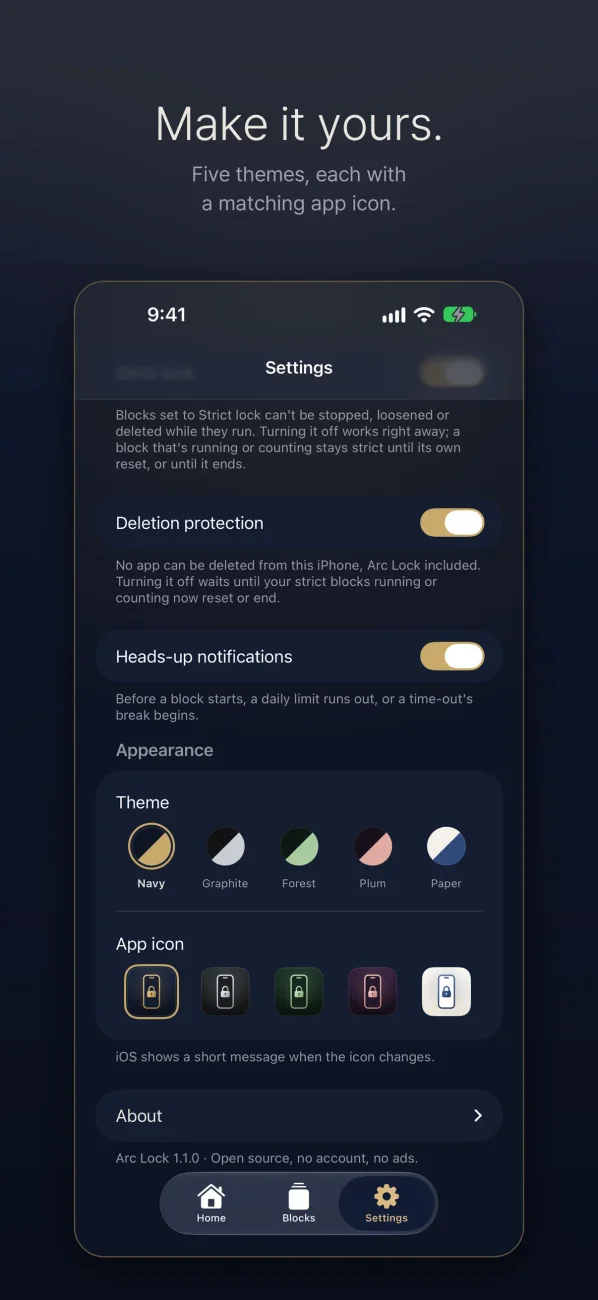
DELETION PROTECTION
On by default: no app can be deleted from your iPhone, Arc Lock included. Switching it off waits only until your strict blocks reset or end.
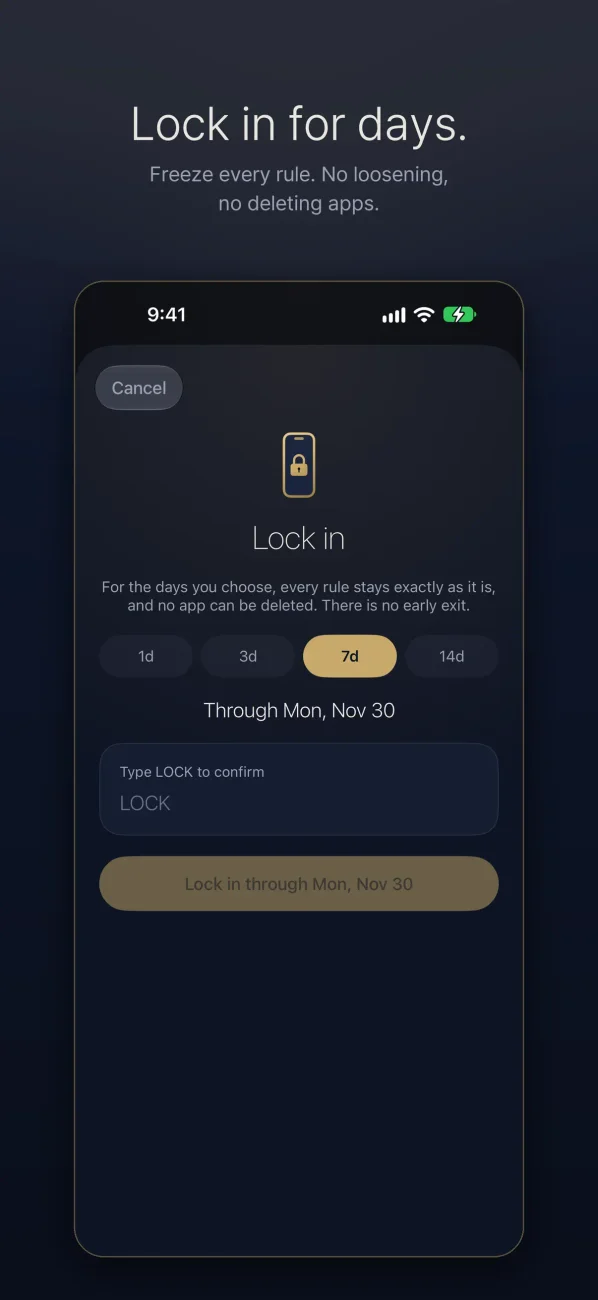
LOCK-IN
Freeze every rule for 1 to 14 days, even between blocks: no loosening, no deleting rules, no deleting apps. Changes you queued before it wait until it ends.
WEBSITES BY ADDRESS
Type a site like youtube.com and it's blocked in Safari and every other browser, in schedules, daily limits, time-outs and Block now.
APPLE'S OWN LOOK
Native lists and a compact Liquid Glass tab bar: Home, Blocks and Settings. Names are optional: a block without one is shown by its first app. Five themes (Navy, Graphite, Forest, Plum and Paper), each with a matching app icon. The phone-and-lock mark in the app closes while something is blocked.
PRIVATE BY DESIGN
Arc Lock works through Apple's Screen Time. Apple keeps your activity on your iPhone; Arc Lock never learns which apps you use and sends nothing anywhere. No account, no analytics, no tracking.
OPEN SOURCE
The complete source code is on GitHub under the MIT license: github.com/WeldingArc/arc-lock
Neue Funktionen
Version 1.1.1 · 24.11.2026
• Daily limits count the time you've already used today: a limit you add or tighten after using up its time locks right away, instead of only after its next reset.
• Lock-in asks before it locks: after you type LOCK, a screen says what it will do, then you hold “I am sure” for 3 seconds. A lock-in now lasts up to 14 days.
• Setup works at every text size, and no screen waits on iOS's answers.
• Short messages now appear at the top, clear of the tab bar.
• Clearer notes for place blocks.
• A refused save or start no longer closes what you were editing.
• Steadier blocking in the background.
App-Datenschutz
Was JUN HYUK CHOI im App Store zum Umgang dieser App mit Daten angibt.
-
Keine Daten erfasst
Der Entwickler erfasst keine Daten von dieser App.
Die Datenschutzpraktiken können variieren, zum Beispiel je nach den von Ihnen verwendeten Funktionen oder Ihrem Alter.
Informationen
- Anbieter
- JUN HYUK CHOI
- Kategorie
- Produktivität
- Version
- 1.1.1
- Aktualisiert
- 24.11.2026
- Veröffentlicht
- 21.10.2026
- Größe
- 7,2 MB
- Erfordert
- iOS 18.0 oder neuer
- Altersfreigabe
- 4+
- Sprachen
- Englisch, Koreanisch
- Copyright
- © 2026 Jun Hyuk Choi
Das könnte Ihnen auch gefallen
-
 Endless – Focus & App BlockerProduktivität
-
 Stop Doomscrolling: C**k BlockProduktivität
-
 ScreenLocation: Block AppsProduktivität
-
 Lockin: App- & Website-BlockerBildschirmzeit-Limits & Fokus
-
 Cloister: App-Sperre & FokusWeniger Bildschirmzeit
-
 Escape Matrix - App BlockerProduktivität
-
 LionBlock: App-BlockerBildschirmzeit & Handysucht
-
 NoStim: Screen TimeProduktivität
-
 Sorto: Smart Email AssistantProduktivität
-
 Fifteen - Hardcore LockProduktivität