Arch Calendar: Time Blocking
Plan Your Day with Time Blocks
Entwickelt für iPhone, iPad
Kostenlos · In-App-Käufe
- Altersfreigabe4+
- KategorieProduktivität
- EntwicklerMOBA Incorporated
- SprachenEnglisch
- Größe126,0 MB
Verlinkt auf die offizielle App Store-Seite
Download.org hostet keine Datei von Arch Calendar: Time Blocking. Die Schaltfläche öffnet die App-Seite bei App Store, wo MOBA Incorporated die App veröffentlicht. Eintrag zuletzt geprüft am 22.11.2026.
Screenshots


Info
Der Entwickler hat diesen Text nicht in Ihrer Sprache bereitgestellt.
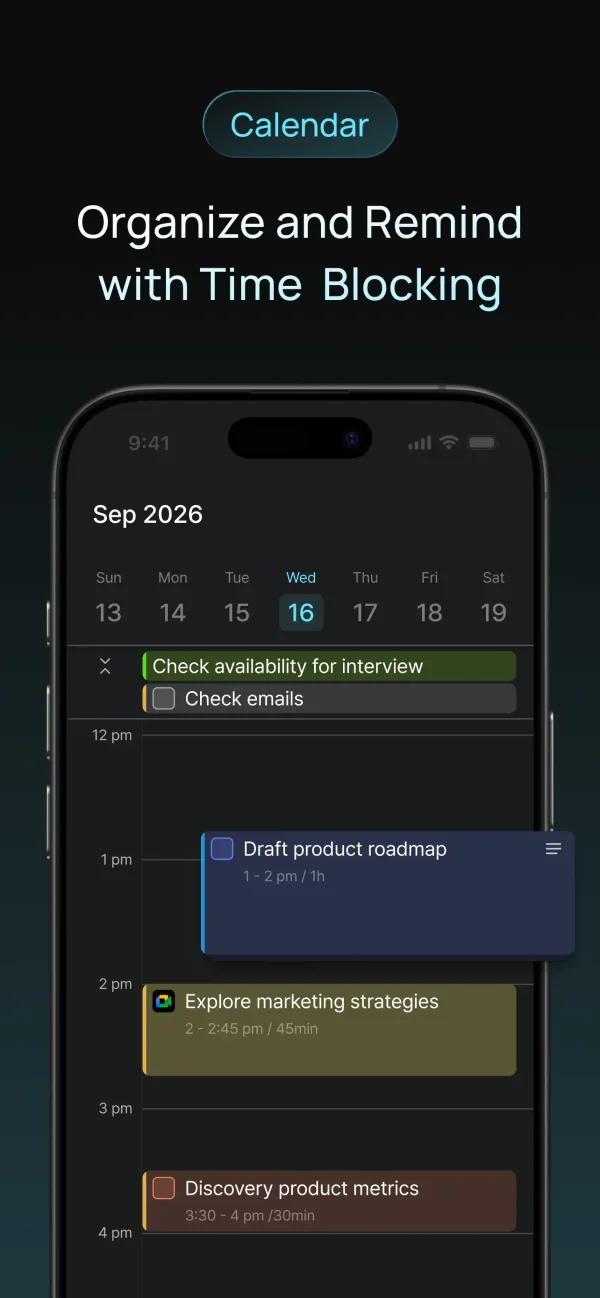
TIME BLOCKING PLANNER
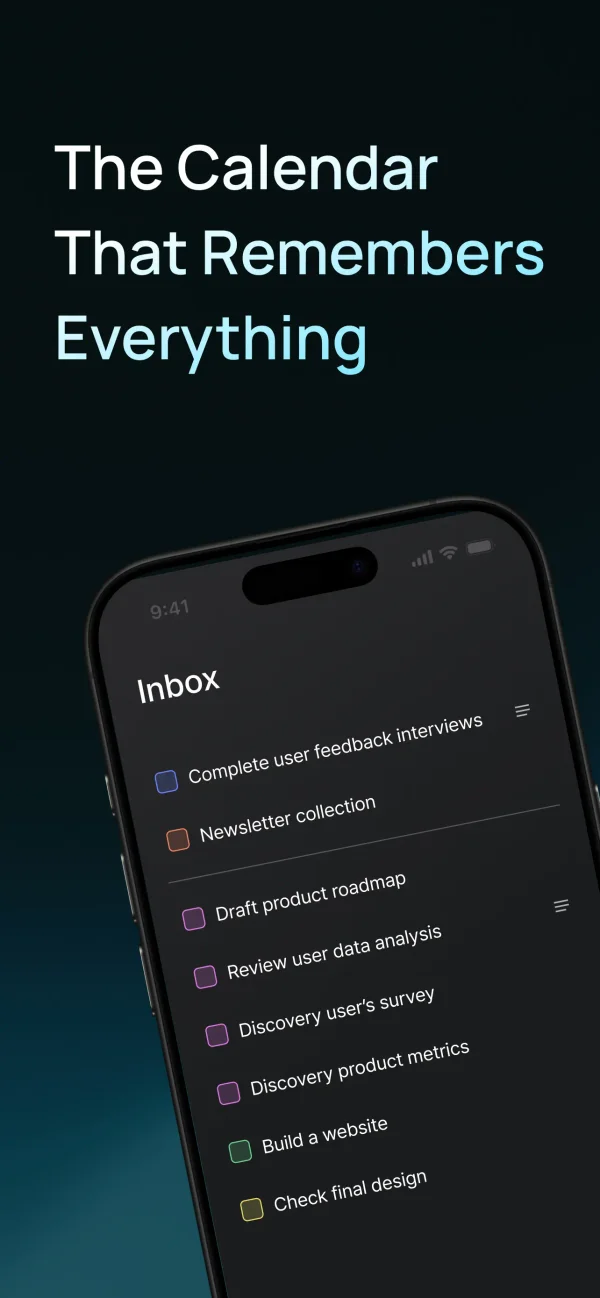
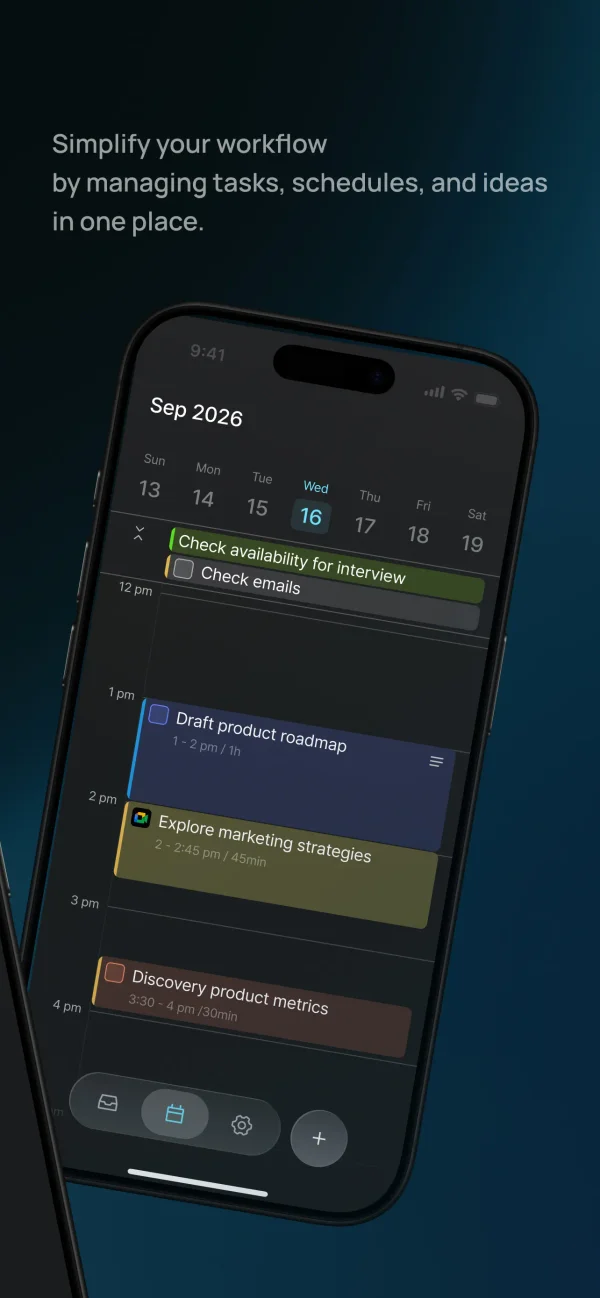
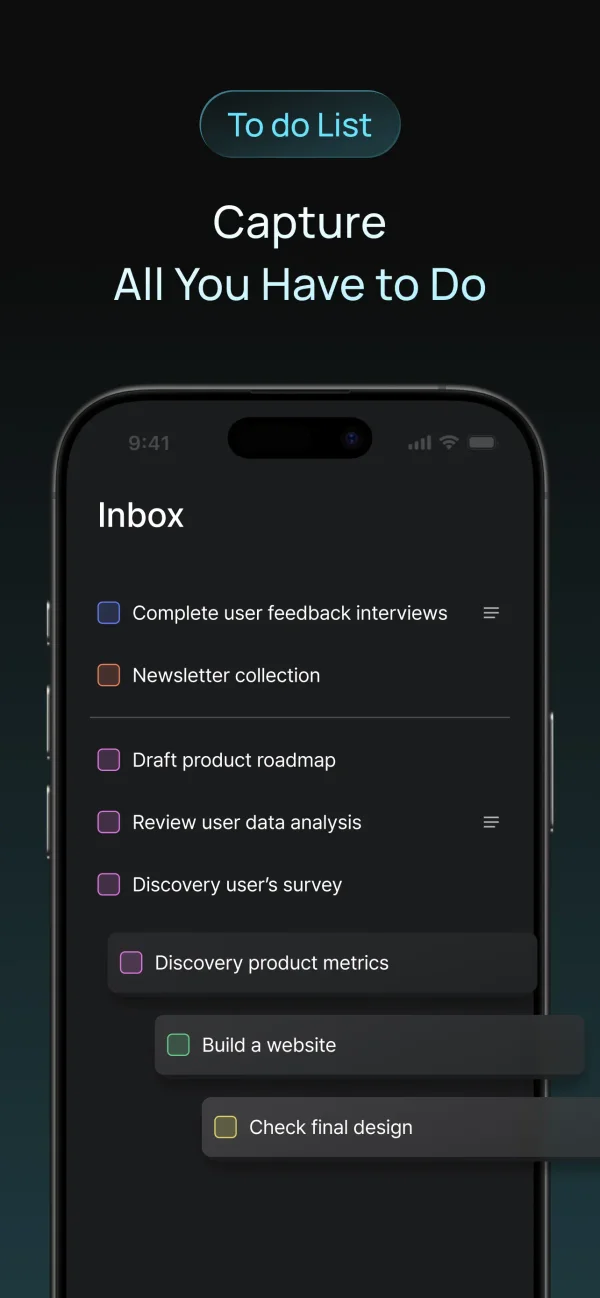
Arch Calendar is a minimal calendar app that unifies an Inbox (store tasks to handle later) and a Calendar (plan what to do) so you can clear a crowded mind. Capture tasks and ideas the moment they appear, then drag and drop them onto time blocks to take control of your day. By removing the unnecessary and keeping only the essentials, we help you stay immersed without switching tools.
CORE FEATURES
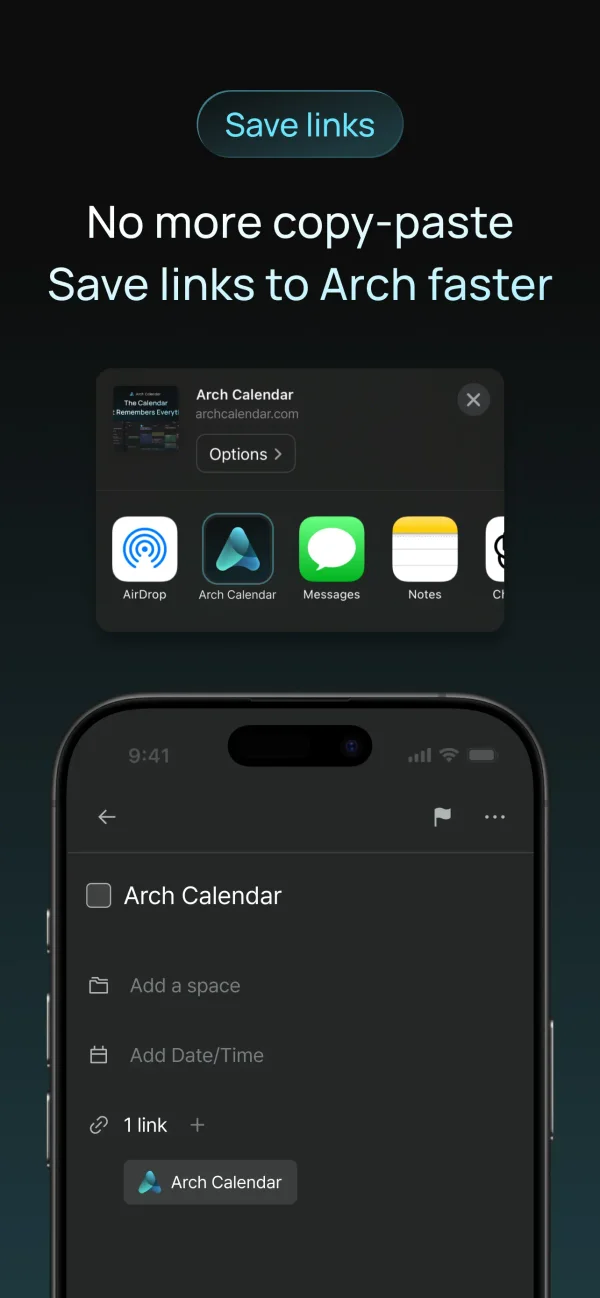
- Quick Capture: Instantly save sudden tasks, ideas, and the link you’re viewing to the Inbox without breaking your flow.
- Calendar Planning: Drag and drop to time-block your day and stay in control.
- Smart Spaces: Organize active work by categories to keep clear context.
WHY ARCH?
The arch stands as one of humanity's most brilliant architectural innovations.
Perfected by the Romans, it embodies the essence of true productivity: achieving maximum support with minimal materials. Instead of solid walls, its precisely calculated curvature efficiently distributes weight, creating strength through elegant design.
This principle reflects the core of productivity: achieving the greatest outcomes with the least resources. By removing unnecessary elements and retaining only what's essential, the arch delivers both structural integrity and beauty, the physical embodiment of the "Less but Better" philosophy.
Inspired by the arch, we've consolidated only the most essential features, scheduling, task management, and idea capture, into one streamlined interface. We focus not on elaborate features but on essential functionality that maximizes productivity.
WHY CALENDAR-CENTRIC?
For most of us, the day starts with checking our calendar. Whether it's the first screen we touch in the morning or what we glance at between meetings, we constantly consult our schedules. Integrating tasks and ideas directly into this frequently used tool isn't just convenient, it's a fundamental improvement to digital workflow.
Recognizing this behavioral pattern, we've placed the calendar at Arch Calendar's core, organically incorporating to-do lists and idea management. No need to open additional apps. You can manage tasks and ideas seamlessly at the very moment you check your schedule, maintaining workflow continuity and contextual awareness.
MINIMALISM
We now stand beneath a relentless waterfall of information. Minimalism serves as a lighthouse in this storm, advocating for "more meaningful" rather than simply "more." By stripping away noise, clarity emerges. Decisions become confident and actions purposeful. Minimalism isn't just aesthetic, it's psychological survival in the digital age.
Arch Calendar embodies this approach: every pixel and interaction serves a clear purpose, protecting your focus and creating mental space.
Minimalism is intensely practical. It boosts productivity by reducing cognitive load and improving both the speed and quality of decision-making. Arch Calendar minimizes unnecessary choices, alleviating decision fatigue. Its clean interface reduces learning curves, empowering users to quickly engage with what matters.
QUESTIONS?
Contact us on email hello@archcalendar.com
Privacy Policy: https://www.archcalendar.com/ko/privacy
Terms of Service: https://www.archcalendar.com/ko/terms-of-service
Terms of Use (EULA): https://www.apple.com/legal/internet-services/itunes/dev/stdeula/
Neue Funktionen
Version 26.11.4 · 19.11.2026
Lunar dates are now built into Arch Calendar, with no separate calendar to subscribe to. Turn on Lunar calendar in Settings > Calendars to see the lunar date next to each day.
You can now connect Outlook Calendar. Alongside Google and Apple Calendar, add your Microsoft personal or work account in Settings > Calendars. Outlook events appear next to your tasks, and you can edit them in Arch Calendar.
This update also includes bug fixes and performance improvements for a smoother experience.
App-Datenschutz
Was MOBA Incorporated im App Store zum Umgang dieser App mit Daten angibt.
-
Keine Daten erfasst
Der Entwickler erfasst keine Daten von dieser App.
Die Datenschutzpraktiken können variieren, zum Beispiel je nach den von Ihnen verwendeten Funktionen oder Ihrem Alter.
Informationen
- Anbieter
- MOBA Incorporated
- Kategorie
- Produktivität
- Version
- 26.11.4
- Aktualisiert
- 19.11.2026
- Veröffentlicht
- 02.10.2025
- Größe
- 126,0 MB
- Erfordert
- iOS 16.4 oder neuer
- Altersfreigabe
- 4+
- Preis
- Kostenlos
- In-App-Käufe
- Ja
- Sprachen
- Englisch
- Copyright
- © 2026 Arch Calendar
Das könnte Ihnen auch gefallen
-
 RankMyTaskProduktivität
-
 append: Notes & RemindersProduktivität
-
 Notes to RemindersProduktivität
-
 Zeitblock Tagesplan - DayBlockPlane deinen Tag mit
-
 ThoughtsLeft: Brain DumpProduktivität
-
 MindMark AI - Second BrainProduktivität
-
 Time Kalender, Termin, AufgabeZeitplaner & Erinnerung
-
 MiniMoreMaxProduktivität
-
 GoMindAI: To-Do-Liste & PlanerKalender, Gewohnheit, Ziele
-
 Timlin: Time Blocking&TrackingProduktivität