
- Altersfreigabe4+
- KategorieProduktivität
- EntwicklerGAVIN NICHOLAS WATERS
- Größe12,4 MB
ArcLog ist bei App Store derzeit möglicherweise nicht verfügbar
Bei unserer letzten Prüfung war der Store-Eintrag nicht erreichbar. Der Link führt weiterhin zur offiziellen App Store-Seite.
Screenshots


Info
Der Entwickler hat diesen Text nicht in Ihrer Sprache bereitgestellt.
ArcLog is a modern pilot logbook for iPhone and iPad, built for airline, commercial and general aviation pilots.
One purchase. No subscriptions.
Pay once, with no monthly fees or recurring subscription required.
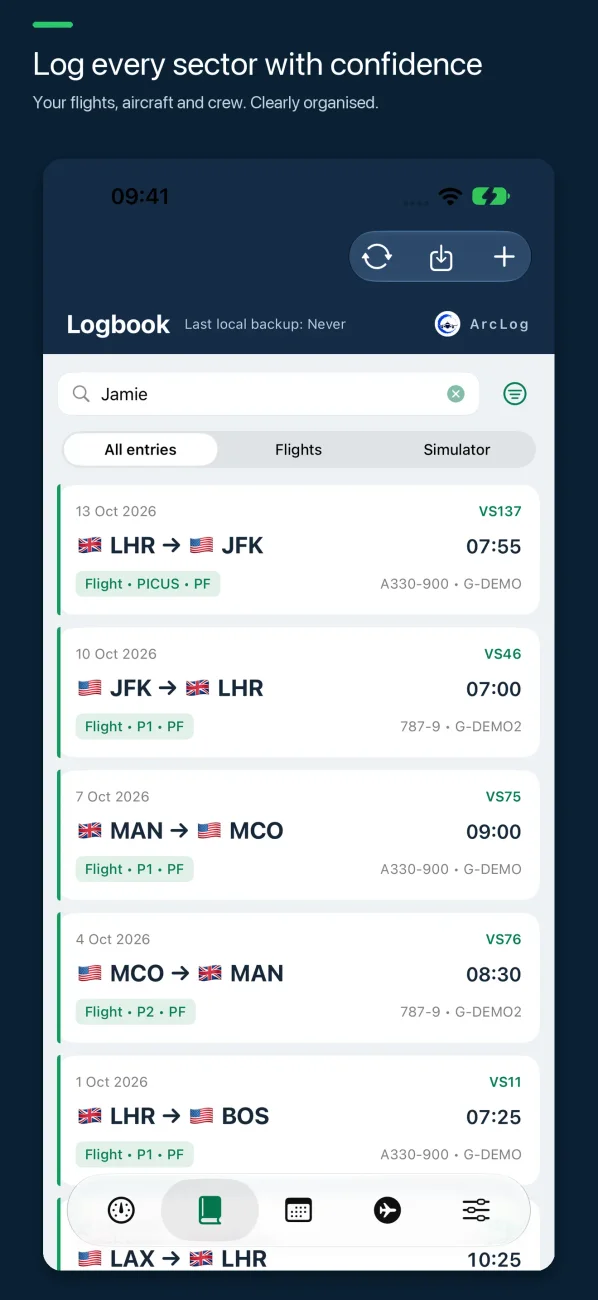
Record complete flights, incomplete sectors and simulator sessions without inventing missing times. Keep routes, aircraft, crew, roles, block times, take-offs, landings, approaches, night time and remarks together.
Your flying, organised
• Fast flight and simulator entry, with search and filters
• IATA and ICAO airports, worldwide lookup and custom airfields
• Automatic night-time calculations with manual override
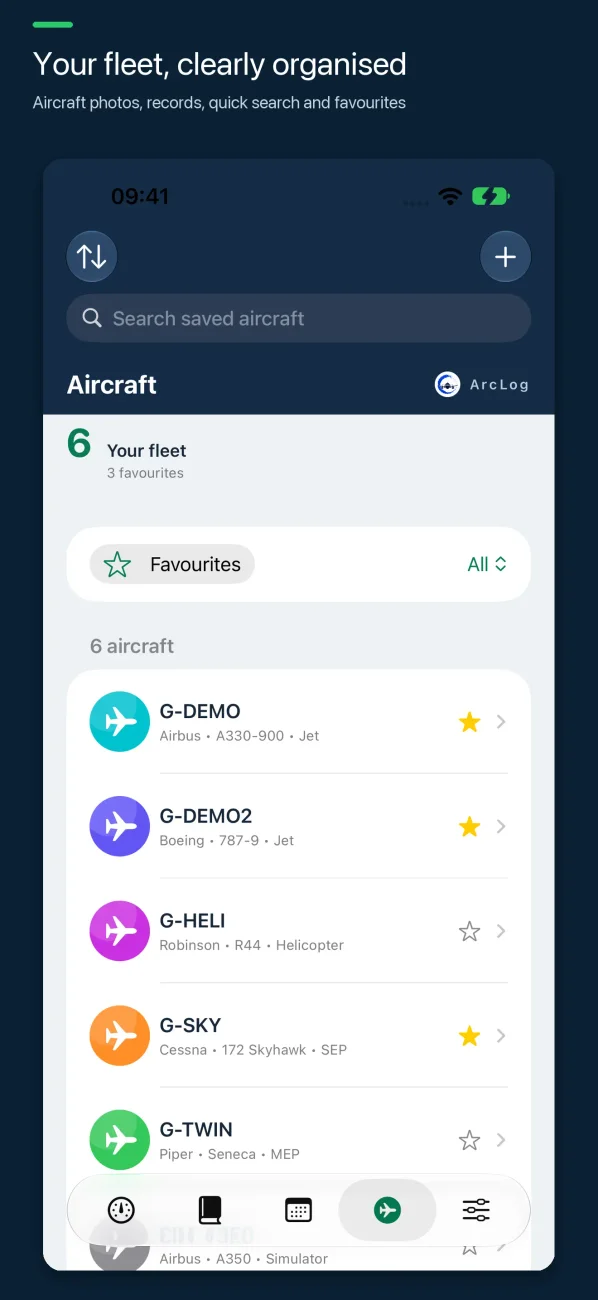
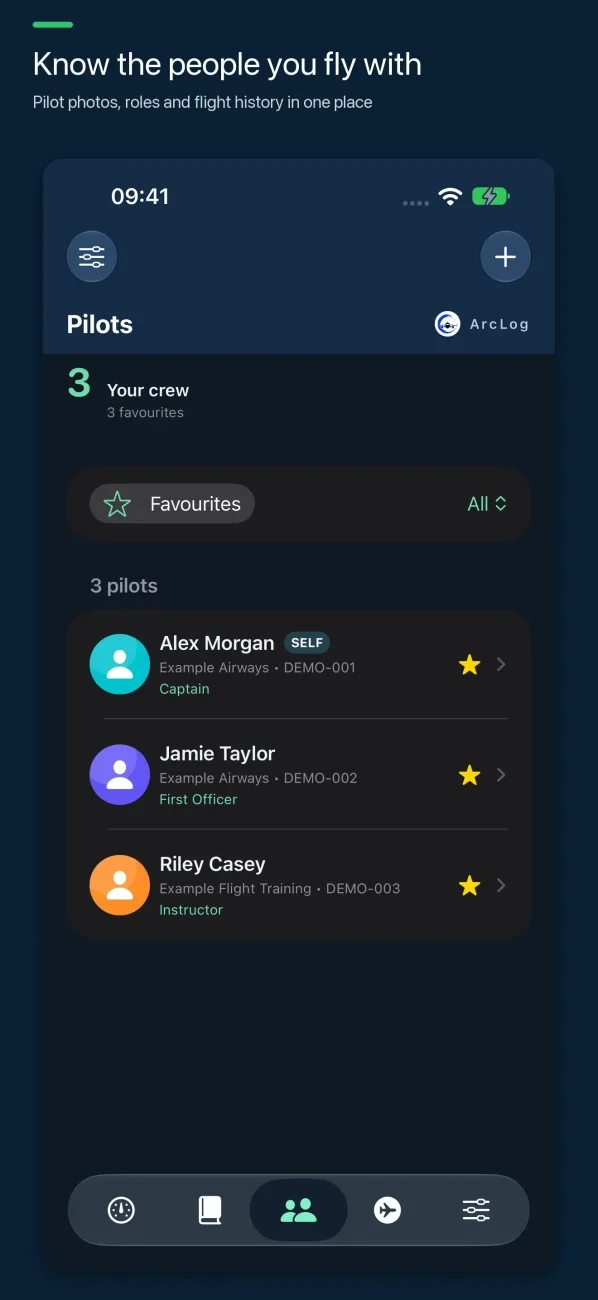
• Searchable pilot and aircraft directories with favourites
• Merge duplicate pilots and choose a preferred name
• Optional pilot, aircraft and owner photos, from Camera or Gallery
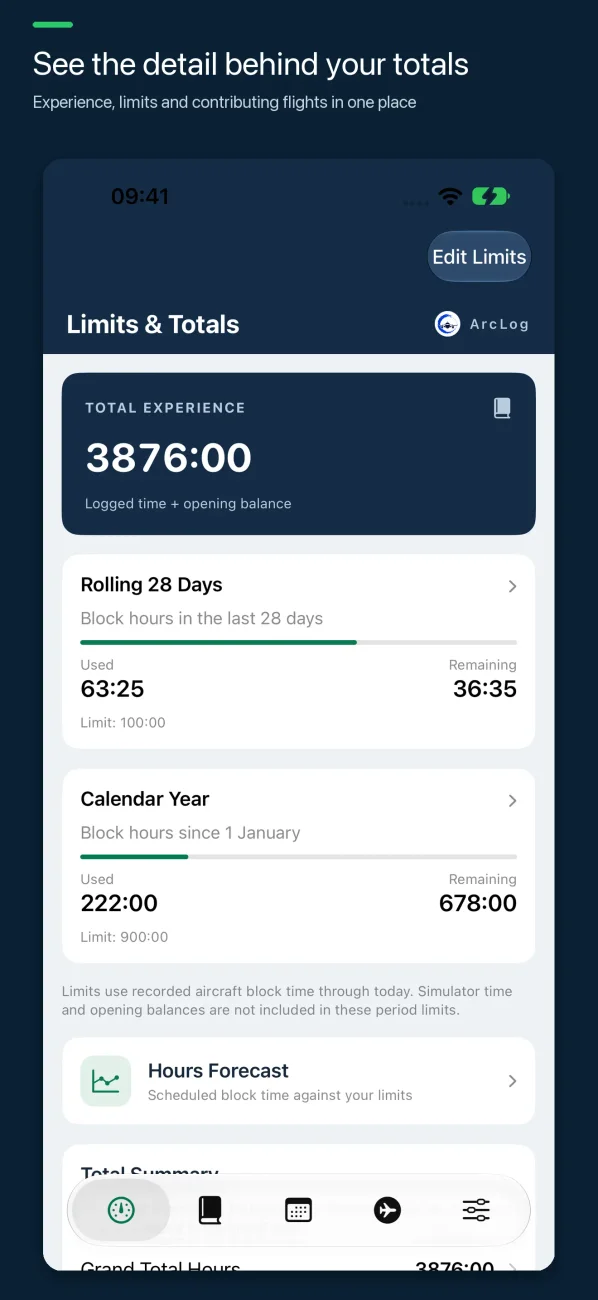
• Smart Totals, custom limits, currency tracking and contributing-flight breakdowns
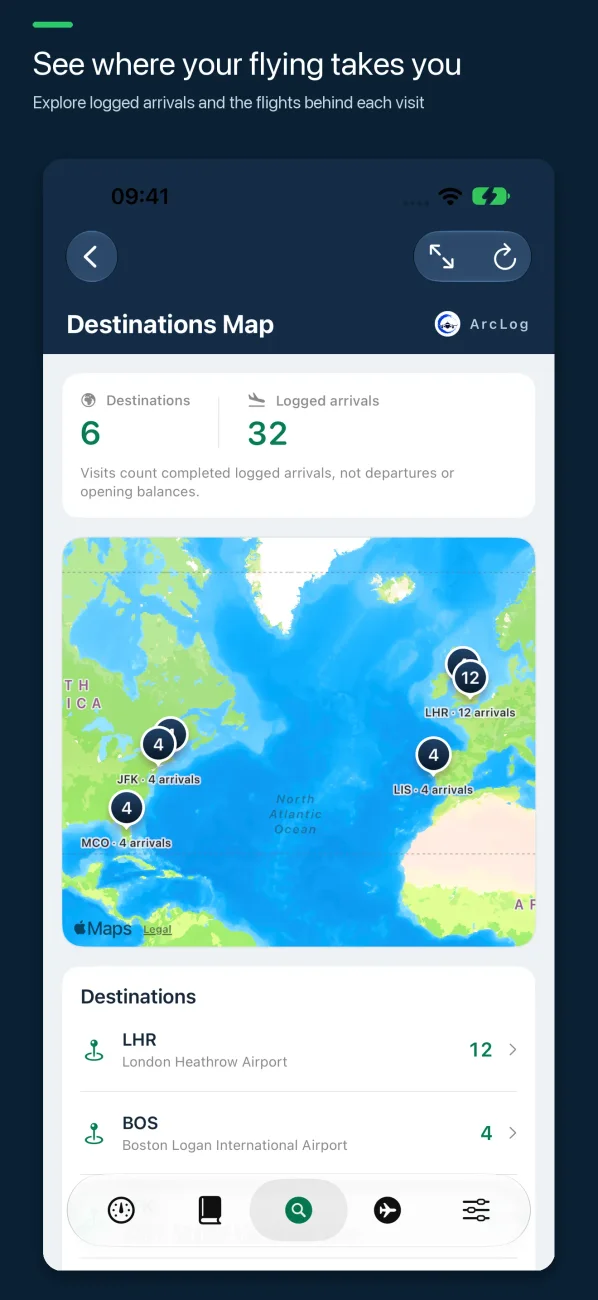
• An interactive destinations map with visit counts
Bring your records with you
• Import completed flights and optional simulator sessions from compatible eCrew Pilot Logbook/JAR-FCL CSV reports
• Preview entries, source totals and duplicate checks before adding them
• Import UTC off/on-block times without inventing missing flight numbers or take-off/landing clocks
• Keep existing records unchanged
Plan your next flights
• Start the next sector with your choice of copied aircraft, crew and route details
• Optional scheduled off/on times, entered in your chosen UTC or local mode
• Hours forecasts and graphs based on future scheduled block times
Forecasts are planning estimates, not a guarantee of regulatory or employer compliance.
Exports your way
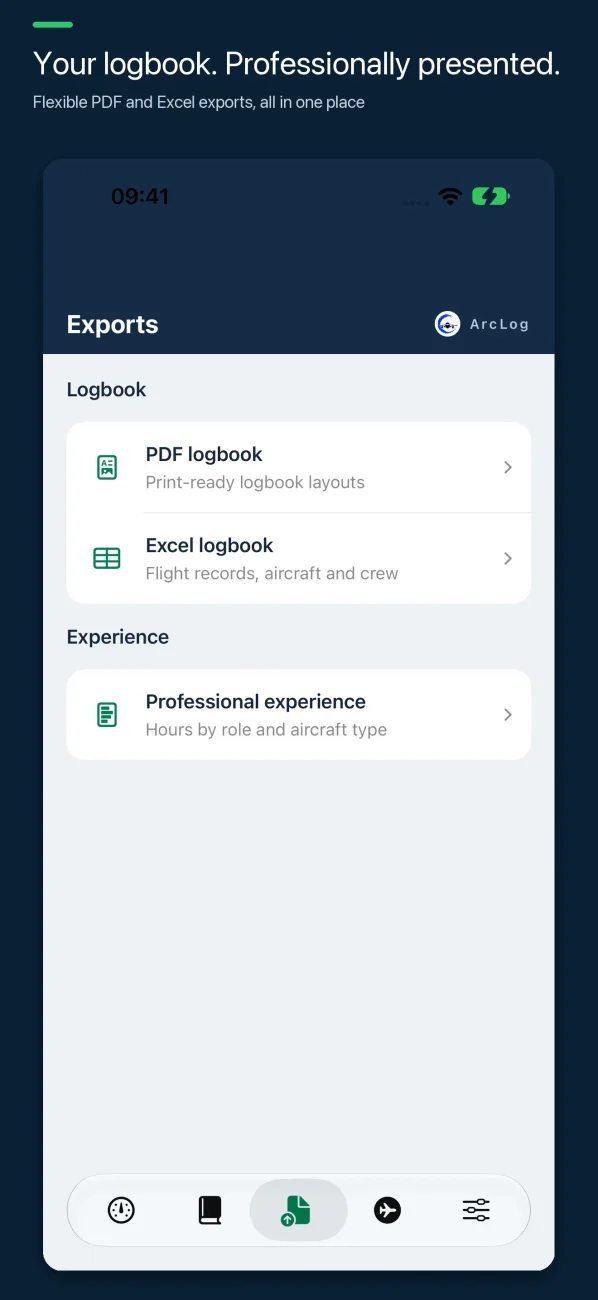
• A dedicated Exports section for PDF and Excel logbooks
• Five PDF layouts and five colour themes, with visual previews
• Flexible date ranges, paper sizes and cumulative totals
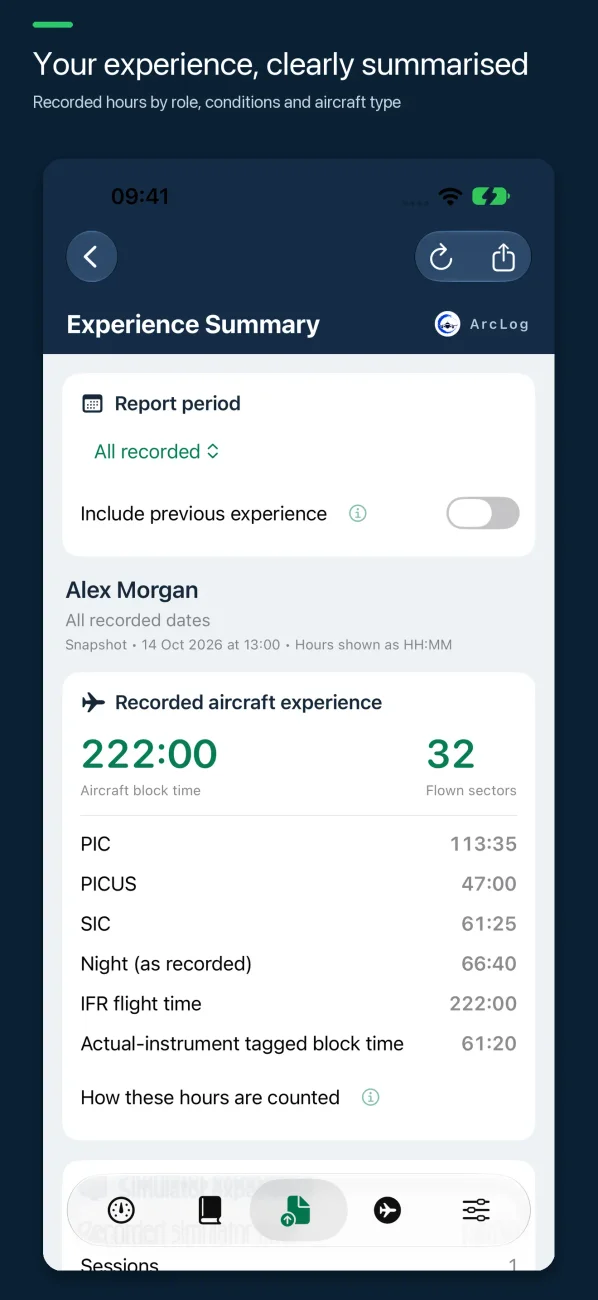
• Professional Experience Summaries of recorded flying and previous experience
Connected when you choose
• iCloud sync across devices using the same Apple Account
• iCloud Drive JSON backups, local restore and backup-health information
• eCrew CSV roster import (beta)*
• Calendar sync with separate check-in and flight events
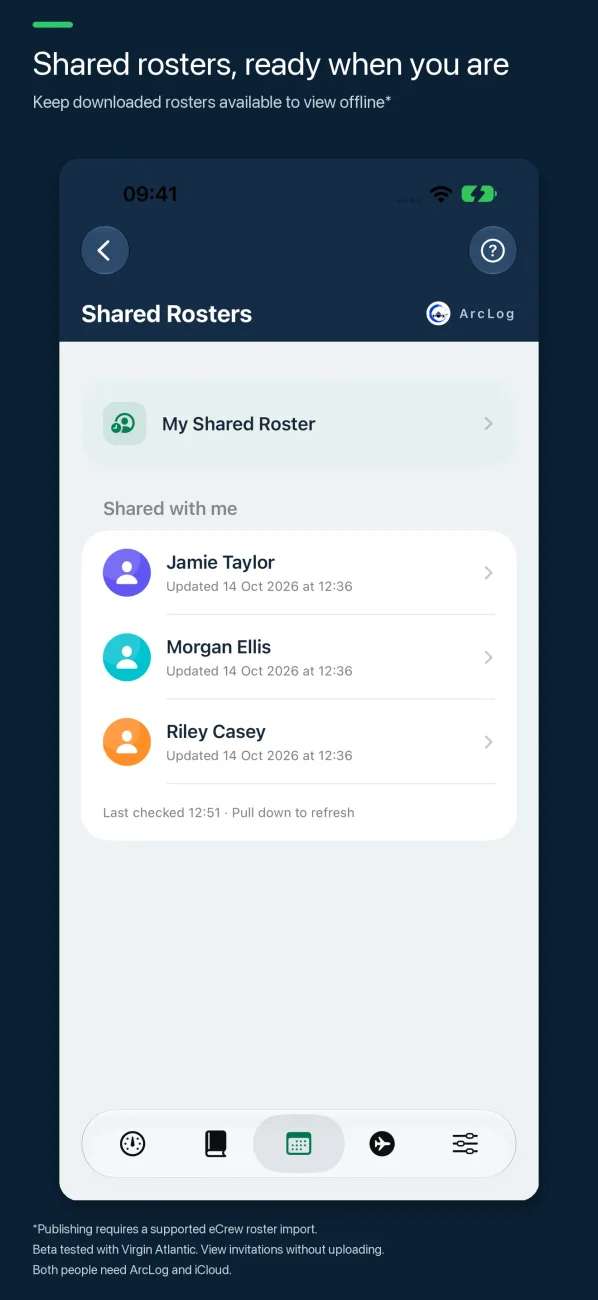
• Private, invitation-based Shared Rosters with friends and colleagues*
• Downloaded shared rosters available offline, refreshed when a connection is available
Designed for your devices
• A consistent navy-and-green design, with light and dark modes
• Adaptive iPhone and iPad layouts
• Side-by-side browsing and preferences on larger displays
* Sharing your own roster requires a supported eCrew CSV roster import. Roster import is in beta and currently tested with Virgin Atlantic only. You can accept an invitation and view a colleague's shared roster without uploading your own. Both people need ArcLog and iCloud. For other airlines or roster formats, contact arclog.support@gmail.com with a redacted sample CSV where possible.
Private by design
No separate ArcLog account, advertising, analytics or tracking. Your working logbook is stored locally. iCloud sync and backups use your Apple Account. Shared Rosters shares limited roster details and your chosen display name/photo with invited people—not your private logbook, crew records, documents or flight totals. Updating a shared roster requires an internet connection and ArcLog to be opened.
Pilots remain responsible for checking imported, calculated and exported records and meeting their authority, employer and licensing requirements.
Neue Funktionen
Version 1.2.5 · 18.11.2026
Import flights and simulator sessions from a LogTen EASA-FCL Compliant 18 A4 PDF. Review crew assignments and block times before saving, and choose whether to keep or update matching entries when dates overlap. The importer also shows how to back up your logbook before you begin.
App-Datenschutz
Was GAVIN NICHOLAS WATERS im App Store zum Umgang dieser App mit Daten angibt.
-
Keine Daten erfasst
Der Entwickler erfasst keine Daten von dieser App.
Die Datenschutzpraktiken können variieren, zum Beispiel je nach den von Ihnen verwendeten Funktionen oder Ihrem Alter.
Informationen
- Anbieter
- GAVIN NICHOLAS WATERS
- Kategorie
- Produktivität
- Version
- 1.2.5
- Aktualisiert
- 18.11.2026
- Veröffentlicht
- 10.09.2026
- Größe
- 12,4 MB
- Erfordert
- iOS 17.0 oder neuer
- Altersfreigabe
- 4+
- Copyright
- © 2026 Gavin Waters