- Altersfreigabe4+
- KategorieDienstprogramme
- EntwicklerSolar Foundations USA, Inc.
- SprachenEnglisch
- Größe26,4 MB
ARrayVue Lite ist bei App Store derzeit möglicherweise nicht verfügbar
Bei unserer letzten Prüfung war der Store-Eintrag nicht erreichbar. Der Link führt weiterhin zur offiziellen App Store-Seite.
Screenshots



Info
Der Entwickler hat diesen Text nicht in Ihrer Sprache bereitgestellt.
A field compass you can finally trust.
ARrayVue® Lite reads true-north bearings from GPS and augmented reality (AR) — not your phone's magnetometer — so nearby steel, rebar, vehicles, and local magnetic disturbances don't pull it off course, and there's no declination to set. From that same calibrated foundation it also measures distances and bearings between points, lays out new points and rectangles, and captures corner elevations — all visualized right in your camera view.
Whether you're laying out a solar array, surveying land, planning an installation, marking boundaries, or aligning structures, ARrayVue Lite turns your phone into a practical field layout and directional-measurement tool.
KEY FEATURES
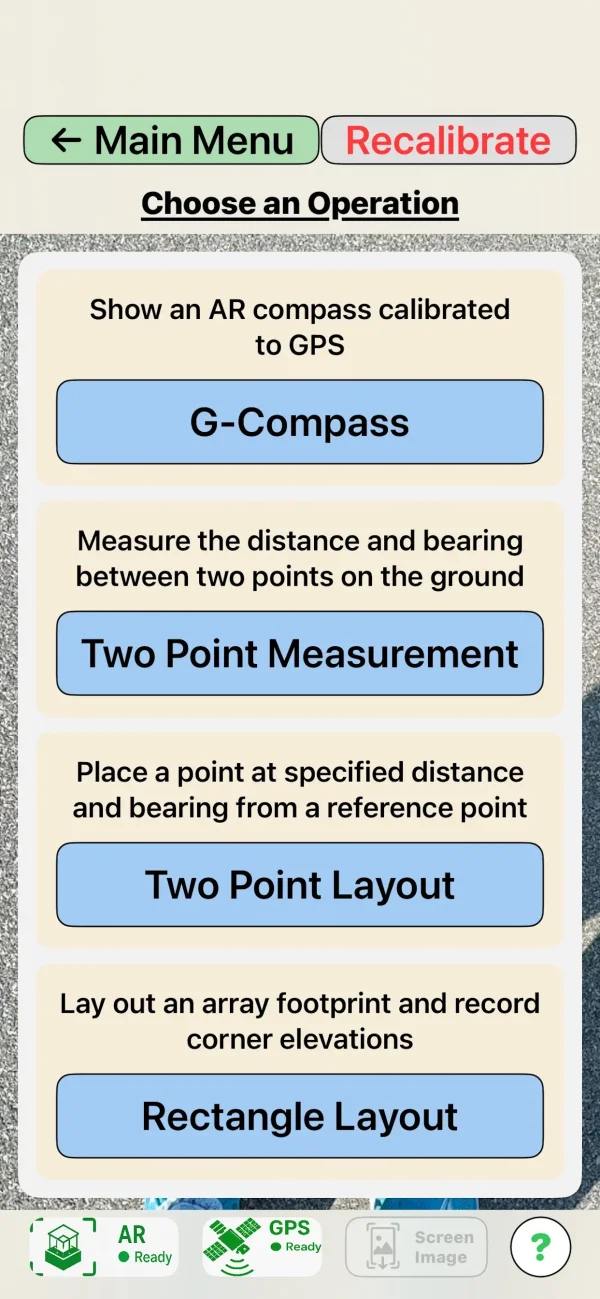
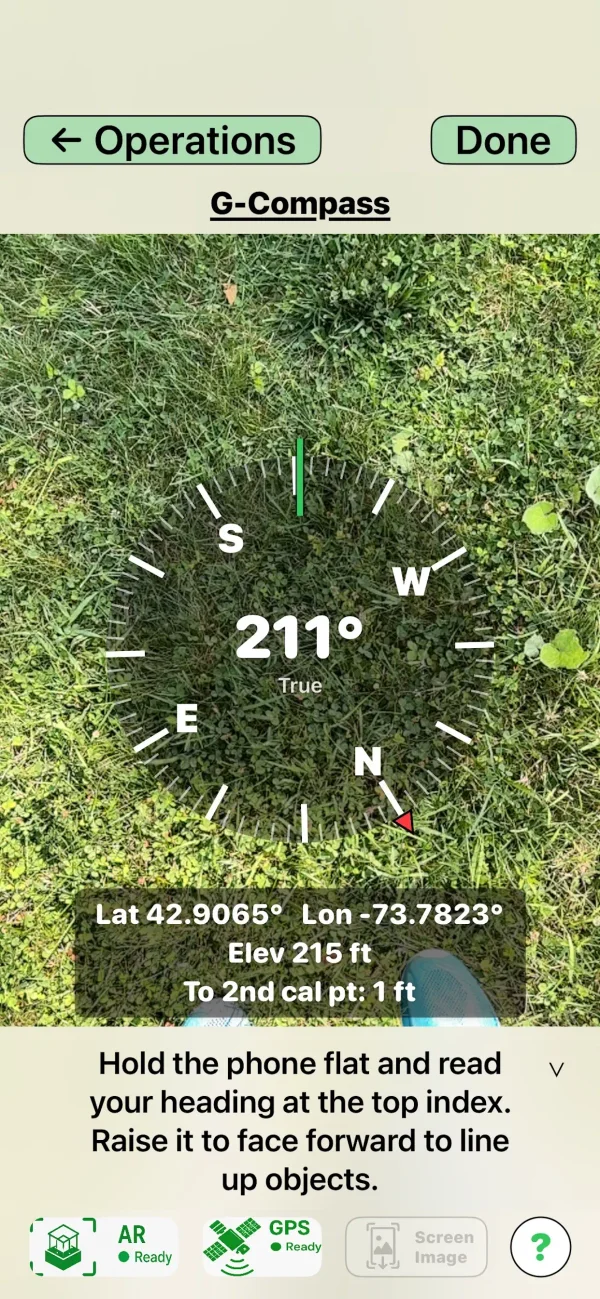
G-Compass — Calibrated AR Compass
Read a stable true-north heading referenced to GPS, free of the magnetic interference and declination errors that throw off phone compasses and even quality sighting compasses. Readings are already true north — there's no magnetic declination to add or subtract. Sight the bearing to any object using the on-screen aiming crosshair.
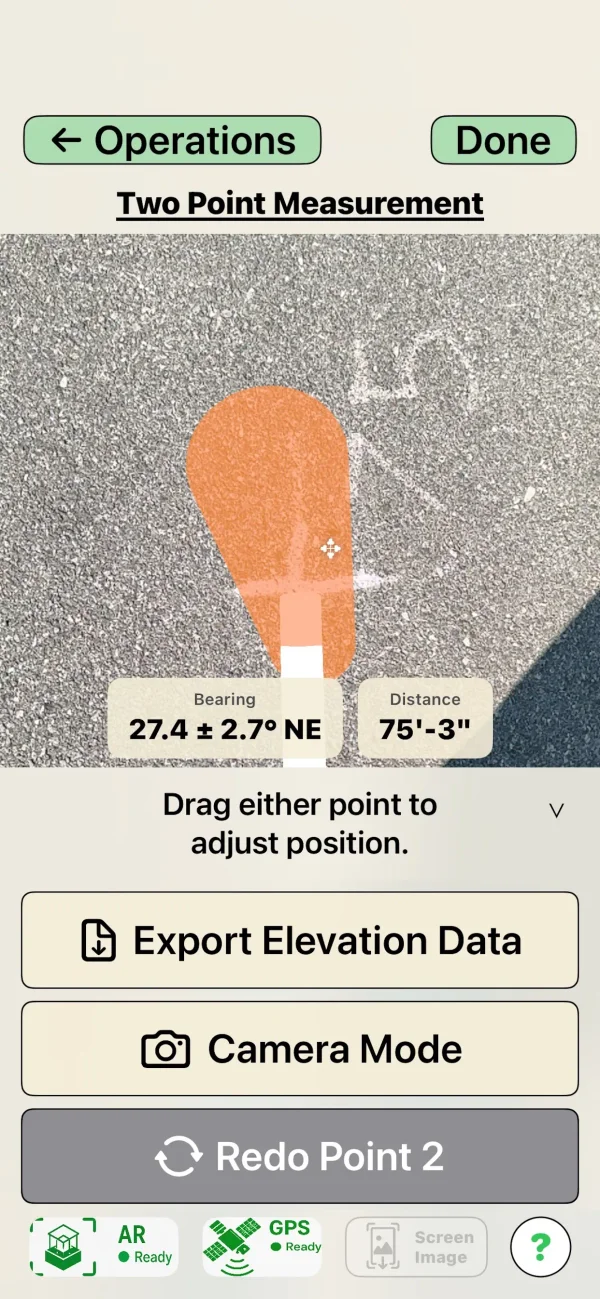
Two Point Measurement
Mark two points — such as existing stakes — to instantly read the azimuth (bearing) and distance between them, so you can verify a layout was set correctly.
Two Point Layout
Place a point at a specified distance and azimuth from a reference point. Stake out with accurate orientation and spacing, even where tall grass or obstacles defeat a tape measure.
Rectangle Layout
Enter length, width, and orientation, and ARrayVue Lite generates the four corners in real space — so you can confirm the array fits the location and stake it out square. Walk to each corner to record its elevation and reveal the site's slopes for planning.
Real-World AR Visualization
See points, lines, and layouts overlaid directly onto your surroundings through augmented reality — no guesswork translating a drawing to the ground.
Accurate GPS Integration
A short guided calibration anchors every measurement to real-world coordinates and true north; from then on, your operations inherit that accuracy.
IDEAL FOR
- Solar array layout
- Surveying and field layout
- Construction and site planning
- Land measurement
- Outdoor mapping and orientation
- Engineering and field operations
HOW IT WORKS
ARrayVue Lite calibrates augmented reality to GPS with a short walk between two points, then holds that reference as you work. For best results, use it outdoors with a clear view of the sky.
ARrayVue Lite helps you plan, measure, and visualize spatial layouts with confidence — directly in the world in front of you.
Neue Funktionen
Version 1.5 · 12.11.2026
This update makes ARrayVue Lite easier to learn before you're in the field:
• Practice Mode (formerly Indoor Training). Learn the tools anywhere, at your desk or on site, without waiting for GPS. Tap the satellite indicator before you start calibrating; it changes to PRACTICE and the status bar turns pink. Practice Mode uses the phone's compass, so it's for learning only. Use GPS mode for real work.
• Skip straight to the tools. In Practice Mode, tap "Skip — use device compass" on the first calibration screen to go straight to the tools, with no practice walks.
• Distance accuracy, restated. The notes for version 1.4 said distances are accurate to within a few inches out to 200 ft. Further field testing against a tape shows distances are nearly always within about 1% on iPhone (about a foot at 100 ft) and about 2½% on iPad. Before a long layout, check one known distance.
Plus general stability and usability improvements.
App-Datenschutz
Was Solar Foundations USA, Inc. im App Store zum Umgang dieser App mit Daten angibt.
-
Nicht mit Ihnen verknüpfte Daten
Können erfasst werden, sind aber nicht mit Ihrer Identität verknüpft.
- Standort
- Kennungen
- Nutzungsdaten
Die Datenschutzpraktiken können variieren, zum Beispiel je nach den von Ihnen verwendeten Funktionen oder Ihrem Alter.
Informationen
- Anbieter
- Solar Foundations USA, Inc.
- Kategorie
- Dienstprogramme
- Version
- 1.5
- Aktualisiert
- 12.11.2026
- Veröffentlicht
- 18.03.2026
- Größe
- 26,4 MB
- Erfordert
- iOS 17.6 oder neuer
- Altersfreigabe
- 4+
- Sprachen
- Englisch
- Copyright
- © 2026 ARrayVue, LLC
Das könnte Ihnen auch gefallen
-
 MeterHomeDienstprogramme
-
 Sixteenths: Construction CalcDienstprogramme
-
 MNBLE UPDATEDienstprogramme
-
 EG4 BMSDienstprogramme
-
 Sifter - Spam SMS FilterDienstprogramme
-
 MySolArk InstallerDienstprogramme
-
 Fortress Power ProDienstprogramme
-
 MPPT LiveDienstprogramme
-
 eGaugeDienstprogramme
-
 Renon SmartDienstprogramme