- Altersfreigabe4+
- KategorieProduktivität
- EntwicklerAlarm services LLC
- SprachenEnglisch+ 5 weitere
- Größe88,5 MB
Verlinkt auf die offizielle App Store-Seite
Download.org hostet keine Datei von ASG Ally. Die Schaltfläche öffnet die App-Seite bei App Store, wo Alarm services LLC die App veröffentlicht. Eintrag zuletzt geprüft am 25.11.2026.
Screenshots

Info
Der Entwickler hat diesen Text nicht in Ihrer Sprache bereitgestellt.
ASG Ally: Technician & Sales App
ASG Ally is a powerful, role-based mobile application designed to streamline home security installation and management for technicians and sales representatives. Built to support ASG Security’s mission of delivering top-notch security solutions across the Greater Los Angeles Area, ASG Ally enhances efficiency and accuracy with customized tools tailored to each user’s role. Partnering with industry-leading brands like Alarm.com and Honeywell Home, the app ensures seamless workflows for professional installation and 24/7 monitoring support, empowering technicians and sales teams to provide superior service to millions of homeowners and businesses.
Key Features:
For Technicians:
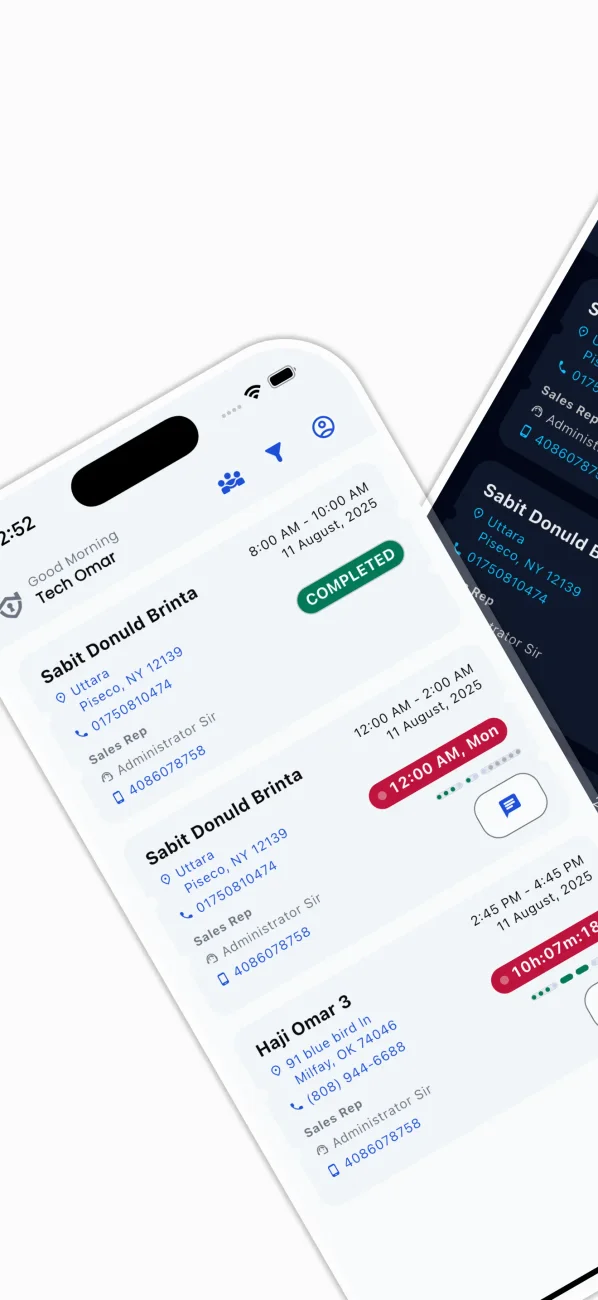
Dynamic Ticket Management: Access installation tickets with the most urgent tasks prioritized at the top. Apply filters to quickly locate specific tickets based on status, location, or other criteria.
Real-Time SMS Notifications: Receive automated SMS updates with a detailed list of required equipment when marking a ticket as "on the way" or at any time via the dashboard’s SMS button.
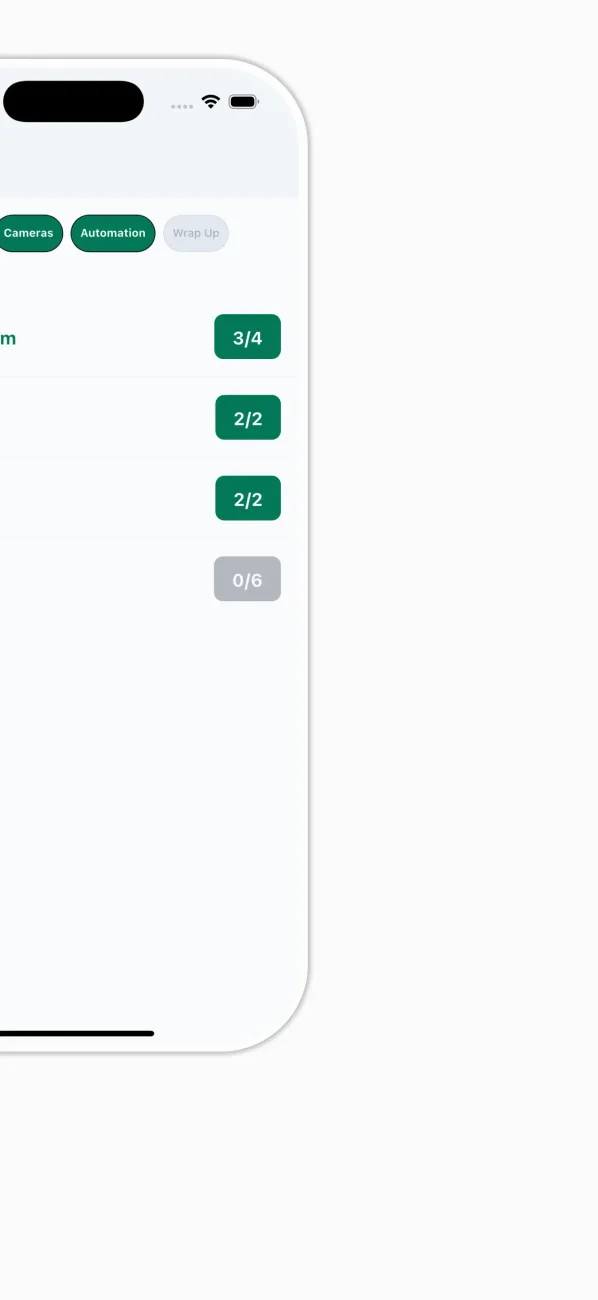
Role-Specific Modules: View only the relevant modules (Security System, Camera, or Automation) based on the customer’s initial proposal, ensuring a focused and efficient workflow.
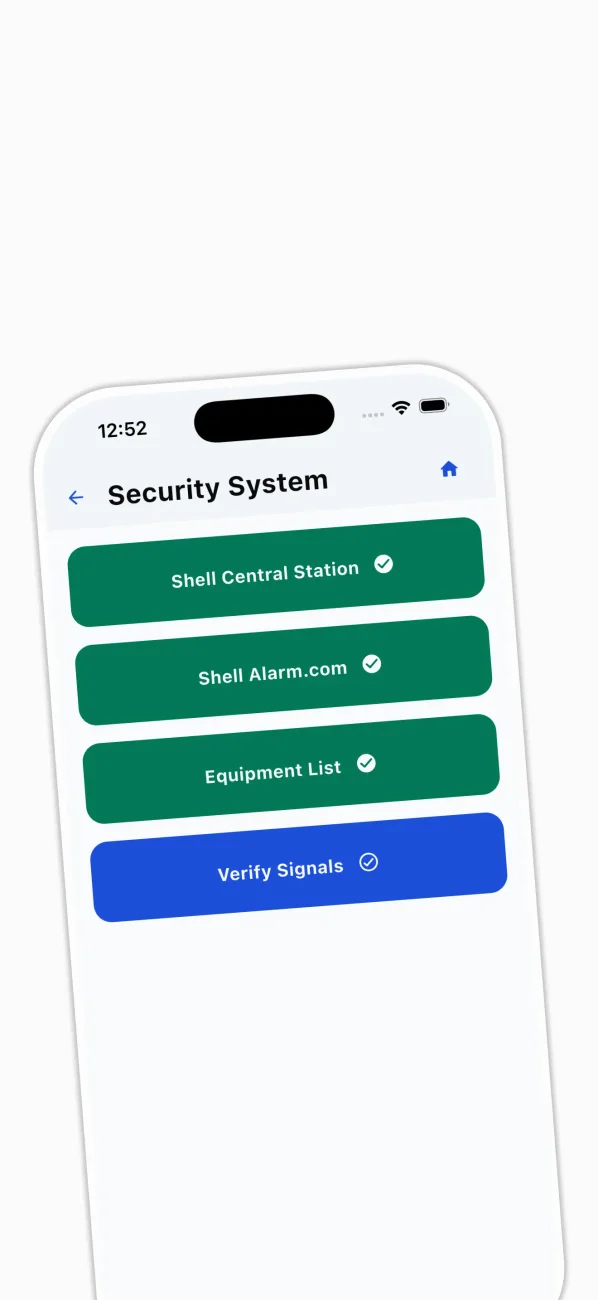
Security System Installation: Begin with the security system setup, integrating with central stations like Avantguard. A "Place on Test" button appears if the customer’s system is not on test, guiding technicians through the process with precision.
Equipment Installation & Approval: Request additional equipment or quantities directly through the app. An SMS is sent to the assigned sales representative for approval, ensuring smooth coordination before proceeding with installation.
Verification Process: Sync signals and responses with platforms like Alarm.com and Avantguard to verify installations. Equipment status is displayed with green or red indicators to confirm correct sensor alignment. For discrepancies, a pop-up prompts to clarify if it’s a new or existing installation.
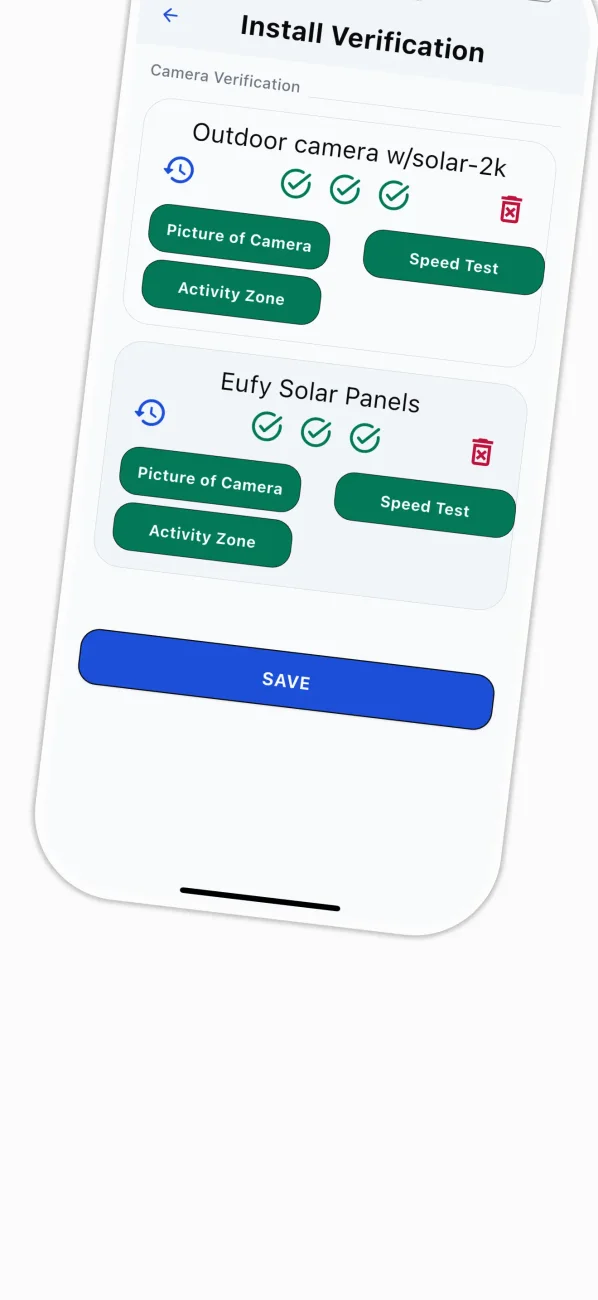
Camera Module: Install and verify camera equipment by capturing activity zone images and running speed tests to ensure optimal performance, aligning with ASG’s commitment to security in every detail.
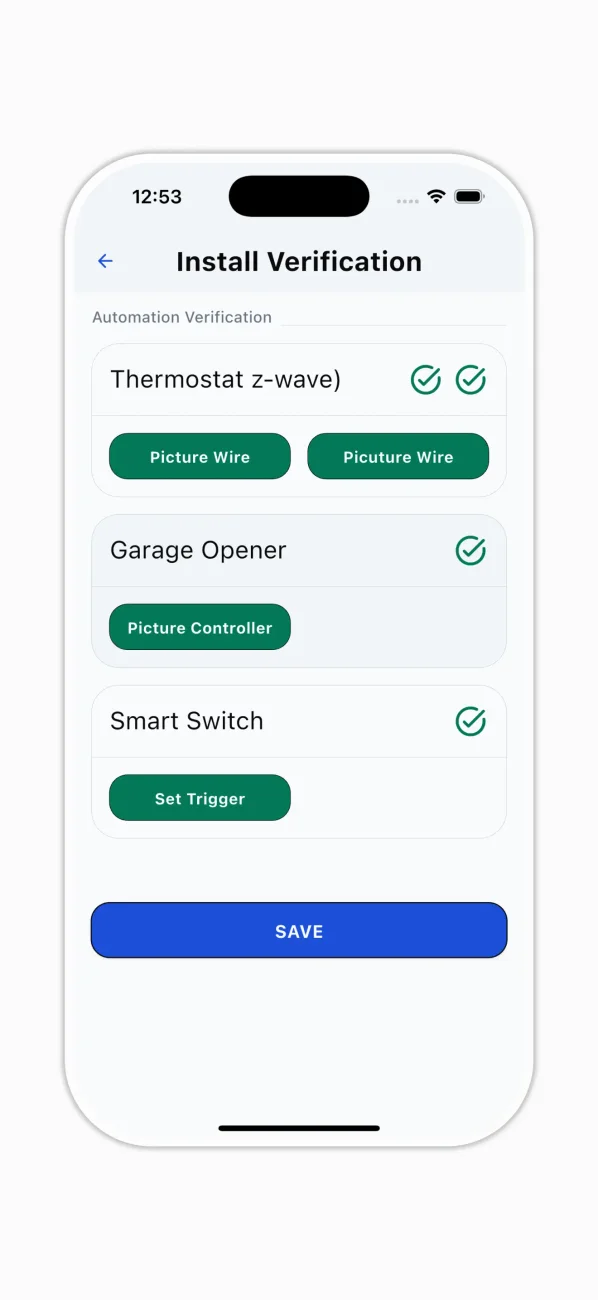
Automation Module: Manage automation equipment installation with a similar verification process to confirm functionality, supporting ASG’s smarter prevention technology.
Wrap-Up Documentation: Complete all necessary paperwork within the app to finalize the job efficiently, ensuring service with a purpose.
For Sales Representatives:
Equipment Approval Workflow: Receive and respond to technician requests for additional equipment or quantities via SMS, enabling quick decision-making to keep installations on track.
Dashboard Access: Monitor ticket statuses and technician progress to stay informed and provide timely support, fostering collective success.
Why ASG Ally?
ASG Ally simplifies the home security installation process by offering a user-friendly interface, real-time communication, and role-specific tools. Whether you’re a technician installing and verifying equipment or a sales representative approving requests, the app ensures every step is clear, efficient, and tailored to your role. Designed for scalability, ASG Ally supports home security professionals in delivering top-notch service to customers across Los Angeles, Orange County, the Inland Empire, and beyond. With ASG Ally, you’re always available to meet clients’ security needs, upholding an unwavering standard of care.
Download ASG Ally today to streamline your home security installation workflow and protect what matters most!
Neue Funktionen
Version 2.6.0 · 25.11.2026
What's new in 2.6.0
• Wrap Up — HIC sent by DocuSign: The HIC is now sent to the customer by DocuSign for every finance company.
• Tickets — Time and gaps in details: Tap progress to see time on site, time left and gaps to your previous and next tickets.
• App — New ASG look: Every screen has a fresh ASG design with new colors, fonts and cleaner cards.
• Home — Greeting and Today card: Home greets you and shows a Today card with your tickets as easy-to-tap tiles.
• Notes — Redesigned notes: Customer and ticket notes have a cleaner layout that is easier to read and add to.
• App — New app icon: The Ally app icon now uses the ASG mark on Android and iPhone.
• Home — Today card color: The Today card keeps its red accent in light mode, even when nothing is scheduled.
• Sheets — Cleaner appointment and equipment sheets: The appointment and equipment list sheets no longer show a doubled handle or extra spacing.
• Tickets — Redesigned ticket card: Ticket cards show status, booked time, on-site timer and job progress at a glance.
• Customer Flow — Close button: The customer flow screen now has a X close button instead of a back arrow.
• Customer Flow — Clearer step titles: Steps without a caption, like Pre-Qualify, now show their name as a bold headline.
• Customer Flow — Roomier sections: Primary Applicant and Co-Applicant rows have more space, so they are easier to tap.
• Signature — Dark mode pad and preview: The signature pad and preview now look right in dark mode, and the pad fills the screen.
• Customers — Readable Delete button: The Delete customer button label is now easy to read in dark mode.
• Customer — Not-verified icon: The not-verified icon is now a person with a cross.
• App — Updated app icon: The iPhone icon now has dark and tinted looks, and the Android icon is refreshed.
• Presentation — Send button label: The Send Presentation buttons now simply read Send.
• Customers — Presentation opens the Proposal: Presentation now takes you straight to the customer's Proposal step.
• Signature — Saved signature shown on the pad: Your saved signature appears faded on the pad so you can compare as you re-sign.
• Qualify — Home ownership results: A match shows only a success message; other results show a note on the paperwork needed.
• Equipment — Search ready after Add another: After Add another, the equipment search is ready to type in, so no extra tap is needed.
• Customer Flow — Consistent Next button: Every Next button now reads "Next step" and matches in height on all screens.
• Finance — Yearly Income with commas: Yearly Income now shows commas as you type, like 10,000, so it is easier to read.
• Inventory — Transfer no longer crashes: Tapping Transfer after adding all on-hand stock no longer closes the app.
• Customers — Full name in the list: Long customer names now wrap to two lines in the phone list instead of being cut off.
• Customers — Deleted customer leaves the list: A customer deleted from Presentation no longer stays in the customer list.
• Physical Inventory — Save jumps to the right row: When a count fails to save, the app now scrolls to the row that needs fixing.
• Home — Leaderboard podium fits: The top three podium on the leaderboard no longer overflows.
• Customer — Home ownership verified: Home ownership now shows verified when the latest run matches, even if the name differs slightly.
• GoodLeap — Paperwork updates after signing: Once GoodLeap loan documents are signed, Paperwork and Pre-Call now update on their own.
• Qualify — Failed lookup labeled: A home ownership lookup that fails now reads LOOKUP FAILED instead of looking like no match.
• Dashboard — No crash on slow profile load: Your dashboard no longer closes the app when your profile is slow to load after sign-in.
• Finance — GoodLeap Next button: After GoodLeap documents are signed, Next opens the Work Order instead of GoodLeap.
• Finance — Months default to 0: Leaving months empty beside years now shows 0 months, so you see what is sent.
App-Datenschutz
Was Alarm services LLC im App Store zum Umgang dieser App mit Daten angibt.
-
Nicht mit Ihnen verknüpfte Daten
Können erfasst werden, sind aber nicht mit Ihrer Identität verknüpft.
- Standort
- Benutzerinhalte
Die Datenschutzpraktiken können variieren, zum Beispiel je nach den von Ihnen verwendeten Funktionen oder Ihrem Alter.
Informationen
- Anbieter
- Alarm Services LLC
- Kategorie
- Produktivität
- Version
- 2.6.0
- Aktualisiert
- 25.11.2026
- Veröffentlicht
- 13.08.2025
- Größe
- 88,5 MB
- Erfordert
- iOS 15.6 oder neuer
- Altersfreigabe
- 4+
- Preis
- Kostenlos
- Sprachen
- Englisch, Französisch, Deutsch, Japanisch, Koreanisch, Polnisch
- Copyright
- Copyright © 2026 ASG Ally | All rights reserved.